TL;DR
Migrating from Oracle to Microsoft Fabric means moving transactional and analytical workloads off Oracle’s licensed database infrastructure onto Fabric’s unified, pay-as-you-go platform, typically to cut licensing costs and unlock real-time analytics. Oracle’s per-processor pricing, complex scaling, and vendor lock-in push enterprises to migrate, and a 2024 Forrester study found organizations achieved 379% ROI over three years, with data engineering productivity up 25%.
The migration involves real work, converting PL/SQL, mapping schemas, and redesigning ETL pipelines, though tools like Azure Data Factory and SSMA reduce manual effort. Projects that go smoothly treat data quality and governance as part of the migration, not an afterthought. Kanerika’s FLIP accelerators automate much of this migration, cutting timelines from months to weeks while preserving accuracy.
Data teams at large enterprises are spending months trying to get simple reports because their Oracle systems can’t keep up with modern analytics demands. A 2024 Forrester Consulting study found that companies using Microsoft Fabric achieved 379% ROI over three years, with data engineering productivity jumping by 25%. The research also revealed that organizations reduced time spent searching for data by 90% after moving to the platform.
The challenge is clear. Oracle databases still power critical operations at thousands of companies, but they’re showing their age. High licensing costs, complex maintenance, and limited integration with modern tools are pushing more organizations to migrate from Oracle to Microsoft Fabric. This shift isn’t just about swapping platforms.
It’s about accessing unified data storage, real-time analytics, and AI capabilities without the usual infrastructure headaches. For companies dealing with slow insights, rising costs, and disconnected data systems, the migration offers a path to faster decision-making and better business outcomes. Fabric is one destination. If Snowflake is on your shortlist, compare the Oracle to Snowflake migration.
Elevate Your Enterprise Data Operations by Migrating to Modern Platforms!
Partner with Kanerika for Data Modernization Services
 Book a Meeting
Why Enterprises Are Moving Away From Oracle Databases
1. High Licensing Costs
Oracle’s pricing model puts serious pressure on IT budgets. Companies pay per processor or per user, which adds up fast as your business grows. Many organizations find themselves spending hundreds of thousands just on licenses before counting maintenance fees.
- Annual support costs typically run at 22% of the original license price
- Scaling up requires purchasing additional licenses for new processors or users
- Hidden costs appear during audits when Oracle identifies unlicensed usage
2. Complex Scalability Requirements
Scaling Oracle databases takes significant planning and hardware investment. When your data grows, you can’t just flip a switch. You need to buy more servers, configure them properly, and often bring in specialized consultants to make it work.
- Manual scaling processes require weeks or months of planning
- Hardware purchases involve large upfront capital expenses
- Database administrators need deep expertise to manage performance at scale
3. Vendor Lock-In Problems
Once you build on Oracle, switching becomes extremely difficult. Your team writes stored procedures in PL/SQL, which only works with Oracle systems. Applications get tightly coupled to Oracle-specific features. Moving to another platform means rewriting years of business logic.
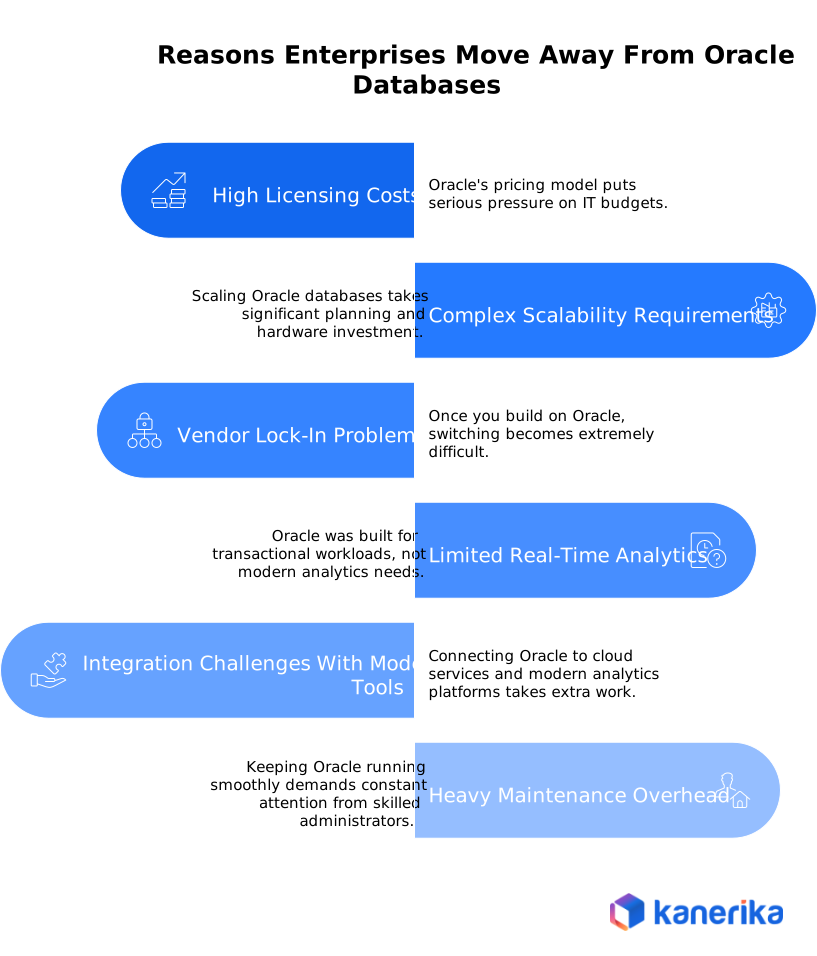
4. Limited Real-Time Analytics
Oracle was built for transactional workloads, not modern analytics needs. Getting real-time insights requires complex workarounds or buying additional Oracle products. Batch processing creates delays that don’t work when businesses need instant answers.
- Traditional batch windows mean waiting hours or days for updated reports
- Real-time streaming requires separate Oracle products at extra cost
- Integration with modern BI tools often needs middleware layers
Connecting Oracle to cloud services and modern analytics platforms takes extra work. The system wasn’t designed for today’s data ecosystem. Teams struggle to bring in data from APIs, streaming sources, or cloud applications without building custom connectors.
- Limited native support for modern data formats like JSON or Parquet
- Cloud integration requires additional middleware or custom development
- AI and machine learning tools need complex data pipelines to access Oracle data
6. Heavy Maintenance Overhead
Keeping Oracle running smoothly demands constant attention from skilled administrators. Updates, patches, and performance tuning eat up IT resources. Companies find themselves spending more time maintaining the database than using it to drive business value.
- Performance tuning needs ongoing monitoring and adjustment
- Routine maintenance requires specialized database administrator skills
- Version upgrades involve testing every stored procedure and application
Oracle to Microsoft Fabric Migration Challenges
1. Schema and Data Type Mapping
Oracle and Microsoft Fabric use different data structures and types. What works perfectly in Oracle might not have a direct equivalent in Fabric. This means you need to carefully remap every table, column, and data type to prevent data loss or corruption.
- Oracle data types like NUMBER or VARCHAR2 need conversion to Fabric equivalents
- Date and timestamp formats differ between the two platforms
- Precision and scale mismatches can cause data truncation or errors
2. PL/SQL Code Conversion
Oracle’s PL/SQL stored procedures don’t run on Microsoft Fabric. Every piece of business logic written in PL/SQL needs to be rewritten. Organizations with decades of accumulated code face months of conversion work.
- Thousands of lines of custom PL/SQL require manual review and rewriting
- Cursors and loops need refactoring into set-based operations for better performance
- Triggers and packages must be recreated using Fabric-compatible alternatives like Spark or SQL
3. ETL Pipeline Redesign
Existing Oracle ETL processes use tools and utilities that don’t work with Fabric. Teams using Oracle SQL*Loader, Data Pump, or custom scripts must rebuild everything. This means learning new tools and redesigning workflows from scratch.
- Legacy tools like Informatica or custom Oracle utilities need replacement
- Data transformation logic must move to Azure Data Factory or Synapse pipelines
- Testing rebuilt pipelines takes significant time to ensure accuracy
Moving years or decades of data takes serious planning. Network bandwidth limitations slow down transfers. Companies worry about downtime during the move, especially when dealing with terabytes of information.
5. Performance Optimization Differences
What runs fast in Oracle might crawl in Fabric without proper tuning. The two platforms optimize queries differently. Indexes, execution plans, and performance patterns all change, requiring fresh expertise.
- Oracle optimizer hints don’t translate to Fabric’s distributed compute model
- Indexing strategies need complete redesign for lakehouse architecture
- Query patterns optimized for row-by-row processing must shift to set-based operations
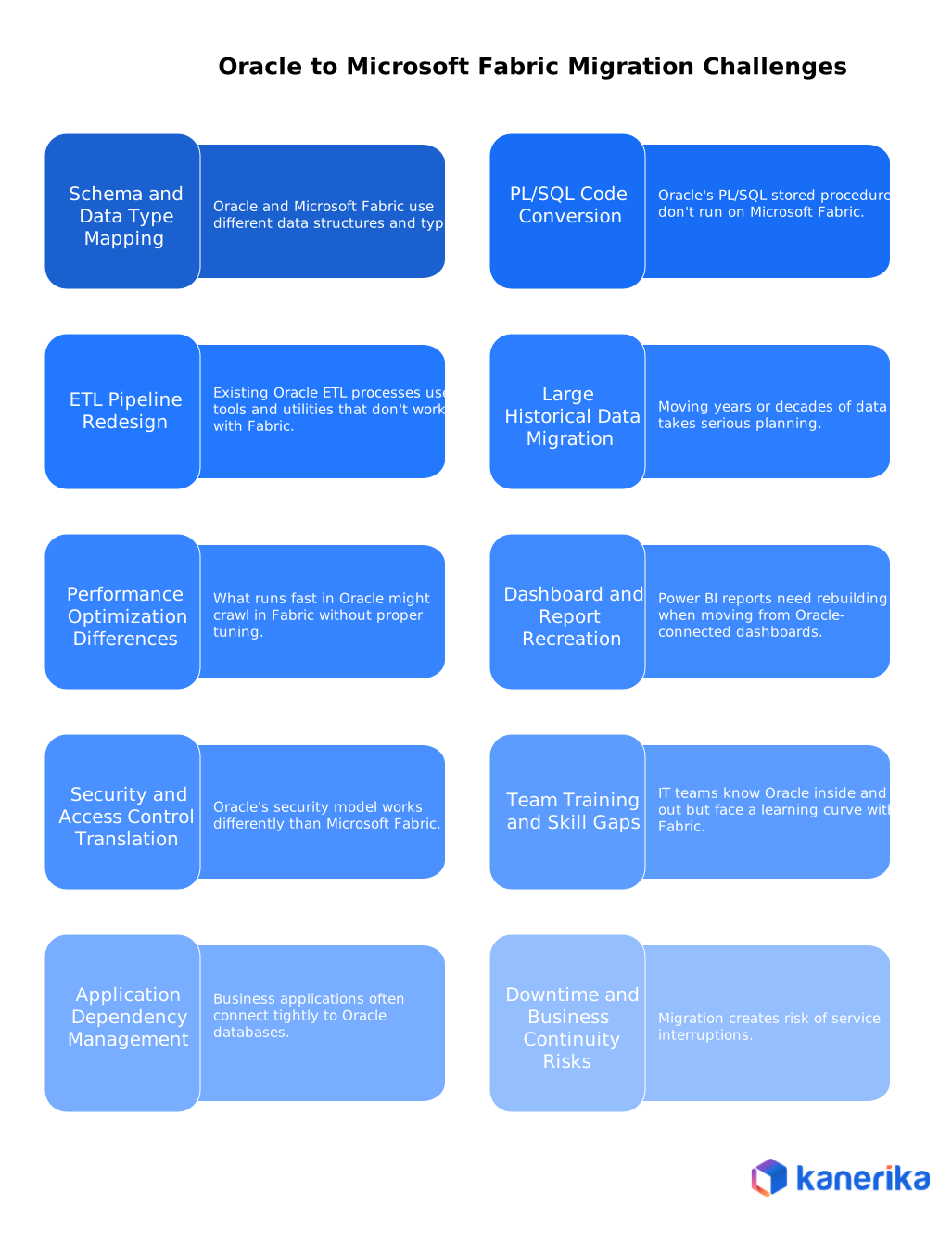
6. Dashboard and Report Recreation
Power BI reports need rebuilding when moving from Oracle-connected dashboards. Business users rely on specific visualizations and metrics. Recreating everything while maintaining the same functionality takes careful attention.
- Existing reports built on Oracle connections require manual recreation in Power BI
- Semantic models need rebuilding to work with Fabric data sources
- KPIs and business calculations must be validated for accuracy after migration
7. Security and Access Control Translation
Oracle’s security model works differently than Microsoft Fabric. Row-level security, role-based access, and audit trails all need recreation. Compliance requirements make this especially tricky for regulated industries.
- Oracle roles and privileges don’t map directly to Fabric security groups
- Audit logs and compliance tracking require new configuration in Purview
- Data encryption methods differ between on-premises Oracle and cloud-based Fabric
8. Team Training and Skill Gaps
IT teams know Oracle inside and out but face a learning curve with Fabric. The shift from managing physical databases to working with cloud-native platforms requires new thinking. People who’ve used Oracle tools for years must learn completely different interfaces.
- Database administrators need training on cloud concepts and Fabric workloads
- Developers must learn Spark, Python, or newer SQL variants instead of PL/SQL
- Business analysts require time to adapt to Power BI and Fabric’s analytics tools
9. Application Dependency Management
Business applications often connect tightly to Oracle databases. APIs, connection strings, and database calls all need updating. Testing every application to ensure it works with Fabric takes considerable effort.
Read More: Azure Cosmos DB: What It Is & How to Build at Scale
- Connection strings and database drivers require updates across all applications
- Third-party software may lack native Fabric connectors
- Legacy applications might need code changes to work with new data access patterns
10. Downtime and Business Continuity Risks
Migration creates risk of service interruptions. Critical business processes depend on database availability. Planning cutover windows without disrupting operations becomes a major logistical challenge, especially for global organizations.
- Production systems may need temporary downtime during final data synchronization
- Rollback plans must exist in case migration issues arise
- Parallel systems running during transition double infrastructure costs temporarily
Key Differences: Oracle Systems vs Microsoft Fabric Lakehouses
| Feature / Aspect | Oracle Systems | Microsoft Fabric Lakehouses |
| Architecture & Storage | Traditional relational databases; structured storage | Combines data lakes and warehouses; supports structured & unstructured data |
| Scalability & Performance | Manual scaling; separate infra for large datasets | Elastic compute & storage; auto-scaling for real-time analytics |
| Analytics & AI | Reporting/analytics built-in; advanced AI via third-party | AI-ready; integrated with Power BI, Azure, and Microsoft 365 for ML and automation |
| Data Integration | Often requires ETL pipelines for disconnected systems | Unified data platform; supports batch, streaming, and real-time ingestion |
| Cost & Maintenance | Higher upfront and ongoing maintenance costs | Cloud-native; pay-as-you-go; reduced management overhead |
| Flexibility | Limited for unstructured or semi-structured data | Handles structured, semi-structured, and unstructured data seamlessly |
| Cloud Readiness | On-premises focused; cloud migration can be complex | Cloud-first design; hybrid and multi-cloud support |
Oracle to Microsoft Fabric Migration Tools and Technologies
1. Azure Data Factory (ADF)
Azure Data Factory handles the heavy lifting of moving data from Oracle to Fabric. It offers over 150 built-in connectors that let you pull data from Oracle and push it into OneLake or Fabric warehouses. The tool supports parallel loading, which speeds up migration for large datasets.
The visual interface makes it easier to design data flows without writing tons of code. You can map transformations, schedule pipeline runs, and monitor everything from one dashboard. This works well whether your Oracle database sits on-premises or in the cloud.
2. Microsoft Fabric Data Factory
This is the native version of Data Factory built directly into Microsoft Fabric. It provides the same pipeline capabilities but integrates more tightly with other Fabric workloads. You can move data between Oracle and Fabric without leaving the platform.
Fabric Data Factory includes Dataflow Gen2, which offers a low-code way to transform data as it moves. The tool handles scheduling, error handling, and monitoring automatically. For teams already working in Fabric, this becomes the natural choice over standalone Azure Data Factory.
3. SQL Server Migration Assistant (SSMA) for Oracle
SSMA automates the conversion of Oracle database objects to formats that work with Microsoft platforms. The tool analyzes your Oracle schemas, stored procedures, and functions, then converts them automatically. It also helps identify potential compatibility issues before you start the actual migration.
After conversion, SSMA can move your data and run tests to verify everything transferred correctly. The tool is free from Microsoft and handles schema mapping, SQL statement conversion, and initial data migration. However, it works better for smaller databases since it doesn’t support large-scale parallel operations.
4. Azure Database Migration Service (DMS)
DMS specializes in moving databases with minimal downtime. It supports both online and offline migration modes depending on your business needs. The service continuously syncs data from Oracle to Fabric during online migrations, letting you cut over when ready.
Read More: Azure SQL Database Pricing: DTU vs vCore Costs
The tool automatically checks for compatibility issues and provides recommendations. It monitors the migration process and alerts you to any problems. For organizations that can’t afford long maintenance windows, DMS helps keep systems running while data transfers happen in the background.
5. Synapse Notebooks
Synapse notebooks provide a code-first approach for complex data transformations. They run on Apache Spark, which handles large-scale data processing efficiently. Teams use notebooks to convert PL/SQL logic into Python or Spark code that performs better in Fabric’s distributed environment.
The collaborative environment lets multiple developers work together on transformation logic. You can test code interactively, visualize results, and version control everything. Notebooks work particularly well for custom business rules that don’t fit standard ETL patterns.
6. Microsoft Purview
Purview manages data governance throughout the migration process. It tracks where data comes from, how it transforms, and where it goes. This lineage tracking becomes critical for compliance and troubleshooting after migration.
The tool catalogs all your data assets, making them searchable across the organization. Purview also enforces security policies, sensitivity labels, and access controls. For regulated industries, having this governance layer built in from the start saves headaches later.
7. Power BI Desktop
Power BI Desktop handles the migration of reports and dashboards from Oracle-connected systems. You rebuild semantic models to connect with Fabric instead of Oracle. The tool offers Direct Lake mode, which queries data directly from OneLake without moving it.
Teams use Power BI to recreate visualizations, validate business metrics, and test performance. The desktop version lets you develop locally before publishing to the Fabric workspace. This approach ensures reports work correctly before end users see them.
8. On-Premises Data Gateway
The gateway creates a secure bridge between your on-premises Oracle database and cloud-based Fabric. It handles authentication and data transfer without exposing your internal systems to the internet. Organizations with security requirements rely on this for safe connectivity.
You install the gateway on a server in your network that can reach both Oracle and Azure. It supports scheduled refreshes and real-time queries. The gateway becomes essential when you need to keep Oracle running during a phased migration.
Oracle to Microsoft Fabric Migration Step-by-Step Process
1. Discovery and Assessment
Start by documenting everything in your current Oracle environment. You need to know what data you have, how it flows, and what depends on it. This phase typically takes two to four weeks depending on the size of your database. Teams inventory all schemas, tables, stored procedures, and ETL jobs during this time.
- Create a complete list of Oracle databases, instances, and versions currently running
- Map out dependencies between applications, reports, and database objects
- Identify data volumes, growth rates, and performance baselines for capacity planning
2. Environment Setup
Once you understand what needs moving, you set up your Microsoft Fabric workspace. This involves provisioning resources in Azure and configuring security policies. You also establish the connection between your Oracle system and Fabric. Most organizations complete this phase in one to two weeks.
- Provision Fabric capacity units and create workspace for your migration project
- Configure OneLake storage structure and set up security groups with proper access controls
- Install on-premises data gateway if your Oracle database runs in your own data center
3. Schema Migration
Now you convert Oracle database schemas into formats that work with Fabric. Every table structure, relationship, and constraint needs careful mapping. Data types that exist in Oracle might need different equivalents in Fabric. This phase usually takes two to four weeks depending on schema complexity.
- Use SSMA or similar tools to convert Oracle table definitions to Fabric-compatible formats
- Map Oracle data types to appropriate Fabric equivalents while preserving precision and scale
- Recreate foreign keys, indexes, and constraints in the Fabric lakehouse or warehouse
4. Data Movement
Moving the actual data requires extracting it from Oracle, transforming formats if needed, and loading into Fabric. Large datasets get staged in Azure Blob Storage first to manage the transfer efficiently. The timeline here varies widely based on how much data you have. Terabytes of historical data can take weeks to transfer completely.
- Extract data from Oracle using Azure Data Factory connectors or Oracle export utilities
- Stage extracted data in Azure Blob Storage with compression to reduce transfer time
- Load data into OneLake using incremental patterns to avoid overwhelming network bandwidth
5. ETL Pipeline Recreation
Your existing ETL workflows need complete rebuilding for Fabric. PL/SQL stored procedures get converted to Spark jobs or SQL scripts. Oracle-specific tools like SQL*Loader get replaced with Fabric Data Factory pipelines. This often becomes the longest phase, taking four to eight weeks for complex environments.
- Analyze existing Oracle ETL logic and document business rules embedded in PL/SQL code
- Build new pipelines in Fabric Data Factory using visual designers or notebook-based approaches
- Configure scheduling, error handling, and monitoring for all new data workflows
6. Analytics and BI Migration
Reports and dashboards that connected to Oracle need recreation in Power BI. You rebuild semantic models to point at Fabric data sources instead of Oracle. Business users should see the same metrics and visualizations they had before. This phase typically takes two to four weeks.
7. Testing and Validation
Before switching over, you need thorough testing to catch any issues. Data gets reconciled between Oracle and Fabric to ensure nothing was lost or corrupted. Performance tests verify that queries run fast enough. Users test their workflows to confirm everything works as expected. Plan for two to three weeks of intensive testing.
- Run data reconciliation queries to verify row counts and totals match between systems
- Execute performance benchmarks comparing query speeds against Oracle baselines
- Conduct user acceptance testing with business teams to validate reports and workflows
8. Cutover and Go-Live
This is when you actually switch from Oracle to Fabric for production workloads. You perform a final data sync, then redirect applications to connect to Fabric instead of Oracle. The cutover window is usually planned for a weekend or low-activity period. Most organizations complete this in one to two weeks including final preparations.
- Execute final incremental data sync to capture any changes made during testing phase
- Update application connection strings and database drivers to point at Fabric endpoints
- Monitor system performance closely during first few days with support team on standby
9. Optimization and Monitoring
After going live, the work continues with tuning and improvements. You monitor how Fabric performs under real workloads and adjust capacity as needed. Query patterns get optimized, costs get reviewed, and users provide feedback. This phase runs ongoing as you learn how to get the most from your new platform.
- Track pipeline execution times and query performance to identify optimization opportunities
- Review capacity consumption and adjust compute resources to balance performance with costs
- Gather user feedback on report performance and analytics capabilities for continuous improvement
12 Key Benefits of Oracle to Microsoft Fabric Migration
1. Significant Cost Reduction
Oracle’s licensing model charges per processor or per user, which adds up quickly. Microsoft Fabric uses pay-as-you-go pricing where you only pay for what you actually use. Companies typically see 40% to 60% reduction in total data platform costs after switching.
You also eliminate expensive hardware purchases and data center costs. The unified platform removes the need for multiple separate tools, cutting down on software licensing fees across your stack.
2. Improved Performance and Scalability
Fabric scales automatically based on your workload without manual intervention. When query demands spike, the system adds compute resources on its own. When things slow down, it scales back to save money. This elastic approach handles growth much better than Oracle’s manual scaling.
Query performance improves through distributed processing and optimized storage formats. Direct Lake mode lets you query data without moving it, which speeds up analytics significantly compared to traditional data warehouse approaches.
3. Unified Analytics Platform
Instead of juggling separate tools for data engineering, warehousing, and business intelligence, everything happens in one place. Teams collaborate more easily when they share the same workspace. Data engineers, analysts, and scientists all work together without switching between different systems.
This reduces the complexity of managing multiple platforms. You get data ingestion, transformation, storage, analytics, and visualization all integrated. The single interface cuts down on training time and operational overhead.
4. Real-Time Analytics Capabilities
Oracle struggles with real-time insights because it was designed for batch processing. Fabric handles streaming data natively, giving you instant visibility into what’s happening right now. Businesses can react to events as they occur instead of waiting for overnight batch jobs to complete.
The platform processes events, logs, and streaming data continuously. You can build dashboards that update in real time without complex custom coding. This becomes especially valuable for fraud detection, inventory management, and customer behavior tracking.
5. Built-In AI and Machine Learning
Fabric includes AI capabilities without requiring separate products or licenses. Copilot lets users ask questions in plain English and get answers instantly. You don’t need to know SQL or complex query languages to explore data.
Azure Machine Learning integrates directly for building predictive models. Data scientists can train, deploy, and monitor models all within the same platform. This makes advanced analytics accessible to more people in your organization.
6. Enhanced Security and Compliance
Microsoft Fabric runs on Azure’s enterprise security framework with built-in encryption and access controls. Microsoft Purview handles governance automatically, tracking data lineage and enforcing policies. You get compliance certifications for major regulations without additional configuration.
Role-based access control and row-level security protect sensitive information. Multi-factor authentication and conditional access policies add extra layers of protection. For regulated industries, having security built in from the start simplifies audits.
7. Faster Time to Insights
The unified platform eliminates time wasted moving data between different tools. Analysts can go from raw data to finished dashboards without switching systems. What used to take days or weeks now happens in hours.
Organizations report 90% reduction in time spent searching for data. OneLake acts as a single source of truth, making information easier to find and use. Teams spend more time analyzing and less time preparing data.
8. Reduced Vendor Lock-In
Oracle’s proprietary technology makes switching platforms extremely difficult. Fabric uses open standards and supports multiple data formats. You can bring data from anywhere and use it alongside your existing systems without being forced into one vendor’s ecosystem.
The platform works with various cloud providers and on-premises systems. You maintain flexibility to change strategies as your business needs evolve. This freedom reduces long-term risk and gives you more negotiating power.
9. Lower Administrative Overhead
Oracle databases need constant attention from skilled administrators for patching, tuning, and maintenance. Fabric handles most of these tasks automatically. Updates happen in the background without disrupting your work.
The serverless architecture means you don’t manage infrastructure. Auto-scaling, auto-pause, and automatic optimization reduce the workload on IT teams. Staff can focus on delivering business value instead of keeping systems running.
10. Better Collaboration Across Teams
Fabric breaks down silos between technical and business users. Everyone works from the same data in OneLake, eliminating version control issues. Business analysts can build their own reports without waiting for IT support.
Integration with Microsoft Teams and Office 365 brings analytics into daily workflows. People can share insights, discuss findings, and make decisions without switching contexts. This collaborative environment speeds up decision making across the organization.
11. Simplified Data Integration
Fabric includes over 150 connectors for different data sources. You can pull in data from databases, applications, APIs, and cloud services without custom coding. The platform handles both batch and streaming integration patterns natively.
OneLake provides a single place to store everything regardless of format. Structured databases, unstructured files, and streaming data all live together. This eliminates the complexity of managing separate storage systems for different data types.
12. Future-Ready Architecture
Cloud-native design means you benefit from continuous improvements without major upgrades. Microsoft adds new features regularly that become available automatically. Your platform evolves without expensive migration projects every few years.
The architecture supports emerging technologies like generative AI and advanced analytics. As new capabilities develop, they integrate into your existing environment. This keeps your data platform current without constant reinvestment.
In this real client story, a large enterprise needed to move its old data processes off an Informatica-centric setup and onto Microsoft Fabric. The goal was to stop waiting hours for reports, improve performance across analytics, and get ready for future growth with a modern data platform.
About the Client
The client was an established company with heavy use of legacy Informatica ETL tools for data movement and reporting. The team relied on batch processes that ran at fixed times and struggled with slow queries, hard-to-maintain pipelines, and limited real-time insight. As the business scaled, these limits became harder to ignore and decision makers wanted faster access to insights without disruption.
Key Challenges
- The existing Informatica workflows were old, complex, and slow to update.
- Reports and dashboards took too long to refresh, blocking timely decisions.
- There was no single platform for analytics, so data teams spent too much time moving data instead of analyzing it.
- The migration had to happen without stopping business operations or losing data quality.
Solution and Approach
The project team used Kanerika’s automated migration process to convert Informatica mappings and workflows into Microsoft Fabric data pipelines and ingestion jobs. This included:
- Automated scanning of Informatica assets and workflow logic.
- Conversion of ETL mappings into Fabric-ready data flows with preserved business logic.
- Deployment into Microsoft Fabric workspaces with minimal manual work.
Business Outcomes
As a result of the migration, the client saw a big improvement in report speed and data freshness. Slow nightly batches were replaced with pipelines that finished faster and delivered data sooner. The team reported fewer data delays, better performance for analytics, and a simpler architecture that cut down maintenance effort.
Overall, the move helped the business make decisions quicker, reduced pressure on IT, and set the foundation for future growth on Microsoft Fabric.
Accelerate Your Microsoft Fabric Migration With Kanerika’s FLIP
Kanerika helps organizations move from legacy data platforms to Microsoft Fabric faster and with fewer risks. Our proprietary FLIP migration accelerators automate the complex process of transitioning from expensive systems like Informatica, SQL Server, and Tableau to modern platforms like Power BI and Microsoft Fabric.
The traditional manual migration approach takes months and requires constant intervention. FLIP changes this by automating schema conversion, data validation, and pipeline recreation. What normally takes 12 to 18 months gets completed in weeks.
Our automated approach reduces human error during migration. The system handles repetitive tasks like code conversion and data mapping while your team focuses on business-critical decisions. You get accurate migrations without the usual trial and error.
Cost savings start immediately. Organizations reduce both migration expenses and ongoing platform costs by moving to Fabric’s consumption-based model. FLIP tracks every change and validates data at each step, ensuring nothing gets lost in translation.
As a Microsoft Solutions Partner, Kanerika brings certified expertise and proven methodologies. We handle everything from initial assessment through post-migration optimization, delivering a production-ready Fabric environment that scales with your needs.
Transform Your Legacy Systems with Fabric Migration
Partner with Kanerika for secure, fast, and reliable end-to-end delivery.
Book a Meeting
FAQs
How to connect Oracle to Microsoft Fabric?
Connecting Oracle to Microsoft Fabric requires configuring a data gateway and using Fabric’s built-in connectors. Start by deploying an on-premises data gateway to securely bridge your Oracle database with Fabric workspaces. Then, create a dataflow or pipeline in Fabric that uses the Oracle connector, providing connection credentials and specifying target tables. This approach enables near real-time data synchronization while maintaining Oracle database security protocols. Proper network configuration and firewall rules are essential for stable connectivity. Kanerika’s Oracle to Microsoft Fabric migration experts can configure this integration seamlessly—contact us for a technical consultation.
Can we mirror an Oracle server to a Fabric platform?
Mirroring an Oracle server to Microsoft Fabric is achievable through Fabric’s mirroring capabilities combined with data pipelines. While native Fabric mirroring supports specific database types directly, Oracle databases typically require configuring change data capture mechanisms and using Fabric dataflows to replicate data continuously. This approach maintains near real-time synchronization between your Oracle server and Fabric OneLake storage. The setup involves establishing secure connections, mapping schemas, and configuring incremental refresh schedules for optimal performance. Kanerika specializes in Oracle to Fabric mirroring implementations—reach out for a custom architecture review tailored to your environment.
Why do companies migrate from Oracle to Microsoft Fabric?
Companies migrate from Oracle to Microsoft Fabric primarily to reduce licensing costs, unify their analytics infrastructure, and leverage cloud-native scalability. Oracle’s complex licensing model creates unpredictable expenses, while Fabric offers transparent consumption-based pricing. Organizations also gain seamless integration with Power BI, Azure services, and Microsoft 365, enabling unified data analytics without managing multiple platforms. Fabric’s lakehouse architecture eliminates data silos by combining data warehousing with big data analytics in one platform. Modern enterprises increasingly prioritize agility over legacy infrastructure constraints. Kanerika helps enterprises evaluate Oracle to Fabric migration ROI—schedule a free assessment to quantify your potential savings.
How difficult is it to migrate from Oracle to Microsoft Fabric?
Migration difficulty from Oracle to Microsoft Fabric varies based on database complexity, stored procedure volume, and integration dependencies. Simple transactional databases with standard SQL can migrate relatively smoothly, while complex Oracle-specific PL/SQL logic requires careful conversion. Schema mapping, data type transformations, and ETL pipeline reconstruction demand thorough planning. The biggest challenges typically involve replicating Oracle-specific features like partitioning schemes and materialized views within Fabric’s architecture. Proper discovery and assessment phases significantly reduce migration risks. Kanerika’s migration accelerators automate much of this complexity—talk to our data platform specialists to simplify your Oracle to Fabric transition.
What benefits do you get when you migrate from Oracle to Microsoft Fabric?
Migrating from Oracle to Microsoft Fabric delivers significant cost savings through eliminated licensing fees and consumption-based pricing. Organizations gain a unified analytics platform combining data engineering, warehousing, and business intelligence within one environment. Fabric’s native integration with Power BI accelerates reporting and dashboard development without separate tool procurement. OneLake storage provides automatic data organization across all workloads, reducing data duplication and management overhead. Enhanced collaboration features and real-time analytics capabilities improve decision-making speed across teams. Kanerika delivers Oracle to Fabric migrations that maximize these benefits—connect with us to map your specific ROI potential.
Can Microsoft Fabric handle workloads that currently run on Oracle?
Microsoft Fabric can handle most workloads currently running on Oracle, including data warehousing, ETL processing, and analytics. Fabric’s lakehouse architecture supports both structured and semi-structured data at enterprise scale, matching Oracle’s transactional throughput for analytical workloads. Fabric Warehouse provides T-SQL compatibility, while Spark notebooks handle complex data transformations previously done in PL/SQL. However, OLTP workloads with heavy write operations may require Azure SQL Database rather than Fabric alone. Performance testing during migration planning validates workload compatibility. Kanerika conducts comprehensive workload assessments for Oracle to Fabric migrations—request a technical evaluation to confirm your fit.
How long does it take to migrate from Oracle to Microsoft Fabric?
Migration timelines from Oracle to Microsoft Fabric typically range from three to twelve months depending on database size, complexity, and organizational readiness. Small databases under 500GB with straightforward schemas can complete in eight to twelve weeks. Enterprise migrations involving terabytes of data, complex stored procedures, and multiple integrations require six months or longer. Key timeline factors include data validation requirements, parallel running periods, and user training schedules. Automated migration tools significantly accelerate conversion phases compared to manual approaches. Kanerika’s migration accelerators reduce Oracle to Fabric timelines by up to 40%—contact us for a realistic project timeline estimate.
What tools or services help you migrate from Oracle to Microsoft Fabric?
Several tools facilitate Oracle to Microsoft Fabric migration, including Azure Data Factory for pipeline orchestration, SQL Server Migration Assistant for schema conversion, and Fabric dataflows for data movement. Microsoft Purview provides data cataloging and lineage tracking throughout migration. Third-party solutions like Attunity and Striim enable real-time data replication during cutover periods. Professional services from certified Microsoft partners offer end-to-end migration support including assessment, execution, and optimization. Selecting appropriate tools depends on migration complexity and real-time synchronization requirements. Kanerika’s FLIP migration accelerator automates Oracle to Fabric conversions with built-in governance—schedule a demo to see it in action.
What is fabric mirroring?
Fabric mirroring is Microsoft Fabric’s capability to replicate external database data into OneLake storage automatically and continuously. Unlike traditional ETL, mirroring creates synchronized copies that update in near real-time without manual pipeline management. The mirrored data becomes immediately available for Fabric analytics workloads including SQL queries, Spark processing, and Power BI reporting. Currently, Fabric mirroring supports Azure SQL Database, Azure Cosmos DB, and Snowflake with additional sources expanding regularly. This feature eliminates complex data movement infrastructure while maintaining source system performance. Kanerika implements Fabric mirroring solutions integrated with broader data platform strategies—reach out to explore mirroring for your environment.
How to migrate an Oracle database to the cloud?
Migrating an Oracle database to the cloud involves assessment, schema conversion, data transfer, and validation phases. Begin by inventorying all database objects, dependencies, and performance baselines. Choose your target platform—Azure SQL, Microsoft Fabric, or Oracle Cloud Infrastructure—based on workload requirements. Use migration tools like Azure Database Migration Service or Oracle Data Pump for initial data movement. Configure ongoing synchronization during parallel running periods before final cutover. Thorough testing of application compatibility and query performance ensures production readiness. Kanerika has migrated hundreds of Oracle databases to cloud platforms—connect with our team for a structured migration roadmap.
How to connect SQL database to Fabric?
Connecting a SQL database to Microsoft Fabric uses native connectors available in Fabric dataflows and pipelines. For Azure SQL Database, enable Fabric mirroring directly from the Fabric portal by providing server credentials and selecting tables for replication. On-premises SQL Server requires installing an on-premises data gateway to establish secure connectivity. Once connected, data flows into OneLake where it becomes accessible to all Fabric workloads including warehouses, lakehouses, and Power BI datasets. Proper firewall configuration and authentication setup ensure reliable connections. Kanerika configures SQL to Fabric integrations as part of comprehensive data platform modernization—contact us to streamline your setup.
How do I link to Microsoft Fabric?
Linking to Microsoft Fabric involves establishing connections from external data sources through gateways, shortcuts, or direct connectors. For cloud databases, use Fabric’s built-in connectors within dataflows or create shortcuts that reference external storage locations without copying data. On-premises sources require deploying an on-premises data gateway that securely tunnels traffic between your network and Fabric workspaces. Authentication options include service principals, managed identities, and standard credentials depending on source type. Proper workspace permissions ensure appropriate access controls for linked data. Kanerika architects Fabric connectivity solutions aligned with enterprise security requirements—schedule a consultation to design your integration approach.
What is the difference between replication and mirroring?
Replication and mirroring both synchronize data across systems but differ in architecture and purpose. Replication typically involves configuring explicit pipelines that copy data on schedules or triggers, requiring manual orchestration and maintenance. Mirroring, particularly in Microsoft Fabric, creates automatic continuous synchronization where changes propagate to OneLake without building custom pipelines. Replication offers more granular control over transformation logic during movement, while mirroring prioritizes simplicity and near real-time freshness. Replication suits complex multi-step ETL scenarios; mirroring excels at straightforward database-to-analytics synchronization. Kanerika helps enterprises choose between replication and mirroring strategies for optimal data architecture—reach out for expert guidance.
How to connect on-prem SQL Server to Fabric?
Connecting on-premises SQL Server to Microsoft Fabric requires deploying an on-premises data gateway on a server within your network. Install the gateway software, register it with your Fabric tenant, and configure firewall rules for outbound HTTPS connectivity. In Fabric, create a connection using the gateway, providing SQL Server credentials and specifying databases to access. From there, build dataflows or pipelines that extract data into OneLake for analytics workloads. Ensure the gateway machine has sufficient resources and redundancy for production reliability. Kanerika implements secure on-premises to Fabric connectivity as part of enterprise data platform migrations—contact us to architect your hybrid solution.














