call/text us now

+1 (855) 6-KANERI

AI IT Service Desk Triage Agent for Faster Ticket Resolution

Classify, route, and resolve IT tickets before your engineers ever touch them.

Tier 0

Password and access requests resolved

Routed

Right queue the first time

Human

Agents own complex incidents

Hire the AI IT Service Desk Triage Agent for 30 Days
SOC 2

Type II certified delivery

ISO 27001

Certified security practices

250+

Technology certifications

Classify, route, and resolve IT tickets before your engineers ever touch them.

Most service desks lose hours every day to tickets that never needed an engineer. An AI IT service desk triage agent reads every incoming request, answers the repeatable ones from your own knowledge base, and hands the rest to the right person with full context attached. Kanerika builds and runs this IT service desk automation on your infrastructure, with human review wherever you want it.

IT Service Desk AI Agent interface showing ticket intent and urgency classification

How the IT Service Desk AI Agent Works Inside Your Environment

deployed code icon

Deployed on Your Stack

Kanerika deploys the agent on Azure, AWS, GCP, or on-premises infrastructure you already run. There is no third-party SaaS sitting between employees and their tickets.

verified user icon

Governed and Secure by Design

Kanerika holds SOC 2 Type II, ISO 27001, and ISO 27701 certifications. The agent inherits your access controls, logging standards, and audit requirements from day one.

forum icon

Answers Where Teams Work

Employees raise and track requests in Microsoft Teams, Slack, or email. There is no new portal to learn and no habit to force.

lock icon

Data Stays in Your Tenant

Ticket history, employee details, and system metadata never leave your environment and are never used to train external models.

assignment turned in icon

Human in the Loop

The agent resolves low-risk requests on its own and queues anything that touches production systems for engineer approval. You set the boundary.

find in page icon

Source-Traced Responses

Every answer cites the knowledge article, runbook, or past ticket it came from, so a reviewer can verify the fix in seconds.

IT Service Desk Automation That Shrinks the Queue

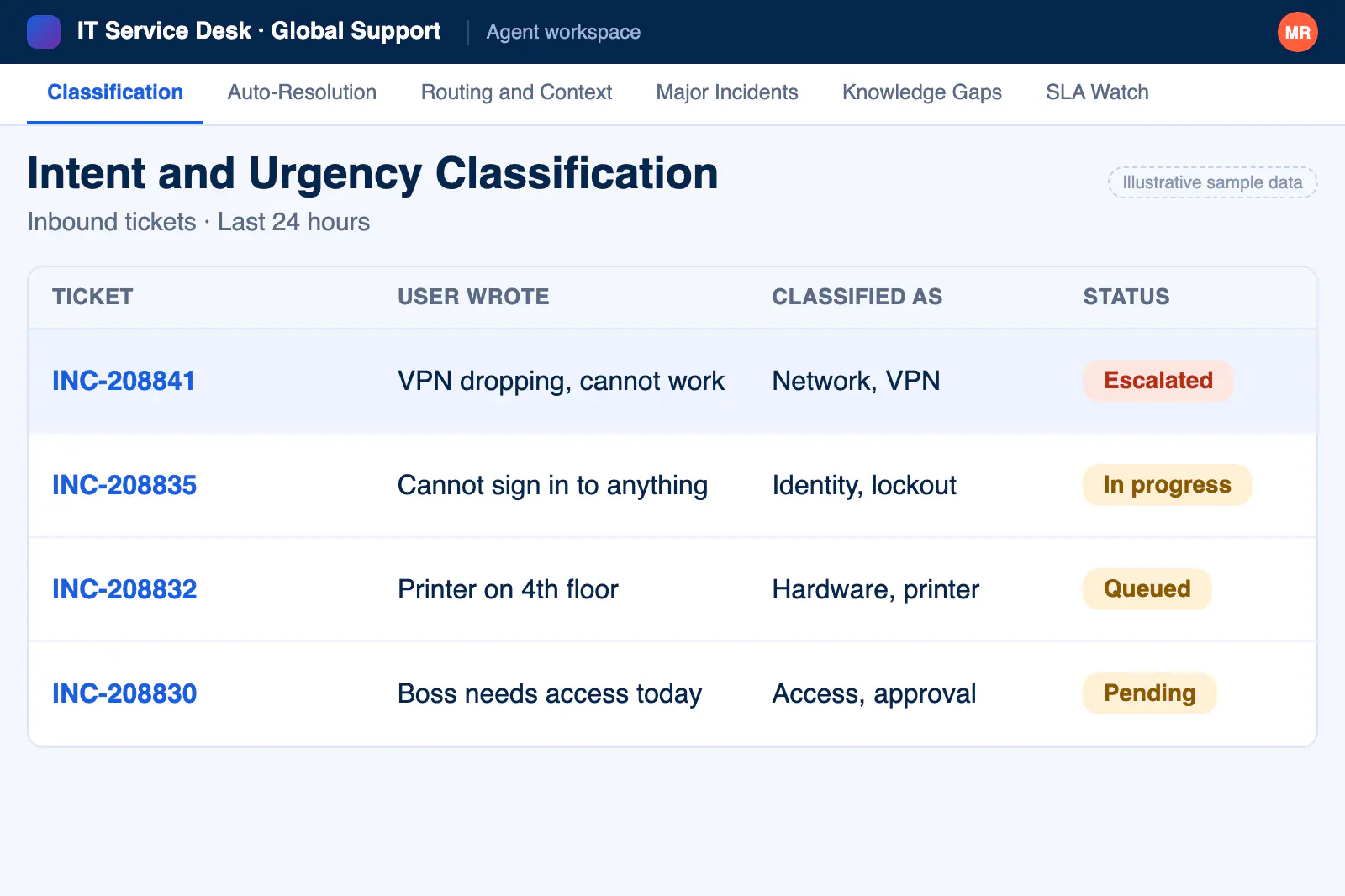
Intent and Urgency Classification

The agent reads free-text tickets, works out what the user actually needs, and scores urgency against your SLA rules instead of trusting self-selected categories.

IT Service Desk AI Agent screen for intent and urgency classification

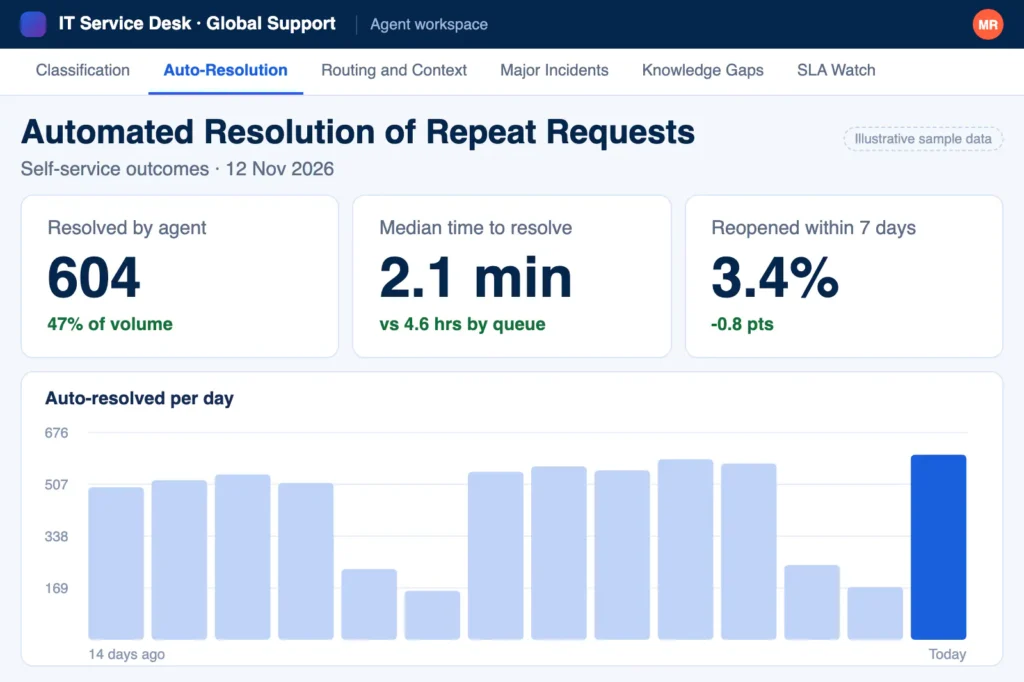
Automated Resolution of Repeat Requests

Password resets, access requests, and how-do-I questions get answered directly from your knowledge base, with approval workflows kept intact, so IT service desk workflow automation never skips a sign-off.

IT Service Desk AI Agent screen for automated resolution of repeat requests

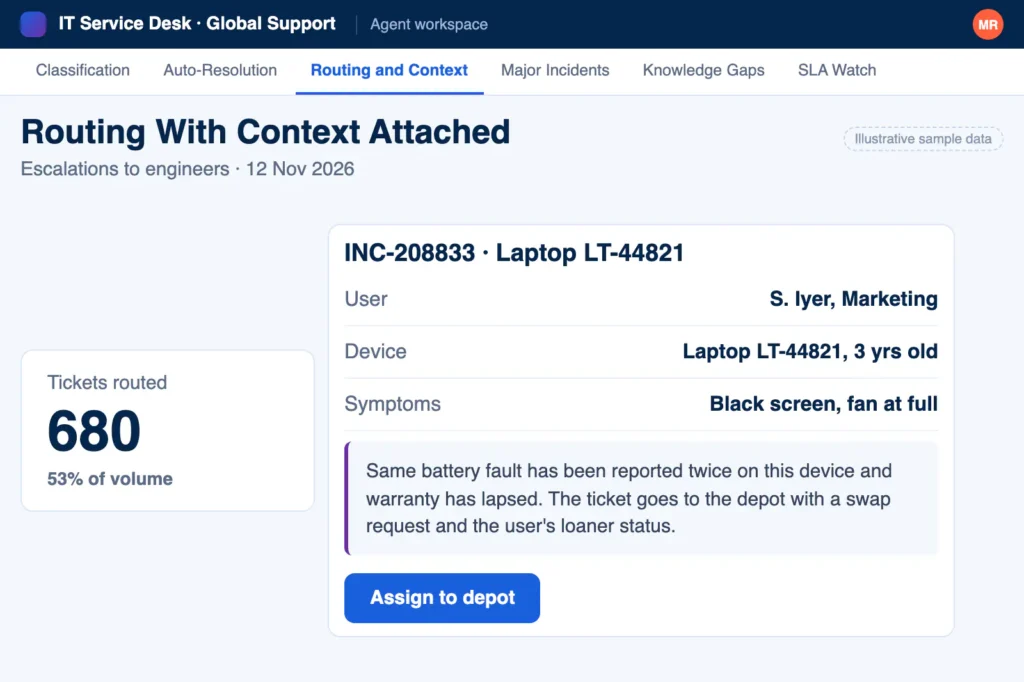
Routing With Context Attached

Tickets that need a human arrive with category, affected systems, user history, and a suggested first step already in place.

IT Service Desk AI Agent screen for routing with context attached

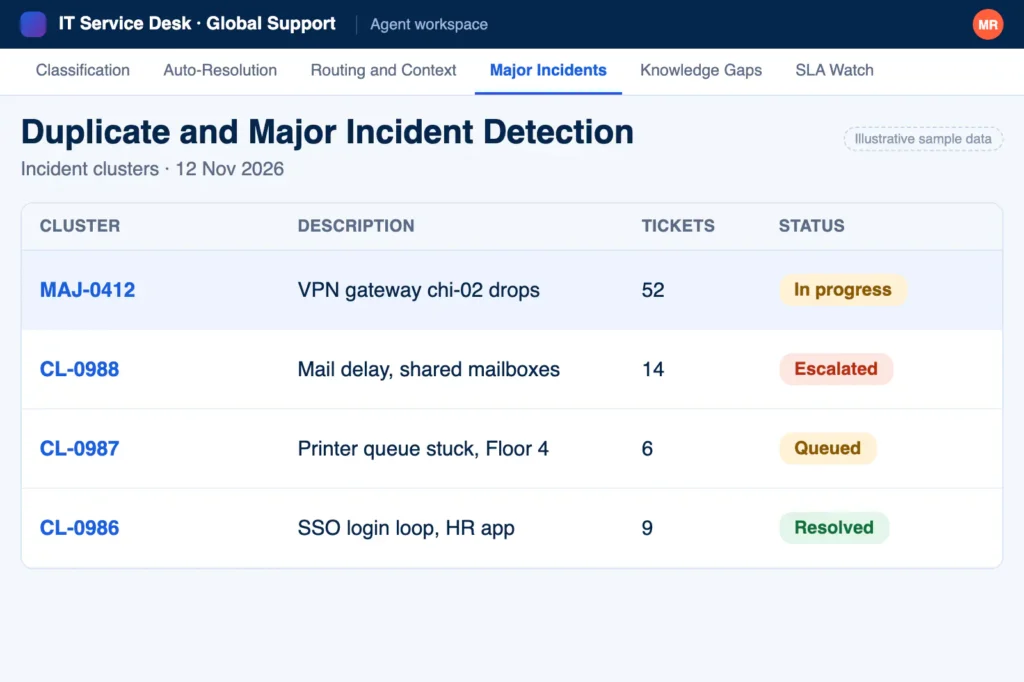
Duplicate and Major Incident Detection

When one outage produces fifty tickets, the agent clusters them into a single incident and keeps every reporter updated in one thread.

IT Service Desk AI Agent screen for duplicate and major incident detection

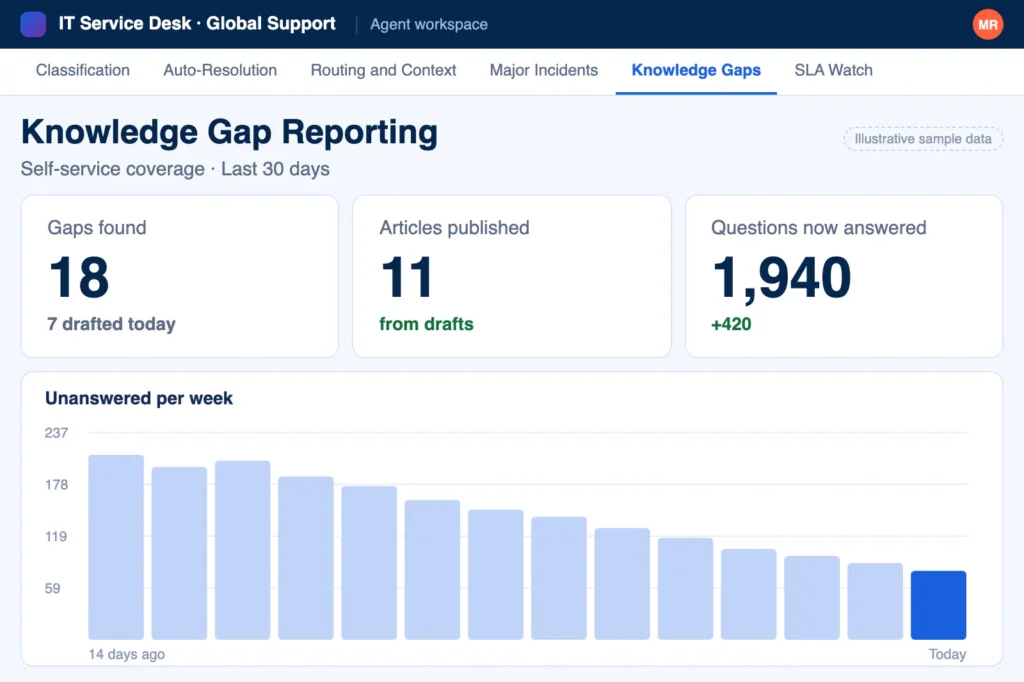
Knowledge Gap Reporting

If the same question keeps arriving with no article to answer it, the agent drafts one and sends it to your team for review.

IT Service Desk AI Agent screen for knowledge gap reporting

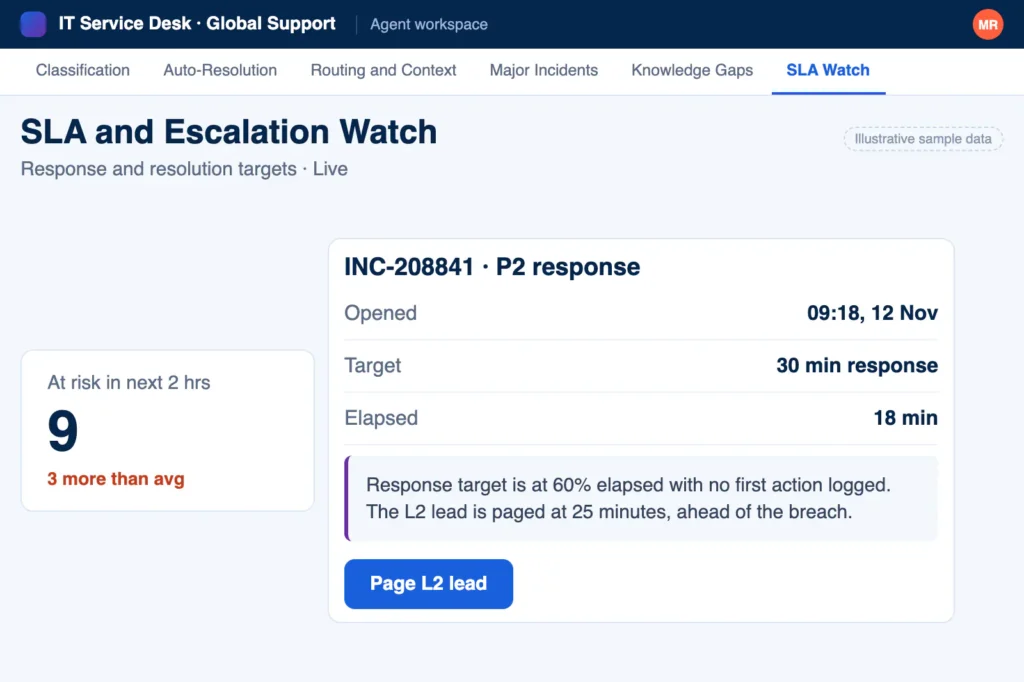
SLA and Escalation Watch

The agent tracks aging tickets and fires escalations before a response target breaches, not after the complaint lands.

IT Service Desk AI Agent screen for sla and escalation watch

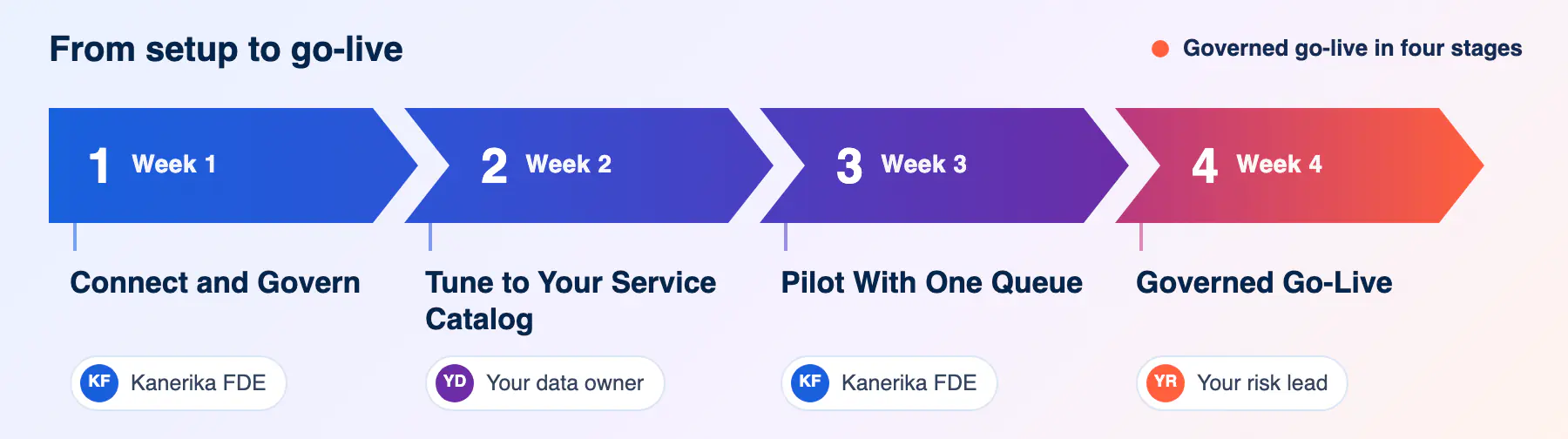
Deploy Your IT Service Desk AI Agent in Weeks

IT Service Desk AI Agent rollout plan from setup to governed go-live
data_table.svg

Connect and Govern

Kanerika connects the agent to your ITSM platform, knowledge base, and identity systems, then configures access policies and audit logging.

help_center.svg

Tune to Your Service Catalog

The agent learns your categories, SLAs, routing rules, and terminology from historical tickets before it handles a live one.

batch_prediction.svg

Pilot With One Queue

A single support line goes live first. Engineers review every suggestion, and the agent improves from their corrections.

export_notes.svg

Governed Go-Live

Rollout extends across queues and channels with escalation paths, access controls, and audit trails in place.

Where the Agent Takes Work Off Your Service Desk

key icon

Password and Access Requests

The agent verifies identity, triggers the reset or access workflow, and closes the ticket with the approval chain recorded.

apps icon

Software and License Requests

Requests route to the license owner with usage data attached, and standard installs resolve with guided steps.

wifi off icon

Outage Communication

During an incident, the agent answers the flood of duplicate reports with live status updates instead of silence.

person add icon

New-Hire IT Setup

Onboarding tickets break into account, hardware, and access tasks, each routed to its owner before the start date.

devices icon

Hardware and Peripheral Issues

The agent gathers diagnostics, device details, and error messages before an engineer picks up the ticket.

change circle icon

Change Request Triage

Change requests get checked for completeness and routed to the right approvers with risk notes attached.

Industries Where Service Desk Triage Pays Off First

factory icon

Manufacturing

Plant-floor downtime tickets jump the queue, while routine requests resolve without pulling engineers off production systems.

account balance icon

Banking and Financial Services

Access requests follow segregation-of-duties rules automatically, with every approval logged for auditors.

local hospital icon

Healthcare

Clinical system issues route ahead of back-office requests, and access workflows respect patient data boundaries.

shopping cart icon

Retail

Store and point-of-sale issues cluster by location, so one fix closes dozens of tickets across sites.

local shipping icon

Logistics

Warehouse scanner and transport system tickets route by site and shift, keeping dock operations moving around the clock.

shield with heart icon

Insurance

Policy system access and claims platform issues route by line of business with compliance context attached.

Why IT Teams Choose Kanerika for IT Service Desk Software

Proof Points From Adjacent Kanerika Deployments

65% Self-Service Resolution with an AI Support Agent

Impact:

  • 42% Reduction in ticket volume
  • 31% Decrease in cost per ticket
  • 25% Increase in member satisfaction

80% Fewer Mismatch Tickets with Context-Aware AI

Impact:

  • 22% Bandwidth Savings
  • 40% Increase in Mapping Accuracy
  • 80% Decrease in Mismatch Tickets

50% Faster Onboarding with RPA for HR Operations

Impact:

  • 50% Faster onboarding process
  • 84% Improvement in SLA adherence
  • 100% Improvement in SLA adherence

FAQs

It is a deployable AI agent that reads incoming IT tickets, classifies intent and urgency, resolves repeatable requests from your knowledge base, and routes the rest to the right engineer with context attached. Kanerika builds and runs it on your infrastructure, inside your tenant, with human review on every action that changes a system.

No. The agent works on top of ServiceNow, Jira Service Management, or whichever IT service desk ticketing system you run today. It reads and updates tickets through your platform’s own APIs, so queues, SLAs, and reporting stay exactly where they are. What changes is how fast tickets get classified, routed, and resolved once they land.

You define the boundary. Low-risk, well-documented requests such as password resets or standard software installs can resolve automatically, while anything touching production systems, financial data, or privileged access queues for engineer approval. The boundary is a configuration you control, and every automated resolution is logged with the source it relied on.

In your environment. The agent runs on your Azure, AWS, GCP, or on-premises infrastructure, and ticket content, employee details, and system metadata stay inside your tenant. Nothing is used to train external models. Kanerika holds SOC 2 Type II, ISO 27001, and ISO 27701 certifications and works within your security review process.
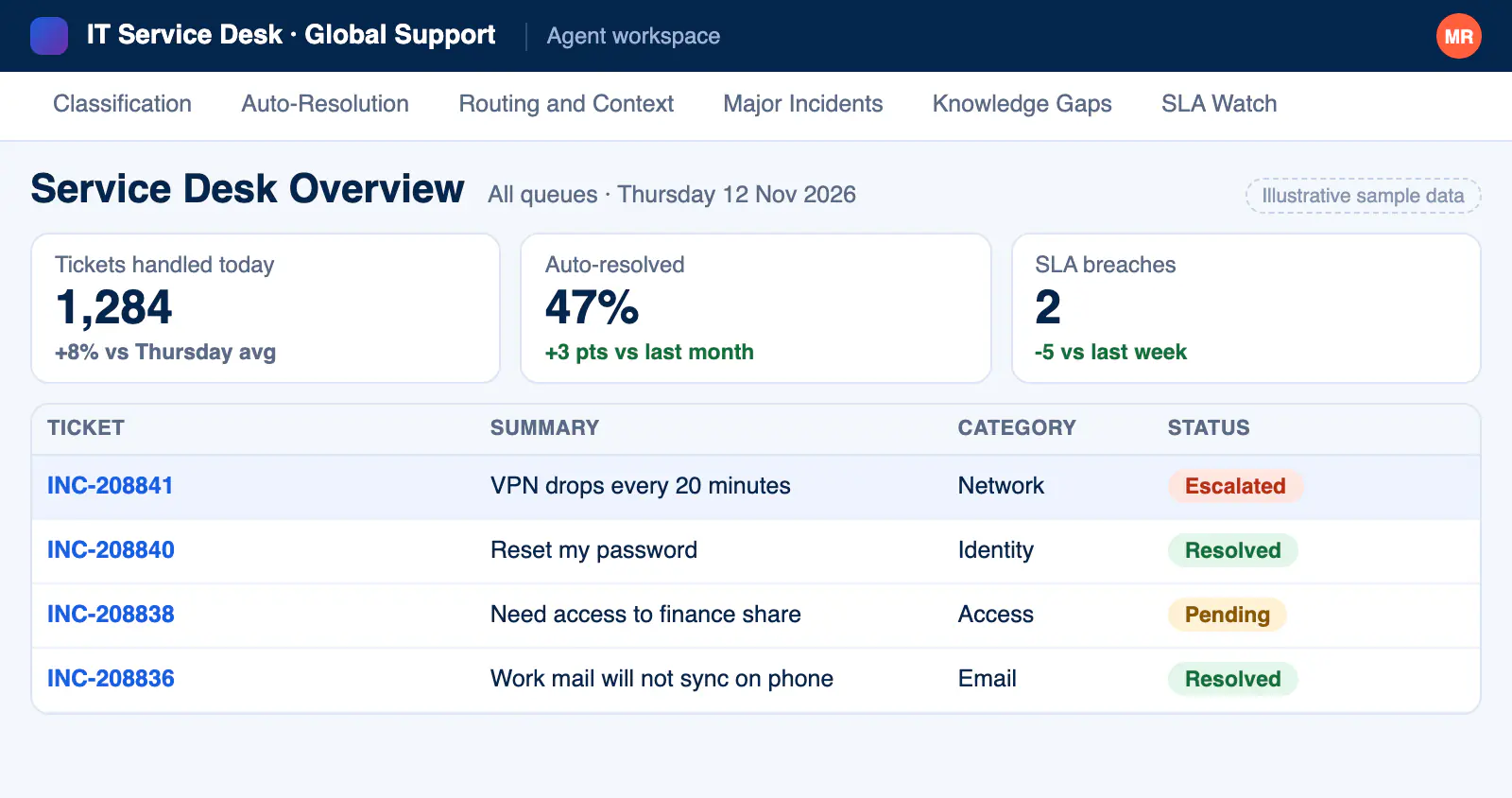
Weeks, not quarters. Kanerika connects the agent to your ITSM platform, knowledge base, and identity systems, tunes it on historical tickets, and takes one queue live as a pilot. Engineers review the agent’s work during the pilot, and rollout extends across queues once accuracy and escalation behavior meet the bar you set.

Microsoft Teams, Slack, and email are the standard surfaces, and the agent can also sit behind your existing self-service portal. Employees keep working where they already work, raise requests in plain language, and get updates in the same thread. Engineers see everything reflected in the ITSM platform they use today.

Ember is Kanerika’s customer service agent for external support teams, handling customer queries at scale. The IT service desk triage agent faces inward, working your employee ticket queue with ITSM integration, access workflows, and incident clustering. Many clients run both, since the underlying governance and deployment model are the same.

Yes, within limits you configure. The agent can trigger identity workflows, provision standard software, and run scripted fixes through your existing automation tools, with the approval chain preserved. Actions that change production systems always wait for a human yes. Every action is logged with who approved it and which source justified it.

Kanerika has not yet published an IT service desk case study for this agent, so this page does not quote one. Published adjacent deployments, linked above, show instant query resolution in member support and accurate routing to experts. A pilot on one queue gives you measured before and after numbers within weeks.

Look at what happens to a ticket before an engineer opens it. Strong options classify intent and urgency from what people actually write, resolve repeat requests from your own knowledge base, cluster duplicate reports during outages, and route the rest with context attached. Check that every answer cites its source, that actions touching production wait for human approval, and that ticket data stays in your tenant. Kanerika’s agent adds these on top of the ITSM platform you already run.

Let’s Transform Your Business

get started today

Your Free Resource is Just a Click Away!