
AI Invoice Processing: Every Invoice Touchless
Agentic AI invoice processing across your AP stack. FLIP captures, extracts, validates, and posts supplier invoices straight to your ERP — replacing manual data entry with autonomous agents
Less manual effort
Frees AP teams, boosting accuracy and throughput
Extraction accuracy
OCR plus LLM accurately capture mixed invoice types
Faster cycle time
Invoice processing cycles reduced from days to hours
Touchless processing
Most invoices processed without human review
Audit-ready
Immutable, timestamped trail of every extraction, match, and approval
Faster time to value
Production deployment within a month, parallel run













What's Wrong with Manual Invoice Processing?
Every enterprise AP team handles thousands of invoices across formats, vendors, and ERPs that were never built to talk to each other. Three problems show up every month.

Manual data entry slows everything
AP teams spend half of their time re-typing the same numbers across systems
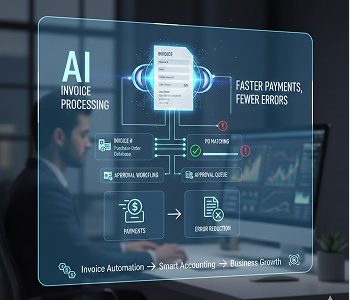
Template-based OCR breaks at scale
Vendors send PDFs, scans, Excel files, and inline email invoices in inconsistent formats

3-way matching falls back to humans
PO, goods receipt, and invoice live in different systems. Audit trails go missing.
FLIP's AI Invoice Processing Capabilities
Five core capabilities covering the full invoice lifecycle, from first capture to ERP posting and audit sign-off.
Capture agent
Multi-source invoice capture
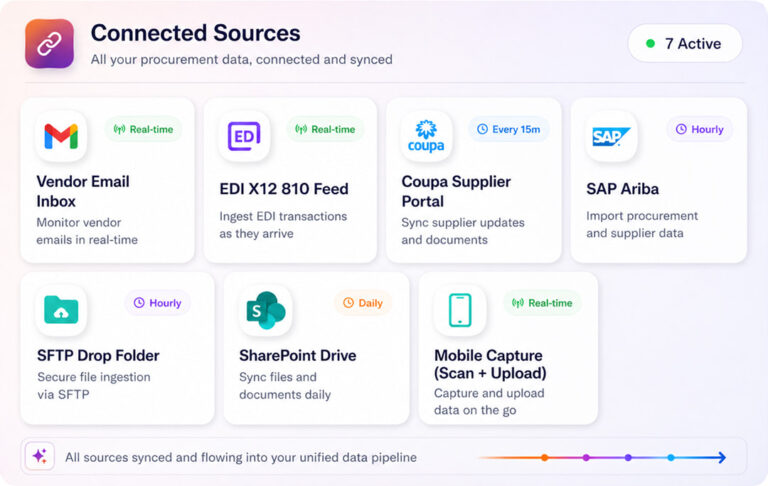
Pulls invoices from emails, EDI, SFTP, shared drives, supplier portals into one place. Auto-removes duplicates and tracks each invoice from arrival to completion.
Extraction agent
AI-powered invoice data extraction
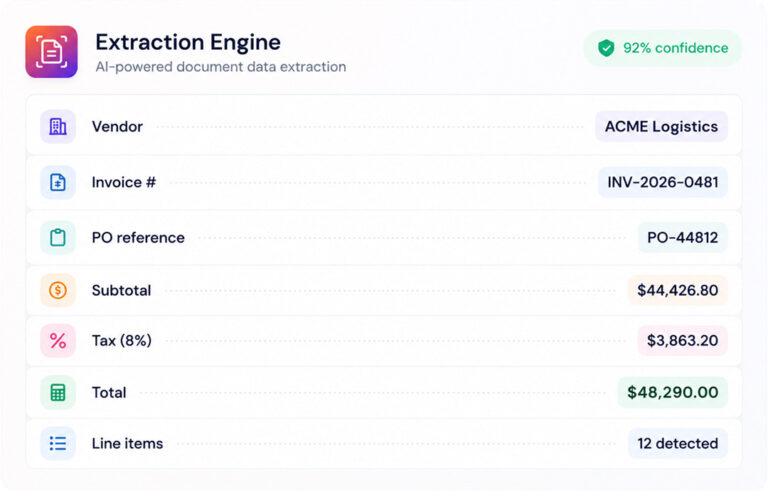
OCR + LLM read PDFs, scans, JPEGs, Excel, and email invoices with 95%+ accuracy. Extracts headers, line items, tax, vendor data, and handles multi-invoice files without templates.
Matching agent
Touchless 3-way matching
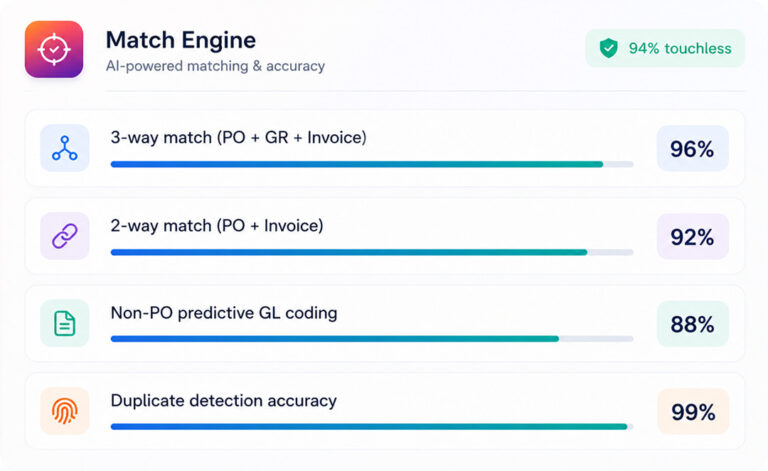
Automatic 3-way matching across invoices, POs, and goods receipts, with duplicate checks and tax validation. Non-PO invoices use predictive GL coding, enabling touchless processing.
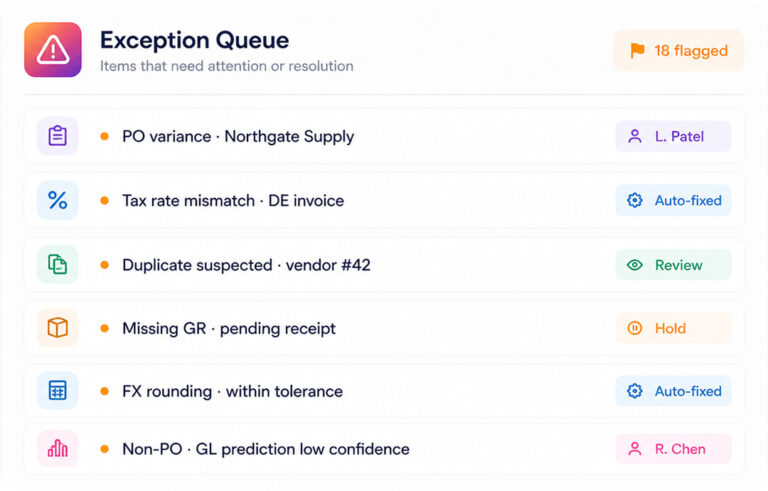
Exception agent
Smart exception routing
Exceptions flagged in real time with source data, expected value, and resolution context. Routed automatically to the right approver based on vendor, amount, cost centre, or business rule.
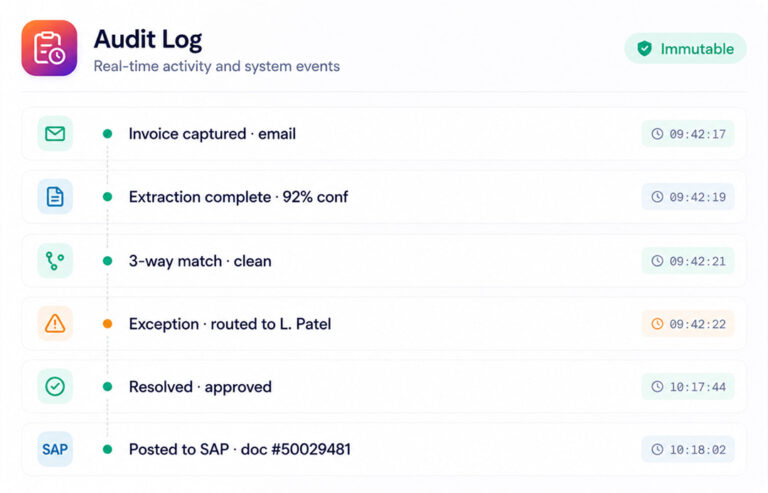
Posting & Governance
ERP posting with full audit trail
Pre-built connectors for SAP, Oracle, Dynamics 365, NetSuite, Workday, QuickBooks, and major banks. Real-time sync with immutable logs for SOX, GDPR, and audit.
Less manual effort
Frees AP teams, boosting accuracy and throughput
Extraction accuracy
OCR plus LLM accurately capture mixed invoice types
Faster cycle time
Invoice processing cycles reduced from days to hours
Touchless processing
Most invoices processed without human review
Audit-ready
Immutable, timestamped trail of every extraction, match, and approval
Faster time to value
Production deployment within a month, parallel run
What Makes FLIP Different
Most invoice processing tools are OCR engines with a workflow layer. FLIP is built for the way enterprise AP teams actually operate.
Others
FLIP
01
Agentic AI, not template OCR
Others
Template-based OCR breaks on new vendor formats
FLIP
Self-learning AI handles any format on first ingestion
02
Configured by finance, not IT
Others
IT backlog for every approval rule or vendor change
FLIP
Drag-and-drop rules, owned by AP and controllers
03
Platform, not point tool
Others
Standalone AP tool that doesn't extend to other workflows
FLIP
Same engine handles reconciliation, EDI, and more
04
Live in weeks, not quarters
Enterprise deployments typically take six to twelve months
FLIP
Production-ready in just two to four weeks deployment
Built for Every Seat at the AP Table
FLIP gives each role in the AP process the visibility and control it needs.
Cycle time visibility
Real-time view of invoice volume, exception rate, and DPO. Working capital metrics ready before the board asks.
Process ownership
Configure approval rules, review exceptions, and sign off on AP end-to-end. No IT tickets for vendor or rule changes.
Evidence on demand
Immutable, timestamped trail of every extraction, match, and approval. Sample pulls and SOX evidence in clicks.
Process ownership
Configure approval rules, review exceptions, and sign off on AP end-to-end. No IT tickets for vendor or rule changes.




Pricing That Fits Your Volume
Pay-as-you-go, monthly, or annual — we'll scope the right plan. Pricing scales with invoice volume, ERP integration scope, and compliance requirements.
Pay-as-you-go
Volume-based
- Pay per invoice processed.
- No minimum.
- Best for variable or seasonal volume.
- Offering flexibility and cost efficiency.
Monthly
- Unlimited volume.
- No lock-in and consistent operations
- Best for stable high-volume AP teams
- Ensuring efficiency
Annual
- Dedicated CSM
- Service Level Agreement
- Scalability, and hands-on support.
- Enterprise platform rollout pricing
AI Invoice Processing Case Studies
Enterprises across travel, insurance, and logistics run their AP on FLIP.
80% Less Manual Work in Travel Invoice Processing
Impact:
- 80% Less manual invoice work
- 100% Invoice lifecycle traceability
- 4x More volume, same cost
75% Less Manual Effort in Invoice Processing with FLIP
Impact:
- 75% Reduction in Manual Effort
- 90% Data Extraction Accuracy
- 55% Faster Invoice Processing
99% Faster Invoice Processing with Automation
Impact:
- 45% Decrease in maintenance costs
- 95% Savings in developmental efforts
- 99% Reduction in processing time
Questions about FLIP AI Invoice Processing
What invoice formats can FLIP process?
FLIP processes PDF, scanned images, JPEG, Excel, and email body invoices, including multi-invoice files and bundled vouchers. The AI invoice processing engine combines OCR with large language models, so it handles vendor-specific layouts without templates. Both PO and non-PO invoices are supported. For the full payables workflow after capture, see FLIP AP automation software.
How accurate is FLIP's invoice data extraction?
FLIP achieves 95%+ data extraction accuracy on mixed-format invoices in production. Structured fields like totals, tax, and invoice numbers run higher. Line items and vendor-specific custom fields drive most of the variance. Accuracy improves within the first 30–60 days as the model adapts to your specific vendor base.
What is touchless invoice processing?
Touchless invoice processing means an invoice is captured, extracted, validated, matched, and posted to the ERP without human review. It only triggers when the AI is confident in extraction and the invoice clears 3-way matching. Industry benchmarks put touchless rates at 60–80% for mature deployments. The remaining invoices route to AP team members for exception handling.
Does FLIP handle PO and non-PO invoices?
Yes. PO invoices run through 3-way matching against the purchase order and goods receipt. Non-PO invoices use predictive GL coding based on vendor history, configurable approval hierarchies, and your AP business rules. Both paths share the same extraction engine and audit trail.
Which ERP and accounting systems does FLIP integrate with?
FLIP has pre-built connectors for SAP S/4HANA, Oracle Fusion, Microsoft Dynamics 365, NetSuite, Workday, QuickBooks, and major banking and payment platforms. For systems without a pre-built connector, FLIP supports REST API integration and custom connector development. Most deployments are live on the existing ERP within four weeks.
How does FLIP prevent duplicate payments?
FLIP cross-references every new invoice against historical records at the point of capture. The system flags matching invoice numbers, amount-and-date combinations, and near-duplicate vendor entries before they enter the AP workflow. Duplicate detection runs across the full vendor master and historical archive, not just the active queue.
How long does FLIP deployment take?
A standard FLIP AP deployment goes live in four weeks. The timeline covers ERP integration, vendor format training, business rule configuration, user acceptance testing, and dashboard setup. Multi-region or multi-ERP rollouts run 8–12 weeks for the first two or three regions, with subsequent regions onboarded faster.
How is FLIP different from template-based invoice OCR?
Template-based OCR breaks when a vendor changes its invoice format. FLIP uses OCR plus an LLM and handles new formats on first ingestion without templates. Approval rules and vendor changes are configured by AP and finance teams with drag-and-drop rules, so they do not wait in an IT backlog. The same engine also handles reconciliation and EDI, and a production deployment takes two to four weeks.
Is FLIP secure enough for finance and regulated industries?
FLIP is built on Kanerika’s enterprise platform with ISO 27001, ISO 27701, and SOC 2 certifications, GDPR compliance, and CMMi Level 3 appraisal. Data is encrypted in transit and at rest. Role-based access controls, full audit trails at the invoice and line-item level, and segregation-of-duties workflows are built in. FLIP is deployed in regulated finance, insurance, and healthcare environments today.
Looking for more details?
Talk to our AP automation team for a walkthrough using your invoice formats and ERP stack

