TL;DR
Microsoft Fabric for healthcare suits teams analyzing clinical, claims and imaging data in one governed platform, not those needing a live FHIR server. Its healthcare data solutions turn FHIR records into a flattened clinical model and then into OMOP v5.4 for research. Microsoft states these solutions are HIPAA and HITRUST compliant, yet access, labels and auditing remain your configuration. The biggest 2026 change is ownership, because Microsoft now ships the healthcare layer as a customer-managed source package. Since October 1, 2026, only existing customers can deploy the managed version, and its support ends on December 31, 2027. Plan capacity around report viewers as well, since free Power BI viewing needs an F64 or larger capacity.
Key Takeaways
- Microsoft Fabric is the analytics platform, while healthcare data solutions are the industry layer on top, and neither replaces an EHR or an imaging archive.
- The healthcare layer lands FHIR NDJSON files in bronze, flattens them in silver and then builds OMOP CDM v5.4 in gold.
- Microsoft moved healthcare data solutions to a customer-managed source package on August 3, 2026, so new deployments are code your team or partner owns.
- Two previews were discontinued in November 2025, so plans built on Discover and build cohorts or clinical notes enrichment need another route.
- Microsoft signs the BAA and covers its platform, while workspace roles, labels, audit and de-identification are yours to configure.
- Capacity size and viewer count drive cost, because below F64 every Power BI viewer needs a paid or trial license.
When a Readmission Report Needs Three Systems and Two Weeks
Picture a quality director at a regional health system with a simple Monday question. Which heart failure patients came back soon after discharge, and did a bed shortage delay their release?
The answer sits in three places. Encounters live in the EHR and payments sit in the claims system, while bed status comes from an operations tool that nobody in analytics owns.
So an analyst exports each source, matches patients by hand in a spreadsheet and rebuilds the logic once more. Two weeks later the report arrives, but the discharge planning meeting it was meant to inform has already happened. The scenario is illustrative, yet hospital analysts will recognize every step of it.
That delay is exactly what Fabric’s healthcare layer is meant to remove. This guide explains what the platform and its healthcare layer do and which capabilities are live in 2026. It then covers HIPAA duties, the August 2026 ownership change, costs and a phased plan, so you can judge whether Fabric fits.
What Is Microsoft Fabric for Healthcare?
In plain terms, it is Microsoft’s analytics platform with an industry layer built for health data on top. The two parts are easy to blur, so it helps to take them one at a time.
Microsoft Fabric is a software-as-a-service platform that puts data engineering, warehousing, data science, real-time analytics and Power BI on one storage layer called OneLake. Healthcare data solutions in Fabric then add ready-made pipelines, notebooks and data models for FHIR, OMOP, DICOM, claims and social determinants of health (SDOH) data.
Neither part is an electronic health record or a picture archiving system. Clinicians still chart in the EHR and radiologists still read images in the PACS, while Fabric receives copies of that data for analysis. For a vendor-neutral view of the wider field, see our guide to healthcare data analytics.
The healthcare layer is also younger than many teams assume. Microsoft ran a private preview from October 2023 and opened a public preview on March 11, 2024. It then announced general availability on October 10, 2024, so the generally available product is just over two years old.
Fabric Components and What They Do in a Health System
Each Fabric component has a clear job in a health system. The table maps them to the work a hospital or payer team would actually do with them.
| Fabric component | What it does for a health system |
|---|
| OneLake | Holds one copy of each dataset that every Fabric tool reads, so claims and EHR tables are not copied into separate marts |
| Data Factory | Pipelines and dataflows that pull EHR exports, claims files and operational databases on a schedule, so data arrives before the morning huddle |
| Lakehouse and warehouse | Store raw and modeled data that analysts then query with Spark or SQL |
| Power BI | Quality, finance and operations dashboards built on shared semantic models, so teams report the same numbers |
| Data Science | Notebooks and model training, for example a readmission risk model |
| Real-Time Intelligence | Streams and queries event data such as device or bed-status feeds |
| Healthcare data solutions | The industry layer, with the FHIR foundation and the OMOP, DICOM, claims and SDOH transformations |
Why Healthcare Data Is Hard to Unify
Health data resists joining because each system was built for a different job, and much of it does not sit in tables at all. Microsoft’s overview cites a 2018 HfS Research and Accenture study for the estimate that 50 to 90% of provider data is unstructured. It also cites a December 2019 PwC Health Research Institute report: analysts spend 60 to 70% of their time ingesting data, not analyzing it.
Format is only part of the problem, because patient identifiers differ between the EHR, the lab system and the payer. Code sets differ too, and each department keeps its own extract that drifts out of date. Access rules also vary by source, so analysts wait for approvals before they can join anything.
Because of these limits, healthcare teams often work with incomplete or outdated information. Decisions take longer and the same patient record gets duplicated across departments. By the time an insight surfaces, the window to act on it has usually closed, and with it the potential time savings from catching the issue earlier. Microsoft Fabric for healthcare goes after this at the storage layer. Sources land in OneLake through mirroring or shortcuts, and analytics, reporting, and AI models run against one copy of the data instead of separate extracts.
FHIR, OMOP and DICOM in Plain Terms
Three standards do most of the work in Fabric’s healthcare layer, and each solves a different problem. FHIR describes clinical records as standard resources such as Patient, Encounter and Observation, which makes it the exchange format of modern EHR interfaces.
OMOP, an open community data standard from OHDSI, reshapes that data into a common research model that can be queried the same way across institutions. DICOM is the format for medical images and the metadata that travels with them.
| Standard | What it structures | Who uses it | Where it lands in Fabric |
|---|
| FHIR | Clinical records as resources such as Patient, Encounter and Observation | Integration teams, especially for EHR interfaces | Raw in the bronze lakehouse, then flattened in silver |
| OMOP CDM v5.4 | Standard research tables and shared vocabularies | Researchers and population health analysts | The gold lakehouse, after the silver step |
| DICOM | Medical images and their metadata, such as modality and study date | Imaging and research teams | Lakehouse tables of image metadata, also linked to the clinical model |
Healthcare Data Solutions in Fabric: Capabilities and Status in 2026
Not every healthcare feature Microsoft has announced is still available, so check status before you plan around one. Two previews show why. Discover and build cohorts, as well as unstructured clinical notes enrichment, were both discontinued in November 2025.
A research team that designed a workflow around either preview therefore needs another route. The healthcare data solutions overview is the place to confirm status, and the table below reflects it as of October 2026.
| Capability | What it does | Status |
|---|
| Healthcare data foundations | Ingests FHIR NDJSON files, then builds the bronze and silver layers | Available |
| OMOP transformations | Converts silver data into OMOP CDM v5.4 so researchers can query gold | Available |
| DICOM data transformation | Brings imaging metadata into lakehouse tables, so studies join to patients | Available |
| Azure Health Data Services data export | Exports FHIR data from an Azure FHIR service into OneLake instead of a custom export job | Available |
| CMS claims transformations | Brings CMS claims data into the clinical model, so cost and care data sit together | Available |
| SDOH transformations | Loads social determinants of health datasets so they join to patient records | Available |
| Dynamics 365 Customer Insights data preparation | Prepares patient data for outreach in Customer Insights | Available |
| Care management and patient outreach analytics | Power BI analysis for care programs and outreach campaigns | Available |
| DAX Copilot data transformation | Structures DAX Copilot transcript data, landed by the DAX Copilot integration, for analytics and Power BI | Preview |
| Orchestrate multimodal AI insights | Runs AI enrichment across several data types | Preview |
| Discover and build cohorts | Cohort building for research | Discontinued, November 2025 |
| Unstructured clinical notes enrichment | Text analysis of clinical notes | Discontinued, November 2025 |
Previews to Treat With Caution
Both previews deserve caution in production plans. Orchestrate multimodal AI insights runs on-demand AI enrichments from healthcare AI models and APIs. Keep either preview off the critical path of a production report, since two healthcare previews were already discontinued in November 2025.
The DAX Copilot data transformation does not ingest audio or summaries itself. It structures transcript data already landed by the separate DAX Copilot integration, which is useful for research on clinician workload but still subject to change.
Kanerika Service
Healthcare Data and AI Services
Kanerika helps providers, payers and life sciences teams build and run governed Fabric data foundations, including ownership of the healthcare solution code after launch.
Explore Healthcare Solutions
The 2026 Delivery Model Change: Managed vs Customer-Managed
Bigger than any feature, though, is a 2026 change in who runs the code. Until August 2026, Microsoft deployed, versioned and supported the healthcare pipelines and notebooks as a managed solution.
From August 3, 2026, Microsoft ships the same capabilities as a customer-managed source package instead. The code lands in your environment, and from then on your team or a partner owns its versions, fixes and support.
| Date | Change | What to do |
|---|
| August 3, 2026 | The customer-managed source package becomes available | Decide who will own the code before deploying it |
| October 1, 2026 | Only existing customers can deploy the managed solution | Start new deployments from the source package instead |
| December 31, 2027 | Support for the managed solution ends | Existing customers move to the source package before then |
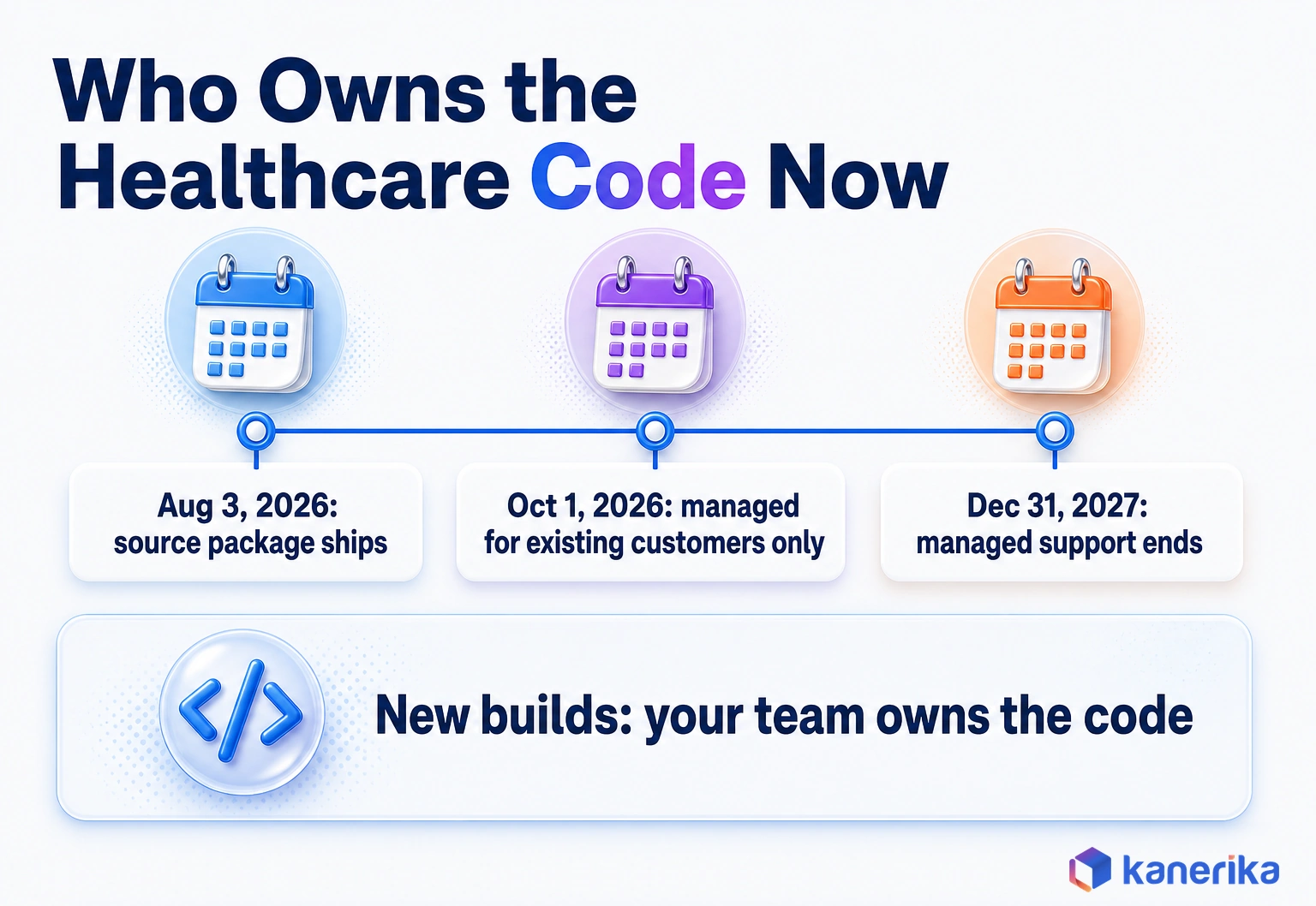
In practice, a hospital starting after October 1, 2026 adopts code, not a subscription feature. That especially favors teams with data engineers who already run source control, testing and release management. Teams without them need a partner who will, or the pipelines will age quietly.
How Fabric Organizes Clinical Data: Bronze, Silver and Gold
Fabric’s healthcare layer follows the medallion pattern, where data gets cleaner and more useful at each layer. According to Microsoft’s healthcare data foundations documentation, a deployment creates three lakehouses, five notebooks, a Fabric environment and a clinical pipeline.
Input files must be FHIR in NDJSON format, with one resource per line. A FHIR bulk export from an EHR or the AHDS FHIR service lands as is, but HL7v2 feeds and flat extracts have to be converted to FHIR first. Every resource also needs an ID and a Meta.LastUpdated value, or it fails validation. The flow then runs in five steps.
- Ingest: NDJSON files land in the ingest area of the bronze lakehouse, either uploaded or exported from a FHIR service.
- Bronze: raw FHIR resources are kept as received, so every downstream number can be traced to its source.
- Silver: resources are flattened into a FHIR-based table model that analysts can query with SQL or Spark.
- Gold: silver data is transformed into OMOP CDM v5.4 for research and population analysis.
- Consume: Power BI, notebooks and AI models read from silver or gold, depending on the question.
Follow one lab result to see why the layers matter. A patient’s A1c test arrives as an Observation resource in an NDJSON file and sits unchanged in bronze. It then becomes a silver row tied to the patient and date, and finally a row in the OMOP measurement table in gold.
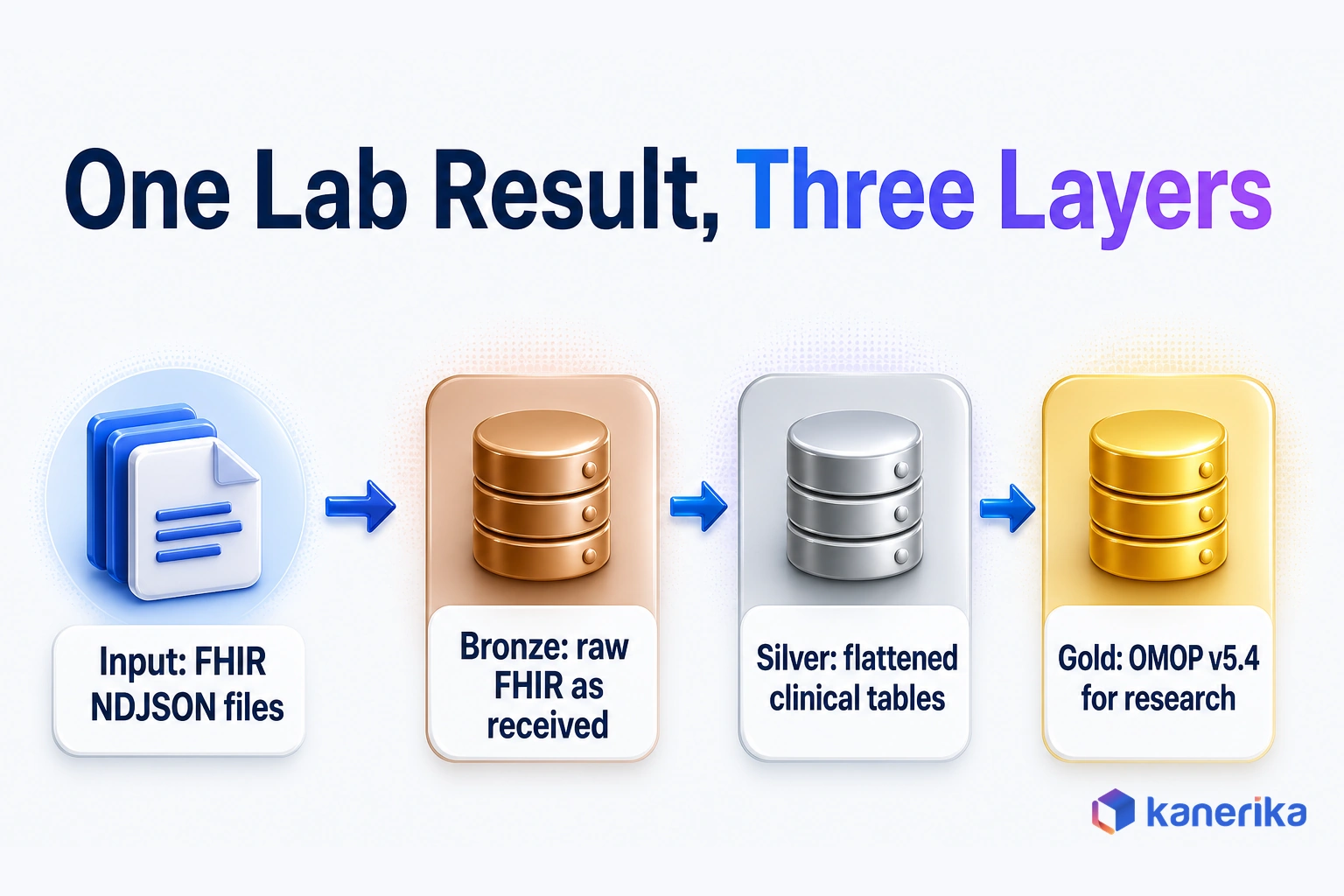
Each layer also serves a different reader. Engineers debug in bronze, analysts build dashboards on silver and researchers query gold without learning FHIR at all.
Microsoft Fabric Healthcare Use Cases by Team
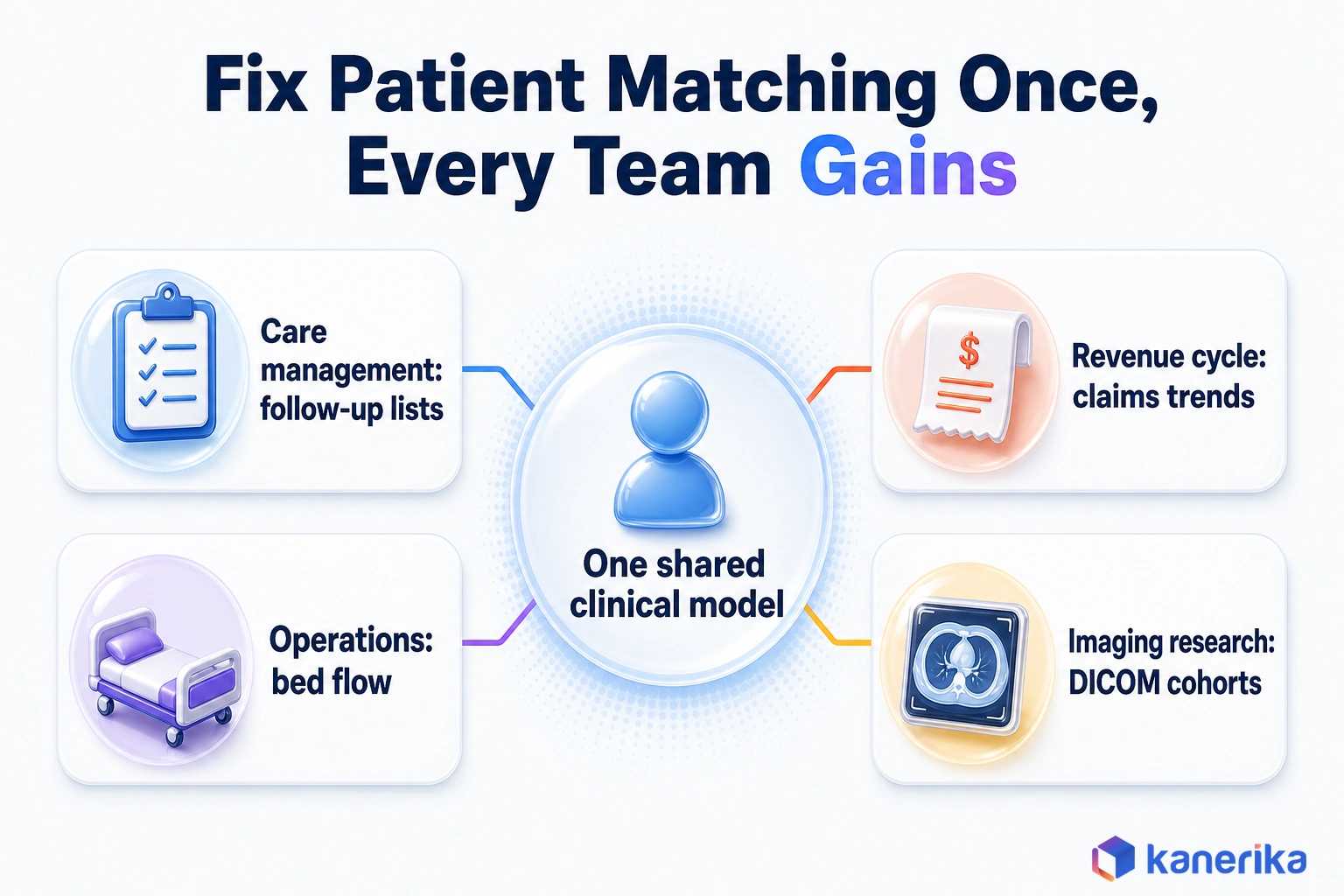
The clearest way to judge Fabric is by the questions each team needs answered. For example, a care manager wants a daily list of patients to call. A revenue cycle lead, on the other hand, wants to know which claims patterns raise the cost of care.
Both questions draw on the same patients, but they need different data and different Fabric tools. Because the clinical model is shared, a fix to patient matching in silver improves every team’s numbers at once. The claims capability ingests Medicare CCLF files only, so commercial payer claims (837 and 835) need their own pipeline into the same model.
Some use cases need live data rather than nightly loads. ICU monitors and bed sensors send events continuously, and for those feeds Real-Time Intelligence in Microsoft Fabric handles the streaming side.
Use Cases Mapped to Data and Fabric Tools
| Team | Use case | Data needed | Fabric capability |
|---|
| Population health | Risk groups and social needs gaps | Clinical model and SDOH datasets | Data foundations, SDOH transformations |
| Care management | Follow-up lists after discharge | Encounters, discharges and claims | Care management analytics, Power BI |
| Revenue cycle and payers | Claims trends and cost of care | CMS CCLF claims files | CMS claims transformations |
| Hospital operations | Capacity and bed flow | Admission, discharge and transfer events and staffing data | Data Factory, Real-Time Intelligence |
| Imaging research | Cohorts by modality and study | DICOM metadata, OMOP tables | DICOM data transformation, OMOP |
| Patient outreach | Reminders before visits and screenings | Patient profiles and consent flags | Customer Insights data preparation, outreach analytics |
| Clinical engineering and ICU | Alerts when device or monitor readings change | Event streams | Real-Time Intelligence |
Most organizations start with one row of this table rather than all seven. Pick the team whose question is costing the most time today, and build the shared foundation for that use case first. For a tool-neutral version of these use cases, see our guide to data analytics in healthcare.
HIPAA, PHI and Governance in Microsoft Fabric
HIPAA compliance in Fabric is shared, because Microsoft covers its platform and you cover how you configure and use it. Start with what the law actually requires. According to Microsoft’s HIPAA and HITECH guidance, no HHS-approved HIPAA certification exists for cloud services.
Under the rule, a cloud provider storing or processing PHI is a business associate, so it must sign a business associate agreement (BAA) with you. Microsoft states on its compliance page that healthcare data solutions in Fabric are HIPAA and HITRUST compliant, and lists them as covered by the HIPAA BAA.
What the BAA does not cover, though, is your setup. Suppose an analyst copies PHI into a workspace open to a wide group, or shares a report without row filters. The platform has worked as designed, and the exposure is still yours.
The Controls You Configure
These controls are where that responsibility gets real. Set them in each Fabric workspace before any PHI lands, then review them whenever a new team asks for access.
| Control | What it protects | Where you set it |
|---|
| Workspace roles | Who can open, edit or share items in a workspace | Workspace access settings |
| Item permissions | Access to one item, such as a lakehouse or report | Item sharing settings |
| OneLake security roles | Folder, table, row and column access inside a lakehouse | Lakehouse data access roles |
| Sensitivity labels and Microsoft Purview | Classification that follows Power BI reports exported to Excel, PDF or PowerPoint, and flows downstream to dependent items | Microsoft Purview and Fabric item settings |
| Audit logs | A record of who accessed or changed data, and when | Microsoft Purview audit |
| De-identification service | Tags, redacts or replaces PHI in text before research use | Azure Health Data Services |
Go back to the analyst who copied PHI into an open workspace, where tighter workspace roles and OneLake security row filters would have stopped it. The trap is that OneLake security roles restrict only Viewers and Read users, while Admins, Members and Contributors see everything. Sensitivity labels also travel with Power BI exports to Excel, PDF, PowerPoint or .pbix, but not with CSV or lakehouse exports.
Watch on YouTube
Microsoft Fabric for Healthcare: HIPAA Setup Guide (2026)
A walkthrough of how to set up Microsoft Fabric for HIPAA workloads, from workspace access to the controls that keep PHI inside approved boundaries.
Text often needs to leave the PHI zone, for example for research or AI work. The Azure Health Data Services de-identification service tags, redacts or replaces 27 PHI entity types with surrogates, which covers HIPAA’s 18 identifiers.
Healthcare data governance also goes wider than these six controls. For domains, ownership, lineage and the full setup, see our guide to Microsoft Fabric governance.
Microsoft Fabric vs Azure Health Data Services, Databricks and Snowflake
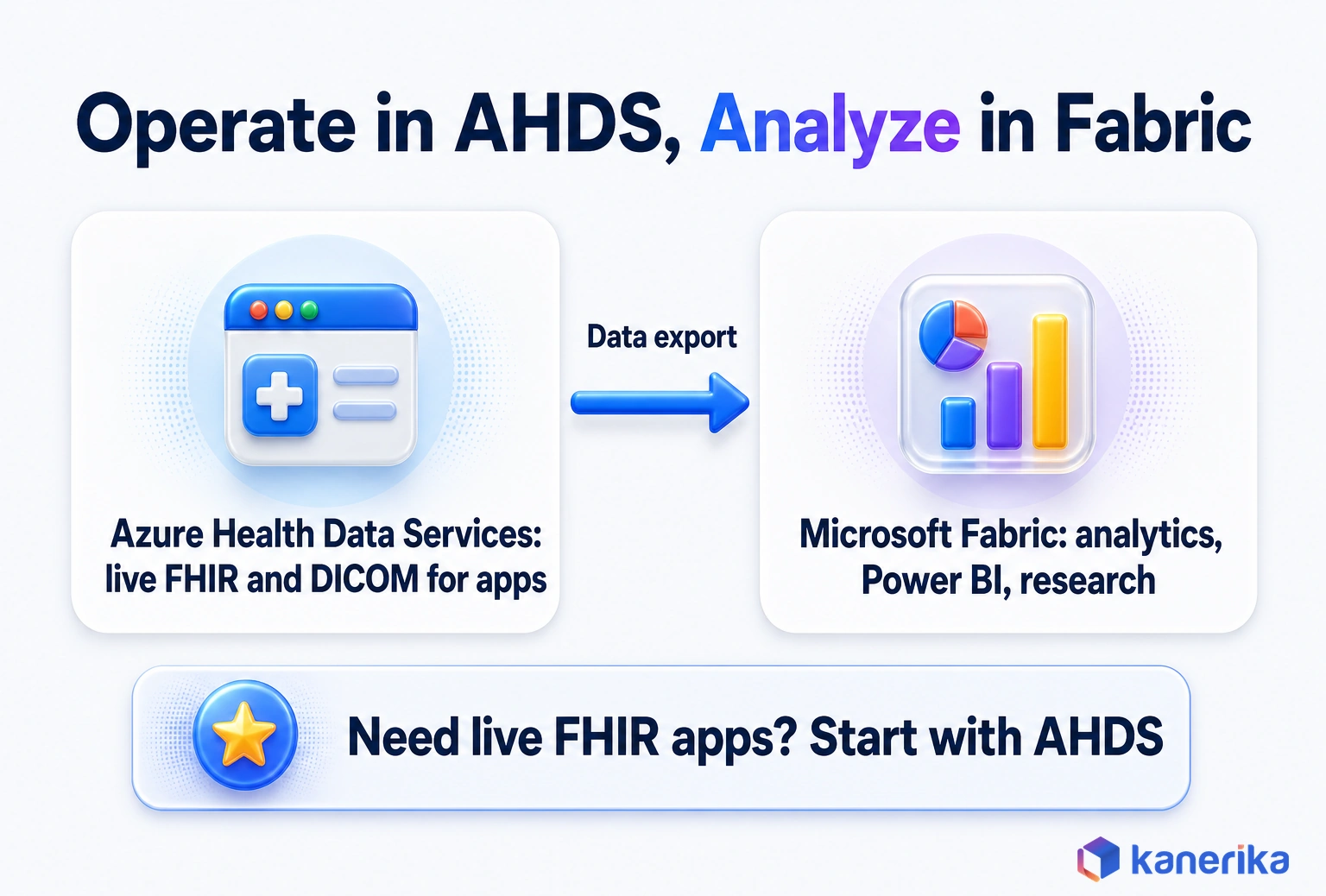
Fabric is one of several ways to analyze healthcare data, and the right one depends on what your team already runs. The comparison that confuses buyers most is Fabric against Azure Health Data Services (AHDS), since both come from Microsoft.
Still, they do different jobs. AHDS runs operational FHIR and DICOM services that apps read and write in real time, while Fabric analyzes copies of that data. The two connect through the AHDS data export capability, so many health systems run both.
Databricks and Snowflake are the other common choices. Both can hold and analyze healthcare data well, but neither ships Microsoft’s FHIR-to-OMOP healthcare layer, so your team builds or buys those pipelines.
| Option | Best fit | Limits |
|---|
| Microsoft Fabric with healthcare data solutions | Analytics and BI on FHIR, OMOP, claims and imaging data especially in a Microsoft environment | Not an operational FHIR server; the healthcare code is now customer-managed |
| Azure Health Data Services | Operational FHIR and DICOM services for apps and data exchange, plus de-identification | Built for transactions and exchange, not BI, so it pairs with an analytics platform |
| Databricks | Spark-heavy engineering and machine learning teams | Healthcare data models come from your team or partner accelerators instead |
| Snowflake | Organizations, often payers, standardized on Snowflake SQL and data sharing | FHIR and OMOP pipelines are built separately, so they sit outside OneLake |
A Five-Question Decision Scorecard
This short scorecard helps when the comparison table still leaves the decision open. Answer each question honestly, then count which column wins.
| Question | Lean Fabric if | Lean elsewhere if |
|---|
| Where do reports live today? | Power BI is the standard | Another BI tool is entrenched |
| What does the core data team write? | SQL and some Python | Mostly Spark and MLflow |
| Do apps need to read and write FHIR live? | No, analysis is the goal | Yes, so AHDS comes first |
| Is FHIR or OMOP the target model? | Yes, because the healthcare layer saves build time | No, since a custom model is planned |
| Who will own the solution code? | A named team or partner | Nobody, at least until an owner is named |
When Fabric Is Not the Right Fit
Fabric is not the default answer for every health data team, and the table above shows where it fits less well. For a mature Databricks or Snowflake team, switching rarely pays off, because rebuilding working pipelines and retraining people costs more than the healthcare layer saves.
The newer risk comes from the 2026 ownership change. A team with no one to own the source package takes on code that nobody will version or fix, so Fabric fits only once an owner is named.
Costs, Licensing and Capacity for Healthcare Teams
Fabric is billed by capacity, so cost comes down to how much compute you reserve and who needs a license to view reports. Capacities come in F SKUs from F2 to F8192, and every workload in the tenant draws on the capacity it is assigned to.
The license rule that surprises hospitals most concerns viewers. Microsoft’s Fabric licensing documentation says Power BI viewing with a free license needs an F64 or larger capacity. Below F64, each viewer needs a Pro, Premium Per User or trial license.
So a health system that wants every nurse manager to see a staffing dashboard should price both paths, a larger capacity or per-user licenses. Below F64, report cost grows with every viewer, while at F64 and above it grows with compute. So the comparison is per-user licenses times viewer count against the step up to F64. For current figures, see the Microsoft Fabric pricing page.
Checklist
Microsoft Fabric Checklist
Work through scope, security, capacity and migration decisions before a healthcare Fabric build starts, so PHI and cost questions are settled up front.
Get the Checklist →
What Drives Fabric Cost in a Health System
Five drivers decide most of the bill, and each has a simple control.
| Cost driver | Why it matters in healthcare | How to control it |
|---|
| Capacity size | FHIR loads and OMOP builds use compute in bursts, so peaks drive size | Size for the steady load, then test peak jobs |
| Always-on vs paused | Research and test capacities often sit idle when nobody works | Pause pay-as-you-go capacities when they are not in use |
| Viewer licensing | Clinical and operations staff are large reader groups, so viewer count adds up | Compare F64 against per-user licenses for your viewer count |
| Storage | Raw bronze files and imaging metadata grow every month | Set retention rules for raw files before volumes grow |
| Reserved vs pay-as-you-go | Production capacity runs every day, unlike test capacity | Reserve steady production capacity and keep test capacity flexible |
Cost also depends on how well the build is planned, since a rushed design repeats work in every layer. Using a structured Microsoft Fabric checklist keeps scope, security and capacity decisions in one place before spending starts.
A Phased Implementation Roadmap
Fabric healthcare projects go best in phases, because each one proves something the next one depends on. Plan for weeks per phase, not days, and treat the exit test of each phase as a hard gate.
- Assess sources and PHI scope: list every source, its owner, its format and which fields hold PHI, then pick the first use case.
- Land the FHIR foundation: deploy the source package, load NDJSON files into bronze and validate silver against the source counts. Hospitals moving older SSIS jobs can also plan this alongside migrating SSIS pipelines to Fabric.
- Add OMOP, claims and SDOH: switch on the transformations the first use case needs, but nothing more.
- Set governance and de-identification: apply roles, labels and audit, then route any research text through de-identification.
- Build analytics and Power BI: publish one shared semantic model and the first dashboard, so the team that asked for it owns it.
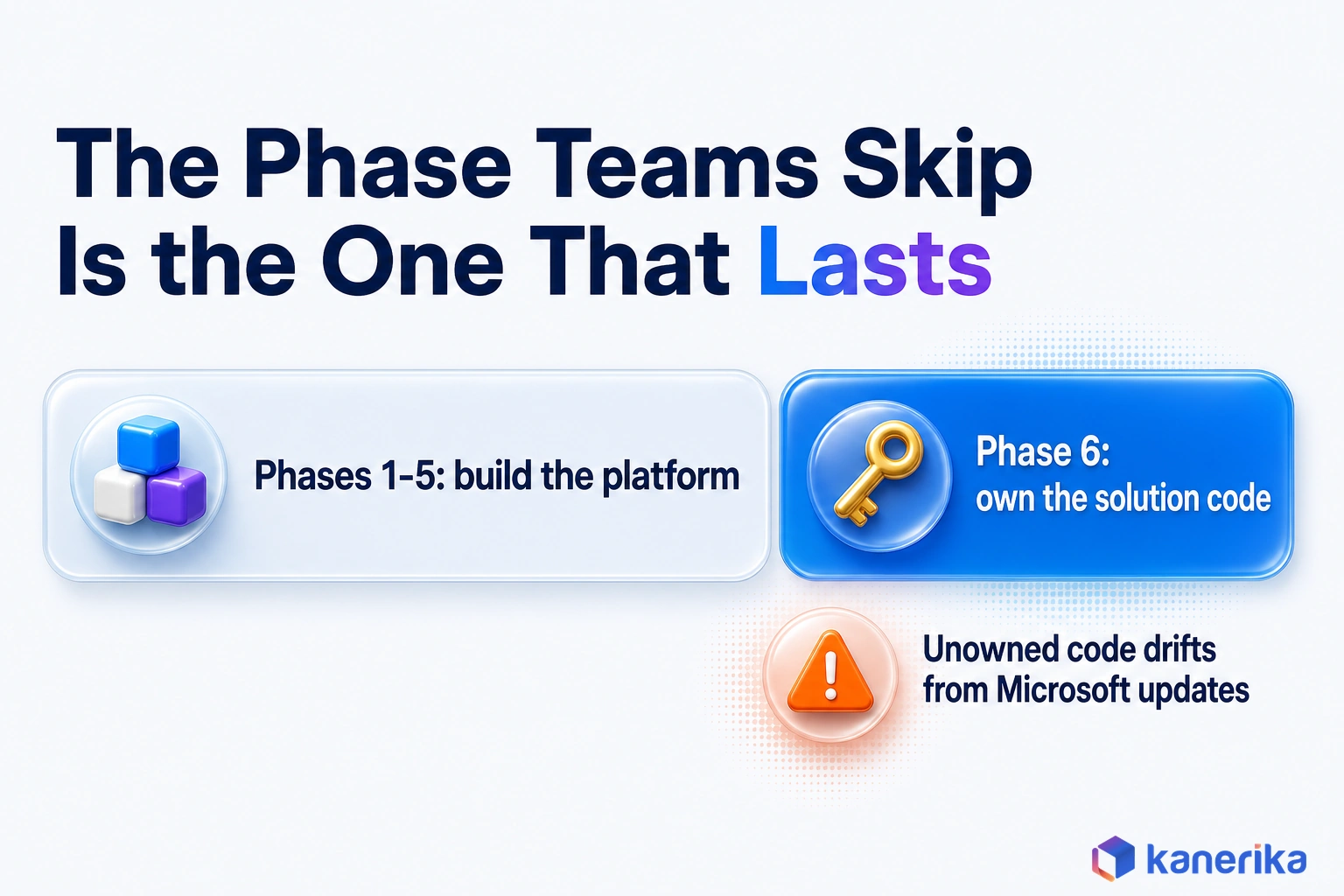
- Operate and own the solution code: put the source package under version control, then test each Microsoft update and assign an owner for fixes.
The last phase is the one teams most often skip. With the managed option closed to new customers, an unowned source package will drift further from Microsoft’s updates with every release.
Common Mistakes
The same errors appear again and again in Fabric healthcare projects, but each one is cheaper to avoid than to fix. Several trace back to skipped access design, which our guide to Fabric governance covers step by step.
- Treating Fabric as an EHR or a clinical system of record.
- Building on a preview feature, or one that has been discontinued, without a fallback.
- Ignoring the October 1, 2026 cut-off and still planning a new managed deployment.
- Choosing a capacity below F64 and then sharing reports with hundreds of clinical viewers.
- Letting PHI land in workspaces before they are approved for it.
- Skipping patient identity matching, so the same person appears as several patients.
How Kanerika Implements Microsoft Fabric for Healthcare and Life Sciences
Kanerika builds and runs Microsoft Fabric platforms for healthcare and life sciences organizations. The work follows the roadmap above, with the ownership question settled at the start rather than after go-live.
- PHI field inventory: a named owner and a list of PHI fields for every source, agreed before any data moves.
- Source-count reconciliation: row counts checked between bronze, silver and gold, so each load ties back to the system it came from.
- Access design per workspace: roles, labels, audit and de-identification set as one design rather than item by item.
- Shared semantic models: one model per domain, so quality, finance and operations teams report the same numbers.
- Update routine: version control and a test run for each Microsoft source-package update. For older platforms, FLIP accelerators automate much of the migration into Fabric.
One life sciences engagement shows the consolidation pattern, though with commercial sales and finance data rather than clinical data. A pharma manufacturer had that data scattered across Model N, SQL Server, SAP and SAP Vistex, so KPI reports took hours of manual work.
Kanerika consolidated those four systems into one Fabric lakehouse with Power BI reporting on top, which is the part that transfers to clinical work. The result was a 95% decrease in reporting man-hours, a 40% gain in operational efficiency and 35% lower operational costs.
Case Study
95% Less Manual Reporting with Microsoft Fabric
See how a leading pharmaceutical manufacturer consolidated Model N, SQL Server, SAP and SAP Vistex data into a Fabric lakehouse with Power BI, cutting reporting man-hours by 95%.
Read the Case Study →
Is Microsoft Fabric for Healthcare Right for Your Organization?
For most providers, payers and life sciences teams that already use Microsoft tools, the answer is yes for analytics. The healthcare layer saves much of the FHIR and OMOP modeling work, and OneLake removes copied extracts. Power BI then puts results in front of the people who act on them.
The answer changes when the job is different. For example, apps that need a live FHIR server belong on Azure Health Data Services. Strong Databricks or Snowflake teams also rarely gain enough to move.
The 2026 change also adds one more condition, which is ownership. Microsoft Fabric for healthcare is worth adopting when a named team or partner will run the customer-managed code and the HIPAA controls, and not before.
Frequently Asked Questions
Is Microsoft Fabric HIPAA compliant?
Microsoft states that healthcare data solutions in Fabric are HIPAA and HITRUST compliant, and Fabric is covered by the Microsoft business associate agreement. No HHS certification exists for cloud services, though. Compliance therefore depends on your setup too, including workspace roles, sensitivity labels, audit logs and where PHI is allowed to land.
Can Microsoft Fabric store PHI?
Yes, once your organization has the Microsoft business associate agreement in place and PHI is kept in workspaces approved for it. Access should be limited with workspace roles, item permissions and OneLake security roles. Text that leaves the PHI zone for research can first pass through the Azure Health Data Services de-identification service.
Is Microsoft Fabric similar to Databricks?
Both are lakehouse platforms for data engineering, analytics and machine learning, so they overlap a great deal. Fabric is software as a service built around OneLake and Power BI, and it includes Microsoft’s healthcare data solutions. Databricks suits Spark-heavy engineering and ML teams, which usually build healthcare data models themselves or with partner accelerators.
Is Microsoft Fabric the same as Snowflake?
No. Snowflake is a cloud data platform that many organizations, especially payers, use for SQL analytics and data sharing. Fabric bundles storage, engineering, data science, real-time analytics and Power BI in one service, and it adds Microsoft’s FHIR and OMOP healthcare layer. On Snowflake, those healthcare pipelines are built separately instead.
When not to use Microsoft Fabric?
Skip Fabric when apps need an operational FHIR server, because Azure Health Data Services does that job. It is also a weaker fit for Spark teams already productive on Databricks and payers standardized on Snowflake. Very small teams should wait too, since someone must own the customer-managed healthcare code after launch.
Is Microsoft Fabric considered AI?
Fabric is a data and analytics platform rather than an AI model, but it supports AI work. Data scientists train and run models in notebooks, Copilot features help with code and reports, and the healthcare layer includes AI-related previews. Most of its value in healthcare comes from preparing governed data that AI models can safely use.
Is Fabric better than Azure?
The question compares a product with a cloud. Fabric runs on Microsoft’s cloud and works alongside Azure services rather than replacing them. A hospital might, for example, run Azure Health Data Services for live FHIR apps and use Fabric for analytics. The better choice depends on whether the job is operational or analytical.
Which companies use Microsoft Fabric?
Fabric is used across sectors that rely on Microsoft tools, including healthcare providers, payers, pharmaceutical and life sciences firms, manufacturers, retailers and financial services. In healthcare, adopters tend to be organizations that already report in Power BI and want FHIR, claims and imaging data in one governed place for quality, operations and research.
Which cloud platform is best for healthcare?
No single platform wins every case. The right choice depends on the signed BAA, your existing tools and the job at hand. Microsoft-centered teams often pair Azure Health Data Services with Fabric, while Spark-heavy teams may prefer Databricks. Compare how each handles FHIR, PHI controls and reporting before you commit to one.
What is Microsoft Fabric?
Microsoft Fabric is a software-as-a-service analytics platform. It combines data integration, lakehouse and warehouse storage, data science, real-time analytics and Power BI on one storage layer called OneLake. For health systems, Microsoft adds healthcare data solutions on top, with ready-made FHIR, OMOP, DICOM, claims and social determinants of health data models.
What is Microsoft Fabric used for?
Teams use Fabric to bring data from many systems into one governed copy and then analyze it. In healthcare that means readmission lists, claims and cost-of-care trends, bed capacity, imaging research cohorts and patient outreach. Organizations adopt it to stop copying extracts between tools and give every team the same trusted numbers.
Which cloud storage is HIPAA compliant?
No cloud storage is HIPAA compliant on its own, because HHS does not certify products. A cloud provider that stores PHI is a business associate, so it must sign a BAA with you. After that, compliance rests on how you configure access, encryption, audit logs and retention, whichever provider holds the data.
What happened to the managed healthcare data solutions in 2026?
Microsoft began shipping healthcare data solutions as a customer-managed source package on August 3, 2026. From October 1, 2026, only existing customers can deploy the managed version, and its support ends on December 31, 2027. New deployments are therefore code that your team or a partner versions, tests and supports.
What is the difference between Microsoft Fabric and Azure Health Data Services?
Azure Health Data Services runs operational FHIR and DICOM services that applications read and write in real time, plus a de-identification service. Microsoft Fabric is an analytics platform that works on copies of that data. Many health systems use both, exporting FHIR data from Azure Health Data Services into OneLake for reporting and research.
How does Microsoft Fabric support healthcare analytics?
Fabric lands FHIR records in a bronze lakehouse, flattens them into a silver clinical model and converts them into OMOP v5.4 in gold. Further transformations add CMS claims, imaging metadata and social determinants data. Power BI, notebooks and AI models then read one governed copy, so quality, finance and research teams share the same numbers.
How does Fabric integrate with Epic and other EHRs?
Fabric takes EHR data, including data from Epic, as FHIR resources in NDJSON files, the format produced by FHIR bulk exports. Teams either upload those files into the ingest area or export them from an Azure Health Data Services FHIR service. Data Factory pipelines can also pull other extracts that the EHR team provides on a schedule.
Can Fabric process DICOM imaging data?
Yes. The DICOM data transformation in healthcare data solutions brings imaging metadata, such as modality and study details, into lakehouse tables linked to the clinical model. Researchers can then build imaging cohorts alongside diagnoses and lab results. Fabric is not a picture archiving system, though, so radiologists still read the images in the PACS.
Do you need a license for Microsoft Fabric?
Yes. An organization buys Fabric capacity as an F SKU, from F2 to F8192, and every workload draws on it. Report viewers matter too. On F64 or larger, users with a free license can view Power BI content, while below F64 each viewer needs a Pro, Premium Per User or trial license.
Is Microsoft Fabric free?
Not for production use. Fabric capacity is billed either pay-as-you-go or reserved, and OneLake storage is charged separately. A trial lets teams test the platform first, and free Power BI viewing is only available on F64 or larger capacities. Microsoft’s Fabric pricing page lists current prices for each capacity size and region.
Is Microsoft Fabric a PaaS or SaaS?
Microsoft Fabric is software as a service. Microsoft runs the infrastructure, storage and compute, while teams work in workspaces through a browser. The healthcare layer changed in 2026, however, because the customer-managed source package means your team now owns that code. So the platform stays SaaS while the healthcare pipelines behave more like your own software.




