

SAP BusinessObjects Migration to Power BI and Microsoft Fabric, Accelerated With FLIP
Move SAP BusinessObjects reports, Universes, business logic, and reporting workloads to Power BI and Microsoft Fabric with less manual redevelopment. Kanerika uses FLIP migration accelerators to automate assessment, conversion, and validation across complex enterprise BI environments.
Faster Migration
Lower Migration Cost
Predictable Timelines
Migrate Off SAP BusinessObjects Without Manual Rebuilding
Move years of BusinessObjects reporting logic to a modern analytics environment while retaining the definitions, calculations, reports, and controls your business depends on.
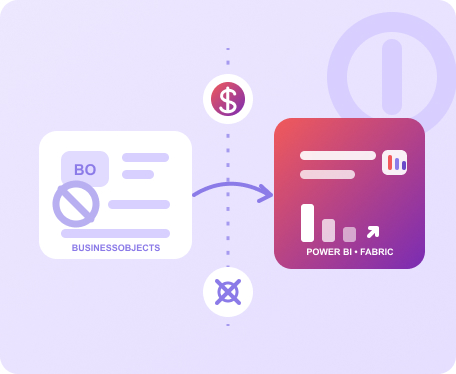
SAP BusinessObjects to Power BI Migration
Convert BusinessObjects reports, Web Intelligence content, Universes, calculations, and reporting logic into Power BI semantic models and reports with FLIP-assisted automation.
- Convert WebI reports and reporting logic
- Rebuild Universes as governed semantic models
- Validate outputs before business cutover
SAP BusinessObjects to Microsoft Fabric
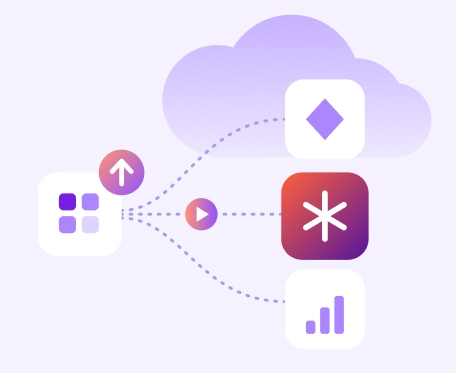
Move beyond report replacement by bringing SAP reporting and data workloads into Microsoft Fabric and Power BI for governed enterprise analytics.
- Consolidate SAP and non-SAP data
- Standardize KPIs and semantic models
- Build a Fabric-ready analytics foundation
The Business Case
Why Enterprises Are Reassessing SAP BusinessObjects
SAP BusinessObjects BI 4.3 reaches the end of mainstream maintenance on December 31, 2026, with security fixes only through 2027. Enterprises now need to decide whether to upgrade, maintain the existing estate, or move reporting to a modern analytics platform.
Rising Platform Costs
Legacy licenses, infrastructure, administration, and specialist skills increase long-term BI operating costs.
Complex Report Estates
Years of WebI reports, Universes, variables, and prompts make manual migration difficult.
Limited Self-Service Analytics
Business users often depend on specialist teams for new reports, changes, and analysis.
Fragmented Business Logic
Calculations and KPI definitions spread across reports make consistent enterprise reporting harder.
Manual Migration Risk
Rebuilding hundreds of reports manually increases effort, errors, testing, and project delays.
Slower AI Adoption
Disconnected reporting environments make governed data harder to use across modern analytics and AI.
See It Work
Watch FLIP Automate SAP BusinessObjects Migration
A short walkthrough of how FLIP reads legacy jobs, converts the logic automatically, and re-platforms the estate to a modern cloud platform.
- Reads and parses existing DataStage jobs automatically
- Phase one converts jobs to Talend, up to 80% automated with team validation
- Stops IBM licensing costs from day one
- Phase two moves Talend to Microsoft Fabric at your pace
Your team controls the timeline.
FLIP handles the conversion.
The Payoff
Enterprise Benefits of SAP BusinessObjects Migration
A well-planned migration reduces BI overhead while creating a more accessible, governed analytics environment.
Reduce BI Operating Costs
Retire legacy reporting infrastructure and reduce the effort required to maintain multiple BI platforms.
- Lower licensing and infrastructure costs
- Reduce specialist platform dependency
Improve Analytics Access
Give business teams faster access to interactive reporting and governed self-service analytics.
- Modern dashboards and reporting
- Faster access to trusted insights
Prepare Data for AI
Connect reporting to a governed data platform designed for analytics, Copilot, and enterprise AI.
- Consistent metrics and definitions
- Governed data for AI applications
Kanerika SAP BusinessObjects Migration Framework
A structured migration approach from estate assessment through conversion, validation, deployment, and BusinessObjects retirement.

STEP 2
Rationalize
Identify reports to retire, consolidate, redesign, or move before conversion begins.

STEP 3
Convert
FLIP automates report, metadata, and business-logic conversion where applicable.

STEP 4
Validate
Compare source and target outputs to identify data, calculation, and formatting differences.

STEP 5
Cut Over
Move approved reporting workloads in controlled waves and retire legacy components safely.
What's Migrated
SAP BusinessObjects to Microsoft Fabric Migration Scope
BusinessObjects migration extends beyond visible dashboards. Kanerika addresses the reporting, semantic and distribution layers that keep enterprise BI running.
Universes and Semantic Models
Translate Universe metadata, relationships, measures, and business definitions into governed target semantic models.
WebI and Enterprise Reports
Convert reporting structures, calculations, filters, prompts, variables, and visualization requirements for the target environment.
Security and Distribution
Rebuild access controls, row-level security, scheduling, subscriptions, and report distribution requirements where needed.
Why FLIP
Accelerate SAP BOBJ to Microsoft Fabric Migration With FLIP
FLIP reduces the repetitive work involved in large BusinessObjects migrations while keeping expert review focused on complex logic and business validation.

Faster Migration
Automation can handle up to 80% of repeatable migration work, reducing time spent rebuilding reports manually.
Lower Migration Cost
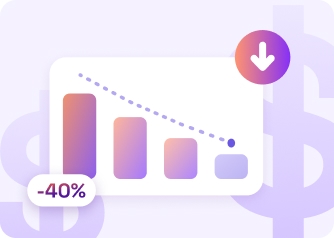
Less manual conversion and testing can reduce migration costs by up to 50% compared with traditional approaches.

Fewer Manual Resources
Automated assessment and conversion reduce repetitive development work across large enterprise report estates.
Automated Validation
Source and target results are compared systematically so discrepancies can be identified before user acceptance.

Controlled Migration Waves
Move reports by department, use case, complexity, or business priority instead of forcing one large cutover.
Reusable Migration Framework
Apply consistent conversion rules, validation controls, and documentation across the complete BusinessObjects estate.
Business Outcomes from SAP Reporting Migration Projects
25% Lower Storage Costs for Steel Manufacturing on Azure
Impact:
- 25% Reduction in storage expenses
- 2.5% Increase in revenues
- 40% Improvement in productivity
52% Fewer Config Errors in Connected Vehicle Data
Impact:
- 18% Increase in operational efficiency
- 25% Faster decision making
- 52% Decrease in manual config errors
90% Data Accuracy with Microsoft Fabric & Power BI
Impact:
- 85% Increased Operational Visibility
- 90% Data Accuracy & KPI Reliability
- 100% Scalability & Support
Frequently Asked Questions (FAQs)
What is SAP BusinessObjects migration?
SAP BusinessObjects migration moves reports, Universes, semantic logic, security, and related BI workloads from SAP BusinessObjects to a modern analytics platform. Common targets include Microsoft Power BI and Microsoft Fabric. A migration normally includes assessment, report rationalization, conversion, testing, validation, deployment, and planned retirement of legacy BusinessObjects components.
Why are companies migrating from SAP BusinessObjects?
Companies are reassessing BusinessObjects because of platform costs, aging BI estates, specialist skill requirements, and demand for modern self-service analytics. SAP BusinessObjects BI 4.3 mainstream maintenance ends on December 31, 2026, making this a practical point for enterprises to compare upgrading BusinessObjects against moving reporting workloads to Power BI or another platform.
How does SAP BusinessObjects to Power BI migration work?
SAP BusinessObjects to Power BI migration (see our BusinessObjects to Power BI migration map) starts by assessing Universes, WebI reports, calculations, prompts, dependencies, security, and usage. Required content is then mapped to Power BI semantic models and reports. Automated conversion can reduce repetitive development, followed by source-to-target validation, business testing, phased deployment, and legacy report retirement.
Can SAP BusinessObjects WebI reports be migrated to Power BI?
Yes. Web Intelligence reports can be recreated in Power BI, but they are not always direct one-to-one conversions. Queries, variables, calculations, prompts, filters, merged dimensions, and formatting must be mapped to Power BI equivalents. Kanerika uses FLIP-assisted conversion and validation to reduce the manual work required for large WebI migration programs.
Can SAP BusinessObjects Universes be migrated to Power BI?
BusinessObjects Universes can be translated into Power BI semantic models, but the architectures differ. Universe objects, joins, contexts, measures, hierarchies, and business definitions must first be analyzed. The target model is then designed around Power BI modeling practices while keeping important business definitions and reporting logic consistent for users.
How long does an SAP BusinessObjects migration take?
Migration timelines depend on the number of Universes, WebI reports, Crystal Reports, calculations, dependencies, data sources, and security requirements. Report rationalization can reduce scope before development begins. FLIP automation can shorten repetitive conversion and validation work, while phased delivery allows priority reports to move before the full estate is completed.
What should be assessed before migrating SAP BusinessObjects?
A BusinessObjects migration assessment should cover report inventory, usage, Universes, data sources, dependencies, WebI variables, calculations, prompts, security, schedules, and distribution requirements. Reports should also be classified for retirement, consolidation, migration, or redesign. This prevents unused or duplicated reports from being rebuilt on the new BI platform.
Can SAP BusinessObjects migrate to Microsoft Fabric?
Yes. Microsoft Fabric can provide the broader data and analytics environment while Power BI handles reporting and visualization. SAP and other enterprise data can be brought into Fabric, modeled through governed semantic layers, and consumed through Power BI. This approach is useful when the project involves both reporting modernization and wider data-platform consolidation.
How much does SAP BusinessObjects migration cost, and how can it be reduced?
Migration costs fall when teams reduce unnecessary scope and automate repetitive work. Report usage analysis identifies content that can be retired before conversion. Migration accelerators can automate assessment, conversion, and validation across repeatable report patterns, while phased delivery prevents large teams from manually rebuilding every BusinessObjects report at the same time.
Why choose Kanerika for SAP BusinessObjects migration?
Kanerika combines enterprise BI migration experience with FLIP migration accelerators and Microsoft Data and AI expertise. The same approach drives our Cognos to Power BI and Tableau to Power BI migrations. The team covers BusinessObjects assessment, rationalization, conversion, semantic-model design, validation, Power BI and Fabric implementation, deployment, and legacy retirement. This approach reduces manual redevelopment while maintaining control over reporting logic and business validation.













