
TL;DR
The best data annotation tools are Label Studio or CVAT when data must stay on-prem, and a hosted platform when you need managed review. Both open-source picks are free to license. For hosted review and security reports, choose SuperAnnotate, Encord or Labelbox. Developers who label text often prefer Prodigy. Skip Ground Truth unless you already use it, because AWS no longer takes new customers. Whichever you pick, test two tools on your own data for two weeks before you buy.
Key Takeaways
- A data annotation tool is a workflow, review and export system, so judge it on the labels that reach training.
- Label Studio (Apache 2.0) and CVAT (MIT) are the open-source picks, while SuperAnnotate, Encord and Labelbox sell managed platforms with enterprise controls.
- Ground Truth is no longer open to new AWS customers, so it appears only as a status row for teams already using it.
- LLM and GenAI programs also need preference ranking, rubric scoring and red-team review, which many image-first tools handle poorly.
- Measure annotation quality with agreement and gold-set metrics such as kappa, IoU and span-level F1 before labels go to training.
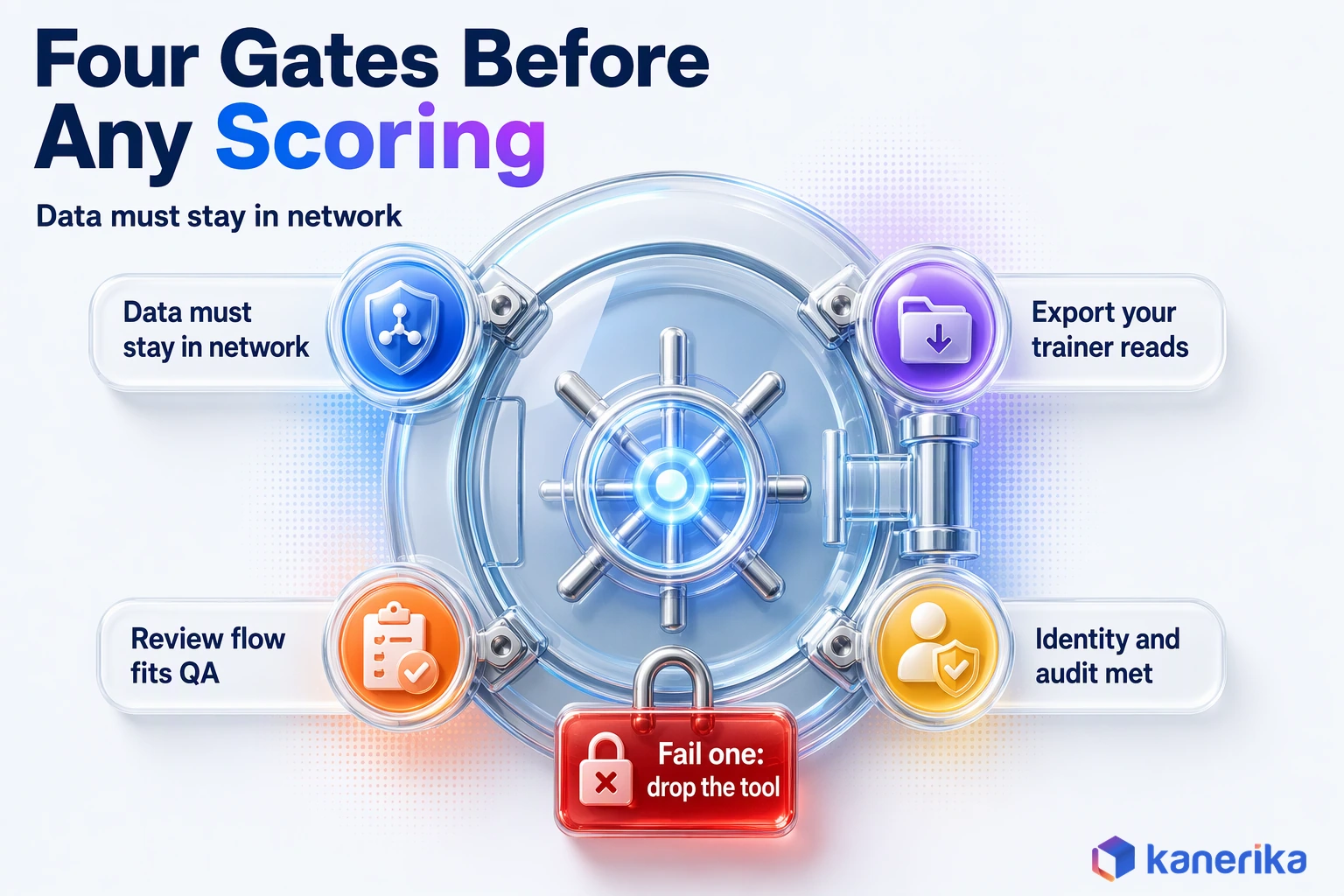
- Four hard gates (data location, export format, review workflow, identity and audit) remove tools faster than any feature score.
The 40,000 Labels That Could Not Be Used
Picture a vision team that labels 40,000 product images in six weeks. The annotators are quick, the dashboard shows green, and the vendor demo looked great. Then the ML engineer tries to train a detector and hits two problems at once.
The export comes out in a format the training code does not read, so someone writes a converter. Worse, two annotators drew “scratch” and “scuff” with different rules, and nobody caught it because the tool had no review step. The scenario is illustrative. Still, each failure maps to a day-one choice: which data annotation tools to buy, and what to test first.
This guide is about that choice. First, it compares the tools enterprise teams shortlist and separates software from labor. It then covers LLM preference data, quality, cost and governance, and finally ends with a decision framework and a two-week pilot plan.
What Data Annotation Tools Do in 2026
A data annotation tool turns raw data into training labels that a model can learn from, with a record of who labeled what. The canvas where people draw boxes or tag text is still only the visible part. The real work happens in task routing, review queues, label schemas, version history and export.
Think of the tool as the factory floor for your training data. A good one assigns work, sends disputed items to a reviewer, stores every change and hands the training job a clean file. A weak one, by contrast, leaves those steps to spreadsheets and scripts, which is where errors hide.
Annotation types such as boxes, polygons, entities and transcription are covered in our guide to data labeling tools and techniques. This post focuses on selection.
Three Shifts Buyers Must Account For
Three changes since the older tool roundups were written affect which tool you should pick. Each one also changes what a pilot has to test.
- LLM preference and evaluation data. Teams in 2026 label pairs of model answers, score them against rubrics and log reviewer disagreement, not only images and text spans.
- Foundation-model pre-labeling. Segmentation models such as Meta’s SAM 2, released under Apache 2.0, draw a first pass that people correct. SAM 3 ships under its own license, so check the terms before production use.
- A vendor exit. AWS states that SageMaker Ground Truth is no longer open to new customers and that it does not plan new features, though existing customers can keep using it.
Put together, these shifts mean an older “top ten tools” list can point you at a product you cannot buy. It can also miss LLM work entirely. For that reason, the comparison below is dated so you can see what was checked and when.
Kanerika Service
Machine Learning Consulting Services
Kanerika scopes label schemas, pilots annotation tools on your data and takes models from training sets to monitored production.
Explore ML ServicesData Annotation Tools Compared: The 2026 Enterprise Shortlist
The shortlist below covers the data annotation tools that enterprise teams most often weigh against each other. It is an editorial shortlist built from vendor documentation rather than a hands-on benchmark. License and pricing details were checked on November 14, 2026, and vendors change plans often, so confirm them before you negotiate.
| Tool | Best fit | License or pricing model (checked 2026-11-14) | Deployment | Watch-outs |
|---|---|---|---|---|
| Label Studio | Mixed data types, LLM preference data, teams that want control | Open source, Apache 2.0 (HumanSignal) | Self-hosted | You own hosting, upgrades and access setup |
| CVAT | Image and video annotation for computer vision | Open source, MIT | Self-hosted | Confirm the export formats your training code reads |
| Labelbox | Large human-data programs, frontier and enterprise model teams | No public price found; quote-based | Managed platform | Get pricing units and exit terms in writing |
| SuperAnnotate | Managed review workflows with enterprise security | Starter, Pro and Enterprise plans; no public price | Managed platform | Pro and Enterprise need a demo or a sales call |
| Encord | Vision and multimodal data needing VPC or on-prem options | Starter, Team and Enterprise plans | Managed; VPC and on-prem as Enterprise add-ons | SSO and private deployment sit on the Enterprise tier |
| Prodigy | Code-led NLP teams that script their own workflows | $390 personal lifetime license; $490 per company seat, sold in packs of 5 | Runs on your machines | Built for developers, not large external workforces |
| Amazon SageMaker Ground Truth | Existing AWS customers only | Closed to new customers | AWS managed | No new features planned; plan an exit path |
Label Studio
Label Studio is the flexible open-source choice. One install handles images, text, audio and LLM output, and its templates are configured with a short XML-like schema.
The project is maintained by HumanSignal under the Apache 2.0 license, and release 1.23.2 shipped on September 29, 2026. Its export options include COCO and YOLO, which covers most vision training code. In a pilot, test how it handles your review flow at volume, since the open-source edition leaves more of that setup to you.
CVAT
CVAT grew out of computer vision work and still feels built for it. In particular, video tracking, interpolation between frames and polygon tools are its strengths, which is why surveillance and inspection teams often start here.
It is MIT-licensed on GitHub, and version 2.83.0 was published on November 12, 2026. Teams building video analytics for security and surveillance tend to need exactly that frame-level tooling. Before you commit, check its supported formats page against the format your trainer expects.
Labelbox
Labelbox has moved up the stack. As of November 14, 2026, its site says it builds the environments frontier labs train AI on. Through its Alignerr network, it also lists more than 2.6 million skill-tested experts across 200+ domains. In other words, it sells expert labeling programs as well as software, which suits a team that wants one vendor for tooling and workforce.
The trade-off is transparency, because we found no public price on its pages. So ask for the pricing unit, retention terms and export path on day one. Also test whether its review queues match your QA design.
SuperAnnotate
SuperAnnotate targets teams that need structured review and strong security paperwork. Its security page lists SOC 2 Type II, ISO 27001:2022 and a GDPR privacy program.
Plans run from Starter to Pro and Enterprise, and the higher tiers go through a demo or sales call rather than a public price. In a pilot, measure how quickly reviewers can reject, comment on and reassign items. That loop decides throughput far more than drawing speed.
Encord
Encord is a good fit when a managed tool must still run close to your data. Its pricing page lists Starter, Team and Enterprise plans, with SSO, VPC and on-prem deployment offered on Enterprise as add-ons. The security page states a completed SOC 2 report and HIPAA compliance controls verified through Vanta.
That combination matters for health and other regulated image data. During the pilot, confirm which add-ons your security team needs, because they shape the final quote.
Prodigy
Prodigy, from the makers of spaCy, is a scriptable annotation tool for developers. It runs locally, uses Python recipes, and puts a model in the loop so annotators accept or reject suggestions one at a time.
Pricing is public: $390 for a personal lifetime license, or $490 per company seat in packs of five, with 12 months of upgrades. A five-seat pack therefore costs $2,450 before tax. Test it with your own entity types, and check whether a non-technical reviewer team can work in it comfortably.
Amazon SageMaker Ground Truth
Ground Truth stays on this list for one reason: many teams still run it. AWS says the service is closed to new customers, while existing customers can continue. Its automated labeling uses active learning for certain built-in task types, which helped large image jobs.
If you depend on it, treat the next renewal as a migration window. Export a full labeled dataset now and confirm another tool can import it cleanly.
Open Source, Managed Platform, Cloud Service or Tool Plus Workforce
Choosing an annotation tool is really two choices: which software runs the work, and whose people do the labeling. Teams often blur them, then discover their “tool” contract also locked in a workforce they did not want. Separating the two makes the build-versus-buy call much clearer.
An open-source tool gives you the software but leaves the labor to you, while a managed platform adds hosting, support and usually security attestations. Some vendors also supply trained annotators, which is where the blur bites. A team signs for a bundled annotator pool, for example, then finds it cannot route its own reviewers into the queue.
If outsourcing the labeling itself is on the table, our guide to data annotation services covers that route in depth.
| Approach | Best fit | Trade-off | What to validate |
|---|---|---|---|
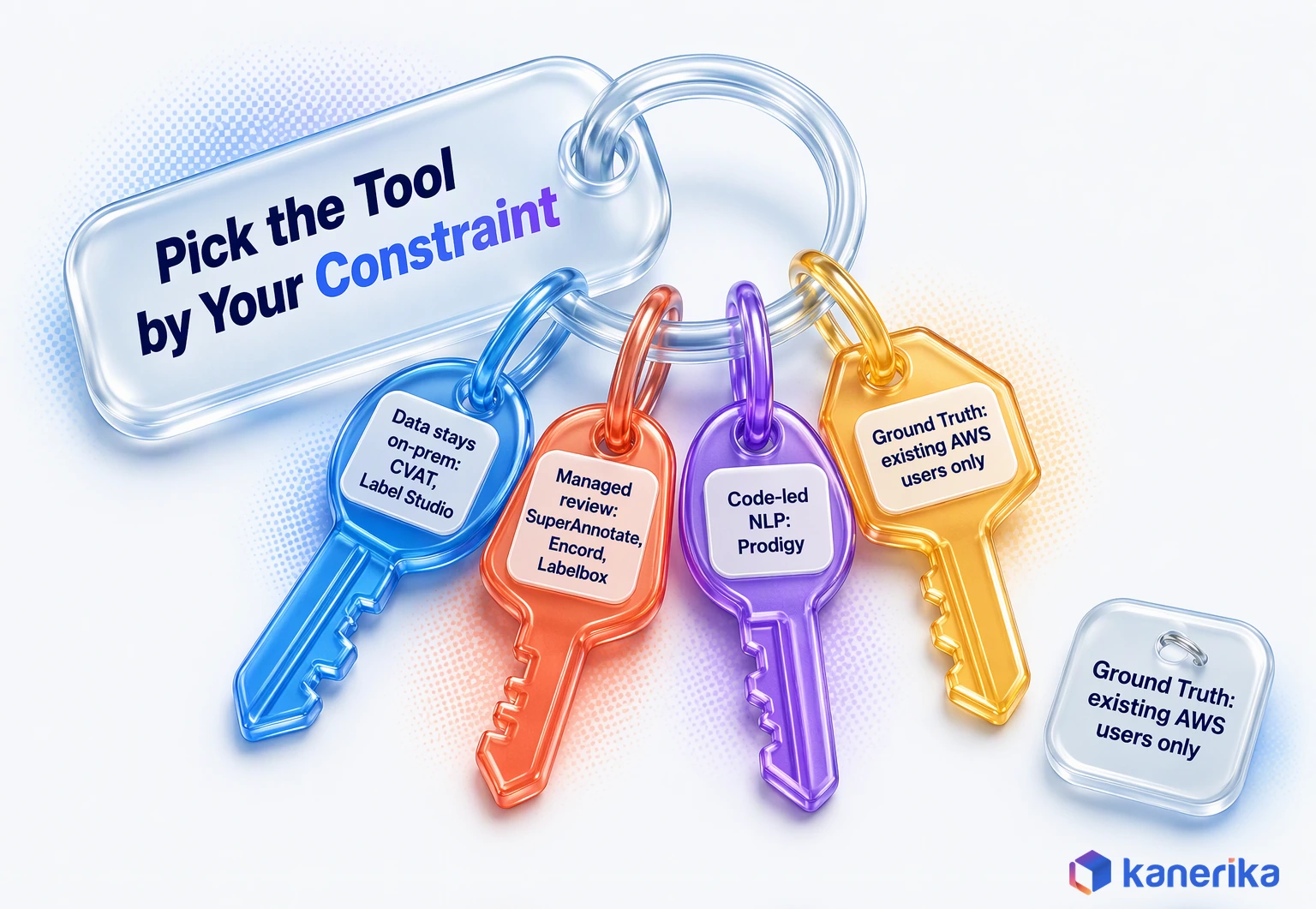
| Open source, self-hosted (Label Studio, CVAT) | Strict data residency, in-house engineering capacity | You run upgrades, backups and access control | Who patches it, and how SSO and audit logs are set up |
| Managed platform (SuperAnnotate, Encord, Labelbox) | Enterprise review workflows, fast start | Subscription cost and vendor dependence | Deployment options, attestations, export and exit terms |
| Cloud service inside your cloud account | Teams standardized on one cloud | Roadmap risk, as the Ground Truth closure shows | Service status and a tested export path |
| Tool plus external workforce | High volume with limited internal staff | Less control over guidelines and quality | Workforce vetting, gold-set scores, data handling terms |
Building your own tool rarely pays unless the data type is unusual, such as a proprietary sensor format. Even then, teams usually extend an open-source base rather than start from nothing. Meanwhile, surrounding steps such as routing files into queues can run on standard AI automation tools instead of custom code.
Annotation Tools for LLM and GenAI Data
Labeling data for large language models looks different from drawing boxes on images, though the goal is the same. Here, the unit of work is often a prompt with two model answers. The label, in turn, is a judgment about which answer is better and why. That judgment feeds fine-tuning, preference training and evaluation, which our guide to LLM training explains in more detail.
The tool has to show long text side by side, capture a ranking or a rubric score, and record a reason. It also needs to store disagreement, because two expert reviewers who disagree are telling you the rubric is unclear. A product built for bounding boxes can technically display text, yet it often lacks these review controls.
Preference Ranking for RLHF and DPO
Preference data trains a model to favor the answers people prefer. In both RLHF and DPO, the raw material is the same: a prompt, two candidate answers and a human choice.
Label Studio ships a pairwise human-preference template built for this, which makes it a practical first test. Whatever tool you use, store the prompt version and the model version with each pair, or the labels lose meaning once the model changes.
Evaluation Sets and Red-Team Review
Evaluation work, by contrast, asks a different question: is this answer correct, safe and complete? Teams build golden answers for a fixed question set, then score new model output against a rubric. Red-team review also adds adversarial prompts and logs every failure with a category.
- Golden answers written and signed off by a domain expert before testing starts.
- Rubric scores on separate criteria, such as accuracy, completeness and tone.
- A disagreement log that sends split decisions to a senior reviewer, so the rubric improves.
- Version tags for the prompt set and the rubric, together with the model under test.
In practice, most of this can run in a general tool with custom templates. The test is whether reviewers can work through long answers without fatigue and whether every score traces back to a named rubric version.
Model-Assisted Labeling: Where Pre-Labeling Pays Off
Model-assisted labeling means a model draws the first version of each label and a person corrects it. The model might be a foundation model such as SAM 2, or your own earlier model. It sounds like a free speed-up, but it only helps when correcting is clearly faster than labeling from scratch.
The way to know is to measure both on the same sample.
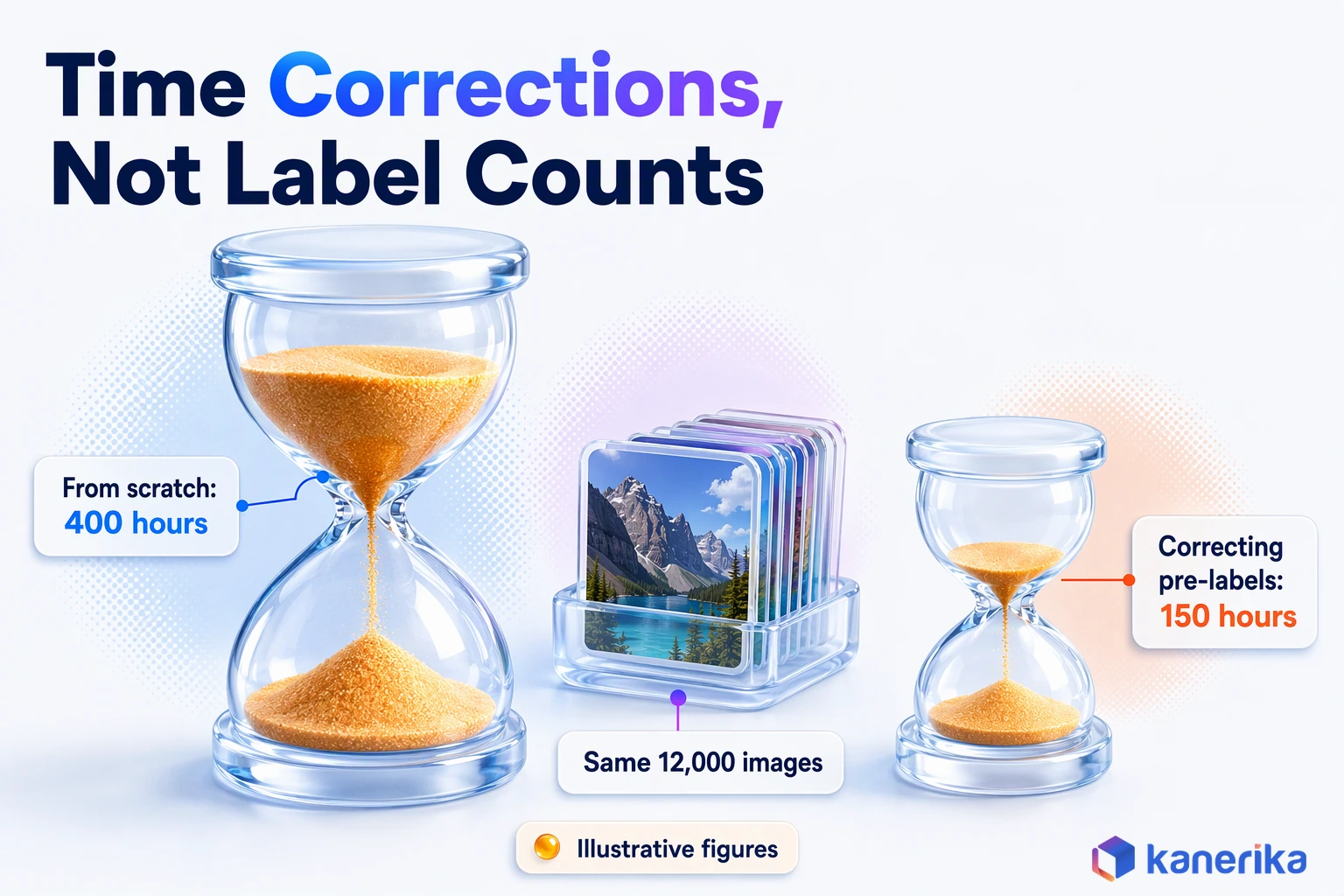
For example, say labeling a defect mask from scratch takes 120 seconds per image, and correcting a pre-label takes 45 seconds (illustrative figures). Across 12,000 images, that is 400 hours against 150 hours of annotator time. If pre-labels are poor, though, correction can take longer than drawing fresh, and reviewers may accept wrong shapes because they look finished.
- First, pick 200 representative items and time labeling from scratch.
- Then pre-label the same items and time the corrections.
- Score both sets against a gold set, so speed is not bought with errors.
- Add model setup and hosting time before you compare totals.
- Re-run the test when the data or the model changes.
Pre-labeling is one way to cut labeling effort; changing the learning method is another. When labels are scarce, semi-supervised learning cuts the number of labels you need by learning from unlabeled data as well.
How to Measure Annotation Quality
Annotation quality is how often your labels match what a careful expert would assign, and how consistently your annotators agree. Fast labeling with poor agreement produces a model that learns the confusion. Every serious tool should let you compute these numbers, or at least export what you need to compute them yourself.
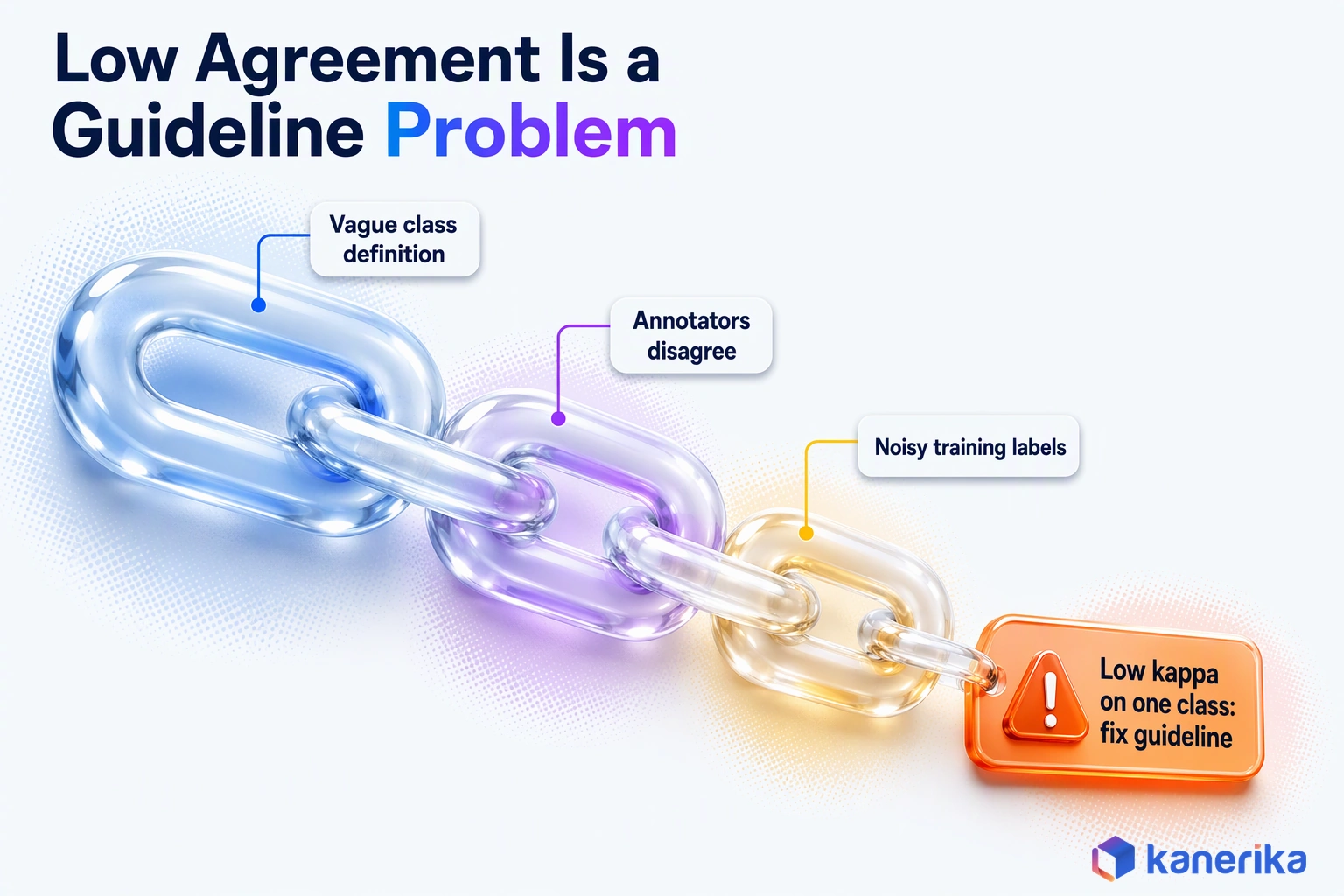
Two measures work together. Agreement between annotators shows whether the guideline is clear, while accuracy against a gold set shows whether the labels are right.
A gold set is simply a small sample labeled and adjudicated by experts. The right metric then depends on the task, as the table shows.
| Task | Metric | What to look for |
|---|---|---|
| Classification | Cohen’s kappa (two annotators) or Fleiss’ kappa (three or more) | Agreement beyond chance, split by class to find confusing labels |
| Bounding boxes and masks | Intersection over union (IoU) against a gold set | Loose or clipped shapes, and classes with low overlap |
| Named entity recognition | Span-level F1 against adjudicated labels | Boundary errors and entity types annotators mix up |
| LLM preference | Pairwise agreement rate between reviewers | Prompts where reviewers split, which flag a weak rubric |
Kappa is easy to compute once you export two annotators’ labels for the same items. The short example below uses scikit-learn; the label values are made up for illustration.
from sklearn.metrics import cohen_kappa_score

# Labels from two annotators for the same 8 images (illustrative)
annotator_a = ["scratch", "scuff", "ok", "scratch", "ok", "dent", "scuff", "ok"]
annotator_b = ["scratch", "scratch", "ok", "scratch", "ok", "dent", "scuff", "ok"]

kappa = cohen_kappa_score(annotator_a, annotator_b)
print(f"Cohen's kappa: {kappa:.2f}")
A low score on one class, such as “scratch” against “scuff”, usually points to the guideline rather than the annotators. For entity tasks, our post on named entity recognition explains why span boundaries cause so much disagreement. Fix the definition with examples, relabel a sample and measure again.
What Data Annotation Tools Cost
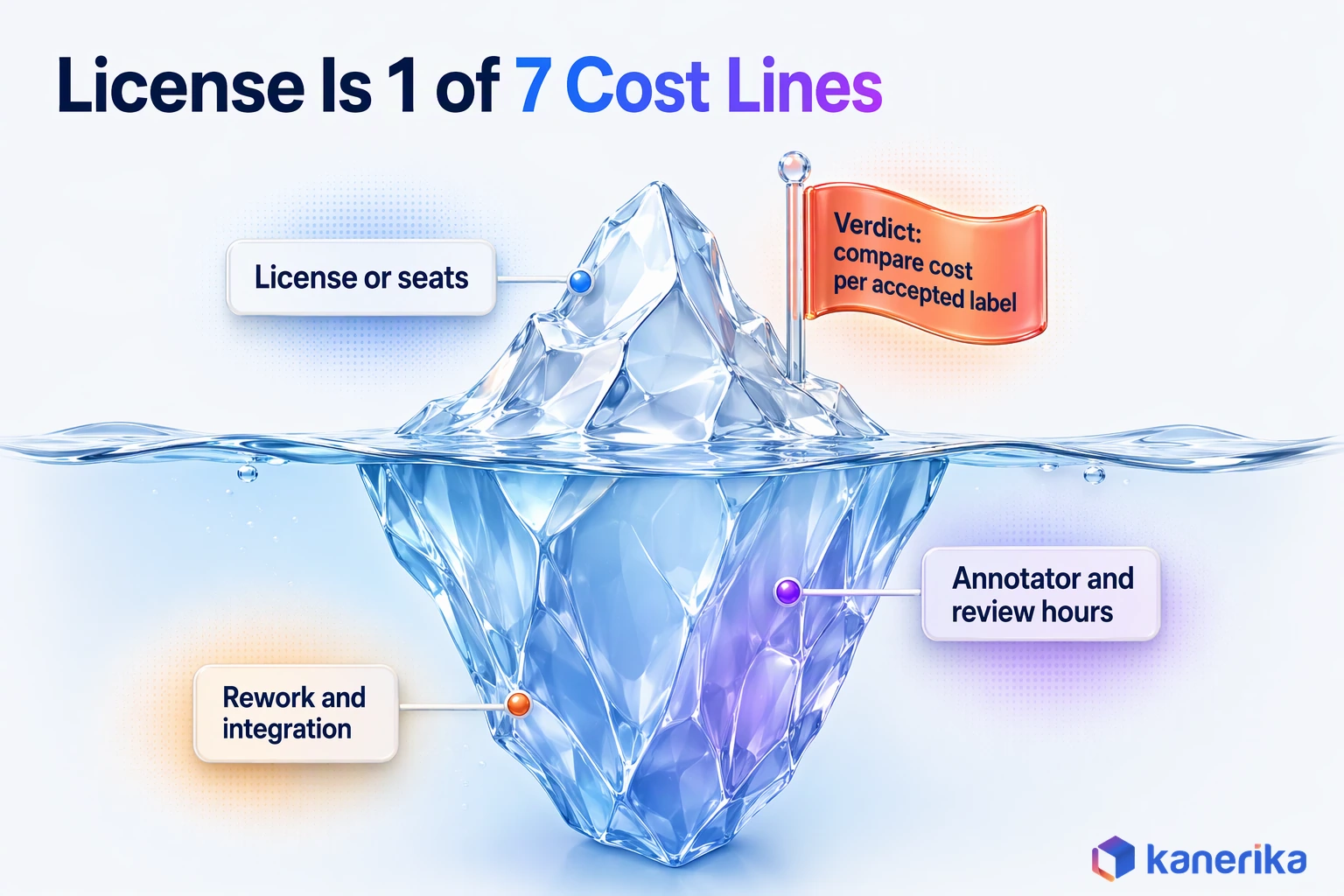
The price of data annotation tools is only one line in the cost of labeled data. People time for labeling, review and rework usually outweighs it once a program reaches production volume. Comparing tools on license price alone hides the costs that actually decide the budget.
Public prices are rare, though not unknown: Prodigy publishes its prices. SuperAnnotate and Encord list plan tiers but send the larger ones to a demo or sales call. Labelbox goes further and shows no public pricing at all.
The open-source tools cost nothing to license. Even so, “free” open source still carries hosting, upgrades and the engineering time to run it. A fair comparison puts every line below into one number, such as cost per accepted label.
| Cost line | What drives it | How to estimate it |
|---|---|---|
| License or seats | Plan tier, seat count, add-ons such as SSO or VPC | Vendor quote; Prodigy’s public price list |
| Hosting and upgrades | Self-hosted open source, storage, GPUs for pre-labeling | Cloud bill plus engineer hours per month |
| Annotator hours | Items, seconds per item, task difficulty | Timed pilot on your own data |
| Review hours | Review rate, adjudication of disagreements | Share of items reviewed times review time |
| Rework | Guideline changes, rejected batches | Rejection rate from the pilot |
| Integration | Connecting storage, identity and training jobs | Engineering estimate |
| Exit | Export effort and format conversion | A test export during the pilot |
In the end, the cheapest tool on paper can be the most expensive per usable label. A tool that halves review time can pay for its seats many times over. Only a timed pilot will tell you whether that holds for your data.
Security, Privacy and Governance for Annotation Programs
Annotation exposes your raw data to more people than almost any other ML step. Images of customers, medical scans, contracts and chat logs pass through annotators who may work for a third party. That makes the tool part of your security boundary, so treat it that way.
Regulation is moving the same way. For high-risk systems, Article 10 of the EU AI Act lists annotation, labeling and cleaning among the data-preparation operations that must be governed. Labels therefore need the same lineage and controls as any other training input.
Use this checklist when you assess a tool.
- Data residency and deployment. Can it run in your VPC or on-prem when the data cannot leave your network?
- SSO and role-based access. Can you limit each annotator to only the projects and fields they need, so that access stays narrow?
- PII redaction before labeling. Can names, faces or account numbers be masked before items reach the queue?
- Workforce vetting. Who are the annotators, where do they work, and what agreements bind them while they label?
- Audit trail and dataset versioning. Is every label change logged with user and time, and can you also rebuild any past version?
- Export and exit terms. Can you export everything, including review history, in an open format so that you can leave cleanly?
- Attestations. Ask for current SOC 2, ISO 27001 or HIPAA evidence, and read the report rather than the badge.
These controls fit inside a wider machine learning governance program. That program ties labeled data to the models it trains and the people accountable for them.
Data Annotation Use Cases by Industry
The right tool also depends on what you label and which rules govern that data. Four industries show how the same hard gates play out differently. The label types behind each are explained in our guide to data labeling tools.
Manufacturing: Defect Images From the Line
Visual inspection is the classic annotation job in a plant. Annotators draw boxes or masks around scratches, dents and cracks, and each label carries a class from the quality team’s defect library.
Rare defects matter most, so the review queue should send unfamiliar patterns to a quality engineer rather than a generalist. Our guide to machine vision AI covers the camera side, and the AI in manufacturing overview shows where inspection sits among other plant use cases.
Healthcare: Scans and Records Under HIPAA
Medical images and clinical notes need domain experts as annotators, which makes them some of the costliest labels in any program. In the US the data also falls under HIPAA. Its Safe Harbor de-identification method lists 18 identifier types to remove, and full-face photographs are one of them.
That rule pushes healthcare teams toward self-hosted tools, or vendors with verified HIPAA controls, with redaction done before items reach the queue. Our post on data governance in healthcare covers the wider controls.
Retail and Security: Store and Site Video
Retail teams label shelf images, products and shopper movement, and the use cases are mapped in our guide to computer vision in retail. Video needs tracking across frames rather than one box per still, which favors tools with frame interpolation such as CVAT. Footage also shows faces, so the redaction rules from AI surveillance programs apply before any clip goes to annotators.
Banking and Insurance: Documents and Text
Banks and insurers mostly label documents: entities in contracts, fields on claim forms and the intent behind customer messages. Span review and clear entity guidelines matter more here than drawing tools, so text-first tools such as Prodigy and Label Studio often lead.
The stakes are regulatory as well. Annex III of the EU AI Act lists credit scoring and life and health insurance pricing as high-risk uses. The Article 10 duties above therefore reach their labels too. Labeled documents also train intelligent document processing models, where one mislabeled field becomes an extraction error in production.
Decision Framework: Which Annotation Tool Fits Your Scenario
The fastest way to choose is to rule tools out before you score them. Four questions remove most options in an hour, and the shortlist that survives is small enough to pilot properly.
Start with the hard gates. If your data cannot leave your network, any SaaS-only tool is out, however good its demo.
Likewise, if its export does not match what your training code reads, you inherit a converter to maintain. A review workflow that cannot express your QA design means quality checks move to spreadsheets. Missing identity and audit features will fail your security review late, which is the most expensive time to find out.
| Scenario | Start with | Why | Hard gate |
|---|---|---|---|
| Image or video data that must stay on-prem | CVAT or Label Studio | Self-hosted, open source, vision tooling | Your team can run and patch it |
| Regulated images needing a managed tool in your cloud | Encord | VPC and on-prem add-ons on Enterprise | Add-on terms fit your security review |
| Large program with strict review and attestations | SuperAnnotate or Labelbox | Managed review workflows and enterprise controls | Export and exit terms in the contract |
| Text and NER built by developers | Prodigy | Scriptable, local, public pricing | Reviewers can use it without coding |
| LLM preference and evaluation data | Label Studio, then a managed platform at scale | Pairwise preference template, custom rubrics | Long-text review and disagreement logs |
| Inspection imagery for equipment and assets | CVAT, with pre-labeling | Frame and polygon tools for defects | Export matches the detector’s format |
| Already on Ground Truth | Keep it, and pilot a successor | Closed to new customers, no new features | A tested full export |
The inspection row comes up often in industrial programs, where AI in asset management depends on labeled images of wear, corrosion and damage.
Worked Example: Choosing a Tool for a Visual Inspection Model
Take a manufacturer with 12,000 images of parts and a rule that production images stay on-prem. Its team trains YOLO detectors and has two engineers who can run a server. All figures here are illustrative, but the logic carries over.
First, the on-prem rule removes SaaS-only options at once. Next, the YOLO requirement keeps tools that export that format, and Label Studio lists YOLO among its exports. That leaves CVAT and Label Studio, so the team pilots both on the same 500 images with one guideline.
Similar defect-labeling work shows up in computer vision in retail, where shelf and product images need the same care.
The deciding number is accepted labels per reviewer hour, meaning labels that pass review against the gold set. Suppose one tool delivers 50 accepted images per reviewer hour and the other 40. In that case, the first saves a fifth of review time on the full set. The team also exports from each tool and starts a short training run, because a tool that fails that test is out regardless of speed.
Talk to Kanerika
Which Annotation Tool Should Your Pilot Test?
Talk to Kanerika about your data, security rules and training stack, and plan a two-week pilot that compares two tools on accepted labels per reviewer hour.
Schedule a Demo →How to Run a Two-Week Annotation Tool Pilot
A pilot replaces opinions with numbers from your own data. Two weeks is usually enough to compare two tools, provided the label schema is fixed before anyone starts. The effort figures below are guidance for planning, not benchmarks.
- Freeze the label schema and guidelines. Write class definitions with good and bad examples, then do not change them mid-pilot.
- Pick 300 to 1,000 representative items. Include rare classes and hard cases as well as easy ones.
- Build a gold set. Have experts label and adjudicate a subset, so you can score accuracy.
- Run two tools in parallel. Use the same items, guideline and annotators in each tool so that results compare fairly.
- Measure throughput, agreement and correction time. Record seconds per item, kappa or IoU, and also review rejections.
- Test export into the training job. Then train a small model from each export, end to end.
- Review cost and exit terms. Price the full program, then confirm you can leave with all data and history.
Finally, keep a one-page result sheet for each tool with the same headings. When the numbers are side by side, the choice is usually obvious, and it is easy to defend to security, finance and the ML team.
Connecting Annotation Tools to Your Lakehouse and MLOps Stack
An annotation tool should sit inside your data platform, where governed data already lives. When items are copied out by hand and labels come back as loose files, nobody can say which data trained which model. Connecting the tool to governed storage fixes that.
The pattern is simple to describe. Source items come from governed tables or object storage, with access rules already applied.
Next, labeled datasets are versioned, so each training run points to an exact snapshot; our guide to data versioning tools compares the options. Labels are written back to the lakehouse with lineage, and new labeled batches can trigger retraining. Because poor source data ruins good labels, AI data quality checks belong before items ever reach the queue.
Kanerika Service
Data Engineering Services
Kanerika builds governed pipelines that feed annotation queues from your lakehouse, version labeled datasets and write labels back with lineage.
Explore Data EngineeringWith that wiring in place, a model audit can trace a prediction back to the labels, the annotators and the guideline version behind it. That traceability is also what regulators and internal risk teams increasingly ask for.
How Kanerika Delivers Annotation-Backed AI Programs
Kanerika treats annotation as part of the ML program rather than a separate purchase. The tool choice follows from the use case, the label schema and the data rules, so those come first. Our machine learning consulting services run the work in five stages, which this guide calls the Label to Production method.
- Use case and label schema. Define what the model must predict, then map classes with the domain team. On visual inspection work, that means mapping stations, products and defect classes with the plant’s quality engineers.
- Data readiness and privacy. Connect source systems, apply access rules and redact sensitive fields, so items reach the queue without manual exports.
- Tool pilot. Compare two tools on your data with a gold set, using the pilot plan above.
- Production labeling with QA. Run labeling with review queues, agreement tracking and versioned exports, with borderline items routed to an expert.
- Model training and monitoring. Train, check against the gold set and feed reviewer corrections back into the training data.
Label to Production in Practice
Our Visual Quality Inspection AI Agent shows stages one, four and five in a shipped product. Its models are tuned on a customer’s own defect library and validated against dispositions inspectors already made. The first line then runs live with engineers reviewing every call.
After rollout, confidence thresholds decide the routing. Clear passes and fails go through automatically, while borderline frames go to a quality engineer, whose confirmations and corrections feed back into the model. That loop is human review and relabeling built into production rather than run as a one-off project.
Stage two is where many programs stall, and where custom connectors earn their keep. One client runs a data blending and analytics platform for financial services, healthcare, retail and manufacturing teams. Its native connectors could not reach niche industry systems.
Kanerika ran discovery workshops to rank the gaps, built custom connectors for the high-priority systems and set up secure data flows. Data prep time fell by 70%, with 85% improved decision-making and 90% better governance, the kind of governed, current feed an annotation queue depends on.
Case Study
70% Less Data Prep Time with Custom Data Connectors
Kanerika built custom connectors for a leading data blending and analytics platform, cutting data prep time 70% with 90% better governance and 85% improved decision-making.
Read the Case Study →Conclusion: Shortlist by Task, Decide on Pilot Evidence
Label Studio and CVAT give you control, managed platforms such as SuperAnnotate, Encord and Labelbox add review workflows and attestations, and Prodigy serves developer-led NLP. Even so, which of them fits depends on your data, your security rules and your review design. Ground Truth is for existing users planning their next step.
So which data annotation tools are best for you? They are the ones that pass the four hard gates and then win a two-week pilot on accepted labels per reviewer hour.
Frequently Asked Questions
What is data annotation and why is it important for AI?
Data annotation is the work of adding labels to raw data, such as boxes on images, tags on text or rankings of model answers, so a model can learn from examples. It matters because a supervised model can only be as accurate as its labels. Inconsistent or wrong labels teach the model the same confusion.
What are the different types of data annotation?
The main types are image annotation (boxes, polygons, masks and keypoints), video annotation with object tracking, text annotation such as entities, sentiment and intent, audio transcription and speaker labels, and LLM data such as preference rankings and rubric scores. Each type needs different tooling, so check that a tool supports yours before you pilot it.
Are free open-source annotation tools good enough for enterprise use?
Often, yes. Label Studio (Apache 2.0) and CVAT (MIT) are used in serious production programs, and self-hosting keeps data inside your network. The catch is that your team owns upgrades, backups, single sign-on and audit logging. If you lack the engineers to run them, a managed platform may cost less overall.
What is the difference between Label Studio and CVAT?
Label Studio is a general-purpose tool that handles images, text, audio and LLM output, and it ships templates such as pairwise preference ranking. CVAT focuses on computer vision, with strong video tracking and frame interpolation. Both are open source and self-hostable. Pick CVAT for heavy video work and Label Studio for mixed data types.
How do you measure data annotation quality?
Use agreement and accuracy together. For classification, compute Cohen’s or Fleiss’ kappa between annotators. For boxes and masks, compare IoU against an expert gold set. For named entities, use span-level F1 against adjudicated labels. For LLM preference data, track how often reviewers agree. Low scores on one class usually mean the guideline needs work.
How do you protect sensitive data during annotation?
Run the tool in your own network or VPC when data cannot leave it, and redact names, faces or account numbers before items reach annotators. Use single sign-on and role-based access, vet any external workforce and log every label change. Ask vendors for current SOC 2 or ISO 27001 reports and read them carefully.
Which annotation tools support LLM and RLHF data?
Label Studio ships a pairwise human-preference template for RLHF, which makes it an easy first test. Managed platforms such as Labelbox and SuperAnnotate also support LLM data programs. Whatever the tool, check that reviewers can read long answers side by side, score against a rubric, log disagreements and tag each pair with model and prompt versions.
Which tools are best for data annotation in machine learning projects?
It depends on the scenario. Label Studio and CVAT suit teams that need open source and on-prem control. SuperAnnotate, Encord and Labelbox suit teams that want managed review workflows and enterprise security. Prodigy fits developer-led NLP work. Shortlist two against four hard gates, then decide with a two-week pilot on your own data.
Can AI-assisted annotation tools replace manual labeling completely?
No. Pre-labeling with models such as SAM 2 can cut the time per item, but people still need to correct labels, handle rare cases and review quality. Without review, confident model mistakes flow straight into training data. Measure correction time against labeling from scratch on the same sample, and keep a human-checked gold set for scoring.
What is an example of data annotation?
A manufacturer photographs parts on a production line, and annotators draw a box around every scratch, dent or crack, tagging each with its defect class. A detector trained on those labeled images can then flag defects automatically. Another example is a reviewer choosing the better of two chatbot answers to build preference data.
How much time does it take to annotate data for AI training?
It depends on the item count, the seconds each item takes, the task difficulty and how much review you need. A simple image tag takes far less time than a detailed mask or a long LLM answer review. Time a pilot of a few hundred items in your chosen tool, then multiply up and add review and rework.
What are the benefits of data annotation?
Good annotation gives models accurate examples to learn from, which improves predictions and reduces errors in production. It also creates an auditable record of how training data was built, which helps with governance and regulation. Clear guidelines and agreement checks make labels reusable, so later models can be trained without starting the labeling work again.
Can you use ChatGPT for data annotation?
Yes, as a pre-labeling step. A large language model can draft labels for text classification, entity extraction or summaries, and annotators then correct them. Treat its output as a first pass, never as ground truth, because it can be confidently wrong. Check its labels against a human gold set and keep sensitive data inside approved systems.
What skills are needed for data annotation?
Annotators need attention to detail, patience and the discipline to follow a written guideline exactly. Domain knowledge matters for specialist data such as medical images, legal text or industrial defects. Reviewers also need judgment to settle disagreements, and the program lead needs to write clear class definitions with examples and track agreement metrics over time.
How much do data annotation tools cost?
Prices range from free open-source software to quote-based enterprise contracts. Label Studio and CVAT cost nothing to license but need hosting and engineering time. Prodigy lists $390 for a personal license and $490 per company seat. SuperAnnotate and Encord send larger plans to a sales call, and Labelbox shows no public pricing. Labeling and review hours usually outweigh license costs.