
TL;DR
Types of databases are the categories database systems fall into based on how they store, model and query data. Use relational for transactions, document or key-value for app data, graph for relationships, columnar for analytics, time-series for telemetry and vector for AI search. NewSQL adds global scale to SQL, and multi-model systems blend several types in one product. Relational databases still lead, holding the top four places in the DB-Engines popularity ranking for November 2026. Many real applications run two or three types side by side, one per access pattern. So pick by how your data is read and written, then prove the shortlist on your own data.
Key Takeaways
- Types of databases are grouped mainly by data model, so each one suits a different way of reading and writing data.
- Relational databases still lead the market, with Oracle, MySQL, SQL Server and PostgreSQL holding the top four DB-Engines spots.
- NoSQL covers four classic families, namely document, key-value, wide-column and graph databases.
- Columnar, time-series and vector databases are specialists for analytics, telemetry and AI similarity search.
- Many production systems run two or three database types side by side, each matched to one workload.
- The right choice comes from access patterns, consistency needs and team skills, tested on real data before you commit.
Where Should Each Piece of Data Live?
A retailer is launching a new ordering app, and the architect has one question to settle before the first sprint. Where should each piece of data live? Orders must balance to the cent, while a shopping cart only has to survive one session.
Worked Example: An Illustrative Mid-Size Retailer
This retailer is invented for the guide, so every number below is an assumption, not a measured result. Its five workloads look like this:
- Orders: 10,000 to 50,000 a day, written at checkout, and every row must reconcile with payments.
- Catalog: 20,000 to 100,000 products, read far more than written, with attributes that change every season.
- Sessions and carts: up to a few hundred thousand live carts on sale days, each read and rewritten by key.
- Recommendations: “similar items” lookups on every product page, read-only and fine with data a few hours old.
- Analytics: three years of sales history, roughly 1 to 5 TB, scanned in bulk for the weekly trend report.
So the architect picks by access pattern, one workload at a time. Orders go to a relational database, because checkout needs ACID transactions. The catalog goes to a document store, so a new attribute needs no schema change.
Sessions sit in a key-value store, since every read is a single key. Recommendations use a vector index, and a columnar warehouse holds the sales history.
The trade-off is five systems to secure, back up and keep in sync. At this scale, however, PostgreSQL could absorb two of them, with jsonb for the catalog and pgvector for recommendations. That leaves three engines at launch.
A dedicated document or vector store comes later, only if measured load demands it. Fraud checks across accounts and devices would add a graph database. Choosing by brand name first is how teams end up rebuilding in year two.
What Is a Database, and How Are Database Types Classified?
A database is an organized store of data that software can write to, query and update. A database management system (DBMS) runs it, handling storage, indexing, concurrent users and recovery so that applications do not have to. So the types of DBMS and the types of databases are the same list, the one this guide covers.
The differences start with the data itself. Tidy rows of structured data suit one kind of system, while JSON documents, sensor readings, relationships and text embeddings each push toward another.
Data Model, Storage Layout or Deployment: Three Ways to Sort Databases
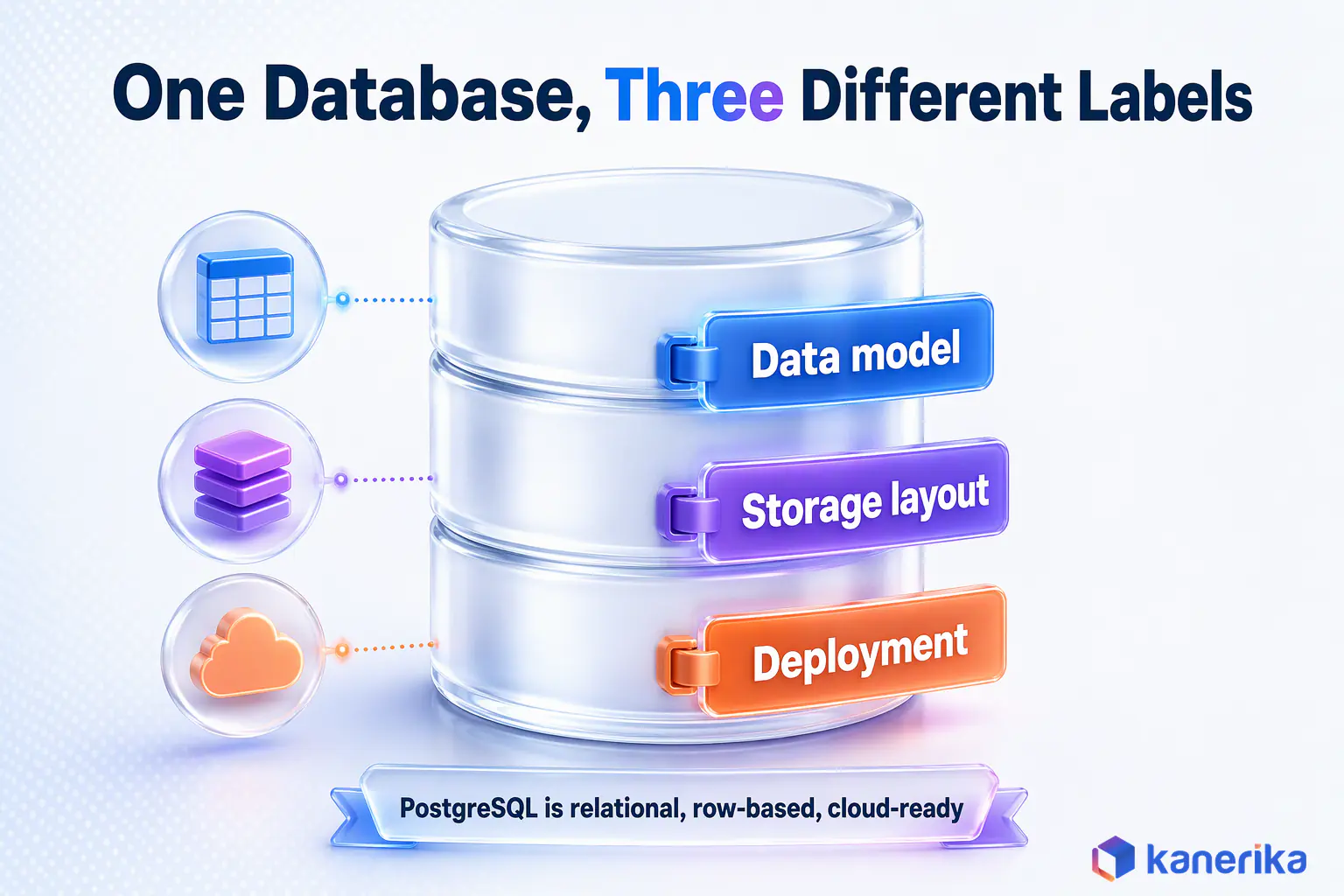
Database labels describe three different things, which is why lists online rarely agree. The data model is how records are shaped, such as tables, documents, pairs, graphs or vectors. Storage layout is how bytes sit on disk, row by row or column by column.
Deployment is where and how the system runs, whether in the cloud, on premises, on one server or spread across many. So a single product can carry three labels at once. PostgreSQL, for example, is relational by model and row-oriented by storage, and it runs on your own servers or as a managed cloud service.
SQL vs NoSQL: A Starting Point, Not the Decision
SQL databases store data in tables with a defined schema and query it with SQL. NoSQL is an umbrella term for the rest. Its four classic families are document, key-value, wide-column and graph stores, and each one trades some structure for flexibility or scale.
The label tells you less than it used to, though. PostgreSQL stores JSON in a binary jsonb type that is much faster to process than plain text. Neo4j, a graph database, runs full ACID transactions. Treat SQL vs NoSQL as the first fork in the road, and then decide on the access pattern.
How Many Types of Databases Are There?
There is no fixed number. DB-Engines tracks the market every month. It lists 449 database management systems sorted by data model, and also notes that some belong to more than one category.
At the broadest level there are two types, relational and non-relational. When people ask for the four types of database, they usually mean the four NoSQL families. Some also mean the older hierarchical, network, relational and object-oriented models. For design work today, ten modern types cover almost every workload, and the older labels sit on a separate axis.
Types of Databases at a Glance, With Software Examples
The table below compares all ten types on one screen. Each row also names the data model, a few engines, the workload it fits best and the trade-off that tends to surface later.
| Type | Data model | Example engines | Best for | Watch out for |
|---|---|---|---|---|
| Relational | Tables, rows, keys | PostgreSQL, SQL Server, Oracle, Azure SQL Database | Orders, finance, inventory | Write scaling past one primary |
| Document | JSON-like documents | MongoDB, Couchbase, Azure Cosmos DB | Catalogs, profiles, content | Joins across documents |
| Key-value | Key and value pairs | Redis, Amazon DynamoDB | Sessions, caches, carts | Queries beyond the key |
| Wide-column | Rows grouped by partition key | Apache Cassandra, Apache HBase | Huge write volumes, many regions | Queries must match the partition design |
| Graph | Nodes and relationships | Neo4j, Amazon Neptune | Fraud rings, knowledge graphs | Modeling effort, bulk analytics |
| Columnar | Values stored by column | ClickHouse, Snowflake, Google BigQuery | BI and large scans | Frequent single-row updates |
| Time-series | Timestamped points | InfluxDB, TimescaleDB, Fabric Eventhouse | IoT, telemetry, monitoring | Retention and cardinality |
| Vector | Embeddings | Milvus, Pinecone, Qdrant, pgvector | Semantic search, RAG | Permissions and index freshness |
| NewSQL | Distributed SQL tables | Google Cloud Spanner, CockroachDB, TiDB | Global transactions | Latency across regions, cost |
| Multi-model | Several models in one engine | Azure Cosmos DB, Couchbase | Mixed workloads, fewer systems | Uneven depth per model |
How to Read This Table
Read it as a shortlist rather than a ranking. One product often fills several rows. In fact, DB-Engines lists most of its top systems as multi-model in its November 2026 ranking, including all four relational leaders.
Put simply, every type trades something. Relational gives integrity at the cost of write scaling. Document gives flexibility at the cost of joins. Key-value gives speed at the cost of query range.
Where an estate already mixes several of these, a data architecture review is the quickest way to see which workloads sit on the wrong type. In practice, that review usually starts from a grid much like this one.
Kanerika Service
Data Architecture Consulting
Kanerika maps your workloads to the database types that fit them, designs the target architecture and plans the move, so each system does the job it suits.
Explore Data Architecture Services10 Types of Databases Explained, With Examples and When to Use Each
Each entry follows the same pattern, so you can compare them quickly. You get what the type is, named examples, when it fits and the trade-off that bites later. The engines named are examples, though, not endorsements.
1. Relational Databases (SQL)
Relational databases store data in tables of rows and columns, linked by keys. A primary key identifies each row, and a foreign key points to a row in another table, which is how an order knows its customer. SQL joins those tables, while ACID transactions make every change all or nothing.
They are also still the default choice. Oracle, MySQL, Microsoft SQL Server and PostgreSQL hold the top four places in the DB-Engines ranking. PostgreSQL has also been the most desired and most admired database in the Stack Overflow Developer Survey since 2023. Supabase is relational too, since every Supabase project gets a full Postgres database.
- Examples: PostgreSQL, MySQL, SQL Server, Oracle, Azure SQL Database and SQL database in Microsoft Fabric.
- Use it when: money, stock or orders must balance, and many teams query the same records in different ways.
- Watch out for: schema changes on very large tables and write scaling beyond a single primary server.
Many enterprises keep the relational model and move only the platform under it. In Kanerika’s State of Enterprise Data Platform Migrations 2026 report, the FLIP path from SQL Server to Azure automated 70% of migration tasks. The same Kanerika-reported delivery data shows timelines 55% shorter than a manual baseline.
Datasheet
SQL Server to Microsoft Fabric Pipeline Migration
See how FLIP automates moving SQL Server data pipelines to Microsoft Fabric, with the scope, steps and outputs laid out on one page.
View the Datasheet →2. Document Databases
Document databases store each record as a self-contained document, usually JSON or a binary form of it. MongoDB, the fifth most popular database on DB-Engines, keeps records as BSON documents, and a field can hold another document or an array. So a product with three sizes and a product with forty attributes can sit in the same collection without a schema change.
That flexibility is also why document stores are the usual answer for semi-structured data. They store JSON-style documents, not PDFs or images, although a document can hold a link to a file kept elsewhere.
- Examples: MongoDB, Couchbase and Azure Cosmos DB through its NoSQL and MongoDB APIs.
- Use it when: record shapes vary, change often or are read whole, as with catalogs, user profiles and content.
- Watch out for: data copied across many documents, which turns one update into many.
3. Key-Value Databases
A key-value database is the simplest model of all. You store a value under a unique key and then fetch it back by that key, very fast. The value can be a string, a counter or a serialized object, and the database rarely looks inside it.
Redis is the best-known example, and also the most versatile. It is an in-memory data store used as a cache, message broker and even a vector or document database. Its usage also grew 8% in the 2025 Stack Overflow survey. Amazon DynamoDB takes the model to managed scale, as a serverless NoSQL database with single-digit millisecond performance.
- Examples: Redis, Amazon DynamoDB and Azure Cosmos DB for Table.
- Use it when: you look data up by an exact ID, such as sessions, shopping carts, feature flags or rate limits.
- Watch out for: hot keys that take most of the traffic, and any question that needs filtering by value.
4. Wide-Column Databases
Wide-column databases group data into rows identified by a partition key, and each row can hold its own large set of columns. Apache Cassandra is the classic example. It is a distributed NoSQL database that spreads data across nodes by partition and replicates it across data centers.
- Examples: Apache Cassandra, Apache HBase and Azure Cosmos DB for Apache Cassandra.
- Use it when: you write huge volumes across regions and always query by a known key, as with event logs, messaging or device history.
- Watch out for: questions the table was not designed for, since ad hoc filtering is slow or unsupported.
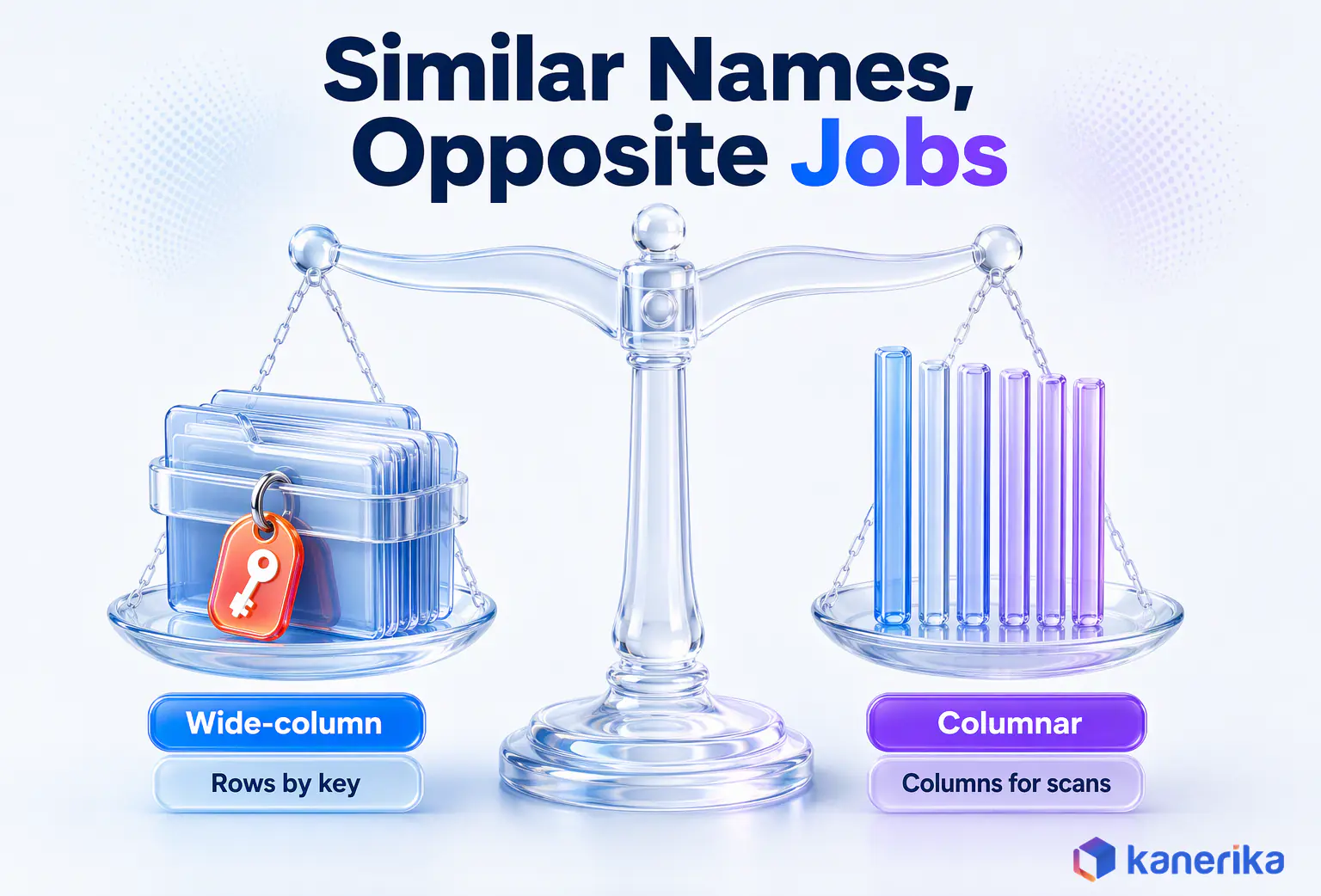
The name causes the most common mix-up in this whole topic, because a wide-column store is not a columnar database. A wide-column system keeps a row’s data together for fast writes and key lookups. Columnar systems store each column separately for fast analytical scans, which is the opposite job.
5. Graph Databases
Graph databases store nodes, such as people, accounts or products, and treat the relationships between them as data in their own right. Neo4j, a widely used example, keeps the graph model all the way down to storage. It then queries the graph with Cypher, a SQL-like language built for graphs. Amazon Neptune is the managed alternative, and it supports Gremlin, openCypher and SPARQL.
Picture a fraud analyst tracing a ring of accounts that share two devices and one shipping address. In SQL that question needs many self-joins, while a graph query simply walks the links. Knowledge graphs for AI use the same strength, so a model can follow how facts relate.
- Examples: Neo4j, Amazon Neptune and Azure Cosmos DB for Apache Gremlin.
- Use it when: the relationships are the question, as in fraud rings, recommendations, supply networks and knowledge graphs.
- Watch out for: the modeling effort up front, and bulk reporting across all records, which other types handle better.
6. Columnar (Analytical) Databases
Columnar databases store each column’s values together instead of each row’s. A query that sums revenue across a billion rows then reads only the revenue column, and similar values compress well. ClickHouse describes itself as a column-oriented SQL DBMS for online analytical processing.
Many cloud data warehouses also use the same idea under a relational label. Snowflake, which DB-Engines classes as relational, stores table data in micro-partitions organized by column, so queries skip data they do not need. Each micro-partition holds between 50 MB and 500 MB of uncompressed data, which is what lets a query skip whole blocks. Kanerika’s look at ClickHouse vs Snowflake also compares the two head to head.
- Examples: ClickHouse, Snowflake, Google BigQuery and Amazon Redshift.
- Use it when: dashboards and analysts scan large tables and add up a few columns at a time.
- Watch out for: frequent single-row updates and deletes, which row stores handle far better.
A North American beverage manufacturer and distributor, for example, shows what the switch can deliver. Kanerika moved its reporting from SSAS to a unified Snowflake architecture. According to the Snowflake migration case study, reporting cycles ran 40% faster and analytics arrived 3X quicker. License and maintenance savings also reached $130K a year.
Case Study
60% Less Manual Reconciliation via Snowflake Migration
A North American beverage manufacturer and distributor moved from SSAS and hybrid systems to a unified Snowflake architecture with Kanerika, gaining 3X quicker analytics delivery and $130K in annual license and maintenance savings.
Read the Case Study →7. Time-Series Databases
Time-series databases are built for timestamped measurements that arrive in order and are read by time window. For example, sensor readings, server metrics and vehicle positions all fit this shape. The engine then compresses old points, rolls them up into summaries and drops them on a schedule.
InfluxDB 3 Core, for example, is an open source time series database for real-time events and monitoring. TimescaleDB takes another route, as a PostgreSQL extension for time-series and event data. On Microsoft’s stack, Fabric Eventhouses are tailored to streaming telemetry, logs and IoT data, and Kanerika tracks that area in its Fabric Real-Time Intelligence updates.
- Examples: InfluxDB, TimescaleDB and Fabric Eventhouse.
- Use it when: data arrives as a steady stream of readings and most questions cover a time range.
- Watch out for: high cardinality from too many unique tags, and retention rules set too late.
Telemetry volumes grow fast once fleets connect. For a smart mobility company, Kanerika built Azure-based infrastructure to handle high-volume, real-time data from connected vehicles. The connected-vehicle case study reports 40% lower operational costs and 35% faster time to market.
8. Vector Databases
Vector databases store embeddings, the long lists of numbers a model produces to capture the meaning of unstructured data such as text, images or audio. A query becomes an embedding too, and the database returns its nearest neighbors, the items closest in meaning. Milvus, for instance, is a cloud-native vector database built for this kind of search at scale.
Vector search also lives inside other types now. The pgvector extension adds similarity search to Postgres. pgvector supports two approximate index types, HNSW and IVFFlat. In particular, HNSW gives the better speed-recall trade-off at the cost of slower builds.
The pgvector defaults are m = 16 and ef_construction = 64. A higher ef_construction improves recall at the cost of build time and insert speed.
Outside Postgres, the SQL vector data type stores embeddings in SQL Server 2025, Azure SQL Database and SQL database in Fabric. Kanerika’s vector database comparison goes deeper on the products.
- Examples: Milvus, Pinecone, Qdrant, Weaviate, pgvector and the Azure SQL vector type.
- Use it when: people search by meaning across documents, tickets or images, or an AI assistant needs retrieval-augmented generation (RAG).
- Watch out for: stale indexes, and retrieval that ignores the access rights on the source documents.
Retrieval speed is where the business case shows. Kanerika’s State of Enterprise AI & Data Modernization 2026 report covers 161 documented engagements, and one case snapshot makes the point. In it, an investment bank’s document intelligence program recorded 43% faster retrieval and 35% fewer review hours.
9. NewSQL and Distributed SQL Databases
NewSQL, often called distributed SQL, keeps the relational model and SQL but spreads data across many nodes or regions. As a result, you get transactions and horizontal scale in one system. Google Cloud Spanner provides external consistency by default, the strictest consistency property for transaction systems.
CockroachDB is also a distributed SQL database built on a strongly consistent key-value store, and it survives disk, machine, rack and even data center failures. TiDB is another open source option in the same group.
- Examples: Google Cloud Spanner, CockroachDB and TiDB.
- Use it when: a payments or booking system must stay correct across regions and has outgrown one server.
- Watch out for: write latency between regions, cost, and the skills a distributed cluster demands.
10. Multi-Model Databases
A multi-model database supports several data models in one engine, so one service can hold documents, graphs and key-value data. Azure Cosmos DB is a clear example, with APIs for NoSQL, MongoDB, Cassandra, Gremlin and Table, plus vector indexing and search. Couchbase also pairs a document store with fast key-value access.
- Examples: Azure Cosmos DB, Couchbase, Oracle and Redis.
- Use it when: you want fewer systems to run and your workloads fit the models one engine does well.
- Watch out for: models that exist on paper but lack depth, so test each one you plan to rely on.
Because one engine can now hold several models, sound data modeling matters even more, since each model inside it still needs its own design.
Older and Deployment-Based Database Types You Will Still See
Many lists of database types also include older models and hosting labels. They are real, but they describe history or deployment rather than a modern data model, so they sit outside the ten above.
Hierarchical and Network Databases
Hierarchical databases arrange records in a parent-child tree, much like folders on a drive, and IBM’s IMS made the model famous on mainframes. Network databases let a record have several parents, which suited complex links before relational systems took over. Both still survive, but mainly as legacy systems waiting to be modernized.
Object-Oriented Databases
Object-oriented databases store data as objects, the way languages such as Java or C++ model it. Still, they never displaced relational systems. Most of their ideas now live on in object-relational features and in the mapping libraries developers use every day.
DB-Engines still tracks object oriented DBMS and navigational DBMS as separate categories in its November 2026 ranking. So these older models remain a niche rather than a closed chapter.
Cloud, Centralized and Distributed Databases
These labels describe where a database runs, not how it models data. A centralized database lives in one location, while a distributed database spreads data across servers or regions. A cloud database is any of the ten types sold as a managed service, such as Azure SQL Database, Amazon DynamoDB or Google Cloud Spanner. So the types of databases in AWS or Azure are the same ten models, offered as services.
Types of Databases in AWS and Azure
Both clouds sell most of the ten types as managed services, and the names also map closely. AWS lists its database services by type, while Azure groups its own under relational and NoSQL.
| Database type | AWS service | Azure service |
|---|---|---|
| Relational | Amazon Aurora, Amazon RDS | Azure SQL Database, Azure Database for PostgreSQL |
| Document | Amazon DocumentDB | Azure Cosmos DB, Azure DocumentDB |
| Key-value and in-memory | Amazon DynamoDB, Amazon ElastiCache | Azure Managed Redis, Azure Cosmos DB for Table |
| Wide-column | Amazon Keyspaces (for Apache Cassandra) | Azure Cosmos DB for Apache Cassandra |
| Graph | Amazon Neptune | Azure Cosmos DB for Apache Gremlin |
| Time-series | Amazon Timestream | Fabric Eventhouse |
As for pricing, both clouds follow the same structure. You pay for provisioned capacity or serverless usage, plus storage, backups and data transfer. So the bill depends on your workload, not on the type alone.
In-Memory, Spatial and Search Databases
In-memory databases such as Redis keep working data in RAM for speed, with persistence options for safety. Spatial databases, meanwhile, are the usual answer to GIS questions. They add geometry types and location queries, often through extensions such as PostGIS for PostgreSQL. Search engines such as Elasticsearch index text for full-text queries and relevance ranking.
Databases vs Data Warehouses, Data Lakes and Lakehouses
Every type above is an operational or specialist store. At some point, though, the question changes from what is true right now to what happened over three years. That is when a database stops being the right home for reporting.
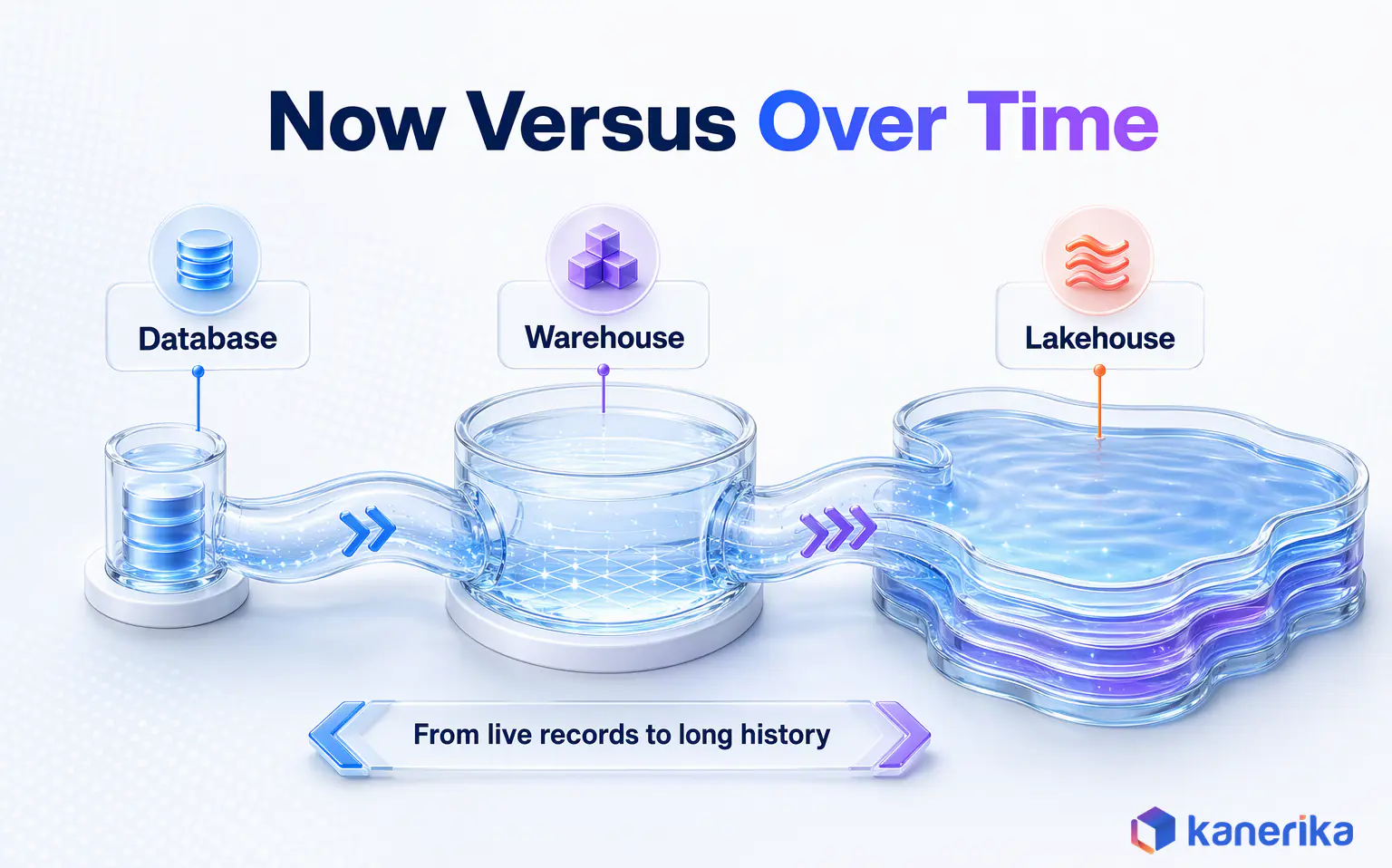
| System | What it stores | Main job | Typical engines |
|---|---|---|---|
| Database | Current records | Run the application | PostgreSQL, SQL Server, MongoDB |
| Data warehouse | Cleaned, modeled history | BI and reporting | Snowflake, Fabric Warehouse, BigQuery |
| Data lake | Raw files in any format | Low-cost storage, data science | Azure Data Lake Storage, Amazon S3 |
| Lakehouse | Open table files with warehouse features | BI and AI on one copy of data | Databricks, Microsoft Fabric OneLake |
A warehouse is usually columnar underneath, which is why the line blurs. Kanerika’s guides to data warehouse architecture and lakehouse architecture cover the design side, while Kanerika’s review of data lake tools compares the storage layer. On Microsoft’s platform the two worlds meet, because SQL database in Fabric replicates its tables into OneLake in near real time.
Staying on an operational database for reporting gets expensive when stores and transactions grow. A leading US retail chain hit that wall with its SQL-based reporting, then moved to Power BI on Microsoft Fabric. The retail reporting case study records 74% faster reporting cycles and 72% faster access to current metrics.
How to Choose the Right Type of Database
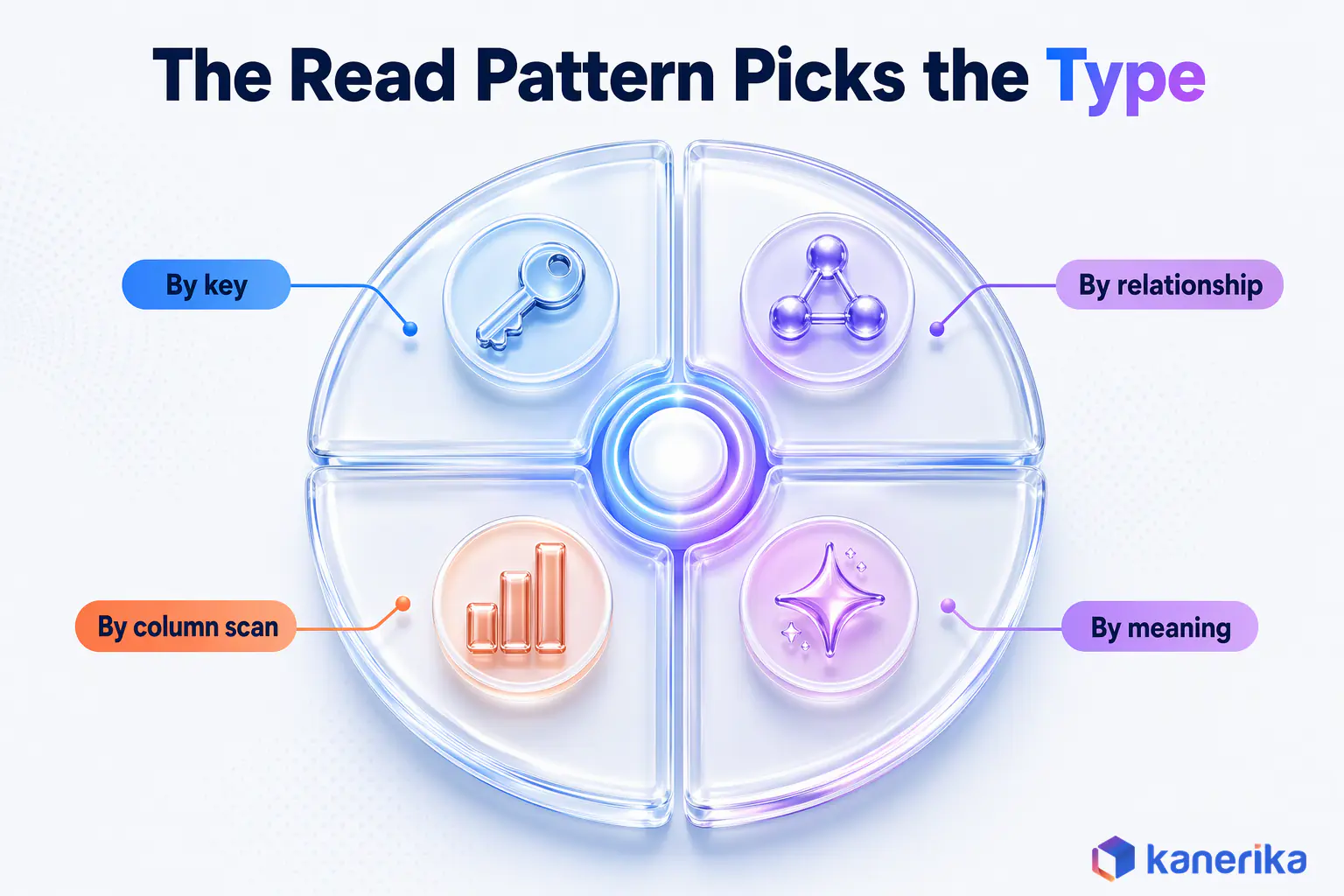
No type of database is best in general. The access pattern decides, meaning how the application reads and writes data, how often, and how correct each answer must be.
Seven Steps to Narrow the Shortlist
- List each workload and how it reads data. Record the main query for each one: by key, across fields, by relationship, by time range or by meaning. That read pattern points to the type, so settle it first.
- Set a consistency level per workload. Mark which data needs ACID transactions, such as money and stock, and which can lag a few seconds, such as view counts. Strict data starts on relational or NewSQL.
- Count how often the shape changes. Check how many fields were added or changed in the last year. Frequent changes favor documents or JSON columns, while a stable schema favors plain tables.
- Measure volume and growth. Log peak writes per second, current data size and a three-year growth estimate. These figures decide between one node and a distributed or columnar engine. In the retailer example, 10,000 to 50,000 orders a day sits well within one primary, so no distributed engine is needed yet.
- Map where the writes come from. Writes from one region work with a single primary and read replicas. Writes from several regions point to distributed SQL instead.
- Filter by team and platform. Drop any option your team cannot run or your cloud does not offer as a managed service. Then keep the two strongest candidates.
- Prove the two finalists on your own data. Run the tests in the last part of this section, then commit to the one that held up at peak load.
When you work through all seven steps honestly, the shortlist usually drops to two candidates by step six. The first step carries the most weight, because the read pattern is the hardest thing to change later.
Which Database Is Best for Each Workload?
| Workload | First choice | Alternative | Deciding condition |
|---|---|---|---|
| Order processing | Relational | NewSQL | Writes from several regions |
| Product catalog | Document | Relational with JSON | How often attributes change |
| Sessions and cache | Key-value | Document | Need to query inside values |
| Fraud relationships | Graph | Relational | How many hops a query follows |
| Executive analytics | Columnar warehouse | Lakehouse | Share of raw and AI data |
| IoT telemetry | Time-series | Wide-column | Query by time or by device |
| Enterprise RAG | Vector | Relational with vector type | Size of the document corpus |
| Global payments | NewSQL | Relational with replicas | Tolerance for regional failover |
Which Type of Database Is Most Commonly Used in Healthcare?
In healthcare, the honest answer is two types working together. Epic’s EHR, for example, runs on Chronicles, a non-relational database. According to Stanford’s research data team, much of that data is then copied into Clarity, a relational database.
In fact, Stanford runs Clarity on both Microsoft SQL Server and Oracle. Underneath Chronicles, meanwhile, Epic’s October 2020 announcement said it would use the InterSystems IRIS data platform from its August 2020 release. As of Epic’s 2020 announcement and Stanford’s current description, the clinical workflow runs on a fast non-relational store, while reporting and research run on relational copies.
One Database or Several?
Running several types side by side, often called polyglot persistence, is normal in production. The cost, however, is more systems to secure, back up and keep in sync. So start with as few as the workloads allow, and add a type only when a measured access pattern needs it.
That restraint is easier than it was a few years ago. Relational engines with JSON and vector support, and multi-model services, now cover two or three rows of the table above in one system.
Test Before You Commit
Benchmarks on vendor sample data prove little about your workload. First, load a realistic slice of your own data and replay real queries at peak volume. Then test failures such as a lost node or a regional outage. Check backup, restore and the monthly bill at your expected scale too.
Projects that skip this discovery work tend to slip. Kanerika’s State of Enterprise Data Platform Migrations 2026 compiles industry research showing inadequate technical discovery in 68% of failed migration projects. If the decision means moving existing data, the guide to types of data migration covers the next step.
Which Types of Databases Do AI Workloads Need?
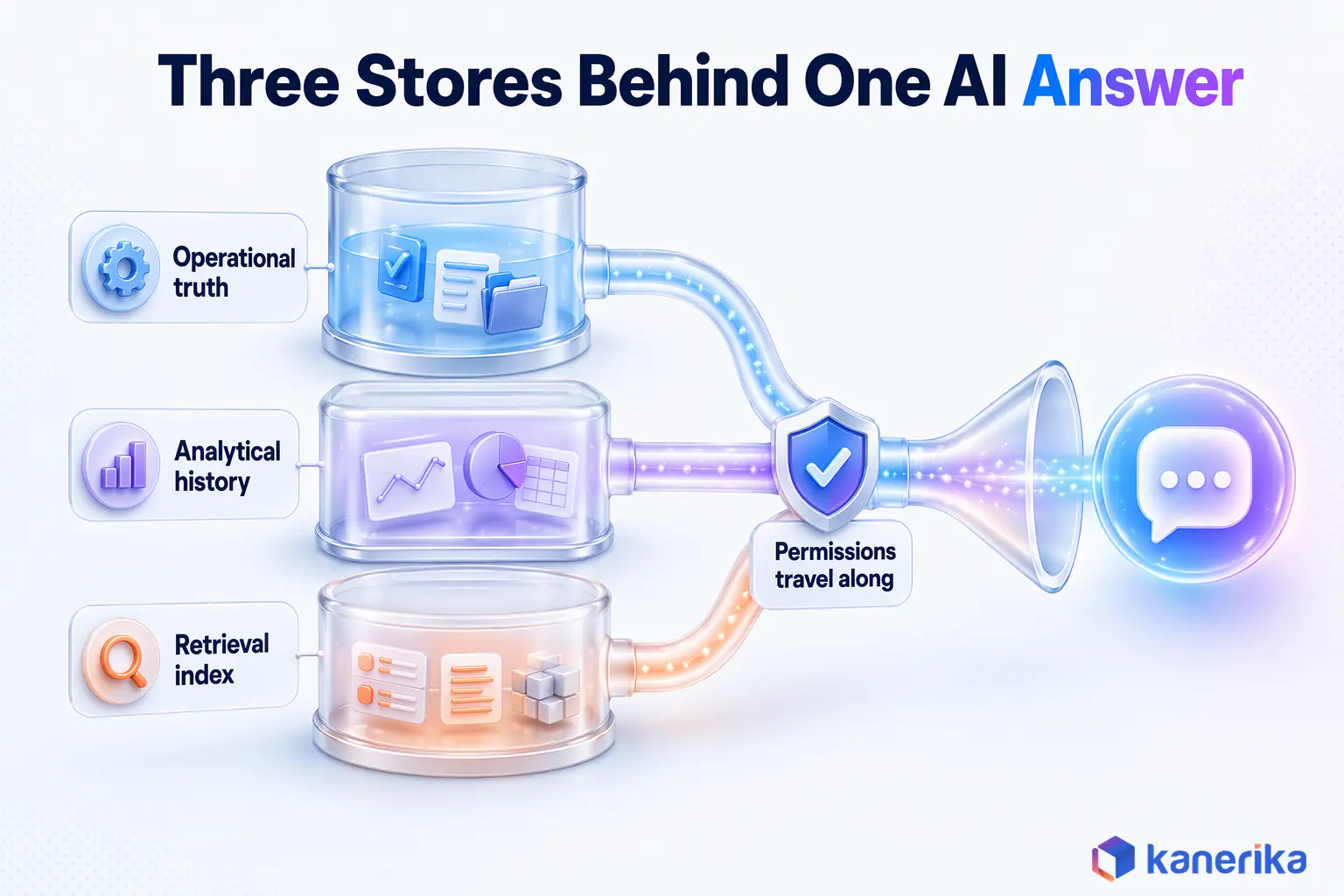
AI workloads rarely need a brand-new database. They need three kinds of data to line up, and each kind already has a natural home among the types above.
Operational Truth, Analytical History and Retrieval Indexes
First, operational truth, such as the current order or a live account balance, stays in relational or document stores. Next, analytical history sits in a columnar warehouse or lakehouse, where models learn from trends. Finally, retrieval indexes, usually vector or graph, help an assistant find the right passage or entity. They point back to the source record instead of replacing it.
Weak links between these layers cause more trouble than the model does. Most stalled AI initiatives fail on the data beneath the model, not on the model itself. That is the first finding in Kanerika’s State of Enterprise AI & Data Modernization 2026. The report draws on 161 documented engagements rather than a survey, and AI, GenAI and ML work makes up 24% of them.
Clean source tables therefore matter as much as the embedding model. The right data quality tools catch duplicates and broken records before they reach an index that an assistant will quote from.
Keep Permissions Intact on Every Retrieval Path
A vector index is a copy of your content, so it must respect the same access rules as the source. If a user cannot open a contract in its original system, the assistant should not quote it from the index. Filter results by the user’s permissions at query time, remove deleted documents from the index and refresh embeddings when the source changes.
Filtering with an approximate index happens after the index scan. If a permission filter matches 10% of rows, HNSW with the default hnsw.ef_search of 40 returns only about 4 rows. So enable iterative index scans or raise ef_search.
Kanerika’s guide to RAG security covers the threats, and AI data governance sets the policies around them. Good metadata management then ties each embedding back to its owner, source and sensitivity label.
How Kanerika Helps Enterprises Choose and Modernize Databases
If you’re weighing database types for a real system, this is where Kanerika, your trusted partner for data platform decisions, comes in. We start with your workloads, not a product list. Kanerika’s data architecture consulting covers a gap assessment, target design, data modeling and platform selection. So the choice starts from how each application reads and writes data.
Governance comes in early too, through Kanerika’s kanGovern service as part of its data governance work, and the timing matters more than it used to. Microsoft is retiring Purview’s data governance features, with support ending in November 2027. Microsoft names the Fabric OneLake catalog as the single foundation for governance going forward, so new catalog work should plan around it.
Where the target platform changes, data modernization projects run through FLIP, Kanerika’s migration accelerator. And Kanerika’s own delivery data backs this up. Kanerika’s State of Enterprise AI & Data Modernization 2026 report shows 50% faster data loading after migration.
But here’s the thing we see across these programs. Teams that copy an old schema onto a new type unchanged keep the old bottlenecks, so the data model gets redesigned along with the platform.
Talk to Kanerika
Choosing Database Types for a New Platform?
Kanerika’s architects assess your current data estate, design the target architecture and support platform selection and rollout planning. A short working session turns your workload list into a decision.
Talk to Kanerika →Getting the Types of Databases Right the First Time
So if you take one thing from this guide, take this. The type of database matters far less than how each workload reads and writes its data. Name that pattern first, and the shortlist almost writes itself.
Teams often tell us they picked an engine for its name and then spent a year working around it. Similarly, others tested on vendor sample data, and the first real peak load told a very different story. The good news is that starting small works, with one workload, one slice of real data and one honest test.
And you don’t have to make that call alone. Kanerika is a Microsoft Solutions Partner for Data & AI, holds the Data Warehouse Migration to Azure specialization and has 250+ certified experts. It’s the same team that moved a beverage distributor from SSAS to Snowflake and saved $130K a year in licenses and maintenance.
So bring one workload from the seven steps above, along with its busiest query. Our data architecture consultants will assess that workload, review the architecture gaps and advise on the target design and platform choice. Book a short working session with Kanerika, and you’ll walk away with a choice you can defend to your team.
If you’d like the wider evidence first, the State of Enterprise Data Platform Migrations 2026 report is a good next read. Either way, we’d be glad to hear what you’re building.
Frequently Asked Questions
What are the main types of databases?
The main types of databases are relational, document, key-value, wide-column, graph, columnar, time-series, vector, NewSQL and multi-model. Relational databases store tables and handle transactions. The NoSQL families cover flexible documents, fast lookups, massive write volumes and relationships, while columnar, time-series and vector databases specialize in analytics, telemetry and AI similarity search.
What are the 4 types of NoSQL databases?
The four classic NoSQL families are document, key-value, wide-column and graph databases. Document stores such as MongoDB hold JSON-like records. Key-value stores such as Redis fetch values by a unique key. Wide-column stores such as Cassandra handle huge write volumes, and graph databases such as Neo4j store the relationships between connected entities.
What type of database is Supabase?
Supabase is a relational database platform built on PostgreSQL. Every Supabase project gets a full Postgres database rather than an abstraction over one, so it supports SQL, tables, foreign keys and transactions. Supabase builds its developer platform around that database, which is why many teams use it as the backend for web and mobile applications.
What type of database is MongoDB?
MongoDB is a document database, one of the main NoSQL types. It stores records as BSON documents, a binary form of JSON with extra data types, and fields can hold nested documents and arrays. That makes it a good fit for catalogs, profiles and content whose structure varies. DB-Engines ranks it fifth overall in November 2026.
What type of database works best with semi-structured data?
Document databases work best for most semi-structured data, because each record can carry its own fields without a fixed schema. MongoDB, Couchbase and Azure Cosmos DB are common choices. Relational databases also cope well at moderate volumes, since the PostgreSQL jsonb type lets teams index and query JSON fields with ordinary SQL.
What is the most popular type of database today?
Relational databases are the most popular type today. In the DB-Engines ranking for November 2026, the top four systems are Oracle, MySQL, Microsoft SQL Server and PostgreSQL, and all four are relational. MongoDB, a document database, is fifth. Most of these leaders are also listed as multi-model, because they now support JSON or other data models.
What is the difference between columnar and wide-column databases?
Columnar databases store each column’s values together, so analytical queries scan only the columns they need. ClickHouse and Snowflake work this way. Wide-column databases such as Cassandra group data into rows by partition key, with flexible columns per row, and they are built for fast writes and key lookups. The names sound alike, but the jobs are opposite.
Can a relational database store JSON documents or vectors?
Yes. PostgreSQL stores JSON in its jsonb type, which is faster to process than plain text, and the pgvector extension adds vector similarity search. Microsoft added a vector data type to SQL Server 2025, Azure SQL Database and SQL database in Fabric. At moderate volumes, one relational database can therefore cover documents and AI retrieval too.
Which database is best for a new application?
No single database is best for every application. Start with the main access pattern, so relational for transactions, document for changing records, key-value for lookups by ID and vector for AI search. Many production systems combine two or three types, so prove the two strongest candidates on your own data before you commit.
What type of database is Redis?
Redis is a key-value database that keeps data in memory, which makes it very fast for caching, sessions and counters. It also works as a message broker, a document store and a vector database, so DB-Engines lists it as multi-model. Built-in replication and several levels of on-disk persistence protect the data when a server restarts.
What types of databases are available in AWS and Azure?
Both clouds offer most database types as managed services. AWS has Aurora and RDS for relational data, DocumentDB, DynamoDB, Keyspaces, Neptune and Timestream. Azure has Azure SQL Database and Azure Database for PostgreSQL, plus Azure Cosmos DB, which covers document, key-value, wide-column and graph APIs, and Azure Managed Redis.
Which type of database is most commonly used in healthcare?
Healthcare usually runs two types together. Epic’s EHR stores clinical data in Chronicles, a non-relational database built on InterSystems technology, then copies much of it into Clarity, a relational database on SQL Server or Oracle. Reporting and research run on that relational copy, while the clinical workflow uses the faster store.