
TL;DR
n8n alternatives are workflow automation platforms that teams use instead of n8n when its fair-code license, self-hosting work or governance limits stop fitting. If you are switching for less to run, pick Zapier or Make, and choose Power Automate, Logic Apps or Workspace Studio if Microsoft or Google runs your company. Activepieces, Node-RED and Windmill are the open-source picks you can self-host. Workato, Tray.ai and Boomi fit governed enterprise integration, with UiPath for work that runs through screens. Temporal, Airflow and Kestra suit engineers whose workflows are really code or data pipelines. Each tool bills a different unit, so price one real workflow on every option before comparing 2026 plans.
Key Takeaways
- n8n alternatives earn a look when one specific limit appears, such as license terms, self-hosting load, tier-gated governance, code-heavy workflows or agent control.
- Zapier and Make suit teams that want the least to run, while Power Automate, Logic Apps and Workspace Studio suit Microsoft or Google shops.
- Activepieces (MIT), Node-RED (Apache-2.0) and Windmill are self-hosted picks with open-source licenses, unlike n8n’s fair-code terms.
- Workato, Tray.ai and Boomi cover governed enterprise integration, and UiPath covers processes that still run through screens.
- Temporal, Airflow and Kestra fit engineers whose workflows are really code, long-running jobs or data pipelines.
- Billing units differ widely, so price one real workflow on every shortlisted tool before comparing plans.
When a Working n8n Setup Stops Fitting
The trigger is rarely an outage. More often, legal asks whether the customer-facing workflow your team built in n8n is allowed under its license. Or the Redis queue behind a self-hosted instance needs an upgrade, and nobody on the team owns it.
Then security asks for single sign-on before the next audit, and SSO sits in a higher tier. Or an AI agent retries a payment step after a timeout, and finance finds two charges the next morning.
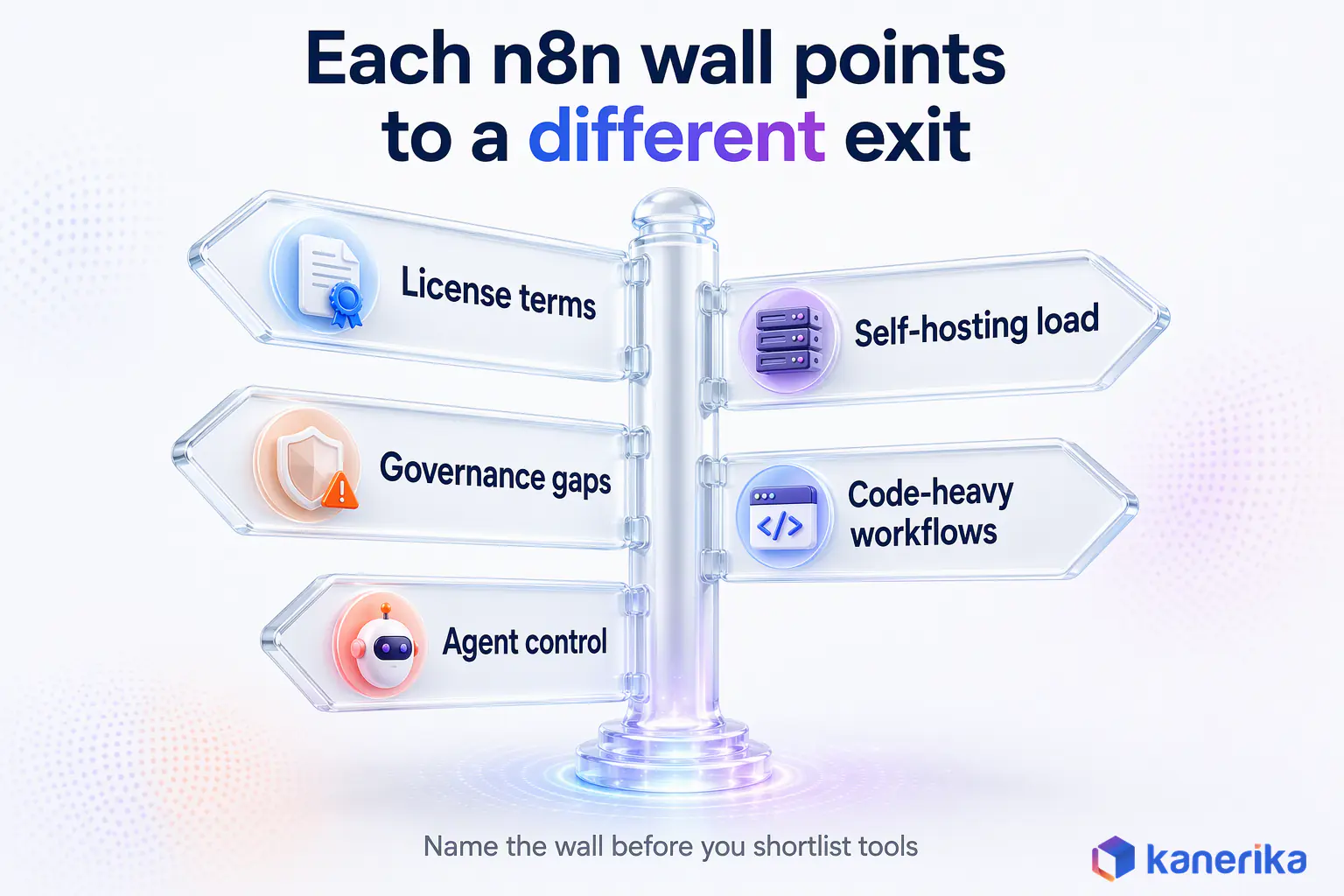
n8n is a capable tool, and plenty of teams should keep it. Switching pays off only when one of these walls shows up, because each wall points to a different set of n8n alternatives.
What Is n8n, and Why Do Teams Look for n8n Alternatives?
n8n is a workflow automation platform with a visual node editor and code steps for the parts a drag-and-drop node cannot handle. Its integrations page lists more than 2,000 integrations, and the Community Edition is free to self-host from GitHub.
n8n Cloud bills by monthly workflow executions, regardless of how many steps a run contains, and every plan includes unlimited users and workflows. That model is generous for long workflows, which is one reason builders like n8n. Still, the reasons they leave tend to fall into five groups.
The License Is Fair-Code, Not Open Source
n8n publishes its code under the Sustainable Use License, which n8n describes as fair-code and source-available rather than open source. The license allows use and modification only for your own internal business purposes, or for non-commercial and personal use.
Distribution is allowed only free of charge and for non-commercial purposes, so other uses need a separate commercial agreement with n8n. For an internal operations team, that is usually fine. But a software company embedding workflows in its product, or an agency hosting n8n for clients, has a legal question to settle first.
Self-Hosting Means You Run the Platform
A self-hosted n8n instance costs nothing to license, but someone still has to run it. For scale, n8n recommends queue mode, in which a main instance takes triggers and webhooks, Redis queues the runs and separate workers process them.
Someone then owns upgrades, backups, database growth, credential encryption and the pager when a worker stalls overnight. Teams that wanted automation rather than another production system often start comparing n8n alternatives at exactly this point.
Governance Features Sit in the Higher Tiers
n8n has real governance controls, so the question is where they sit. SSO, LDAP, multiple environments and Git-based version control arrive on the Business plan, while an external secret store and log streaming belong to Enterprise.
So a team on Starter or Pro that suddenly needs audit-ready controls faces a jump to Business. When we checked, n8n listed that plan at €667 a month, billed annually. That price step, more than any missing feature, often starts the search.
Some Workflows Are Really Code
Code steps are one of n8n’s strengths, until they take over. A workflow that began as a few app connections can grow into a long-running job, a data pipeline or a multi-step transaction. By then most of its logic lives inside code nodes.
At that point engineers want what any codebase gets: version control, code review, tests and runs that resume after a crash. A visual canvas then sits between them and the code. That is why these teams tend to move to code-first orchestrators rather than another visual builder.
AI Agents Raise the Stakes
Agent, MCP and AI nodes come with every n8n Cloud plan, so building an agent takes minutes. Governing what that agent can touch takes longer, especially when employees outside IT are the ones building it.
EY’s Responsible AI Pulse survey found that two-thirds of surveyed companies let employees build or deploy AI agents in some form. Only 60% of those companies have formal, organization-wide policies for them, a gap that Kanerika’s State of AI Governance 2026 report also cites.
When citizen-built agents can call APIs, update records and trigger payments, the platform has to make approvals, scoped permissions and audit trails easy. If those controls feel bolted on, the agent question quickly becomes a platform question.
n8n Alternatives at a Glance: 15 Tools Compared
Each row names the reason a tool wins a shortlist. It then lists the hosting model, license, billing unit and the entry price each vendor published in November 2026. If you are still framing the category itself, Kanerika’s overview of low-code automation platforms sets the wider context.
Managed, Microsoft, Google and Open-Source Tools (1-8)
| Tool | Best reason to switch | Hosting and license | Billing unit and entry price |
|---|---|---|---|
| n8n (baseline) | Visual workflows with code steps | Cloud or self-hosted, Sustainable Use License (fair-code) | Executions; free Community Edition, Cloud Starter €20/mo (annual) |
| 1. Zapier | Least to run, 9,000+ apps | SaaS, proprietary | Tasks; free 100/mo, Professional from $19.99/mo |
| 2. Make | Visual scenarios with branching | SaaS, proprietary | Credits; Free 1,000 credits/mo, Core from $12/mo billed annually |
| 3. Microsoft Power Automate | Microsoft 365 flows plus RPA | SaaS with desktop agents, proprietary | Per user or bot; Premium $15/user/mo (yearly) |
| 4. Azure Logic Apps | Developer-led Azure integration | Azure multi-tenant or single-tenant, proprietary | Per action; first 4,000 free on Consumption |
| 5. Google Workspace Studio | AI agents across Gmail, Drive, Calendar and Chat | SaaS, proprietary | Workspace subscription; Included in Business and Enterprise plans |
| 6. Activepieces | n8n-style builder under MIT | Self-hosted or vendor cloud, MIT (Community), commercial (Enterprise) | None; free to self-host |
| 7. Node-RED | Event and device flows | Self-hosted, Apache-2.0 | None; free |
| 8. Windmill | Python and TypeScript scripts as workflows | Self-hosted or vendor cloud, AGPL-3.0 and Apache-2.0 files | None; free to self-host |
Enterprise and Developer Tools (9-15)
| Tool | Best reason to switch | Hosting and license | Billing unit and entry price |
|---|---|---|---|
| 9. Workato | Governed automation for many departments | SaaS with on-prem agents, proprietary | Tasks, by edition; By quote |
| 10. Tray.ai | API-heavy integration and agents | SaaS, proprietary | Tasks, no per-user fees; By quote |
| 11. Boomi | Enterprise integration with agent governance | Cloud with deployable runtimes, proprietary | Subscription or usage; Pay-As-You-Go $99/mo plus usage |
| 12. UiPath | Work that runs through screens | Cloud or self-managed, proprietary | Plan tiers; Free Community; Basic from $25/mo |
| 13. Temporal | Durable, long-running code workflows | Self-hosted or Temporal Cloud, MIT | None; free to self-host |
| 14. Apache Airflow | Python-defined data pipelines | Self-hosted or managed services, Apache-2.0 | None; free |
| 15. Kestra | Declarative YAML orchestration | Self-hosted, Enterprise edition, Apache-2.0 | None; free to self-host |
What the Table Does Not Show
Two columns deserve a second look. A free license is not free to operate, because self-hosted tools still need servers, upgrades and on-call time. Billing units are not interchangeable either, so a low entry price on a per-task meter can end up costing more than a pricier per-execution plan.
Managed No-Code Platforms: Best When You Want Less to Run
Teams that left n8n because of the servers usually want the opposite of self-hosting. Zapier and Make run everything for you and let business users build without a developer on call, which is the core promise of no-code automation.
Ownership by business teams matters more than it sounds. Kanerika’s State of Enterprise AI & Data Modernization 2026 report, drawn from 161 documented engagements, found that most AI value leaks at user adoption. So a tool that operations and marketing teams will actually open is often worth more than a stronger engine nobody touches.
Talk to Kanerika
Shortlist the n8n Alternative Your Teams Will Use
Bring your current n8n workflows and the teams that own them, and work through fit, licensing and governance with Kanerika’s automation team before you commit to a platform.
Book a Working Session →1. Zapier
Zapier is the default pick when the goal is reach and simplicity. It advertises more than 9,000 app connections, and its editor walks a non-technical user from trigger to action in plain language.
Zapier counts a task each time an action runs successfully, while triggers and polling are free. The Free plan includes 100 tasks a month with two-step Zaps, while Professional starts at $19.99 a month for multi-step Zaps and webhooks. Zapier MCP also lets AI agents call Zapier actions, with tool calls free through January 5, 2027.
For example, a typical Zap takes a web form submission, creates a CRM contact and posts an alert to the sales channel in Slack. For teams also weighing Microsoft’s tool, Kanerika’s comparison of Zapier and Power Automate goes deeper on that pairing.
- Best for: business teams that want hundreds of small automations and no servers
- Hosting and license: SaaS only, proprietary
- Billing unit: tasks, one per successful action
- Watch out for: long workflows that run often, since every action adds a task
2. Make
Make sits between Zapier’s simplicity and n8n’s flexibility. Its visual scenario canvas handles branching, routers, iterators and error paths, so it feels familiar to anyone who built complex n8n flows.
Make now bills in credits, which replaced operations as its unit, and one operation equals one credit for non-AI apps. The Free plan includes 1,000 credits a month. Core starts at $12 a month for 10,000 credits on annual billing, or $14 monthly. The app catalog also lists more than 3,500 integrations. Make AI Agents also adds agent steps inside scenarios.
A good Make scenario takes a new lead, enriches it from a data provider, scores it and routes it to the right CRM owner. For visual builders who never want to manage a server, Make is often the better fit than n8n, although heavy loops can burn credits quickly.
- Best for: operations teams that want visual control over complex logic without hosting
- Hosting and license: SaaS only, proprietary
- Billing unit: credits, about one per module operation on non-AI apps
- Watch out for: iterators over large lists, because each item uses more credits
Neither tool can be self-hosted, and both meter per step. That trade works well for light, frequent automations. But it changes the math for long workflows, as the pricing example later in this guide shows.
Microsoft and Google Platforms: Best When Your Company Already Runs on One
Plenty of n8n replacements are decided by the identity provider and the email suite rather than by features. If users already sign in with Microsoft Entra ID or Google Workspace, a native platform inherits that identity, its admin controls and its data policies.
3. Microsoft Power Automate
Power Automate covers two kinds of work in one product. Cloud flows connect Microsoft 365, Dynamics 365 and a large connector catalog, while desktop flows record and replay clicks on screens that have no API.
Power Automate Licensing and Limits
Licensing is per user or per bot rather than per run. Premium costs $15 per user per month, paid yearly, and Process costs $150 per bot per month for unattended desktop flows. Hosted Process, by comparison, runs the bot on a Microsoft-managed virtual machine for $215 per bot per month.
Usage still has a ceiling, though. A Premium user’s cloud flows can make a combined 40,000 Power Platform requests in 24 hours, according to Microsoft’s request limits documentation. Kanerika’s explainer on Microsoft licensing also covers how these plans stack with Microsoft 365.
Admins also get environments and data loss prevention policies in the Power Platform admin center, which is often the control n8n users were missing. For agents, Microsoft pairs Power Automate with Copilot Studio, sold in capacity packs of 25,000 Copilot Credits for $200 a month.
Kanerika used Power Automate for a connected-mobility services client whose analysts had reviewed travel-booking prices by hand until then. In the 38% Faster Pricing Discovery with Power Automate project, a bot now visits the booking sites and captures that pricing data. As a result, booking processing time fell 38%, and data consolidation shrank from a week to hours.
Case Study
38% Faster Pricing Discovery with Power Automate
A connected-mobility services client replaced manual travel-booking price checks with a Power Automate bot built by Kanerika, and also recorded a 24% boost in revenue and 15% customer growth.
Read the Case Study →- Best for: Microsoft 365 companies that need cloud flows and RPA under one admin model
- Hosting and license: SaaS with desktop agents, proprietary
- Billing unit: per user or per bot, with daily request limits
- Watch out for: premium connectors and unattended bots, since each needs the right license
4. Azure Logic Apps
Logic Apps is Microsoft’s developer-facing integration service, and it answers the “n8n alternative on Azure” search better than Power Automate does. Workflows live as Azure resources, so they deploy through the same pipelines as other infrastructure and reach Azure services with managed identities.
The Consumption plan is multi-tenant and meters every trigger, action and connector execution, with the first 4,000 actions free. The Standard plan, by contrast, is single-tenant and supports local development on Windows, Linux and Mac. That suits teams that want workflows in source control, and Kanerika’s guide to Power Automate vs Logic Apps compares the two Microsoft paths.
For example, a Logic App can receive an order event from Azure Service Bus and validate it against an API. Then it writes to SQL and raises an alert when any step fails.
- Best for: Azure engineering teams that want integration as code
- Hosting and license: Azure multi-tenant or single-tenant, proprietary
- Billing unit: per action on Consumption, hosting plan on Standard
- Watch out for: connector calls, since Microsoft bills them separately from actions
5. Google Workspace Studio
Searches for a Google n8n alternative usually end at Google Workspace Studio. Google introduced it in December 2025, replacing the product previously known as Workspace Flows. It lets users create AI agents that automate work across Gmail, Drive, Calendar and Chat, and it connects to third-party apps.
Studio is generally available on all Business and Enterprise Workspace plans, so many companies already pay for it. Google’s launch post covered the rollout, and the Studio FAQ adds a caveat for regulated teams. Studio respects Workspace DLP rules, but DLP for third-party services is not yet in Google’s immediate plans.
For example, a sales team might use it to read new inbound emails, file the attachments in Drive and post a short summary to a Chat space.
- Best for: Google Workspace companies automating everyday work in Gmail, Drive, Calendar and Chat
- Hosting and license: SaaS, included with Business and Enterprise plans
- Billing unit: the Workspace subscription
- Watch out for: third-party data flows, since they sit outside Workspace DLP
Free and Open-Source n8n Alternatives You Can Self-Host
Is there a free alternative to n8n? Yes, and the three tools in this group use licenses the Open Source Initiative recognizes, which n8n’s fair-code license is not.
Free still carries a running cost, though. You still operate a database, usually a queue and workers, plus upgrades and backups, just as you would with n8n’s free Community Edition.
What the Licenses Actually Allow
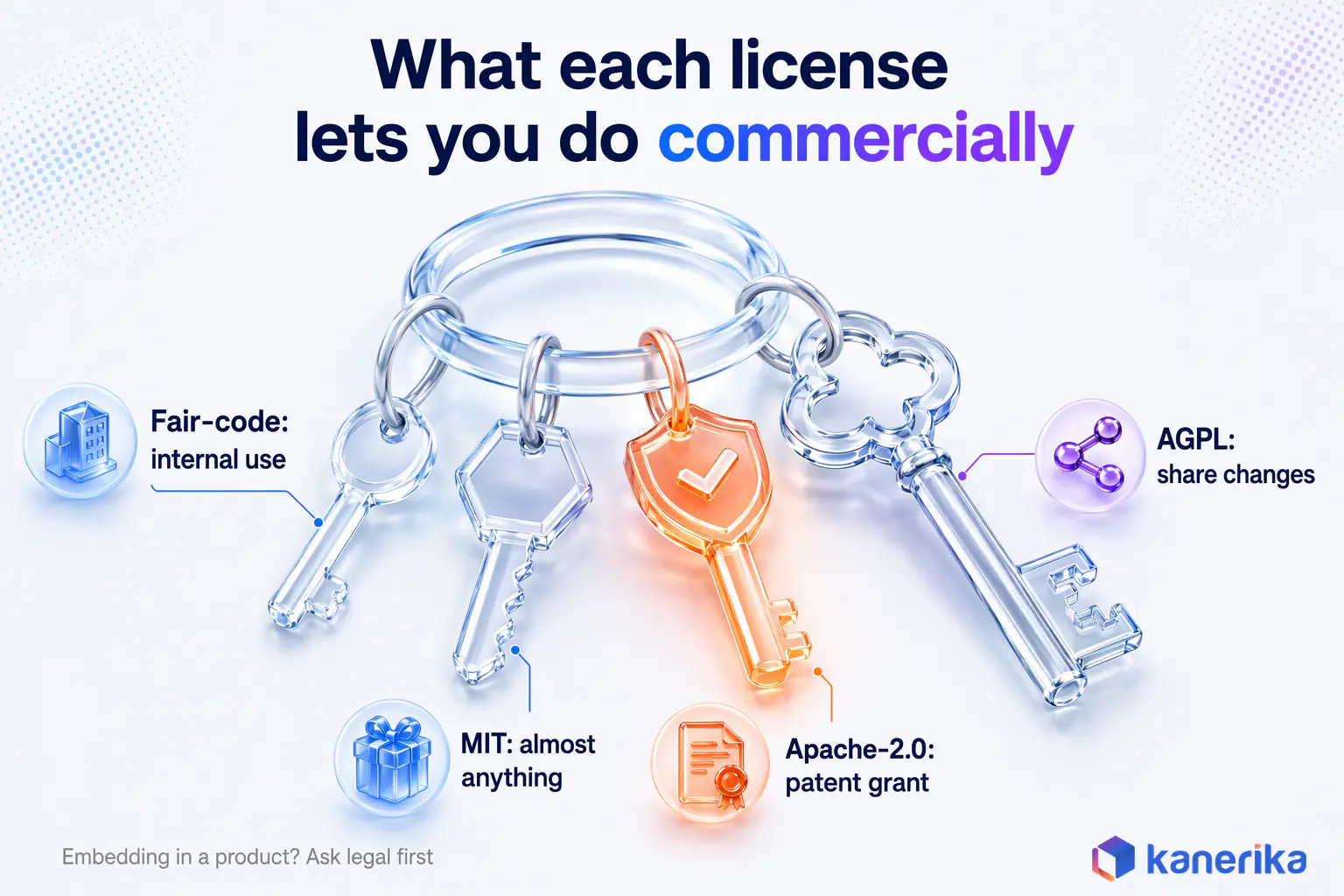
MIT and Apache-2.0 are permissive, so you can use, modify and embed the code commercially. Apache-2.0 also adds an explicit patent grant. AGPL-3.0 is copyleft, which means a modified version offered to users over a network must share its source code.
n8n’s Sustainable Use License sits apart from all three, because it limits use to internal business, non-commercial or personal purposes. When a workflow tool will be embedded in a product or resold, legal review belongs in the shortlist step rather than after the build.
6. Activepieces
Activepieces is the closest open-source match to n8n’s builder experience. Its Community Edition is released under the MIT license, while enterprise features sit under a commercial license.
Integrations are TypeScript “pieces,” each available as an MCP server, and the repository lists about 400 of them for AI agents to use as tools. The community contributes about 60% of them, and the repository has around 25,800 GitHub stars. If MCP is new to you, Kanerika’s explainer on MCP vs A2A also shows how agents call tools and each other.
For example, an internal IT team might route new help-desk tickets by category, post them to Slack and open a Jira issue for anything marked urgent.
- Best for: teams that want an n8n-style builder under a permissive license
- Hosting and license: self-hosted or vendor cloud, MIT Community Edition
- Billing unit: none when self-hosted
- Watch out for: enterprise features, because they need the commercial edition
7. Node-RED
Node-RED takes a different path. It is flow-based, low-code programming for event-driven applications with a browser editor, and it started at IBM before moving to the OpenJS Foundation.
The project has been open source since September 2013 under Apache-2.0, which makes it one of the longest-running options here. Companies that need support and fleet management can also turn to FlowFuse, founded in 2021 by Node-RED co-creator Nick O’Leary.
A plant team might read equipment events from MQTT, check them against thresholds and open a service ticket when a motor runs hot.
- Best for: IoT, edge and event-driven flows close to devices
- Hosting and license: self-hosted, Apache-2.0
- Billing unit: none, unless you buy FlowFuse
- Watch out for: business-app workflows, since community nodes vary in quality and upkeep
8. Windmill
Windmill suits developers who would rather write scripts than drag nodes. It is an open-source, self-hostable workflow engine where scripts in Python, TypeScript and other languages become workflows, schedules and internal tools.
That makes it the natural n8n alternative for Python teams. Its repository carries AGPL-3.0 and Apache-2.0 license files and has about 18,700 GitHub stars, so check which components you modify before you embed it anywhere.
For example, a finance data team might start with a Python script that pulls invoices from an API. Windmill then turns it into a scheduled job with retries and a simple approval form.
- Best for: engineers who want scripts, not nodes, as the unit of work
- Hosting and license: self-hosted or vendor cloud, AGPL-3.0 and Apache-2.0 files
- Billing unit: none when self-hosted
- Watch out for: AGPL obligations when you modify the code and expose it to users
Enterprise Integration Platforms: Best When Governance and Scale Decide
Workflow scale and enterprise integration scale are different problems. At workflow scale, one team runs a few hundred automations. At enterprise scale, however, dozens of teams share environments, credentials, release processes and audit duties across ERP, CRM and HR systems.
Platforms in this group earn their price by managing that sprawl, a theme Kanerika’s roundup of intelligent automation tools also covers. Licensing pressure shows up here too: Trax cut annual licensing costs by 75% after Kanerika moved its 16 UiPath automations to Power Automate. Customer records are the usual stress test, as Kanerika’s guide to customer data integration explains.
Kanerika Service
RPA and Intelligent Automation Services
Kanerika designs, builds and runs governed automation on Power Automate and UiPath, from process selection and bot builds to monitoring and migrations between platforms.
Explore Automation Services9. Workato
Workato is built for IT-governed automation across many departments. Even its Standard edition includes dev, test and prod environments, recipe lifecycle management, SAML SSO, MFA and role-based access control.
It lists more than 1,200 pre-built connectors and reaches on-premises apps and databases through on-prem agents. A usage dashboard also tracks task consumption, and pricing is by quote across the Standard, Business MCP, Enterprise MCP and Workato ONE editions.
Employee onboarding is a classic Workato recipe. When a new hire appears in the HR system, the recipe triggers accounts, device requests and access approvals across IT tools.
- Best for: central IT teams running automation for many departments
- Hosting and license: SaaS with on-prem agents, proprietary
- Billing unit: tasks, by edition, quoted
- Watch out for: cost for small teams, since every edition is sold by quote
10. Tray.ai
Tray.ai positions itself as an AI orchestration platform. It combines the Tray iPaaS with Merlin Agent Builder and an Agent Gateway for MCP. So it suits API-heavy work where engineers and business technologists build side by side.
Pricing is by quote and scales on tasks, with no per-user, per-connection or per-runtime fees. Higher plans also list SSO, HIPAA support, regional hosting and log streaming.
A revenue operations team might sync product usage data into the CRM, then let a Merlin agent draft renewal notes for account managers.
- Best for: API-heavy integration plus governed agents
- Hosting and license: SaaS, proprietary
- Billing unit: tasks, quoted
- Watch out for: features such as regional hosting that differ by plan
11. Boomi
Boomi is a long-standing enterprise iPaaS that now adds AI governance to integration. The Boomi Enterprise Platform pairs integration with Agentstudio for building and orchestrating agents, plus an Agent Control Plane and an AI Gateway.
Boomi Connect gives AI governed access to more than 1,000 enterprise applications. Boomi also reports a Visionary placement in Gartner’s 2026 Magic Quadrant for AI Agent Management Platforms. Its Pay-As-You-Go plan costs $99 a month plus usage, after a 30-day free trial.
A common first project, for instance, keeps customer accounts in sync between the CRM and the ERP, with Boomi handling field mapping and error queues.
- Best for: enterprises with many ERP, CRM and legacy endpoints
- Hosting and license: cloud platform with deployable runtimes, proprietary
- Billing unit: subscription plans, or pay-as-you-go plus usage
- Watch out for: a learning curve that suits integration specialists more than business users
12. UiPath
UiPath belongs on this list when the work happens on screens without APIs, such as legacy ERP terminals or vendor portals. Its platform now spans Maestro business orchestration, agentic AI, RPA, APIs and intelligent document processing.
A Community plan is free, Basic starts at $25 a month with limited scale, while Standard is priced through sales. Kanerika’s comparison of UiPath vs Power Automate explains how those two RPA paths differ.
Kanerika automated accounts payable on UiPath for a US fuel distributor. The 90% Less Manual Work in AP with UiPath Automation case study reports 400+ man-hours saved per month. It also records 90% less manual intervention and 30% faster invoice processing.
Case Study
90% Less Manual Work in AP with UiPath Automation
A US fuel distributor moved accounts payable onto UiPath bots built by Kanerika and raised invoice processing accuracy by 35%, alongside far less manual intervention.
Read the Case Study →- Best for: processes that run through desktop apps, portals and documents
- Hosting and license: cloud or self-managed, proprietary
- Billing unit: plan tiers, from free Community to quoted Standard
- Watch out for: bot upkeep whenever a screen layout changes
Developer Orchestration Tools: Best When Workflows Are Really Code or Data Pipelines
Some n8n workflows were never really app automations. They are long-running jobs, data pipelines or multi-step transactions that need retries, versioning and tests, and engineers already maintain them inside code nodes.
Code-first orchestrators fit that work better, although they need engineers to run them. On AWS, Step Functions plays a similar role. It bills per state transition, counts every retry as another transition and includes 4,000 free transitions a month.
Pipedream, an integration platform with more than 3,000 connectors, is another developer option. On November 19, 2025, Workday announced a definitive agreement to acquire Pipedream, so confirm the product’s current ownership and roadmap before you commit.
13. Temporal
Temporal is an open-source durable execution platform under the MIT license, with about 24,600 GitHub stars. Workflows are written as ordinary code, and Temporal records each step so a run can resume where it stopped after a crash or a deploy.
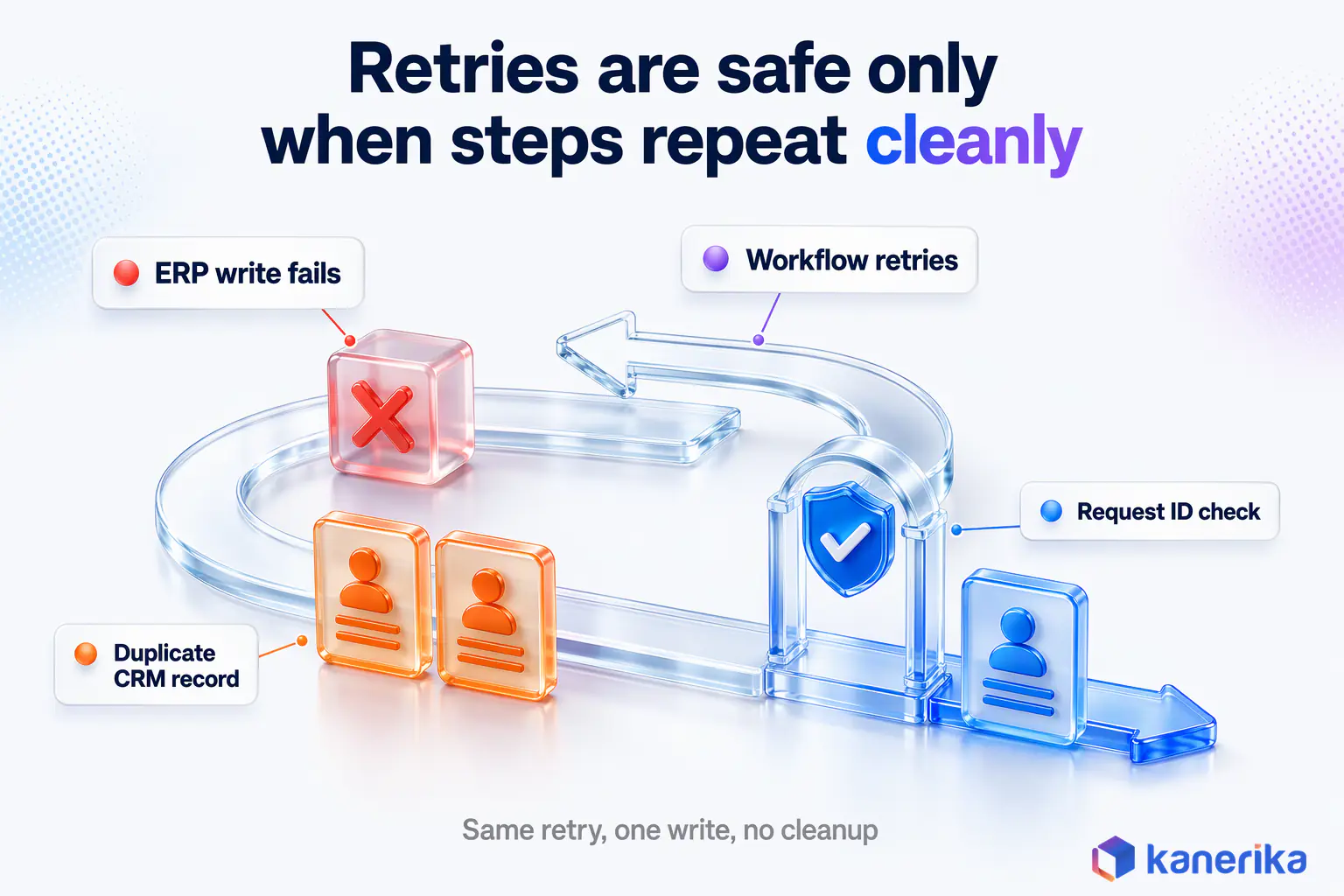
Picture an order workflow where the CRM update succeeds but the ERP write fails. A durable engine resumes at the ERP step without repeating the CRM write, while a naive retry from the top creates a duplicate record.
That retry problem gets worse with agents. Amit Kumar Jena, Head of AI Development at Kanerika, described the failure to InfoWorld. When an agent pauses between an API call and its confirmation, it wakes up unsure and tries again. He draws one design rule from that, which durable engines make easier to enforce.

“Every external action has to be safe to repeat. Most agent code today isn’t written that way.”
Amit Kumar Jena, Head of AI Development, Kanerika
Quoted in InfoWorld, October 23, 2026
- Best for: long-running, stateful processes such as orders, payments and provisioning
- Hosting and license: self-hosted under MIT, or Temporal Cloud
- Billing unit: none when self-hosted
- Watch out for: a programming model that suits engineers more than business builders
Kanerika’s guide to AI agent challenges also covers the other ways agents fail in production. Durable execution handles one of the most expensive ones, the step that runs twice.
14. Apache Airflow
Airflow is the standard choice when the workflow is a data pipeline. Pipelines are defined in Python, a scheduler and message queue orchestrate the workers, and the project is licensed under Apache-2.0.
Airflow 3.4.0, announced on November 6, 2026, added task loops, DAGs in any language and AI agent features. Kanerika’s data engineering best practices guide covers how this kind of orchestration fits a wider pipeline design.
A nightly DAG might extract sales data, run quality checks and refresh a warehouse table before analysts log in.
- Best for: batch data pipelines and scheduled ETL
- Hosting and license: self-hosted or managed cloud services, Apache-2.0
- Billing unit: none when self-hosted
- Watch out for: event-driven app automation, since it was built for scheduled pipelines
15. Kestra
Kestra describes itself as an open-source control plane for workflows across data, infrastructure, business processes and AI agents. Flows are declared in YAML, triggered by events or schedules, written in any language and versioned in Git.
It is licensed under Apache-2.0 and has about 30,400 GitHub stars. Because its style is declarative, it suits platform teams that review workflow changes like any other code change.
For instance, a Kestra flow can start when a file lands in cloud storage and run a dbt build. Then it notifies the data owner if a test fails.
- Best for: platform and data teams that want declarative, Git-reviewed orchestration
- Hosting and license: self-hosted under Apache-2.0, with an Enterprise edition
- Billing unit: none when self-hosted
- Watch out for: YAML sprawl when teams skip naming and folder conventions
Which n8n Alternatives Fit AI Agents?
Nearly every tool on this list now markets AI agents, but the label covers very different designs. Kanerika’s roundup of AI automation tools covers the broader market, so this section stays on one question. Which n8n alternatives can run agents with real control?
Three AI Workload Patterns Need Different Controls
- An LLM step inside a fixed workflow. The workflow decides, and the model only classifies, extracts or drafts. Zapier, Make, Power Automate and Activepieces all handle this well.
- A human-reviewed AI action. The model proposes an action, such as a refund or a contract edit, and a person approves it before anything changes.
- A tool-using agent across systems. The agent picks its own tools and order of steps, so it needs scoped permissions, limits and tracing.
For the third pattern, look at native agent layers. Zapier MCP, Make AI Agents, Copilot Studio, Workspace Studio, Activepieces MCP pieces, Tray.ai’s Merlin Agent Builder, Boomi Agentstudio and Workato’s MCP editions all target it. Their controls still differ by edition, so verify each one in a demo. Agent-first builders such as Lindy and Gumloop also appear on most n8n alternatives lists. Lindy starts with $50 in free credits and Gumloop’s Pro plan lists at $37 a month, so run them through the same six checks below.
Kanerika’s overview of types of AI agents explains how these designs differ in autonomy. Many agents now reach tools through MCP. So Kanerika’s guide to the best MCP servers helps when you scope what an agent may touch.
Controls matter because agents do act out of bounds. OneTrust’s 2026 AI-Ready Governance Survey asked organizations about exactly this. In it, 28% of surveyed organizations reported two or more incidents in the past year where AI systems or agents took unapproved actions. Kanerika’s State of AI Governance 2026 report also cites this vendor survey.
Controls to Test Before You Trust an Agent
Run each shortlisted tool through the same six checks before a pilot starts.
- Tool permissions. Can you limit which apps, records and actions the agent may touch?
- Approvals. Can a person approve high-risk steps, such as payments, inside the flow?
- Execution limits. Can you cap steps, spend and run time for each run?
- Tracing. Can you see every prompt, tool call and output after the fact?
- Model choice. Can you pick or swap the model, including one your company already approved?
- Safe stop. Can an admin pause every agent at once?
An invoice-extraction agent that misreads a total should stop at an approval rather than post the payment. Kanerika’s guide to AI data governance shows how data access rules carry over into agent permissions.
How n8n Alternatives Price Workflows: Executions, Tasks, Credits and Seats
Billing units decide more of the final cost than list prices do. n8n counts executions, Zapier counts tasks, Make counts credits, Power Automate sells seats and bots, and AWS Step Functions counts state transitions.
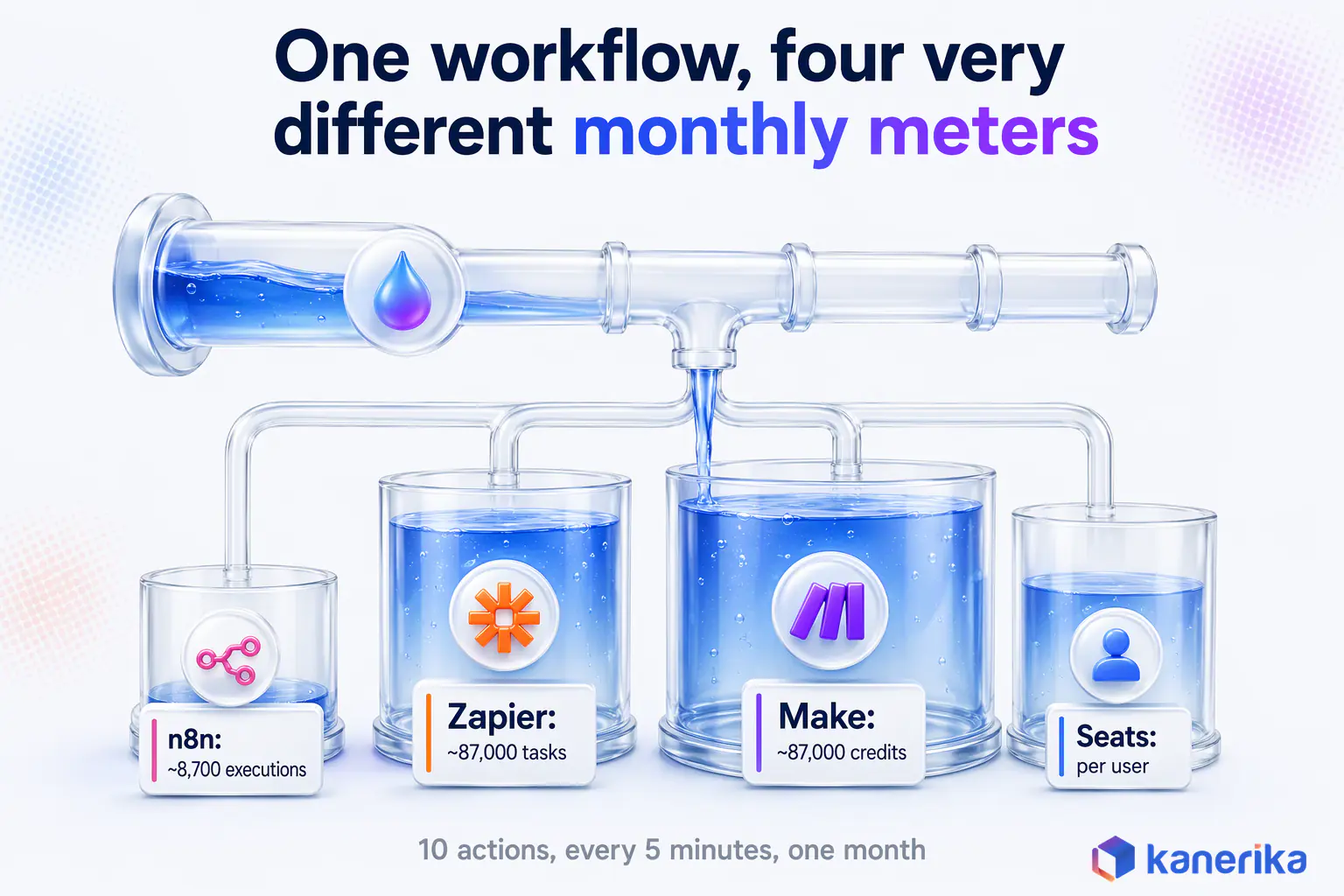
Take one illustrative workflow with 10 actions that runs every 5 minutes. First, n8n’s own pricing FAQ says a 5-minute schedule produces about 8,600 to 8,900 executions a month. The rest of the arithmetic is ours, based on each vendor’s published unit.
| Platform | What it counts | Monthly usage for this workflow | Where that lands |
|---|---|---|---|
| n8n Cloud | Executions, any number of steps | 8,600 to 8,900 executions | Fits the Pro tier of 10,000 executions (€50/mo billed annually) |
| Zapier | Tasks, one per successful action; triggers free | 86,000 to 89,000 tasks | Needs the 100,000-task tier |
| Make | Credits, one per operation on non-AI apps | 86,000+ credits for 10 action modules | About 86 times the Free plan’s 1,000 credits |
| Power Automate | Users or bots, not runs | About 3,200 requests a day (288 runs of 10 actions, plus 288 triggers) | Within one Premium user’s 40,000 daily requests ($15/user/mo) |
| AWS Step Functions | State transitions, including retries | 86,000 to 89,000 transitions, plus retries | First 4,000 free, the rest metered |
| Self-hosted open source | Nothing | Same runs | $0 license, plus servers, upgrades and on-call time |
Per-step meters punish long, frequent workflows. Per-execution and per-seat models, by contrast, can look expensive at entry but cheap at volume. So the same workflow can rank first or last depending on the meter.
Total Cost Goes Beyond the Meter
A fair comparison adds license, infrastructure, build effort, operations, AI usage and migration. Once on-call time is counted, a self-hosted tool with a $0 license can cost more than a SaaS plan.
License pressure is also a common trigger for a move. Trax ran 16 UiPath automations until rising licensing fees forced a rethink. After Kanerika moved those processes to Power Automate, Trax cut its annual licensing costs by 75%.
How to Choose an n8n Alternative: A Decision Matrix by Team
The best n8n alternative depends on who will own the workflows after go-live. Start with the team, then its hard requirement, and only then the shortlist.
Match the Alternative to the Team That Will Own It
| Team | Hard requirement | Shortlist | Disqualifier |
|---|---|---|---|
| Business operations (no-code) | No servers, fast builds | Zapier (1), Make (2) | Long, frequent workflows on per-step meters |
| Microsoft 365 shop | Entra ID, DLP, RPA | Power Automate (3), Logic Apps (4) | Most work running outside Microsoft connectors |
| Google Workspace shop | Agents inside Gmail, Drive and Chat | Workspace Studio (5) | Third-party flows that need DLP |
| Engineering-led self-hosters | Open-source license, own infrastructure | Activepieces (6), Node-RED (7), Windmill (8) | Nobody to run upgrades and on-call |
| Enterprise IT and integration | Environments, SSO and audit at scale | Workato (9), Tray.ai (10), Boomi (11) | Small budgets, since pricing is quoted |
| Screen-based processes | Legacy apps without APIs | UiPath (12), Power Automate desktop flows (3) | Screens that change every release |
| Data and platform engineers | Code, retries and pipelines | Temporal (13), Airflow (14), Kestra (15) | Business users expected to build alone |
| AI agent builders | Scoped tools, approvals and tracing | Copilot Studio with Power Automate (3), Tray.ai (10), Boomi (11) | No approval step for risky actions |
Governance Criteria to Check Before the Demo
Ask every vendor to show these controls live rather than describe them on a slide.
- Identity. SSO and SAML for every builder and admin, as well as role-based access.
- Environments. Separate dev, test and prod, with a promotion path between them.
- Version control. Git or built-in versioning, so a bad change can roll back.
- Audit. Run history, audit logs and log streaming to your SIEM.
- Secrets. An external secret store instead of credentials saved in workflows.
- Data location. Data residency options and on-prem connectivity where you need them.
Timing matters as much as the list. Kanerika’s State of Enterprise Data Platform Migrations 2026 report points to one predictor above the rest. Governance brought in at the initial assessment, rather than at project end, is the strongest predictor of outcomes after go-live. For agent-specific controls, Kanerika’s guide to agentic AI governance goes further.
Checklist
RPA Checklist
A practical checklist for scoping, building and governing automation, from process selection and access controls to testing and monitoring, useful once your shortlist is set.
Get the Checklist →When Staying on n8n Is the Better Call
Sometimes the right answer is to stay. If the pain comes from poor workflow design, missing monitoring or the wrong n8n edition, fixing that costs less than a migration. Every rebuilt workflow on a new platform still needs its own tests, retraining for the people who own it and a cutover plan.
Moving to the Business plan for SSO and environments, or adopting queue mode with proper on-call, can close the gap. Switch when the license, the operating load or the agent controls still do not fit after those fixes.
To decide, take the three workflows behind the most pager alerts or audit questions and ask whether one of those fixes would remove the cause. If it would, fix n8n first. If the cause is the license, the hosting load or a missing control, pilot one of the n8n alternatives above on those same three workflows.
How to Migrate from n8n Without Breaking Production
A move off n8n goes well when the team treats it as a rebuild with tests rather than a copy job. These five steps keep production running while workflows move.
- Inventory every workflow. Export each one as JSON with Download in the editor’s Workflow menu. For many workflows at once, n8n recommends its CLI for moving workflows between instances. Then list its triggers, nodes, code steps, schedules and webhooks. Exports can include credential names and authentication headers, so strip them as n8n advises and plan to re-create credentials in the new tool.
- Classify by risk. Sort workflows into simple app automations, custom or API-heavy builds, and critical stateful processes, then move the simple group first.
- Rebuild and test failure behavior. Test duplicates, rate limits, expired credentials, partial writes and schema changes, not only the happy path.
- Run both versions in parallel. Keep n8n live and reconcile outputs daily on record counts, totals and output hashes. A workable rule, for example: cut over only after ten consecutive runs match on all three.
- Cut over with a rollback rule. Define the condition that sends traffic back to n8n, then retire the old workflows once the new ones hold steady.
Kanerika’s Trax project used a similar order at scale, although it moved UiPath bots rather than n8n workflows. First, the team ran a rapid dependency assessment, then used the FLIP RPA Migration Workbench to automate workflow mapping. A pilot came before a phased go-live, and a two-year UiPath codebase moved to Power Automate in 90 days with 50% less effort.
How Kanerika Helps Teams Choose and Run Workflow Automation
Picking the tool is the easy half, and running it well for years is where Kanerika, your trusted partner for workflow automation, comes in. Kanerika is a Microsoft Solutions Partner for Data & AI that builds and runs automation for enterprises through its RPA and intelligent automation services. In practice, that covers Power Automate and UiPath delivery, agentic AI and migrations between platforms.
So if you’re leaving UiPath, Kanerika’s UiPath to Power Automate migration service uses FLIP to carry existing business logic forward automatically. And because FLIP is listed on the Azure Marketplace, it’s eligible for Azure committed spend (MACC). Agent projects follow Kanerika’s IMPACT methodology through its agentic AI services.
Here’s what that looks like when automation meets AI. Kanerika connected Microsoft Copilot and Power Automate in Teams over Azure SQL so a dairy’s sales reps could ask questions in plain language. In the 90% Fewer Data Query Errors with MS Copilot case study, query errors fell 90% and decisions came 30% faster.
Whichever platform wins, three habits from this guide carry over. Price the real workflow before signing, test retries and duplicates before cutover, and put governance into the shortlist instead of the last sprint.
Pick the n8n Alternative That Fixes Your Real Problem
Here’s the thing most comparisons skip. The best n8n alternative removes the wall you actually hit, be it the license, the servers, an audit or an agent you can’t trust. Name that wall, price one real workflow on each option, and the shortlist gets short fast.
What usually goes wrong isn’t the tool. The trouble usually starts when every workflow moves at once, or when security first sees the new platform a week before go-live. That’s why starting small works, and three noisy workflows running next to n8n will teach you more than any demo.
And you don’t have to work it out on your own. Kanerika, a Microsoft Solutions Partner for Data & AI with ISO 27001 and SOC 2 Type II, cut Trax’s annual licensing costs by 75%. So bring your three noisiest workflows and today’s running costs, and our automation team will map them against your shortlist with you.
If that sounds familiar, it’s a good moment to talk. And if you’d rather read first, the State of Enterprise Data Platform Migrations 2026 report shows why early governance pays off.
Frequently Asked Questions
What is the best alternative to n8n?
There is no single winner, because the best n8n alternative depends on why you are leaving. Zapier or Make suit teams that want less to run. Power Automate fits Microsoft shops, and Activepieces fits teams that want an open-source license. Workato or Boomi suit governed enterprise integration, while Temporal or Kestra suit engineers.
Is there a free alternative to n8n?
Yes. Activepieces Community Edition is free under the MIT license, Node-RED is free under Apache-2.0, and Windmill, Temporal, Airflow and Kestra are free to self-host. n8n’s own Community Edition is also free to self-host for internal use. Free licenses still mean you pay for servers, upgrades, backups and the people who keep them running.
Is n8n open source?
Not by the usual definition. n8n uses the Sustainable Use License, which n8n describes as fair-code and source-available. It allows use and modification for internal business, non-commercial or personal purposes, and distribution only free of charge for non-commercial purposes. Embedding n8n in a commercial product or reselling it needs a separate agreement with n8n.
What is the Google alternative to n8n?
Google Workspace Studio is the closest Google option. Google launched it in December 2025, replacing the product previously known as Workspace Flows, and it lets users create AI agents that automate work across Gmail, Drive, Calendar and Chat, with connections to third-party apps. It is generally available on Business and Enterprise Workspace plans, though DLP for third-party services is not yet covered.
Is Make better than n8n?
Make is better for visual builders who never want to manage servers, because it is fully hosted and its scenario canvas handles complex branching. n8n is better for long workflows and self-hosting, since it bills per execution rather than per step. A busy 10-step workflow can use roughly ten times more Make credits than n8n executions.
Is Zapier or Power Automate a better n8n alternative?
Zapier suits mixed SaaS stacks, with more than 9,000 app connections and simple task-based billing. Power Automate suits Microsoft 365 companies, because it reuses Entra ID, adds desktop RPA and bills per user or per bot rather than per action. High-volume workflows usually cost less on Power Automate than on Zapier’s task meter.
Which n8n alternatives support AI agents?
Most now support agents in some form. Zapier MCP, Make AI Agents, Copilot Studio with Power Automate, Google Workspace Studio, Activepieces MCP pieces, Tray.ai Merlin Agent Builder, Boomi Agentstudio and Workato’s MCP editions all target agent work. Test each for tool permissions, approvals, execution limits, tracing and a safe stop before trusting it in production.
How hard is it to migrate workflows from n8n?
Effort depends on how many workflows rely on code nodes, webhooks and stateful logic. Start by exporting every workflow as JSON and listing its triggers, nodes and schedules. Re-create credentials in the new tool, rebuild the simple workflows first, test failure cases such as duplicates, then run both versions in parallel before the cutover.
What is the best open-source n8n alternative for self-hosting?
Activepieces is the closest match to the n8n builder experience, with an MIT-licensed Community Edition and around 400 pieces that double as MCP servers. Node-RED suits event and device flows under Apache-2.0. Windmill suits teams that prefer Python or TypeScript scripts, while Temporal and Kestra suit engineers who want code-first orchestration.
Is there an n8n alternative for Python developers?
Windmill is the most direct fit, because Python scripts become workflows, schedules and internal tools that you can self-host. Apache Airflow defines data pipelines in Python and suits batch ETL. Temporal also has a Python SDK for durable, long-running workflows. Each needs engineers to run it, unlike hosted no-code tools such as Zapier or Make.
What is the AWS alternative to n8n?
AWS Step Functions is the closest native AWS option. It orchestrates workflows across AWS services and bills Standard Workflows per state transition, counting every retry as an extra transition. The free tier includes 4,000 state transitions a month. It suits developer teams already on AWS more than business users who want a visual app builder.
Which n8n alternative is cheapest at high volume?
It depends on the billing unit. Per-step meters such as Zapier tasks or Make credits grow with every action, so long, frequent workflows get expensive. Per-user plans such as Power Automate Premium, and self-hosted open-source tools, often cost less at volume. Price one real workflow on each shortlisted tool before deciding.