TL;DR
Intelligent automation tools fall into six categories: RPA, document processing, case orchestration, integration, process mining and AI agent orchestration. Your estate picks the first shortlist, so Microsoft shops start with Power Automate and API-rich SaaS teams start with Workato. Legacy, screen-heavy systems point to UiPath, and complex case work fits Appian or Pega. Prices run per user, per bot, per app or by usage, so compare three-year costs rather than list prices. Then choose with hard gates, a weighted scorecard and a pilot on your own exceptions. That approach is behind a Kanerika AP build that cut manual intervention 90%.
Key Takeaways
- These tools pair bots with AI that reads, classifies and decides, then send anything uncertain to a person.
- Six categories cover the market: RPA, intelligent document processing, case orchestration, iPaaS, process mining and AI agent orchestration.
- Your estate picks the first shortlist, for example Power Automate for Microsoft shops and UiPath or Automation Anywhere for legacy screens.
- Pricing models differ more than prices, so compare per-user, per-bot, per-app and usage-based costs over three years, not one.
- Governance belongs in the pilot: bot identity, review thresholds, audit trails and agent limits each need a test before go-live.
- Kanerika’s UiPath build for a US fuel distributor cut manual intervention in accounts payable by 90% and saved 400+ hours a month.
Your Invoice Bot Worked Until the Exceptions Arrived
Picture an accounts payable team on the Monday when its first bot goes live. The bot opens each emailed PDF, copies the vendor, amount and PO number into the ERP, and then posts the entry. By Wednesday the clean invoices are flowing, so the team lead is already planning the next process.
Then a large vendor changes its invoice layout. Soon the bot reads the total from the wrong box. A scanned invoice arrives sideways, and another quotes a purchase order that was closed weeks ago.
By Friday the exception pile holds more work than the bot saved. Nobody built a place for a person to check a doubtful read, so the team goes back to keying invoices by hand.
That week is the whole buying problem in miniature. A rule-following bot handles the clean path well, but only that path. Intelligent automation tools earn their price on the exception path, where documents vary, data needs checking and a person has to decide.
What Intelligent Automation Tools Do, and How They Differ From RPA
Intelligent automation tools combine software bots with AI that can read, classify and decide, then route anything uncertain to a person. Robotic process automation (RPA) is one part of that stack. It repeats fixed steps on screens and systems, and it stops when the input no longer looks the way it expected.
The other parts fill the gaps that RPA leaves behind, especially around documents and decisions. Document AI turns messy PDFs and emails into structured fields, while machine learning and language models classify requests, score risk or pick the next step. Orchestration then ties the steps into one flow with a review queue and an audit log. That way the work can finish even when one step is unsure.
Our intelligent automation guide covers the concept in depth, so this post stays on picking the software. A quick way to see the layers is to ask what each one does when a surprise arrives:
| Layer | What it handles | When a surprise arrives |
|---|---|---|
| RPA | Fixed, rule-based steps on screens and APIs | Stops the run, so a person restarts it |
| Intelligent document processing (IDP) | Invoices, forms, contracts and emails | Returns each field with a confidence score |
| ML and language decisioning | Classification, routing, risk scores and summaries | Picks the likeliest answer but flags low confidence |
| Orchestration with human review | The end-to-end flow, queues and approvals | Sends the case to a person, then resumes |
Hyperautomation is the wider program of automating as many processes as possible across a company. Our comparison of intelligent automation vs hyperautomation explains where that line sits. For tool selection, the four layers above matter more, because each vendor covers some of them far better than others.
RPA vs Intelligent Automation in One Example
In both cases a bot still posts the invoice. The difference is that the second flow gives exceptions somewhere to go, so it keeps running after the first vendor changes a template.
Case Study
90% Less Manual Work in AP with UiPath
A leading US fuel distribution company replaced manual entry of 1,000+ PDF invoices a month with UiPath AI/ML extraction, human review in Action Center and automated NetSuite entry, saving 400+ man-hours a month.
Read the Case Study →The Six Categories of Intelligent Automation Tools
Intelligent automation tools fall into six categories, and most enterprise vendors started in one of them before spreading into the others. Where a product began tells you where it is strongest. A vendor that grew out of RPA is at home on screens, while one that grew out of integration is at home on APIs.
So start by naming the job before you look at vendors. When the pain is people copying data between old screens, look at RPA first. When it is reading documents, look at document processing instead. If nobody can agree how the process really runs, process mining comes before any build.
The table maps each category to the work it automates, and to a sensible first pick.
| Category | What it automates | Example tools in this guide | Choose it first |
|---|---|---|---|
| RPA | Repeated steps across desktop and web apps without APIs | UiPath, Automation Anywhere, SS&C Blue Prism, Power Automate desktop flows | When legacy systems only expose a screen |
| Intelligent document processing | Reading invoices, forms and emails into fields | UiPath, Automation Anywhere | When documents arrive in many layouts |
| Process and case orchestration (low-code) | Long-running cases with rules, approvals and deadlines | Appian, Pega, ServiceNow | When work spans teams and days, not minutes |
| iPaaS and integration | API-to-API data flows between SaaS apps | Workato, Power Automate cloud flows | When systems have good APIs |
| Process mining and intelligence | Showing how a process really runs from system logs | Celonis, Power Automate process mining | When you do not know where time is lost |
| AI agent orchestration | Agents that plan steps, call apps and hand off to people | IBM watsonx Orchestrate, Automation Anywhere, SS&C WorkHQ | When tasks need judgment across several apps |
Where Low-Code and No-Code Tools Fit
Low-code builders cut across several rows. Teams that want business users to build simple flows can start with our guides to no-code automation and no-code AI tools. Both cover the lighter end of the market.
Classic process automation without AI still has a place too. Stable, high-volume steps do not need a model when the rule never changes, so adding one only adds cost.
Still, the lines between categories are blurring. Several RPA vendors now market agent platforms, while integration vendors keep adding AI steps. Treat the category as a product’s home ground, then test how far it really reaches into the next one.
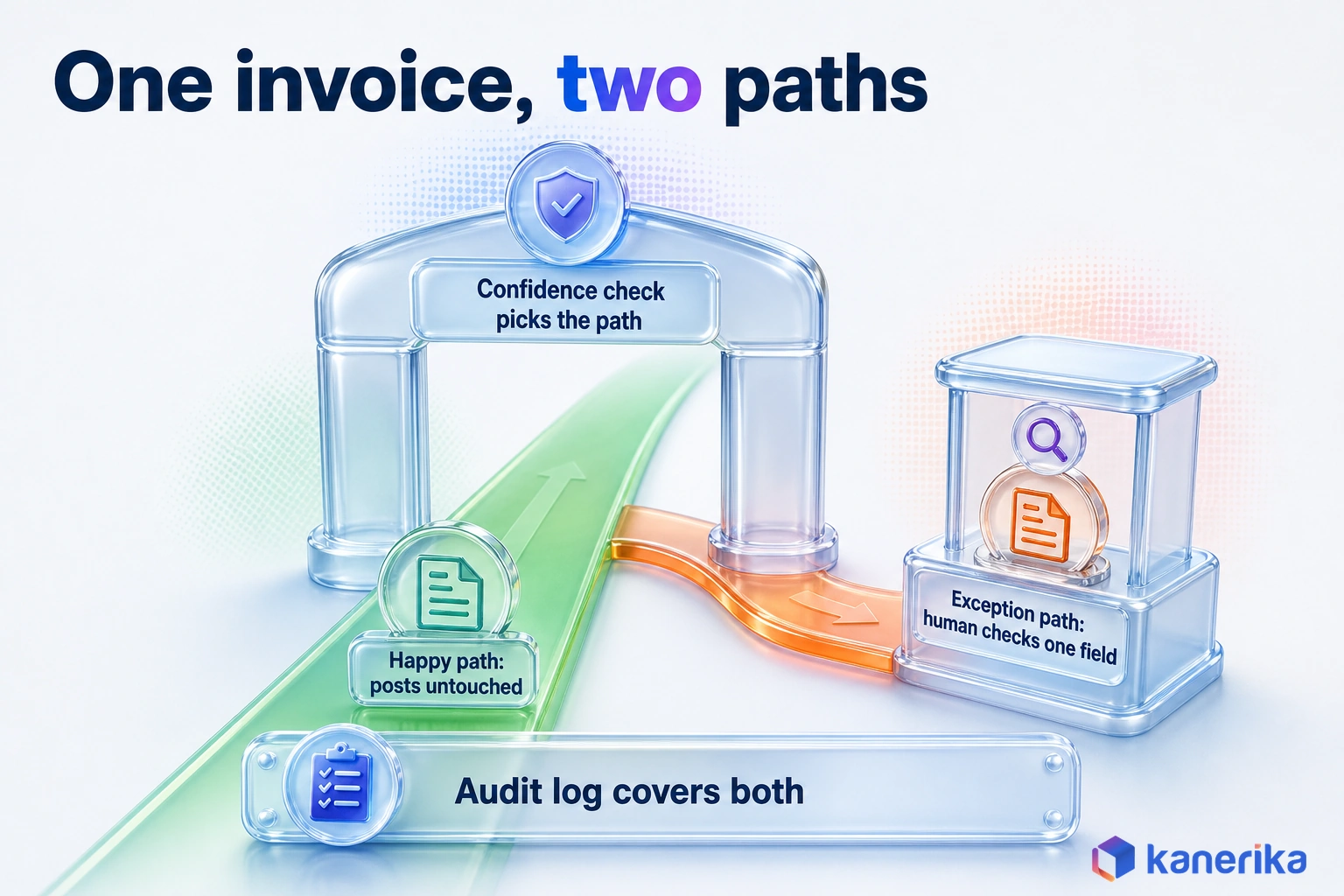
How Intelligent Automation Works: One Invoice, Two Paths
Under the product names, almost every intelligent automation flow follows the same eight steps. Walking one invoice through them shows where each tool category does its work, and where a weak tool breaks.
- Intake: a bot or connector collects the invoice from sources such as email, a supplier portal or a scanner.
- Classify: a model decides what the document is, such as an invoice, credit note or statement.
- Extract: document AI then reads the vendor, date, PO number, line items and totals into fields.
- Validate: the flow checks those fields against the ERP in order to confirm the vendor exists, the PO is open and the totals match.
- Confidence check: each field carries a score, and anything under your threshold is flagged.
- Human review: flagged invoices go to a queue until a clerk confirms or corrects the doubtful field.
- Post: once the fields are clean, a bot or an API call creates the entry in the ERP.
- Audit log: finally, every step, decision and correction is recorded against the invoice.
Happy Path vs Exception Path
On the happy path, an invoice runs steps 1 to 5, skips step 6 and then posts without anyone touching it. On the exception path it pauses at step 6 instead. A person spends a minute on the one field the model doubted, and then the flow carries on. The audit log covers both paths, which is exactly what an auditor asks for later.
Two design choices decide how well this works. The first, and most important, is the confidence threshold. Set it too high and people review everything, but set it too low and errors post silently.
The second is whether corrections feed back into the model. When they do, the same vendor’s layout stops tripping the flow up next month, and the review queue shrinks over time instead of staying flat.
Most tools in this guide can run all eight steps, but they reach them from different directions. For example, an RPA platform is strongest at intake and at posting into old screens. An integration platform shines when the ERP has a good API, and a case platform shines when step 6 turns into a multi-day approval.
For the flow design itself, our guide to intelligent workflow automation goes deeper. Our accounts payable automation guide also covers the finance side, from matching rules to payment runs.
The 10 Intelligent Automation Tools to Shortlist in 2026
The ten tools below cover all six categories and most enterprise estates. Their order is a shortlisting order, so it starts with the platforms many buyers already license. It is not a market ranking.
The Shortlist at a Glance
Prices are list prices as of November 2026 where the vendor publishes them; otherwise expect a quote.
| Tool | Category home | Best for | Pricing model (as of November 2026) | Main risk |
|---|---|---|---|---|
| Microsoft Power Automate | RPA, integration, process mining | Microsoft 365 and Azure estates | Premium $15 per user/month; unattended bot $150/month; hosted bot $215/month (all paid yearly) | Unattended scale also needs bot licenses and machines |
| UiPath | RPA and document AI | Legacy screens, especially without APIs | Basic from $25/month; free tier; Enterprise via sales | Basic plan is changing, so confirm terms |
| Automation Anywhere | RPA and agentic automation | Cloud-first RPA with agents | Free Community Edition; enterprise by quote | No public enterprise price, so budget for a quote |
| SS&C Blue Prism (WorkHQ) | RPA and orchestration | Centrally controlled automation programs | By quote | Check which product the quote covers before signing |
| Appian | Process and case orchestration | Cases with rules and approvals | Per user, per month, per app | Cost rises when you add apps |
| Pega | Case management and decisioning | Rules-heavy customer processes | By quote | Needs trained Pega skills, especially for rules |
| ServiceNow | Service workflow | Work that already starts as a ticket | Ask your account team | Strongest when work stays inside its platform |
| Workato | iPaaS | SaaS estates with good APIs | By quote; usage counted in tasks | Cost follows task volume, so forecast it |
| Celonis | Process mining | Finding where a process loses time | By quote | Shows the problem but does not fix it |
| IBM watsonx Orchestrate | AI agent orchestration | Agent-led tasks across business apps | Essentials from $578/month; Standard from $6,360/month | Agent limits and reviews still sit with you |
Read the last two columns first, because they show how cost and risk grow once the first pilot succeeds.
Talk to Kanerika
Shortlisting Two or Three of These Tools?
Bring your process and your shortlist. Kanerika will help you set the hard gates, weight the scorecard and plan a fair pilot on your own documents.
Schedule a Demo →Microsoft Power Automate (with Copilot Studio)
Power Automate is Microsoft’s automation platform. For companies already on Microsoft 365, it is usually the first tool to evaluate, because identity, security and admin are already in place. One product also covers three of the six categories: cloud flows for API integration, desktop flows for RPA on older apps, and process mining.
Copilot Studio is Microsoft’s companion tool for building AI agents, so teams can add agent steps without leaving the Microsoft stack. Approvals can also run inside Teams, where people already work.
According to Microsoft’s Power Automate pricing, Premium costs $15.00 per user per month, paid yearly, as of November 2026. It covers cloud flows, attended desktop flows and process mining for individual users. Unattended bots cost extra, since the Process license is $150.00 per bot per month. Hosted Process, which runs on a hosted machine, is $215.00 per bot per month.
The catch is that the per-user price understates the cost once unattended automation scales, so plan bots, machines and licenses together. Our Microsoft licensing guide covers the wider Microsoft licensing picture. For teams leaving another RPA tool, Kanerika’s UiPath to Power Automate migration for Trax shows the move in practice.
UiPath
UiPath grew up as an RPA company, and screen automation on older desktop applications without APIs is still its home ground. Its platform also adds AI/ML document extraction and a human review step through UiPath Action Center. That is the same pattern Kanerika used in the accounts payable case later in this guide.
Teams with a mix of legacy ERP screens, scanned documents and approval steps therefore tend to shortlist UiPath early. The platform is broad, so it suits companies ready to run a small automation team rather than a single project.
On the UiPath pricing page, the Basic plan starts at $25 per month as of November 2026. The page also says Basic is evolving and an updated plan offering is coming soon. A free tier exists too, while Enterprise pricing goes through sales.
Because the entry plan is in flux, get the plan name and terms in writing. Our UiPath vs Automation Anywhere comparison covers the two head to head.
Automation Anywhere
Automation Anywhere is a cloud-first RPA vendor that, as of November 2026, markets its platform as an Agentic Process Automation System. In practice that means bots, document processing and AI agents sold as one platform, run from the cloud rather than from desktops you manage.
A free Community Edition lets developers learn and prototype before any contract. In October 2026 the company announced that it will acquire Boost.ai, with closing expected in Q4 2026. So expect its agent and conversation features to keep changing.
Automation Anywhere does not publish enterprise prices, so plan on a quote. Ask how agent features are licensed compared with classic bots, since the two can be counted differently.
Before you sign for the agentic features, confirm what they need in data access and human review.
SS&C Blue Prism (WorkHQ)
Blue Prism was one of the early enterprise RPA platforms, and it is owned by SS&C. As of November 2026, the Blue Prism site presents the platform as SS&C WorkHQ, described as agentic workflow automation and orchestration. So expect the new name in quotes and contracts.
The product fits programs where a central team wants to own, schedule and control every automation, rather than letting each department build its own. That control model appeals especially to firms with strict change management.
Pricing is by quote. Because the product name and packaging have changed, ask exactly which modules the quote covers and how any existing Blue Prism licenses carry over.
A central model is slower to start, though, so agree who builds and who approves before the pilot.
Appian
Appian is a low-code platform for process and case orchestration: long-running work with forms, rules, approvals and deadlines. Think, for example, of a claims file or a supplier onboarding case that touches five teams over two weeks.
In an intelligent automation stack, Appian usually plays the conductor. Bots or AI services handle single steps, while Appian holds the case, the deadlines and the record of who did what.
Appian’s platform pricing is per user, per month, per app. That model is easy to read for one app but grows with every new app and user group.
To avoid a surprise at renewal, model the three-year roadmap of apps before you compare quotes.
Pega
Pega is a platform for case management and real-time decisioning, aimed at rules-heavy customer processes such as service requests, disputes and onboarding. As of November 2026, the release on its platform page is Pega Infinity ’26. Pega frames the platform as orchestrating agents, people and systems, with decisioning as one of its pillars. That decision layer is what puts it on an intelligent automation list, not only a BPM one.
Pega makes the most sense when the hard part of the process is the decision logic rather than the data entry. For example, a bank deciding the next best action on a customer dispute is a typical fit. But a team that only needs to copy invoice fields into an ERP is not.
Skills are the main constraint: Pega projects need trained Pega developers, so check partner and in-house skills before you choose it. Pricing is by quote, so ask for one tied to your case volumes.
ServiceNow
ServiceNow is a service-workflow platform, and many enterprises already run IT service management and employee requests on it. When your work already starts as a ServiceNow ticket, extending the platform you own is usually faster than adding a new tool.
The data, approvals and audit trail are already there, and support teams know the interface. That lowers both build time and change management.
We could not confirm public pricing for this use, so ask your ServiceNow account team for a quote tied to your instance. The platform is strongest when work stays inside it. Work that lives mostly in other systems may still need an RPA or integration tool alongside it.
Kanerika Service
RPA and Intelligent Automation Services
Kanerika assesses your processes, pilots the shortlisted platforms and builds production automations with review queues, bot identities and audit logs.
Explore RPA ServicesWorkato
Workato is an integration platform (iPaaS) with automation built on top. Its pricing page lists more than 1,200 pre-built connectors for SaaS and enterprise apps.
It is the natural pick when your systems have good APIs, with CRM, HR, finance and ticketing apps passing records to each other. API-based flows also break less often than screen bots, because they do not depend on where a button sits.
Plans are by quote, and usage is tracked as task consumption. Cost therefore follows volume, so forecast how many tasks your busiest month will run.
Apps with no API still need an RPA partner, so check the share of screen-only systems first.
Celonis
Celonis describes itself, as of November 2026, as an enterprise AI company, but its core is still process mining and its Process Intelligence platform. The mining reads event logs from systems such as ERP and CRM. That shows how a process actually runs, where it loops back and where time is lost.
That makes it a diagnosis tool first. Run it first when nobody can agree where procure-to-pay or order-to-cash breaks down, then automate the steps it points at. The result is a build list ranked by evidence instead of opinion.
Mining needs clean event data and an owner who then acts on the findings. On its own it shows the problem but does not fix it. Pricing is by quote, so scope the systems and data first.
IBM watsonx Orchestrate
IBM watsonx Orchestrate sits in the AI agent orchestration category. It is built to coordinate AI agents and automations across business apps, so a request can move through several systems with less hand-coding.
IBM publishes list prices, which is still rare for agent platforms. IBM’s watsonx Orchestrate pricing shows Essentials from $578 per month and Standard from $6,360 per month as of November 2026.
That makes a scoped pilot easy to budget before any wider commitment. It also means the jump from a small team to a wider rollout is visible up front, rather than hidden in a later quote.
Once an agent can act across apps, it needs limits, review points and logs. The governance section below lists the tests.
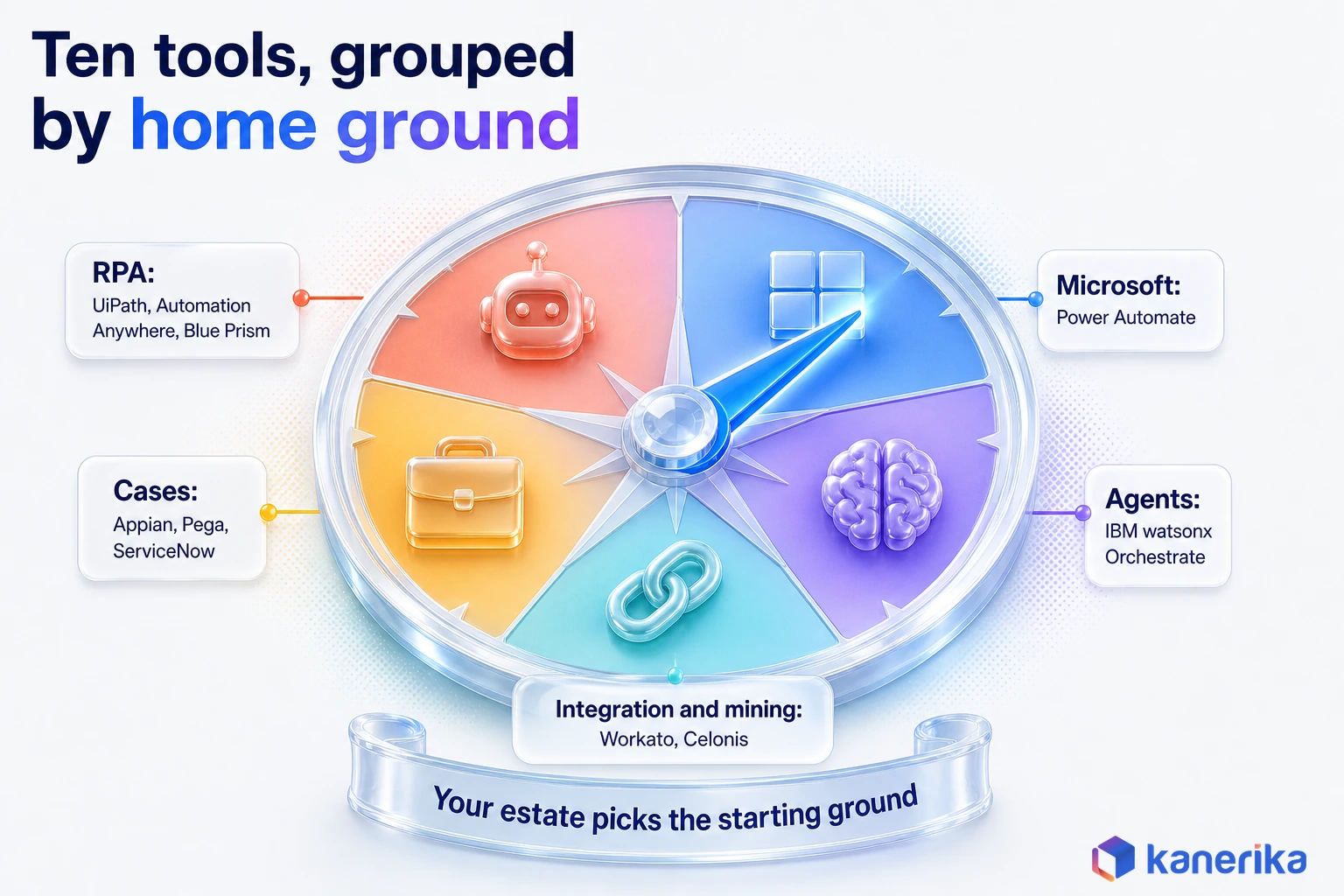
Seen together, the ten tools split cleanly by home ground. Three began in RPA, three in case and service work, and the rest in Microsoft’s suite, integration, mining or agents. Your estate then decides which of those home grounds you start from.
How to Choose an Intelligent Automation Tool
Choosing an intelligent automation tool works best as a funnel. Rule out what cannot pass your hard limits, score what is left, then let a pilot on your own exceptions settle the close calls.
Demos are useful, but they run on clean data the vendor picked. The funnel instead keeps the decision on your documents, systems and people, since that is where the tool will have to work.
Start With Hard Gates
Hard gates are yes-or-no questions. A tool that fails one is out, however good its demo looks. Agree them with security, IT and the process owner before you talk to vendors:
- Data residency and security: can it run where your data must stay, with your identity provider and logging?
- Systems it must touch: list each system, then note whether it has an API or only a screen.
- Volume and exception rate: how many items a month, and what share fail today, before any automation?
- Human review need: which decisions must a person confirm, by policy or by law?
- Team skills: who will build and maintain the flows, and what do they already know?
Gate 2 often does most of the work. For example, a process through three SaaS apps and one green-screen ERP needs a platform that does both, or two tools that work together.
Gate 3 matters almost as much. Vendors are happy to guess an exception rate you have not measured. So pull a month of real items before the first call.
Score What Is Left With Weights
Once the gates have cut the list, a weighted scorecard turns opinion into a number you can defend. Set the weights before anyone sees a demo, so a slick interface cannot rewrite the priorities afterward.
| Criterion | Suggested weight | What good looks like |
|---|---|---|
| Fit with your estate | 25% | Uses your identity, data and admin tools with little new setup |
| Exception handling | 25% | Confidence scores, review queues and corrections that feed back |
| Governance and audit | 20% | Bot identities, role-based access and a full step log |
| Build skills match | 15% | Your team fixes flows itself instead of calling the vendor |
| Three-year cost | 15% | Predictable licenses, build and upkeep you can budget |
Score each tool from 1 to 5 on each row and multiply by the weight. Then divide the total by 5 to get a score out of 100. Change the weights so that they match your process. A claims team, for example, might push exception handling higher and cost lower.
Checklist
RPA Checklist
Work through process fit, systems, exception rates and governance before you score or pilot any automation platform.
Get the Checklist →Match the Tool to the Estate You Already Run
Before scoring, it helps to know where to start. The platform you already run usually decides the first name on the list, because identity, data access and support skills come with it.
| If your estate is mostly | Start your shortlist with | Why |
|---|---|---|
| Microsoft 365, Azure and Dynamics | Power Automate | Same identity, admin and approvals in Teams |
| ServiceNow for IT and employee service | Extend ServiceNow | Tickets, approvals and audit already live there |
| SAP or older ERP clients with few APIs | UiPath, Automation Anywhere or SS&C Blue Prism | Screen automation is their home ground |
| SaaS apps with good APIs | Workato | Connectors break less often than screen bots |
| Complex cases with rules and deadlines | Appian or Pega | They hold the case rather than one task |
| A process nobody can describe the same way | Celonis, before any bot | Mine the logs, then automate what they show |
Most estates are mixed, so you may land on two tools. A common pairing is an integration platform for API-rich systems, plus an RPA tool for the few screens that have no API. That works better than forcing one tool to do a job it was never built for.
Worked Example: Scoring Three Tools for Invoice Exceptions
Here is how the scorecard plays out on the invoice process from the opening scene. The company runs Microsoft 365, keeps its ledger in a cloud ERP, and also receives PDF invoices from dozens of vendors in different layouts. The scores below are illustrative, so they reflect this scenario only and are not vendor benchmarks.
| Criterion (weight) | Power Automate | UiPath | Automation Anywhere |
|---|---|---|---|
| Fit with estate (25%) | 5 | 3 | 3 |
| Exception handling (25%) | 3 | 5 | 4 |
| Governance and audit (20%) | 4 | 4 | 4 |
| Build skills match (15%) | 5 | 3 | 3 |
| Three-year cost (15%) | 4 | 3 | 3 |
| Weighted score (out of 100) | 83 | 74 | 69 |
With these weights, Power Automate leads by 9 points. The team already knows the Microsoft stack, while estate fit carries a quarter of the score. UiPath wins the exception row but loses ground on fit and skills.
Now change one assumption. Say the vendor layouts vary so much that exception handling deserves 35% and estate fit only 15%. Power Automate drops to 79 and UiPath rises to 78, so a 9-point lead becomes 1 point.
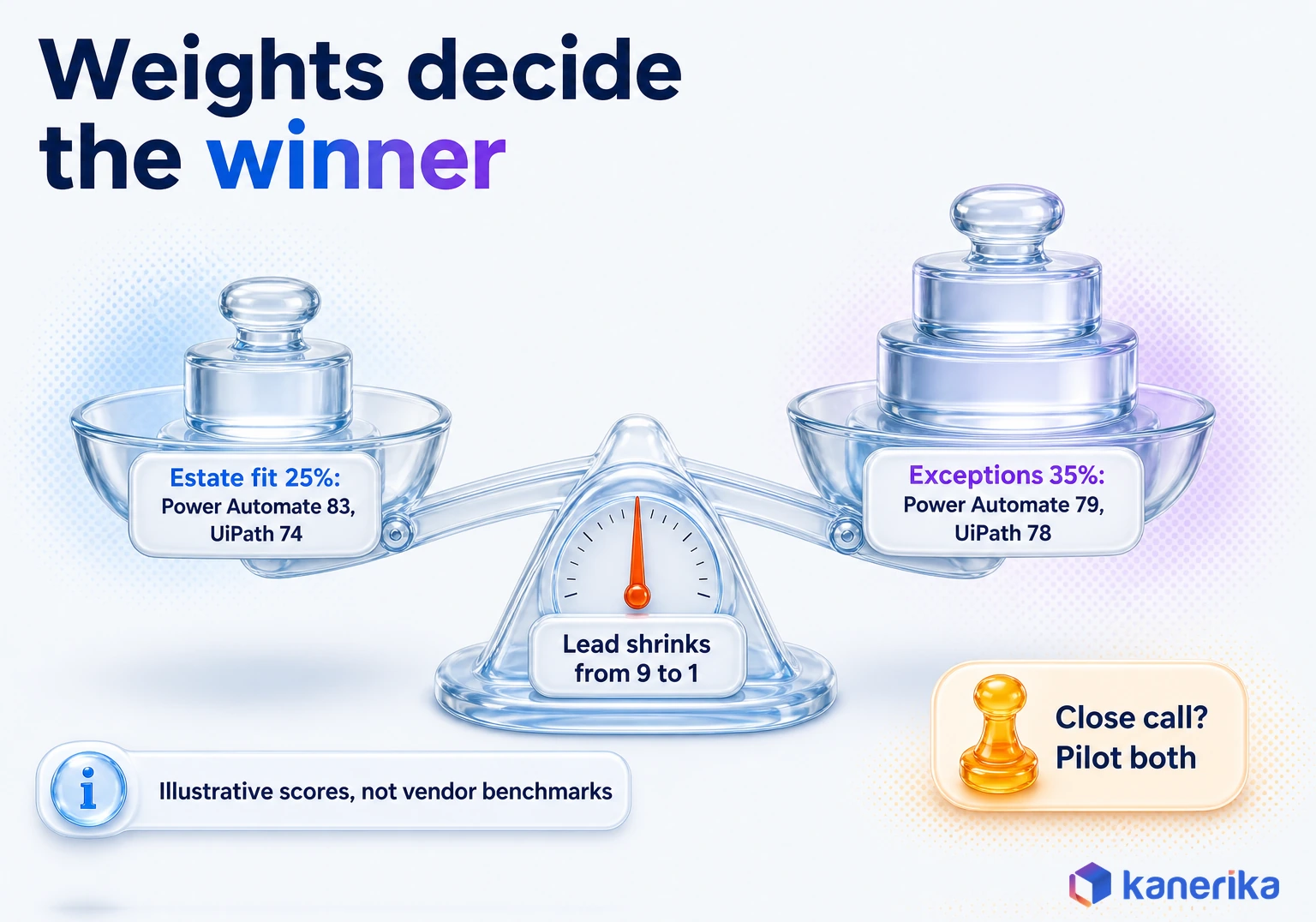
That is the real lesson here. The weights can flip the winner, so the scorecard’s job is to show which assumption the decision hangs on. When two tools land within a few points, run both on the same month of real invoices and let the exception rate decide.
A fair pilot uses the same documents, the same success measure and the same review rules for each tool. Keep it to one process and a fixed window, so it is long enough to include your messiest vendors.
What Intelligent Automation Tools Cost
What intelligent automation tools cost depends more on the pricing model than on the list price. A tool that looks cheap per user can turn expensive once you add unattended bots. A usage-priced tool can do the same once volume grows.
The table sorts the common models, using only the prices vendors publish. Everything else is quote-based. Every price here is as of November 2026.
| Pricing model | What is counted | Published example | Cost grows with |
|---|---|---|---|
| Per user | People who build or run flows | Power Automate Premium, $15 per user/month, paid yearly | Headcount |
| Per unattended bot | Bots running without a person | Power Automate Process, $150 per bot/month; Hosted Process, $215 per bot/month | Bot count |
| Per user, per app | Users of each app built | Appian: per user, per month, per app | Apps times users |
| Usage or tasks | Tasks or actions run | Workato: task consumption, by quote | Volume |
| Platform tiers | Plan level and capacity | IBM watsonx Orchestrate, Essentials from $578/month, Standard from $6,360/month; UiPath Basic from $25/month | Tier jumps |
| Quote only | Negotiated scope | Automation Anywhere, SS&C Blue Prism, Pega, ServiceNow, Celonis | Contract terms |
A quick calculation shows how the lines add up. For example, take a mid-sized program with 5 unattended Power Automate bots and 50 Premium users. At list price, bots cost 5 x $150 x 12 = $9,000 a year. Users add 50 x $15 x 12 = $9,000 a year. So the total is $18,000 a year, or $54,000 over three years.
That figure covers licenses only, so it is a floor for the budget rather than the budget itself.
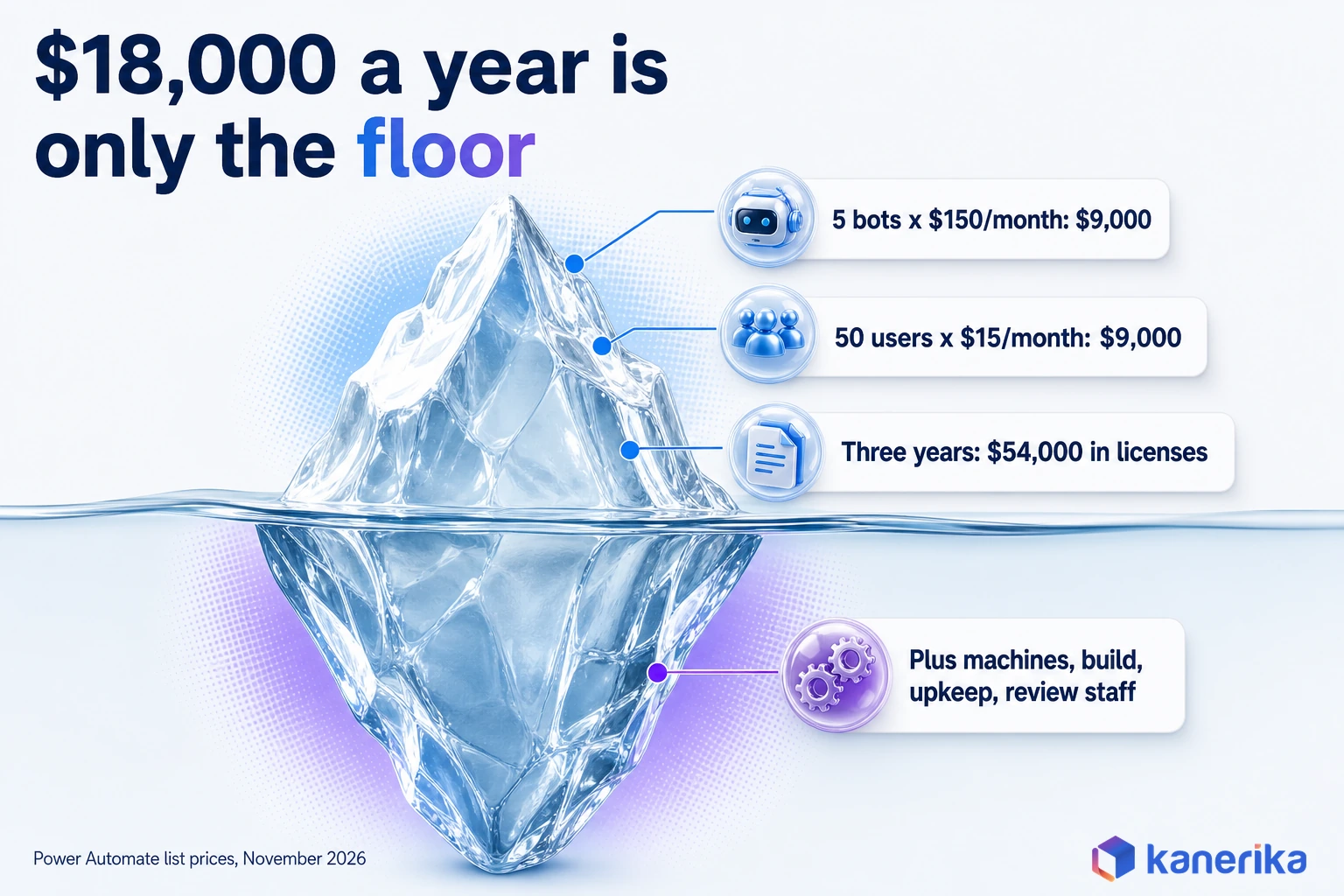
Budget for the Three-Year Total Cost
A realistic budget runs for three years, because the first year carries the build and the later years carry the upkeep. Six lines cover most programs:
- Licenses: users, bots, apps, tasks or tiers, from the table above.
- Infrastructure: machines for unattended bots, unless the vendor hosts them.
- Build: process analysis, flow design, testing and the first rollout.
- Bot maintenance: fixes when a screen, a form or an API changes.
- Exception handling staff: the people who clear the review queue each day, since exceptions never reach zero.
- Governance: security reviews, audits, access checks and a small automation team.
Hosting is a good example of a trade-off the table hides. Power Automate’s Hosted Process costs $65 more per bot each month than Process ($215 against $150), or $780 more per bot per year. That premium also buys a machine you do not have to patch or monitor. Compare it with what your own virtual machine and its upkeep really cost before you decide.
The exception line is the one most budgets miss. If a tenth of items still need a person, that review time is a permanent running cost. Lowering it through better extraction is often where the return on the whole program comes from.
Governance, Risks and Common Buying Mistakes
Governance is the part of an automation program that decides whether it survives its first audit. A bot that posts entries or an agent that sends emails is acting on behalf of the company. So it needs the same controls as a new employee with system access. Our AI governance framework guide covers the policy layer above these tool-level checks.
The stakes rise further with AI agents. Gartner predicted in June 2025 that over 40% of agentic AI projects will be canceled by the end of 2027. Its reasons were costs, unclear business value and weak risk controls. Each of those causes is something a buyer can check before signing. Check cost with a three-year price and unclear value against a baseline you measured first. Then probe weak controls with the pilot tests below.
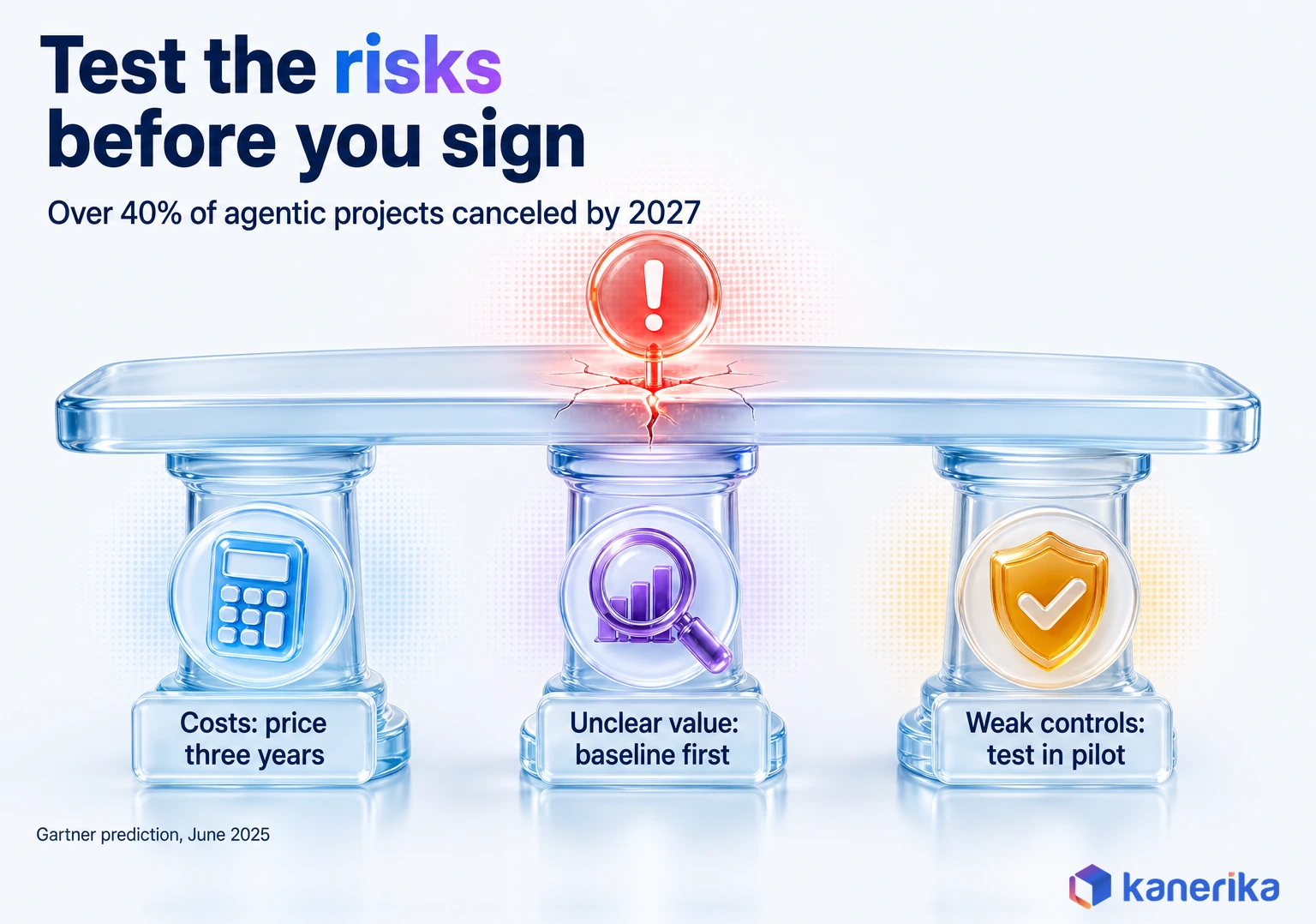
Risk Controls to Test in the Pilot
The table turns each common risk into a control and a test you can run in the pilot. If a vendor cannot pass the test, the gap becomes your build work, so it belongs in the cost model too.
| Risk | Control | Acceptance test in the pilot |
|---|---|---|
| Bots share one powerful account | A named identity per bot or agent, with least-privilege access | Each bot shows up by name in logs but cannot open apps outside its scope |
| Low-confidence reads post silently | Human review below a set confidence threshold | A deliberately bad scan lands in the review queue instead of the ERP |
| No record of who decided what | Step-level audit trail kept for your retention period | You can trace one item from intake until posting, including every correction |
| A screen change breaks a bot | Monitoring, alerts and a fallback queue | An alert fires when a field label changes |
| Extraction accuracy drifts | Accuracy tracked per vendor or document type | A monthly report shows field accuracy and review rates |
| An agent goes beyond its task | Allowed actions, spending limits and approval points | A request outside policy is refused or sent to a person |
Run these tests on every shortlisted tool, not only the favorite. They take only a few days, but they often separate two tools that scored close on paper. Once a tool passes, our guide to moving an AI pilot to production covers the next step.
Agent platforms deserve one extra check. Ask the vendor to show the full log of a multi-step agent run, including the tools it called and the data it saw. If they cannot show that, you will not be able to show it to your auditor either.
Five Buying Mistakes to Avoid
Most failed automation purchases trace back to a small set of choices made before the contract. These five come up again and again, especially on a first purchase:
- Buying for the demo process: the vendor’s clean sample hides your real exception rate until go-live.
- Pricing year one only: bots, apps and task volume grow, while upkeep starts in year two.
- Skipping process mining on a messy process: automating a broken flow only makes it fail faster than before.
- Leaving review queues for later: without them, exceptions go back to email and spreadsheets.
- Treating agents like bots: because an agent chooses its own steps, it needs limits and logs a fixed bot never did.
Each one is cheaper to fix in the selection stage than after go-live. A one-page note of how the program will handle each risk is often enough to keep the purchase honest. For regulated work, our AI compliance guide covers the regulatory side.
Benefits of Intelligent Automation Tools, and Their Limits
The benefits of intelligent automation tools show up in the exception queue, not in the demo. A plain bot already handles clean items, so the gain comes from the work a person used to redo by hand.
Four benefits come up in most programs that reach production:
- Less manual rework: uncertain reads go to a review queue instead of back to keying, which is how the AP case later cut manual intervention by 90%.
- Faster turnaround: items stop waiting in inboxes, and one Kanerika healthcare client saw invoice turnaround become 50% faster.
- A record of every decision: step-level logs show who or what changed an item, which makes audits shorter.
- Sturdier flows: API-based steps break less often than screen bots, so upkeep falls as more steps move to APIs.
The limits matter just as much. Exceptions never reach zero, so review staff stay a running cost. Agents also add risk that fixed bots never carried, which is why Gartner expects many agentic projects to be canceled. Pick the tool for the benefit you can measure on your own baseline, and treat the rest as upside.
Where Intelligent Automation Pays Off: Use Cases by Function
Intelligent automation pays off fastest where work is high-volume, document-heavy and full of small exceptions. Those are the processes where a plain bot stalls and a person still spends hours re-keying data.
The table below pairs common processes with the tool category to start from. Treat it as a starting map, because the estate and gate checks above still decide the final tool.
| Function | Process | Tool category to start with | Read more |
|---|---|---|---|
| Finance | Invoice capture, PO matching and posting | IDP plus RPA, with a review queue | AP automation guide |
| Insurance | Claims intake and document checks | IDP plus case orchestration | AI agents for insurance claims |
| HR | Employee onboarding across HR, IT and payroll | iPaaS or service workflow | Workato and ServiceNow sections above |
| IT and employee service | Access requests, password resets and tickets | Service workflow plus AI agents | ServiceNow section above |
| Customer service | Email triage, case routing and replies | Language models plus orchestration | customer service automation; conversational AI |
| Supply chain | Order processing and supplier documents | Process mining, then IDP plus RPA | Celonis section above |
Finance is where most programs begin, and for a plain reason. Invoices are frequent, the rules for checking them are clear, and a mistake shows up quickly in the ledger. Our roundup of AI finance tools covers the finance-only options. The next section shows what that looks like in a real build.
AI Assessment
Is Your Team Ready for AI-Led Automation?
Score your data, governance and skills in a few minutes to see which processes are ready for AI agents and which need groundwork first.
Start Your AI Assessment →How Kanerika Delivers Intelligent Automation in Stages
Kanerika builds intelligent automation in four stages, so each spend decision rests on evidence from the stage before. The stages map to the funnel in this guide, from process baseline to scaled rollout.
- Assess and baseline: measure the process as it runs today, including volume, exception rate and hours spent, so results can be proven later.
- Pick the architecture and run a comparative pilot: apply the hard gates, score the survivors, then test the top two on real documents.
- Harden for production: build exception queues, human review, bot identities and audit logs before go-live.
- Measure and scale: track the baseline numbers monthly, then add the next process on the same platform.
Our RPA services team covers all four stages. For agent-led work, our AI services add the models and guardrails. Document-heavy flows can also run on FLIP, Kanerika’s own workflow platform.
Case Study: 90% Less Manual Work in Accounts Payable
A leading US fuel distribution company had an AP team keying more than 1,000 PDF invoices a month into NetSuite by hand. The invoices came from more than 50 vendors, each with its own layout, so templates kept breaking and errors crept in.
Kanerika built the exact pattern from the invoice walkthrough earlier. In this case, UiPath AI/ML models extract the invoice fields. Anything the model is unsure about goes to a person for review in UiPath Action Center, while clean data is entered into NetSuite automatically.
According to the accounts payable automation case study, the results were:
- A 90% reduction in manual intervention.
- More than 400 man-hours saved per month after the first three months.
The review step is why it worked. The model did not need to be perfect, because the uncertain reads went to a person instead of the ledger. Another Kanerika invoice project, for a North American healthcare provider with 30+ remote centers, delivered 50% faster invoice turnaround, as the automated invoice management case study shows.
Case Study
50% Faster Invoice Turnaround for a Healthcare Provider
Kanerika automated invoice management for a North American healthcare provider running 30+ remote centers, cutting invoice turnaround time by 50%.
Read the Case Study →Your Intelligent Automation Shortlist: What to Do Next
Start from the estate table above, then keep only the intelligent automation tools that pass your gates and win a pilot on your exceptions.
Use this checklist to move from list to decision:
- Pick one high-volume process and measure its volume, exception rate and hours today, before any build.
- List every system it touches and mark each as API or screen-only.
- Write your hard gates with security and IT, then cut any tool that fails one.
- Set scorecard weights before the first demo, then score the survivors.
- Price three years, including bots, machines, build, upkeep and review staff.
- Pilot the top two on the same real documents while you run the governance tests.
Bring one number to the first vendor call: last month’s real exception rate. Every quote, score and pilot afterward should be measured against it. The intelligent automation tools to choose in 2026 are the ones that fit your estate, pass your gates and beat the runner-up on your exceptions.
Frequently Asked Questions
What is an example of intelligent automation?
Accounts payable is the classic example. A bot collects invoices from email, document AI reads the vendor, amount and PO number, and a validation step checks them against the ERP. Clean invoices post automatically, while doubtful fields go to a clerk for a quick review. The same pattern works for claims, onboarding forms and customer emails.
What is the difference between RPA and intelligent automation?
RPA repeats fixed, rule-based steps on screens and systems, and it stops when the input changes. Intelligent automation adds AI that reads documents, classifies requests and scores confidence, plus a review queue for anything uncertain. Intelligent process automation, or IPA, is another name for the same idea. RPA is usually one layer inside it.
What are the best intelligent automation tools for enterprises?
Strong enterprise options include Microsoft Power Automate, UiPath, Automation Anywhere, SS&C Blue Prism, Appian, Pega, ServiceNow, Workato, Celonis and IBM watsonx Orchestrate. The best one depends on your estate. Microsoft shops usually start with Power Automate, legacy screen work suits RPA vendors, API-rich SaaS suits Workato, and complex cases suit Appian or Pega.
How do I choose an intelligent automation platform?
Start with hard gates such as data residency, the systems involved, volume, review needs and team skills, and drop any tool that fails one. Score the survivors with weights you set before demos. Then pilot the top two on the same month of real documents and let the exception rate and governance tests decide.
How much do intelligent automation tools cost?
As of November 2026, Power Automate Premium lists at $15 per user per month and an unattended bot at $150 per month, both paid yearly. IBM watsonx Orchestrate starts at $578 per month, and UiPath Basic at $25 per month. Many vendors quote only, so budget three years of licenses, machines, build, upkeep and review staff.
How do UiPath and Power Automate compare?
Power Automate suits companies already on Microsoft 365, since identity, admin and Teams approvals come built in, and its Premium plan includes process mining. UiPath is stronger on screen automation for older applications and offers AI document extraction with review in Action Center. Many teams score both, then pilot them on the same documents.
Can intelligent automation tools work with legacy systems?
Yes. RPA bots work through the same screens a person uses, so they can automate older ERP clients and desktop apps that have no API. UiPath, Automation Anywhere, SS&C Blue Prism and Power Automate desktop flows all cover this. Screen bots need monitoring, because a changed field or layout can break a run without warning.
What governance controls do intelligent automation tools need?
Give each bot or agent its own identity with least-privilege access. Send low-confidence results to human review, keep a step-level audit trail, and monitor runs so a broken screen raises an alert. Agents also need allowed actions, spending limits and approval points. Test every control during the pilot rather than after go-live.
Should I extend my existing platform or buy a specialist automation tool?
Extend what you already run when most of the work lives there, such as Power Automate for Microsoft estates or ServiceNow for ticket-based work. Identity, data and skills come with it. Buy a specialist tool when a hard gate fails, for example screen-only legacy systems, heavy document variety or complex case rules.
How do I measure ROI from intelligent automation?
Measure the process before you automate it, recording volume, exception rate, hours spent and error rate. After go-live, track the same numbers monthly along with the time people spend on the review queue. Compare the hours saved and errors avoided with three-year costs for licenses, infrastructure, build, maintenance and governance to get a defensible return.
What is the main purpose of IPA?
The main purpose of intelligent process automation is to finish whole processes end to end, including the messy parts that simple bots cannot handle. It reads unstructured documents, makes routine decisions, and routes exceptions to people with the context they need. The result is less re-keying, faster cycle times and a full audit trail of each item.
What is an AI automation tool?
An AI automation tool is software that uses machine learning or language models to perform work a fixed rule cannot. Typical jobs include extracting fields from invoices, classifying emails, summarizing cases and deciding the next step in a workflow. Most enterprise platforms in this guide combine those AI features with bots, integrations and human review queues.
Is intelligent automation the same as AI?
Intelligent automation uses AI, yet it is a wider idea. AI supplies the reading, prediction and language skills, and automation supplies the bots, integrations and workflows that act on them. Asking which is better misses the point, because each needs the other. AI without automation produces insights nobody acts on, and automation without AI breaks on exceptions.
What best defines intelligent automation?
Intelligent automation is the combination of process automation, AI and human review that completes business processes end to end. It is also called smart automation, intelligent process automation or cognitive automation. The defining trait is that it expects exceptions, scores its own confidence and hands uncertain cases to a person instead of failing or guessing silently.
What is the difference between intelligent automation and hyperautomation?
Intelligent automation describes the technology stack for automating one process with bots, AI and review. Hyperautomation is a company-wide program that tries to automate as many processes as possible, often adding process mining and a central automation team. Kanerika’s guide to intelligent automation vs hyperautomation explains where each approach fits and how they connect in practice.
How is AI used in automation?
AI handles the steps that need judgment. Document AI reads invoices and forms, classification models sort emails and tickets, and language models draft replies or summaries. Predictive models score risk or priority. Each AI step returns a confidence score, so the workflow can act automatically on confident results and send uncertain ones to a person for review.
Which three elements are needed to manage an intelligent automation program?
A well-run program needs three elements. First comes governance, meaning bot identities, access rules, audit trails and review thresholds. Second is a delivery team that can assess processes, build flows and fix them when systems change. Third is measurement, so volume, exception rates and hours saved are tracked against a baseline taken before automation started.
What are the classes of intelligent automation?
Intelligent automation tools fall into six classes. RPA automates screen steps, intelligent document processing reads documents, and case orchestration manages long-running work with rules and approvals. Integration platforms connect systems through APIs, process mining shows how processes really run, and AI agent orchestration coordinates agents that plan steps and hand off to people when needed.