TL;DR
For pipelines that span several platforms, Apache Airflow is the best of the data orchestration tools in 2026. Teams on Microsoft Fabric should choose Fabric Data Factory. Teams on Databricks should choose Lakeflow Jobs. Dagster is best for tracking data tables and their lineage. Prefect is best for flexible Python code, and Kestra for simple YAML workflows. Whatever you pick, test a failed task, a backfill and a rerun on your own data first.
Key Takeaways
- Data orchestration tools decide what runs, when, in which order and what happens on failure; they do not move or transform data themselves.
- Apache Airflow 3, generally available since April 2025, is the cross-platform default, while Dagster, Prefect and Kestra each win on a specific developer model.
- Fabric Data Factory and Databricks Lakeflow Jobs are the simplest choice when one platform holds most of the work.
- Dagster is part of Prefect after the acquisition announced on July 13, 2026. Its open-source project and Dagster+ both continue, so existing users face no forced move.
- Pricing differs by model: open-source tools cost engineering time, Dagster+ and Prefect Cloud charge by plan, and Fabric and Databricks bill through capacity or compute.
- Judge tools on recovery: a pilot should prove retries, backfills and reruns before any tool reaches production.
Watch on YouTube
Databricks Genie ZeroOps: AI That Fixes Broken Pipelines
A short Kanerika walkthrough of how AI can spot and fix broken data pipelines, the same silent failure this guide opens with.
When a 2 a.m. Load Fails Silently
At 8 a.m. on a Monday, the finance director opens the revenue dashboard and finds it blank.
The cause, though, sits six hours upstream. At 2 a.m., a nightly load from the order system timed out because a slow API call never answered. Nothing retried it, nothing raised an alert, and every report downstream waited for data that never came.
By the time an engineer traces the gap, the morning review has already run on last week’s numbers. The fix itself takes ten minutes, but finding it took three hours. No single system knew the load had failed or which reports depended on it.
In short, that missing system is what a data orchestration tool provides. It knows the order every job must run in, and it also retries the ones that fail. When retries run out, it alerts a person, and once the source recovers it can rerun just the broken slice.
This guide ranks the six data orchestration tools that handle that job best in 2026. It also explains how we judged them and shows how to pick the one that fits your platforms and your team.
What Does a Data Orchestration Tool Do?
A data orchestration tool is the control layer for your data pipelines. It decides what runs, when it runs, in what order, and what happens when something breaks.
Think of it as air traffic control for your data. The planes are your ingestion jobs, dbt models, Spark notebooks and machine learning steps, and each one does the actual flying. The controller carries no passengers, but without it planes leave in the wrong order and nobody notices when one goes missing.
That distinction matters when you compare tools. An orchestrator is judged on how well it coordinates and recovers work, not on speed, because the systems it calls do the moving. Our guide to data pipeline architecture also shows where it sits in the wider stack.
The Five Jobs Every Orchestrator Does
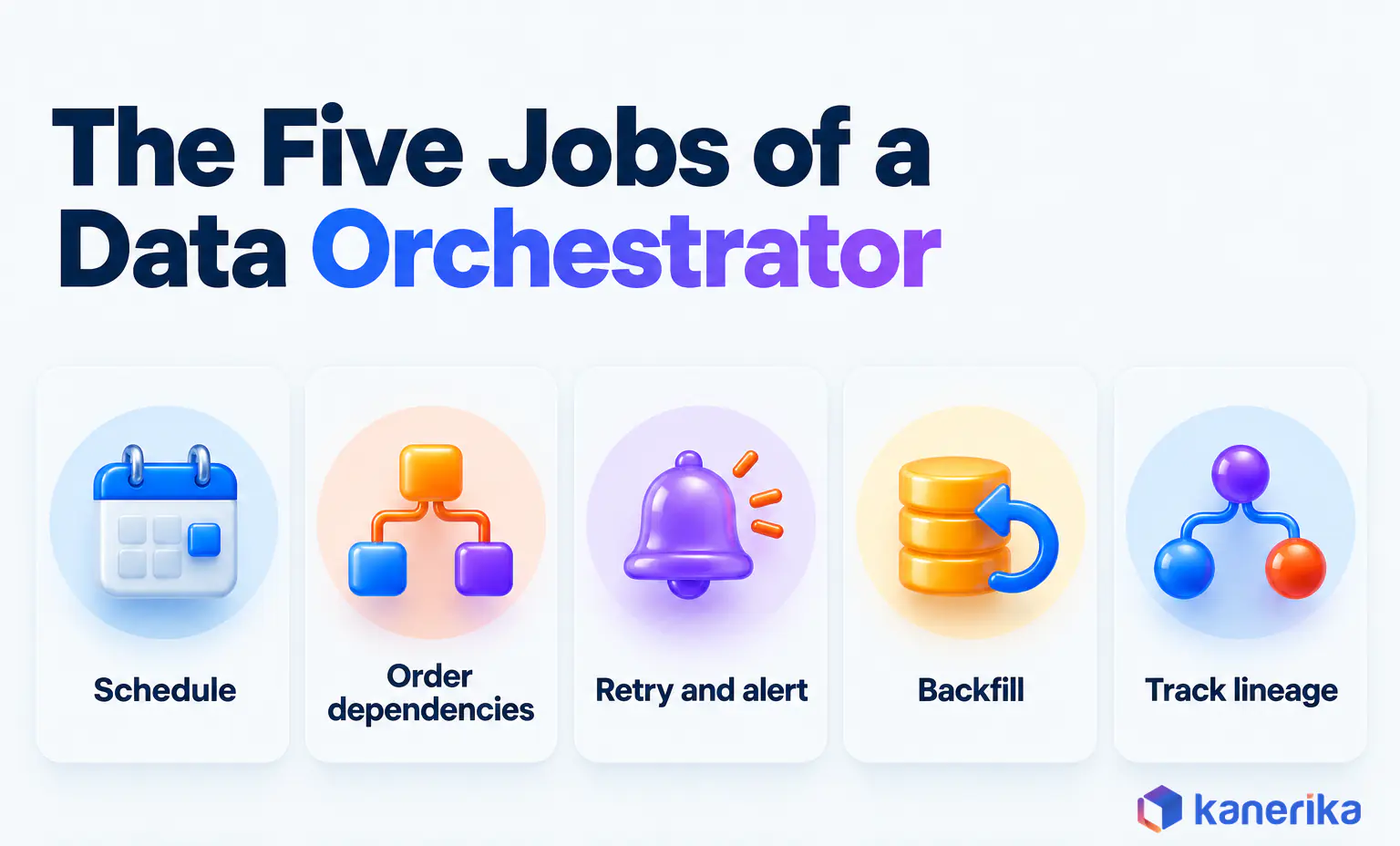
Every tool in this guide covers the same five jobs. Still, they differ in how they express each one and in how much of the work you operate yourself.
- Scheduling and triggers. Runs work on a time schedule, such as 2 a.m. daily, or in response to an event, such as a file landing or an upstream job finishing.
- Dependencies. Encodes which steps must finish before others start, either as a task graph (a DAG) or as a map of data assets that depend on each other.
- Retries and alerting. Retries failed steps after a delay, then notifies a person through email, Slack or an incident tool when retries run out.
- Backfills and reprocessing. Reruns a pipeline for a past date range, or only for the failed slice, without duplicating data that already loaded.
- Observability and lineage. Shows run history, durations and failures, and records which datasets each run read and wrote.
Teams rarely adopt an orchestrator for the first job alone, though. Cron can schedule a script, but it cannot tell you the script failed, retry it with backoff or rerun last Tuesday for one region. So once a team runs more than a handful of linked pipelines, babysitting failures soon costs more than setting up a proper orchestrator.
The earliest stages an orchestrator schedules are usually data extraction and data ingestion, the jobs that pull raw data from source systems and land it. Everything downstream, from transformation to the dashboard refresh, then waits on those jobs finishing cleanly.
What Orchestration Is Not
Many data tools include a scheduler, so they can look like orchestrators. The test is simple: does the tool coordinate work across other systems and own failure recovery, or does it do one kind of work itself?
| Tool | What it does | Does it orchestrate data pipelines? |
|---|
| ETL and ELT tools (Informatica, SSIS, Fivetran) | Extract, load and transform data between systems | Partly: they schedule their own jobs, but coordinating other tools is limited |
| dbt | Transforms data inside the warehouse with SQL models and tests | Within its own project only; cross-system work still needs an orchestrator |
| Apache Kafka | Streams events between systems in real time | No: it moves events, and an orchestrator can trigger work when they arrive |
| Apache Spark | Processes large datasets in parallel | No: it is the engine an orchestrator calls |
| Kubernetes | Schedules and runs containers | Not for data logic: it orchestrates containers, and Argo Workflows adds the pipeline layer |
| Jenkins | Builds, tests and deploys software (CI/CD) | Rarely: it can run scripts on a timer but lacks backfills and data lineage |
This guide focuses on tools whose main job is coordinating data pipelines. The split between pipelines and ETL is explained further in data pipeline vs ETL. For the wider category, including business process and IT workflow engines, see our guide to workflow orchestration tools. Similarly, coordinating AI agents is a separate problem, covered in AI agent orchestration.
How We Evaluated These Data Orchestration Tools
We judged each tool on how it behaves in production, because that is where orchestration earns its cost. A tool that looks elegant in a demo but cannot rerun one failed partition cleanly will cost more engineering hours than it saves.
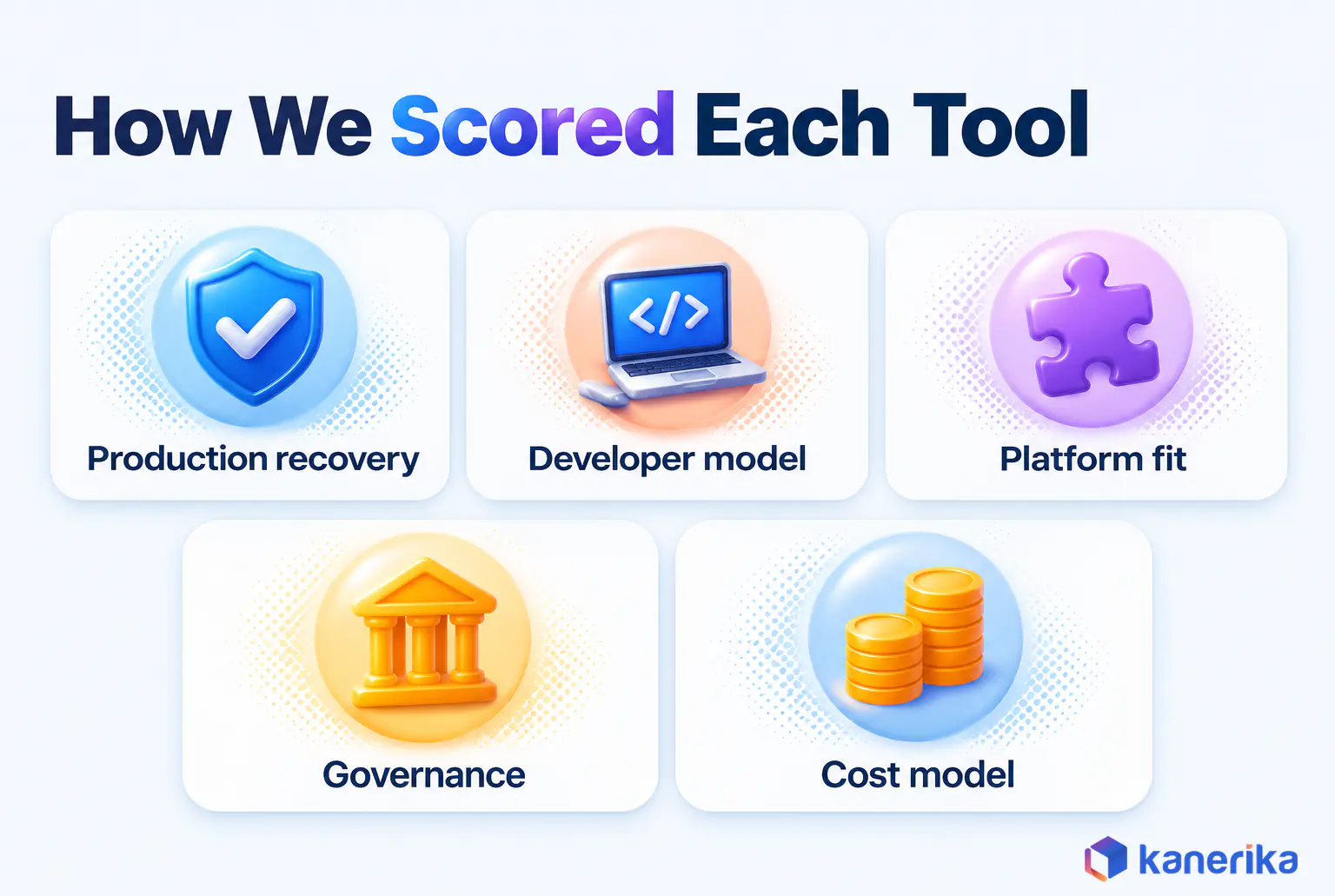
Each tool was assessed against five criteria, using vendor documentation, release notes and pricing checked in October 2026.
- Production recovery. How retries, backfills, partial reruns and alerting work, and how much setup they need.
- Developer model. Whether pipelines are Python code, declared data assets, YAML files or visual designs, and how that fits your team’s skills.
- Platform fit. How well the tool reaches your systems, from cloud data warehouses to SAP and on-premises databases, and whether it is tied to one platform.
- Governance. Role-based access control, audit logs, lineage and secrets handling, the data governance controls that decide whether a security team will sign off.
- Cost model. What you pay the vendor for (infrastructure, plans, credits or capacity) and what you pay in people to run it.
Monitoring sits inside the first and fourth criteria rather than in a section of its own. Watching pipeline health after deployment is also its own discipline, which our guide to data pipeline monitoring tools covers in depth.
One honest caveat still applies to any ranking. The order below reflects breadth of fit across typical enterprise estates, so a narrower estate can change it. That is why no list replaces a pilot on your own workloads.
The 6 Best Data Orchestration Tools in 2026
Six tools stand out as the best data orchestration tools in 2026: Apache Airflow, Dagster, Prefect, Kestra, Microsoft Fabric Data Factory and Databricks Lakeflow Jobs. Four of them are open source and work across platforms, while the last two are built into the data platform they serve.
Which one fits you depends mostly on two questions: how many platforms your pipelines span, and how your engineers prefer to define work. The table answers both at a glance before the detailed reviews.
Comparison at a Glance
| Tool | Model | Licence | Managed option | Pricing unit | Best for |
|---|
| Apache Airflow | Code-first (Python DAGs) | Apache-2.0 | Astronomer, Amazon MWAA, Google Cloud Composer, Fabric Apache Airflow job | Free software; you pay for infrastructure or the managed service | Pipelines that span several platforms |
| Dagster | Asset-based (Python) | Apache-2.0 | Dagster+ | Monthly plan plus credits | Asset lineage and data quality |
| Prefect | Code-first (dynamic Python) | Apache-2.0 | Prefect Cloud | Free Hobby tier, then monthly plans | Dynamic, Python-heavy workflows |
| Kestra | Declarative (YAML) | Apache-2.0 | Kestra Enterprise and Cloud | Free open source; paid editions | Event-driven work, mixed-skill teams |
| Microsoft Fabric Data Factory | Platform-native (pipelines plus Airflow jobs) | Proprietary | Built into Fabric | Fabric Capacity Units | Microsoft Fabric estates |
| Databricks Lakeflow Jobs | Platform-native (jobs, tasks, triggers) | Proprietary | Built into Databricks | Databricks compute consumption | Databricks-centred workloads |
Plan names and pricing units are as each vendor published them in October 2026, so check for later changes. The cost section further down explains what each unit means in practice.
1. Apache Airflow: Best Cross-Platform Default
Apache Airflow is the orchestrator most data engineers have met, and it remains the safest default when pipelines cross several platforms. You define each pipeline as a Python DAG. A large provider ecosystem then lets the same DAG call Snowflake, Databricks, cloud storage, SAP extracts and dbt.
Airflow 3 reached general availability on April 22, 2025, according to the Apache Airflow project. It brought a React-based UI, DAG versioning, improved backfill support and a Task Execution Interface with Task SDKs. Since then, releases have continued, and the latest on PyPI in October 2026 is 3.3.2.
The trade-off, however, is that you operate it, since self-hosted Airflow means running a scheduler, workers, a metadata database and regular upgrades. Many teams hand that work to a managed service such as Astronomer, Amazon MWAA, Google Cloud Composer or the Apache Airflow job inside Microsoft Fabric.
- Strengths: the widest integration reach, a large talent pool, and mature retry and backfill controls.
- Limits: pipelines are modeled as tasks first, so data lineage needs extra setup, and self-hosting needs dedicated platform skills.
- Pick it when: your pipelines touch three or more platforms and your team writes Python.
Airflow is also the glue in many lakehouse builds, because it can call storage, compute and BI layers from one schedule.
Case Study
90% Less Data Lag with Databricks and Airflow
A financial services provider whose KPI reporting ran three days behind moved to Airflow-orchestrated ingestion and Databricks processing, cutting data lag by 90% and reporting latency by 96%.
Read the Case Study →
2. Dagster: Best for Data Assets and Lineage
Dagster starts from a different question. Instead of asking which tasks to run, it asks which data assets should exist and how fresh they must be. Those assets are usually tables, files and models, so they match what analysts already query. You declare the assets in Python, and Dagster works out the run order from their dependencies.
That asset view pays off when something looks wrong. For example, an engineer can open the asset graph, see which upstream table is stale and rebuild only that branch. Data quality checks attach to the asset itself, so failures show up where analysts already look.
The open-source project is Apache-2.0 licensed, and the latest release on PyPI in October 2026 is 1.13.26. Dagster+, the managed platform, starts at $10 a month for Solo and $100 a month for Starter, per the Dagster pricing page in October 2026. Usage is also billed in credits, and there is a 30-day trial.
The bigger news, though, is ownership. On July 13, 2026, Dagster announced that Prefect is acquiring Dagster Labs. Dagster’s customer FAQ, checked in October 2026, says Dagster is part of Prefect. It also says the open-source project will continue and that Dagster+ keeps operating unchanged.
For a buyer, that means no forced migration. It is still worth reading the combined roadmap before signing a multi-year commitment.
- Strengths: an asset graph with lineage, data quality checks attached to each asset, and rebuilds of only the stale branch.
- Limits: teams used to task graphs have to rethink pipelines as assets. Since the July 13, 2026 acquisition announcement, the roadmap is set by Prefect, which says it has no plans to merge the two products.
- Pick it when: your analytics engineers think in tables and lineage and want quality checks inside the model.
3. Prefect: Best for Dynamic Python Workflows
Prefect suits teams whose pipelines change shape at runtime. You turn ordinary Python functions into flows and tasks with decorators. As a result, a workflow can branch, loop or fan out based on data it has just read, with no fixed graph declared first.
That makes Prefect a natural fit for API-driven ingestion, data science pipelines and event-heavy work where the number of steps is not known in advance. It also suits teams that want pipeline code to look like application code and to test it with normal Python tooling. Where those pipelines train and ship models, the needs widen into MLOps orchestration, which adds model versioning and experiment tracking.
Prefect 3 is the major version in October 2026, with 3.9.0 the newest release on PyPI in October 2026, and the core is Apache-2.0 licensed. Prefect Cloud has a free Hobby tier and a Starter plan at $100 a month, while Team and Enterprise tiers sit above it.
With Dagster part of Prefect after the July 2026 deal, Prefect stewards two of the four open-source tools on this list. Existing Prefect users see no change, while teams comparing the two should expect one company to plan both roadmaps.
- Strengths: runtime branching in plain Python, pipeline code that reads like application code, and testing with normal Python tooling.
- Limits: less natural for SQL-only teams, since every flow is written in Python.
- Pick it when: your workflows are Python-heavy, API-driven or change shape at runtime.
4. Kestra: Best for Declarative, Event-Driven Workflows
Kestra takes the declarative route. Workflows are written in YAML, so engineers and analysts can all read the same flow without sharing a programming language.
According to Kestra, the platform has more than 2,300 plugins and supports both batch and event-driven triggers, including cron schedules, events and webhooks. That suits teams that react to events as often as they run on a clock, for example when a file lands in storage or a message reaches a queue.
Take a supplier file that lands in an S3 bucket each morning. A short YAML flow can listen for that event and run a Python script that checks the file’s columns and row count. Once the check passes, the flow starts a dbt job to rebuild the affected models. If it fails, the flow stops before dbt runs and alerts the owner, so a bad file never reaches a report.
The open-source edition is Apache-2.0 licensed, while paid Enterprise and Cloud editions serve teams that want managed hosting and enterprise controls. The main trade-off is complex logic: YAML keeps simple flows readable, but heavy transformation code still lives in the scripts a flow calls.
- Strengths: readable YAML that engineers and analysts can share, more than 2,300 plugins, and event triggers alongside schedules.
- Limits: complex logic still lives in the scripts a flow calls, and managed hosting needs a paid edition.
- Pick it when: your team mixes skills and many pipelines start from an event rather than a clock.
5. Microsoft Fabric Data Factory: Best for Fabric Estates
If your analytics already run on Microsoft Fabric, Data Factory is the orchestrator you already own. It provides visual pipelines for copy and control-flow work, and it also adds an Apache Airflow job for teams that prefer Python DAGs.
Teams planning an SSIS to Fabric migration often land here first. That is because Fabric pipelines use a visual control-flow model that feels familiar to anyone who has built SSIS packages.
Watch on YouTube
Migrating Data Pipelines from SSIS to Microsoft Fabric for SSMH | Case Study
Kanerika walks through a real SSIS to Microsoft Fabric pipeline migration, from rebuilding dependencies to running the new schedules.
Microsoft describes the Apache Airflow job as powered by Apache Airflow and as the next generation of Azure Data Factory’s Workflow Orchestration Manager. One limit matters for regulated estates: Microsoft’s documentation, updated June 17, 2026, says private networks and VNets are not supported for Airflow jobs. Check your network rules before you plan around it.
Billing follows the Fabric model, with consumption translated into Fabric Capacity Units, tracked in the Capacity Metrics app, as the Data Factory pricing overview explains. That keeps orchestration on one bill, although a busy schedule then competes for the same capacity as your reports and notebooks.
- Strengths: one bill, visual pipelines plus Airflow jobs, and a control-flow model familiar to SSIS teams.
- Limits: no private network or VNet support for Airflow jobs, and orchestration shares capacity with reports and notebooks.
- Pick it when: most of your data and BI already runs on Microsoft Fabric.
6. Databricks Lakeflow Jobs: Best for Databricks Workloads
Lakeflow Jobs is the orchestrator built into Databricks. The Databricks documentation organizes it around three concepts: jobs, tasks and triggers. So a single job can chain ETL pipelines, notebooks and machine learning steps on the Databricks Data Intelligence Platform with no extra infrastructure to run.
The main advantage is proximity. Jobs share the workspace’s permissions and compute, so a team working mostly in Databricks gets orchestration without another system to secure and patch.
The limit, by contrast, is reach. Pipelines often also depend on SAP extracts, Snowflake loads or Power BI refreshes. In that case, many teams keep Lakeflow Jobs for Databricks work and let Airflow coordinate across platforms. Lakeflow Jobs is billed through Databricks compute consumption, and the Lakeflow Jobs pricing page lists the rates.
- Strengths: no extra infrastructure, with jobs sharing the workspace’s permissions and compute.
- Limits: reach beyond Databricks, so cross-platform pipelines usually need Airflow alongside it.
- Pick it when: most of your work already runs inside Databricks.
Checklist
Databricks Checklist
A downloadable checklist to confirm your Databricks workspace, jobs and governance are ready before you move orchestration onto Lakeflow Jobs.
Get the Checklist →
Other Tools Worth a Look
Five more tools show up on enterprise shortlists. Each one is strong in a narrower setting than the six above.
| Tool | Where it fits | Note |
|---|
| Control-M (BMC) | Enterprise and mainframe job scheduling | SaaS or self-hosted; SaaS Starter Pack from $2,400 a month, billed annually; Enterprise on request |
| Argo Workflows | Kubernetes-native pipelines | Part of Argo, a CNCF graduated project since December 6, 2022 |
| AWS Step Functions | Serverless workflows on AWS | Visual state machines tied to AWS services |
| Mage | Notebook-style pipeline building | Apache-2.0, open-source repo still maintained |
| Snowflake Tasks | Scheduled SQL inside Snowflake | Simple task chains within one account |
Control-M particularly deserves a note for large enterprises. Where nightly batch still runs on mainframes, it often schedules those jobs alongside newer cloud pipelines, so replacing it is rarely the first move.
Open-Source vs Managed vs Platform-Native: What Orchestration Really Costs
Orchestration pricing is hard to compare because each model charges for something different. Open-source tools are free to download, managed services charge by plan or usage, and platform-native tools bill through the platform’s own units.
| Model | Example | What you pay for (as of October 2026) |
|---|
| Open source, self-hosted | Airflow, Dagster OSS, Prefect, Kestra | Infrastructure, plus the engineers who run upgrades and on-call |
| Managed service | Dagster+ | Solo $10 a month ($0.040 per credit), Starter $100 a month ($0.035 per credit), serverless compute $0.010 per minute |
| Managed service | Prefect Cloud | Hobby free; Starter $100 a month; Team and Enterprise tiers |
| Platform-native | Fabric Data Factory | Fabric Capacity Units from your Fabric capacity |
| Platform-native | Databricks Lakeflow Jobs | Databricks compute consumption |
| Enterprise scheduler | Control-M | SaaS Starter Pack from $2,400 a month, billed annually; Enterprise on request |
Hidden Costs Beyond the License
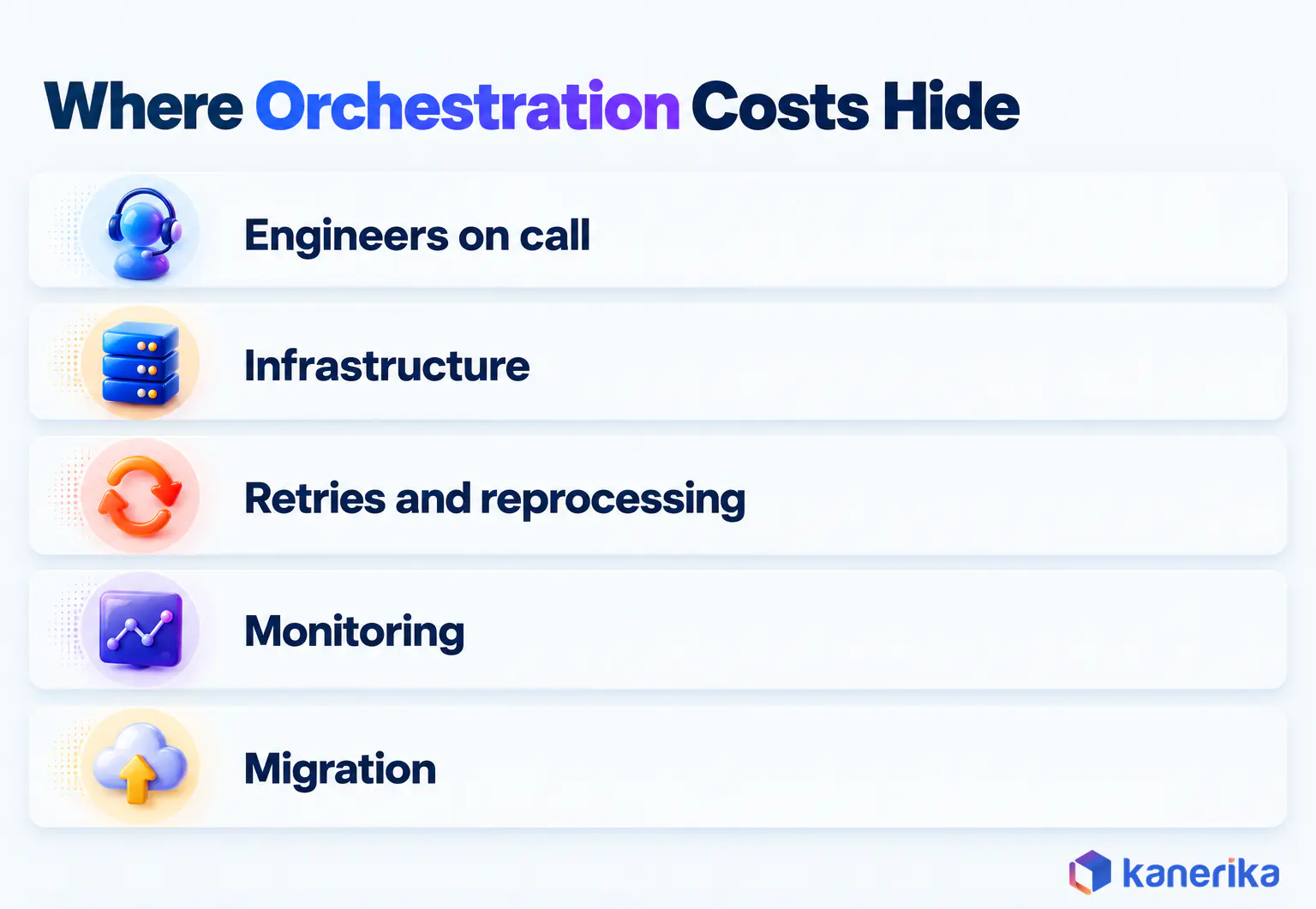
The license line is rarely the biggest number. Instead, the larger costs hide in five places, and they apply to every option above.
- Engineers on call. Someone has to answer the 2 a.m. alert, and a self-hosted tool also needs someone to patch and upgrade it.
- Infrastructure. Schedulers, workers and metadata databases run around the clock, even when no pipeline is busy.
- Retries and reprocessing. A failed run that restarts from scratch pays for compute twice, which is why partial reruns matter.
- Monitoring. Logs, metrics and alert routing need storage and tooling of their own.
- Migration. Moving hundreds of DAGs or SSIS packages to a new tool is a project with its own budget and timeline.
A useful rule is to price the people before the platform. A free tool that takes a slice of an engineer’s week can cost more than a managed plan. Platform-native tools, on the other hand, can look free until a busy schedule pushes your capacity tier up.
So compare total cost over the same period and the same workload. Count engineer hours as well as invoices, and include the reprocessing compute that a weak recovery model burns every month.
How to Choose the Right Data Orchestration Tool
The fastest way to choose is to start from your estate, not from product pages. Match your situation to the closest row below, then confirm the pick with a short pilot.
| Your scenario | Pick | Why | Watch out for |
|---|
| Pipelines span Snowflake, Databricks, SAP and BI tools | Apache Airflow | Widest reach, portable Python DAGs | Operating effort if self-hosted |
| Analytics engineers who think in tables and lineage | Dagster | Asset graph with built-in data checks | Roadmap set by Prefect since the July 13, 2026 acquisition announcement; no product merge planned |
| Python-heavy, dynamic or API-driven workflows | Prefect | Runtime branching in plain Python | Less natural for SQL-only teams |
| Mixed-skill team, many event-driven triggers | Kestra | Readable YAML and 2,300+ plugins | Complex logic still lives in scripts |
| Most data and BI already on Microsoft Fabric | Fabric Data Factory | One bill, native pipelines and Airflow jobs | No private network or VNet support for Airflow jobs |
| Most work runs inside Databricks | Databricks Lakeflow Jobs | No extra infrastructure, shared permissions | Cross-platform reach; pair with Airflow when needed |
Two patterns also show up often in larger estates. For example, a Microsoft-first enterprise runs Fabric Data Factory for most loads, and a Databricks-first one runs Lakeflow Jobs. Both then add Airflow when a handful of pipelines must cross platform boundaries, and that hybrid is normal.
Talk to Kanerika
Not Sure Which Orchestrator Fits Your Estate?
Kanerika maps your pipelines, platforms and deadlines, then runs the failure, backfill and rerun tests that show which tool will hold up in production.
Schedule a Demo →
Worked Example: A Multi-Platform Retailer
This is a hypothetical example to show the method, not a client story. Picture a retailer with SAP for orders, Snowflake as the warehouse, Databricks for demand forecasting and Power BI for reporting. That pairing is common, as our Databricks vs Snowflake comparison explains. It runs nightly batch loads, plus a few event-driven loads when supplier files arrive.
The team weights the five criteria to match its priorities: recovery 30%, platform fit 25%, developer model 20%, governance 15% and cost 10%. Each shortlisted tool then gets a score from 1 to 5 per criterion after a two-week pilot.
| Tool | Recovery (30%) | Platform fit (25%) | Developer model (20%) | Governance (15%) | Cost (10%) | Weighted score |
|---|
| Apache Airflow | 5 | 5 | 4 | 3 | 3 | 4.30 |
| Dagster | 4 | 4 | 4 | 4 | 3 | 3.90 |
| Databricks Lakeflow Jobs | 4 | 3 | 4 | 4 | 4 | 3.75 |
| Microsoft Fabric Data Factory | 4 | 3 | 3 | 4 | 4 | 3.55 |
Airflow wins because platform fit carries a quarter of the weight and the pipelines touch four systems. Dagster comes second on the strength of its asset lineage; it trails Airflow on recovery and platform fit, the two heaviest weights for this team. The practical result is a hybrid: Airflow coordinates the cross-platform schedule, while Lakeflow Jobs keeps running the forecasting jobs inside Databricks. Those jobs are triggered when the Snowflake load completes.
Change the weights, though, and the answer can change. A retailer with everything on Fabric would score platform fit very differently, and Fabric Data Factory would likely come first.
Production Readiness: Risks, Controls, and Mistakes to Avoid
Picking a tool is the easy half of the job. Whether pipelines survive a bad night, however, depends on a handful of controls that apply to every orchestrator on this list.
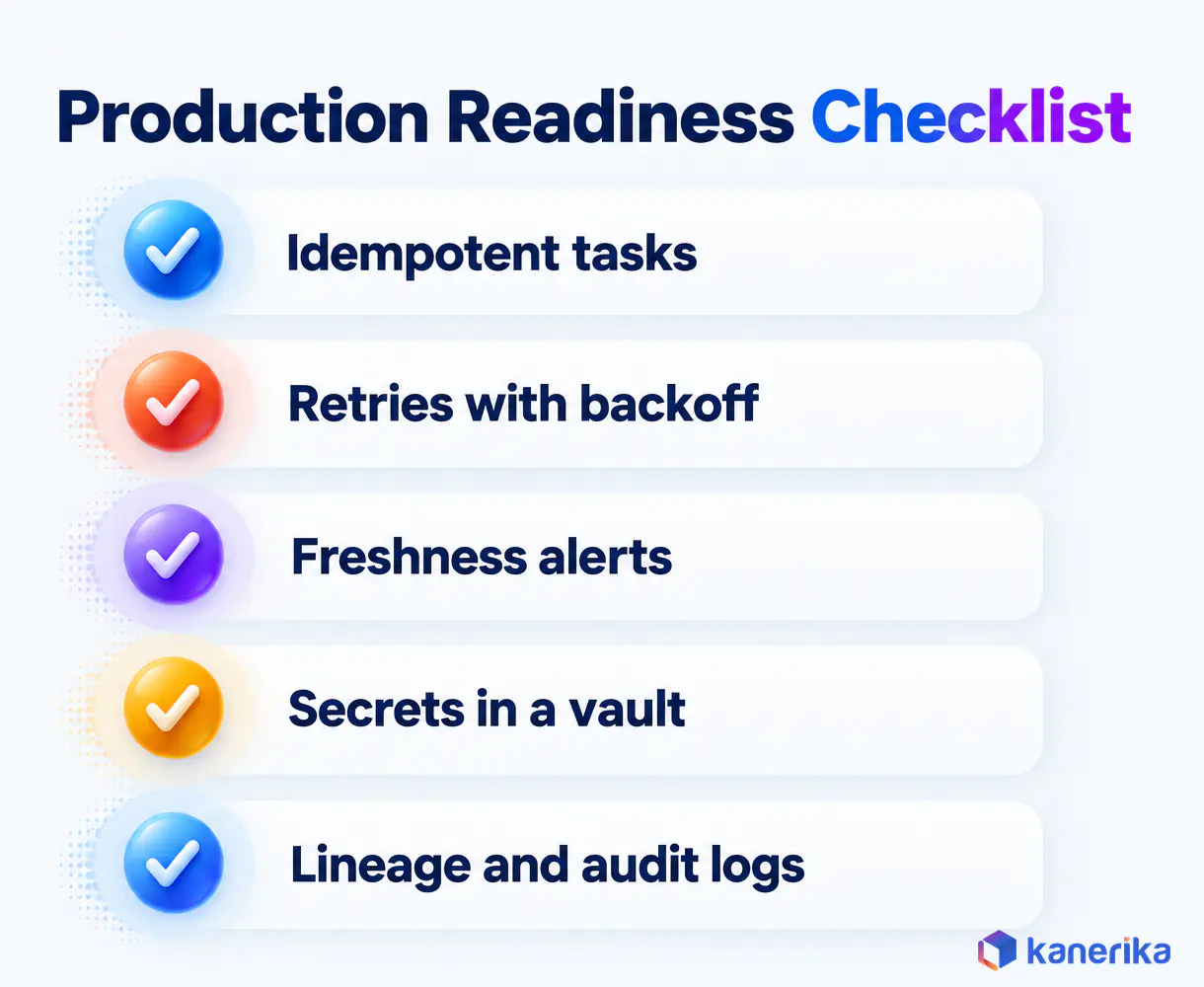
- Idempotent tasks. A task that runs twice should produce the same result as running once, usually by overwriting a date partition or using MERGE instead of INSERT.
- Retries with backoff. Retry transient failures a few times with growing delays, but fail fast on errors no retry can fix, such as bad credentials.
- Freshness targets and alerts. Define when each dataset must be ready, and alert a named owner when a run misses it, not only when it fails.
- Secrets in a vault. Keep credentials in a secrets backend or key vault, never hardcoded in DAG or flow files. Fabric’s Apache Airflow job, for example, supports Azure Key Vault as its secrets backend.
- Git and CI/CD. Version every pipeline, review changes and deploy through tests, the same way application code ships. On Databricks, Databricks Asset Bundles define jobs as files that a CI/CD pipeline deploys.
- Lineage and metadata. Record the data lineage of each run, meaning which datasets it reads and writes, so an incident can be traced upstream in minutes.
- Access control and audit logs. Limit who can trigger, edit or backfill production pipelines, and keep a record of who did what.
Retries and Idempotency in an Airflow 3 DAG
Here is what the first two controls look like in an Airflow 3 DAG. The retry settings live in one place, and the load step merges by run date, so a retry never duplicates rows.
from datetime import datetime, timedelta
from airflow.sdk import dag, task

@dag(
    schedule="0 2 * * *",
    start_date=datetime(2026, 1, 1),
    catchup=False,
    default_args={
        "retries": 3,
        "retry_delay": timedelta(minutes=5),
        "retry_exponential_backoff": 2.0,
    },
)
def nightly_sales_load():
    @task
    def extract(ds=None):
        # one partition per run date, so a rerun rewrites the same slice
        return f"s3://raw/orders/{ds}.parquet"

    @task
    def load(path: str):
        # MERGE, not INSERT, so a retry never duplicates rows
        print(f"merging {path} into sales.orders")

    load(extract())

nightly_sales_load()
Fabric users need one adjustment to this sample. Microsoft’s Airflow job documentation, updated June 17, 2026, supports only Airflow 2.10.5, with Python 3.12. On Fabric, import dag and task from airflow.decorators instead of airflow.sdk. Also set retry_exponential_backoff to True, because Airflow 2 treats it as an on/off switch.
The same ideas also carry over to every tool on the list. Dagster and Prefect set retry policies in Python, Kestra declares them in YAML, and Fabric pipelines and Lakeflow Jobs expose them as task settings.
Seven Mistakes to Avoid
Outages tend to trace back to seven avoidable mistakes, and each one maps to a control above.
Design mistakes come first. Running heavy transformations inside the orchestrator, instead of the engine it calls, makes a failure harder to trace. One giant DAG has the same effect, so split work into smaller pipelines with clear owners and record their lineage. Credentials or environment names hardcoded in pipeline code belong here too, and the secrets vault control removes them.
Recovery mistakes start with retrying everything, including errors no retry can fix, which only delays the alert. Sending alerts to a shared inbox that nobody watches at 2 a.m. defeats the freshness control, because no named owner sees them. Skipping backfill tests until the first real incident means the first backfill runs under pressure.
Change mistakes are the last group, and the clearest example is upgrading major versions, such as Airflow 2 to 3, directly in production. Git and CI/CD prevent it, since every change passes review and a staging run before it reaches the production schedule.
Running pipelines and watching the data they produce are related but separate jobs. Once these controls are in place, data observability tools add freshness, volume and schema checks on the data itself.
Together, the two layers close the gap from the opening story and lift overall data reliability. The orchestrator catches the failed load and retries it, while observability catches the load that technically succeeded but delivered half the rows.
How to Implement Data Orchestration in Production
A rollout works best in four stages, each with a clear exit test. Rushing straight from tool selection to full migration, on the other hand, is how teams end up with two half-used orchestrators.
- Assess pipelines and deadlines. List every scheduled job, its sources, its downstream reports and the time it must finish by. Our data integration best practices guide also helps when mapping sources. This inventory exposes hidden dependencies, such as a cron job three teams rely on without knowing it.
- Select the model and the tool. Use the criteria and scenario table above to choose a code-first, asset-based, declarative or platform-native approach, then a tool within it.
- Pilot on a production-like workload. Move two or three real pipelines and break them on purpose: fail a task, run a one-week backfill and rerun a single partition. Keep the tool only if all three behave predictably.
- Roll out and monitor. Migrate in waves by business domain and run old and new schedules side by side. Use data integrity testing to compare them, and retire the old jobs once outputs match.
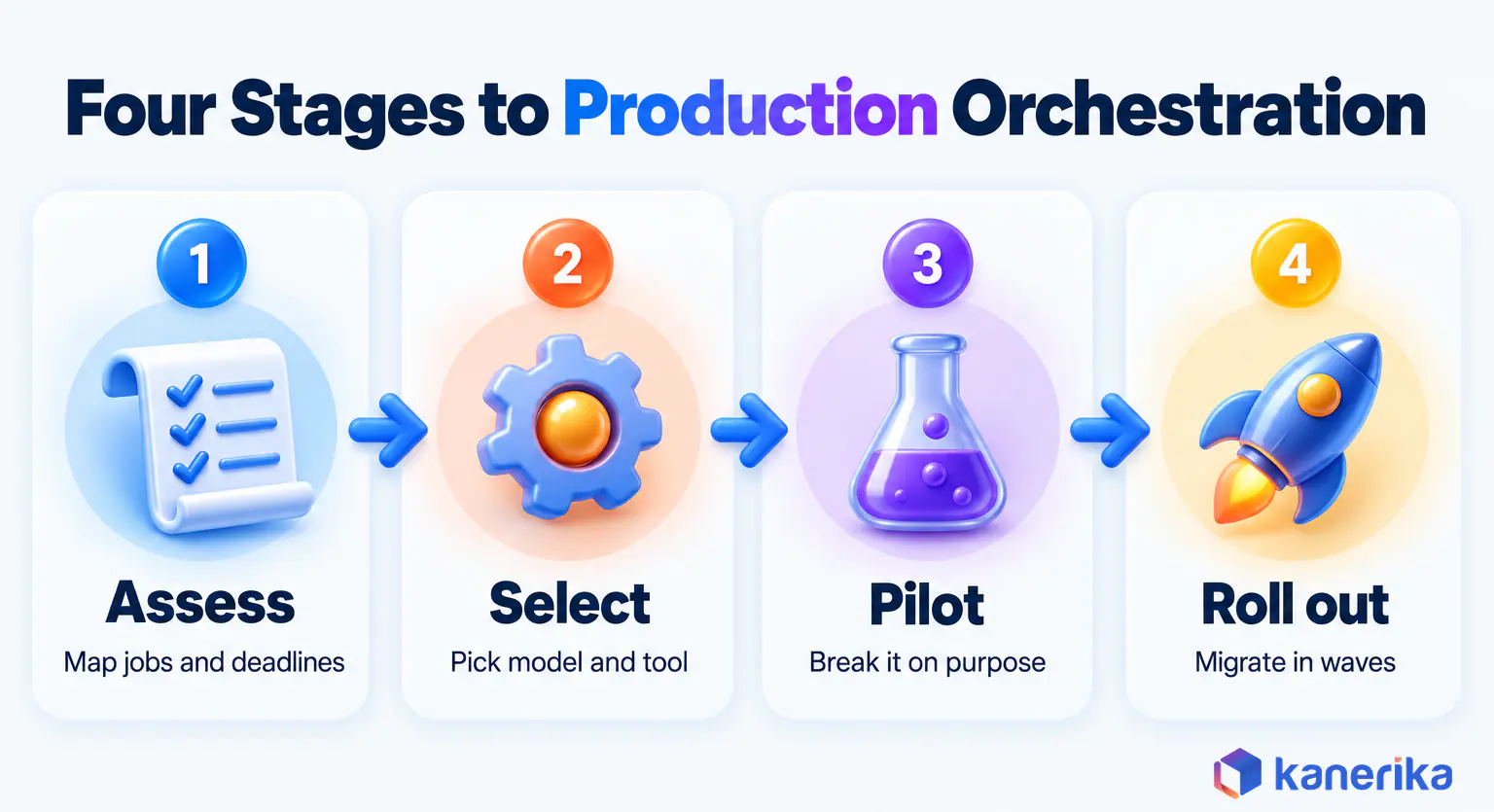
The pilot is the stage teams most often skip, but it is the one that predicts production best. A tool that handles a deliberate failure calmly in week two will handle a real one at 2 a.m. in month six.
Migration Notes: Cron, SSIS and Airflow 2 to 3
Two migrations come up often. Teams leaving cron scripts or SSIS packages usually move to Fabric Data Factory when they standardize on Microsoft. When they need cross-platform reach, they move to Airflow instead. Either way, rebuild the dependency graph explicitly rather than copying schedule times, because hidden time-based dependencies break first.
The SSIS to Fabric video in the Fabric Data Factory review above walks through one such migration.
Teams already on Airflow 2, by comparison, face a different task. Airflow 3 changed the UI, parts of the task execution model and some import paths, so plan the upgrade as a project. First test DAGs in a staging environment, then update deprecated imports and cut over one deployment at a time.
Keep the old environment available until the new one has run a full business cycle, including a month-end close. That way, a surprise in the first busy week becomes a rollback instead of an outage.
How Kanerika Helps Enterprises Orchestrate Data Pipelines
Kanerika designs and runs orchestration as part of its data engineering services, across Microsoft Fabric, Databricks, Snowflake and Airflow. The work usually starts where this guide ends, with a pipeline inventory, a pilot that proves recovery and a staged rollout.
Our financial services case study in the Airflow review above shows that work end to end. The client’s KPI reporting ran days behind. Kanerika built Airflow ingestion pipelines from protected S3 storage, then processed and enriched the data in Databricks before loading it into Dremio. Row-level security and automated data quality rules were built into the same flow.
The Recovery Pilot and Its Exit Test
The recovery pilot is where most of the effort goes. Kanerika moves two or three real pipelines onto the chosen tool and then breaks them on purpose. A task is forced to fail, a one-week backfill is run, and a single partition is rerun while the old schedule keeps running alongside.
The exit test is simple. Each failure must retry, alert a named owner and recover without duplicate rows, and the new outputs must match the old schedule’s. Only then does the rollout move to the next business domain.
On Microsoft estates, the same approach moves SSIS packages and legacy schedules into Fabric Data Factory. Kanerika’s FLIP accelerator parses the existing DTSX files and generates matching Fabric Data Pipeline definitions. Custom Script Tasks that fall outside automated conversion are flagged for manual review rather than converted silently.
On Databricks estates, the work consolidates jobs under Lakeflow Jobs and keeps Airflow at the edges where pipelines cross platforms. Data integration work connects the sources on both sides.
Choosing a partner for this work also follows the same logic as choosing a tool. Ask for evidence of recovery: how failed loads were caught, how backfills were run and how quickly reports came back. Then judge the answers against your own deadlines and platforms.
The goal comes straight from the 2 a.m. story: every failure is retried, alerted and recoverable before anyone opens a dashboard.
Kanerika Service
Data Engineering Services
Kanerika designs, migrates and runs orchestrated data pipelines across Microsoft Fabric, Databricks, Snowflake and Airflow, with recovery tested before go-live.
Explore Data Engineering Services
Which Data Orchestration Tool Is Best in 2026?
The best data orchestration tool in 2026 is the one that matches where your pipelines run. Apache Airflow is the strongest default for multi-platform estates, Dagster for asset-centric teams, Prefect for dynamic Python and Kestra for declarative, event-driven flows. Fabric Data Factory and Databricks Lakeflow Jobs are the natural picks when one platform holds most of your work.
Whichever two you shortlist, still run the same pilot: break a task, run a backfill and rerun one partition. The right one is the tool that recovers cleanly from a failed run on your own data.
Frequently Asked Questions
What are data orchestration tools, with examples?
Data orchestration tools are software that schedule, sequence and monitor data pipelines across systems. They decide what runs, when, in which order and what happens when a step fails. Leading examples in 2026 are Apache Airflow, Dagster, Prefect, Kestra, Microsoft Fabric Data Factory and Databricks Lakeflow Jobs, while Control-M and Argo Workflows serve narrower settings.
What is the best data orchestration tool in 2026?
There is no single winner, because the best choice depends on your platforms. Apache Airflow is the strongest default when pipelines span several systems. Dagster suits asset-centric teams, Prefect suits dynamic Python and Kestra suits declarative YAML. Fabric Data Factory and Databricks Lakeflow Jobs fit best when most of your work already runs on one of those platforms.
What are common ETL tools?
Common ETL and ELT tools include Informatica, Microsoft SQL Server Integration Services (SSIS), Azure Data Factory, Fabric Data Factory, Fivetran, Talend and dbt for in-warehouse transformation. They move and reshape data, while orchestration tools coordinate them. Many enterprises run several ETL tools at once and use one orchestrator to schedule all of them in the right order.
Is Kubernetes an orchestration tool?
Yes, but for containers rather than data pipelines. Kubernetes schedules, scales and restarts containerized applications across a cluster. It has no built-in idea of data dependencies, backfills or lineage. Tools such as Argo Workflows, part of a CNCF graduated project, add pipeline logic on top of Kubernetes, and orchestrators like Airflow can run their tasks as Kubernetes pods.
Is Jenkins an orchestration tool?
Jenkins is a CI/CD automation server that builds, tests and deploys software. It can run scripts on a schedule, so some teams use it to trigger data jobs. It lacks data-specific features such as backfills, dependency-aware reruns and lineage, though. For data pipelines it works best deploying orchestrator code, such as Airflow DAGs, rather than replacing the orchestrator itself.
Airflow vs Dagster: which is better?
Airflow is better when pipelines span many platforms and your team wants the widest integration reach and talent pool. Dagster is better when your team thinks in data assets and wants lineage and data quality checks built into the model. Both are open source under Apache-2.0. Run the same failure, backfill and rerun pilot on each before deciding.
What does the Prefect acquisition mean for Dagster users?
Dagster announced on July 13, 2026 that Prefect is acquiring Dagster Labs, and dagster.io now describes Dagster as part of Prefect. The FAQ states that the open-source project will continue and that Dagster+ continues to operate as it does today. Existing users face no forced migration, but should review the combined roadmap before long commitments.
Are there free open-source data orchestration tools?
Yes. Apache Airflow, Dagster, Prefect, Kestra and Mage are free, open-source and Apache-2.0 licensed, and Argo Workflows belongs to a CNCF graduated project for Kubernetes. Free to download does not mean free to run, though. You still pay for servers, storage and the engineers who operate, monitor and upgrade the tool, which often outweighs a managed plan.
How much do data orchestration tools cost?
Costs depend on the model. Open-source tools are free but need infrastructure and engineers. As of October 2026, Dagster+ starts at $10 a month, and Prefect Cloud has a free Hobby tier with Starter at $100 a month. Fabric Data Factory bills in Capacity Units, Lakeflow Jobs through Databricks compute, and Control-M’s SaaS Starter Pack starts at $2,400 a month.
Does Microsoft Fabric have built-in data orchestration?
Yes. Fabric Data Factory provides visual pipelines for copy and control-flow work, plus an Apache Airflow job for Python DAGs. Microsoft describes the Airflow job as the next generation of Azure Data Factory’s Workflow Orchestration Manager. Usage is billed in Fabric Capacity Units. One limit to check early is that Airflow jobs do not support private networks or VNets.
How do orchestration tools handle failed pipelines?
They retry failed tasks automatically, usually with a delay that grows between attempts, then alert a named owner when retries run out. Downstream tasks wait instead of running on missing data. Once the cause is fixed, engineers rerun only the failed task or partition, or backfill a date range. Idempotent tasks make those reruns safe because they never duplicate rows.
What is the difference between data orchestration and workflow orchestration?
Workflow orchestration is the broader category, covering business processes, IT automation, approvals and application workflows. Data orchestration is the subset focused on data pipelines, with data-aware features such as backfills, partitions, lineage and freshness checks. Airflow and Dagster are data orchestrators, while general workflow engines coordinate many kinds of work beyond moving and transforming data.
What is the difference between data orchestration and ETL?
ETL extracts data from sources, transforms it and loads it into a target system. Data orchestration coordinates those ETL jobs along with everything around them, deciding the order, triggers, retries and alerts. An ETL tool does the moving and reshaping, while an orchestrator makes sure each job runs at the right time and recovers cleanly when it fails.
Is Databricks a data orchestration tool?
Databricks includes one. Lakeflow Jobs, built into the platform, organizes work into jobs, tasks and triggers and can chain ETL pipelines, notebooks and machine learning steps. It works well when most pipelines run inside Databricks. When work also spans SAP, Snowflake or BI refreshes, many teams pair Lakeflow Jobs with Apache Airflow rather than replacing Airflow entirely.
Is Snowflake a data orchestration tool?
Snowflake is a data platform, not a full orchestrator. Its Tasks feature can schedule SQL statements and chain simple task graphs inside one Snowflake account, which covers many in-warehouse transformations. For pipelines that also touch external sources, other platforms or BI tools, teams usually trigger Snowflake work from an orchestrator such as Apache Airflow, Dagster or Prefect.
Is Kafka a data orchestration tool?
No. Apache Kafka is an event streaming platform that moves messages between systems in real time. It can feed real-time pipelines and support streaming ETL through Kafka Connect and stream processing, but it does not schedule batch jobs, manage dependencies or run backfills. Orchestrators such as Kestra or Airflow often trigger downstream work when Kafka events arrive.
Is Informatica a data orchestration tool?
Informatica is primarily a data integration and data management platform. It extracts, transforms and loads data and can schedule its own jobs, so it covers part of the orchestration job within its own estate. When pipelines also include dbt, Spark, Databricks or other tools, enterprises typically coordinate Informatica jobs from a dedicated orchestrator or migrate them to a platform-native one.
Is dbt a data orchestration tool?
dbt is a transformation tool, not a general orchestrator. It builds SQL models inside the warehouse in dependency order and runs tests on them, so it orchestrates within its own project. It does not coordinate ingestion, external systems or BI refreshes, which is why dbt runs are usually triggered by Airflow, Dagster, Prefect or a platform-native scheduler.
What are the basic orchestration techniques?
The basic techniques are time-based scheduling, event-based triggers, dependency graphs, retries with backoff, backfills and alerting. Time schedules run work on a clock, while triggers react to files, messages or upstream completions. Dependency graphs fix the run order. Retries, backfills and alerts handle failure, so a broken step is recovered instead of silently blocking everything downstream.
What are the main stages of a data pipeline?
Most pipelines have three main stages: ingestion, transformation and delivery. Data extraction and ingestion pull data from source systems and land it in storage. Transformation cleans, joins and models it in a warehouse or lakehouse. Delivery serves the result to dashboards, applications or machine learning models. An orchestrator schedules each stage and manages the hand-offs between them.














