TL;DR
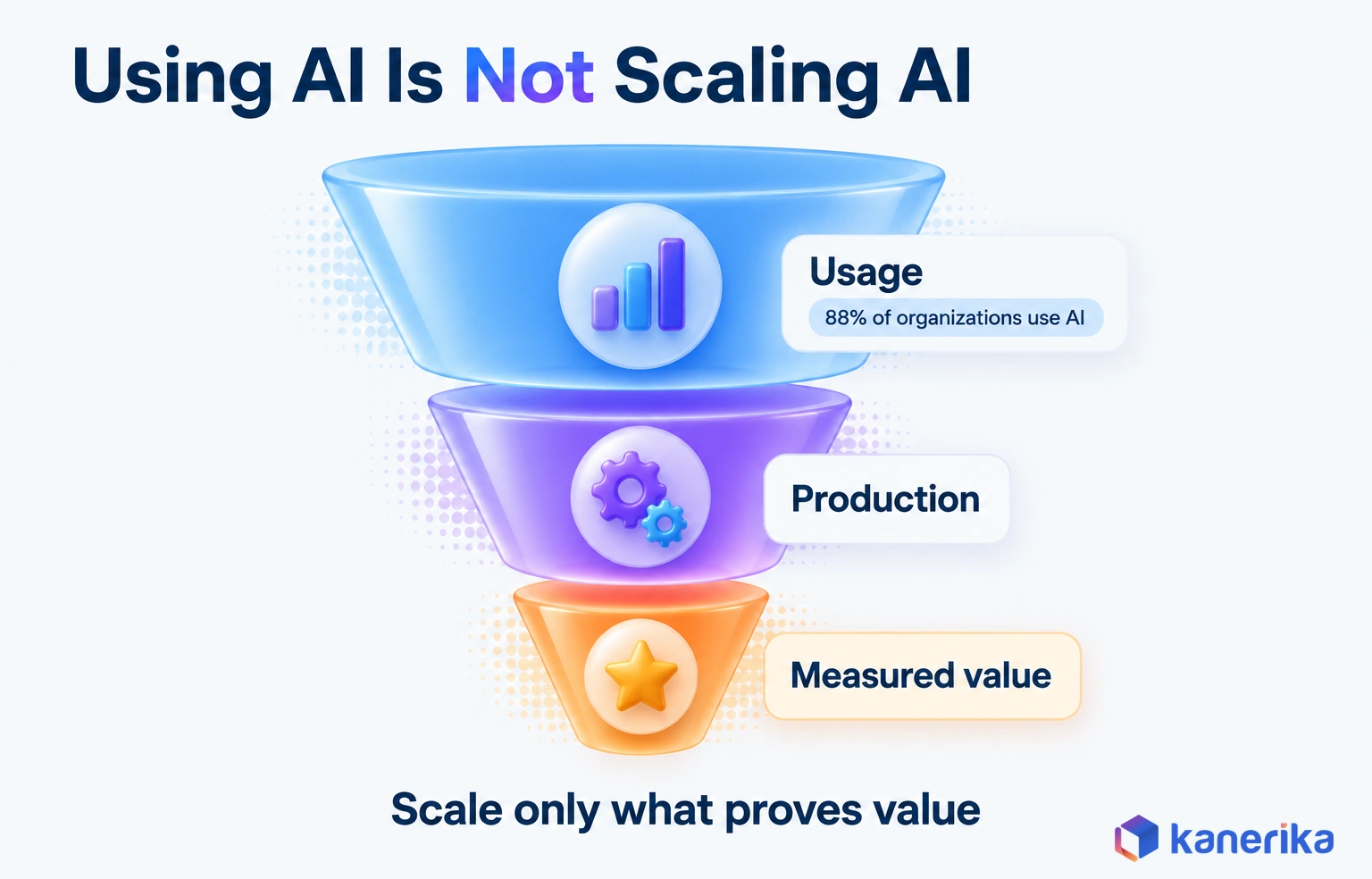
Generative AI adoption pays off when you move one measured workflow at a time into production, not when you spread licenses across the company. Adoption has three layers: people using the tools, use cases running in production, and value you can measure. Usage is no longer the hard part, since the AI Index 2026 puts organizational AI adoption at 88%. The real gap sits between pilot and production, where data, access controls, ownership and baselines decide the outcome. A five-stage model closes it: pick use cases, ready the data, choose the approach, pilot against a baseline, then run and scale. With licenses but flat usage, redesign workflows and train by role; with pilots but nothing live, fix data and evaluation first.
Key Takeaways
- Generative AI adoption has three layers: people using the tools, use cases running in production, and value you can measure against a baseline.
- Usage is no longer the bottleneck. The AI Index 2026 reports organizational AI adoption at 88%, so in 2026 the gap sits between pilot and production.
- Pilots stall for six repeat reasons: no baseline, no owner, data that is not ready, missing access controls, cost surprises and unchanged workflows.
- A five-stage model, with an owner and exit evidence at every stage, turns a promising pilot into a production service.
- Governance runs beside every stage, with the NIST Generative AI Profile, ISO/IEC 42001 and the EU AI Act dates setting controls and deadlines.
- Track adoption metrics and value metrics separately, and scale only the use cases whose cost per successful task beats the manual process.
Watch on YouTube
AI Pilot Projects: The Secret to Successful Adoption
Kanerika on why AI pilots succeed or stall, and what to settle before a pilot starts so its results carry into production.
Day 90, and the Usage Chart Is Going the Wrong Way
Picture the operations review 90 days after a company-wide generative AI rollout. The licenses were bought, the launch email went out and the training video collected a few thousand views.
The usage chart, however, tells a different story. Weekly active users peaked in week two and have drifted down ever since. A handful of enthusiasts use the assistant every day, while most teams opened it once and went back to the old way of working.
Then someone asks the question nobody planned for: who owns this? IT owns the licenses, while legal owns the policy. No business leader owns a workflow, a baseline or a target, so nobody can say whether the spend paid off.
That scene is where generative AI adoption usually breaks. The tools in that scene did their job. The program around them was missing: an owner, a baseline and a workflow that actually changed. This playbook builds that program, from the first use case to a monitored production service.
From Licenses to Production: The Gap This Playbook Closes
Buying access to generative AI is easy, while getting it into daily work with a result you can measure is hard. The space between those two steps is where budgets and patience tend to run out.
A pilot proves that a model can do a task, but not much more. Production proves that a business can rely on it every day, under real access rules and real costs. Those are different tests, so they need different owners. A pilot is usually run by IT or a data team testing what the model can do. Production needs a business leader who answers for the workflow’s numbers, which is why a missing owner shows up among the stall causes below.
Consider a contract-review pilot, for example. In the demo, the assistant summarizes ten clean contracts perfectly. In production it meets scanned PDFs, missing clauses and users who should never see each other’s deals. The model did not change at all, but the requirements did.
The rest of this guide treats adoption as a process with stages, owners and exit evidence. For the pilot phase on its own, our guide to taking an AI pilot to production adds more detail.
What Generative AI Adoption Means in 2026
Generative AI adoption is the process of moving generative AI from trial use into the everyday work of a business, with results you can measure. That definition has three layers, and each layer needs its own evidence.
Usage is the first layer, so the test is simply whether people open the tools and use them. Production deployment is the second layer, reached when a use case runs inside a real workflow with access controls, monitoring and an owner. Measured value is the third layer, reached when the workflow is faster, cheaper or more accurate and you can prove it.
Many companies report the first layer and then assume the other two. For example, a marketing team that drafts emails with an assistant has usage. A support team whose assistant answers tickets from the knowledge base, under audit, has deployment. Once that support team shows shorter handle times against the previous quarter’s baseline, it has value.
| Layer | What it means | How to measure it |
|---|
| Usage | Employees use generative AI tools in their own work | Weekly active users, repeat use, tasks per user |
| Production deployment | A use case runs inside a live workflow with controls and a named owner | Use cases in production, incidents, access audit results |
| Measured value | The workflow improves against a recorded baseline | Time per task, error rate, cost per successful task |
Read the table from the bottom up when you set goals. Value is the reason to adopt, deployment is how you get there, and usage is only a signal along the way.
Where Enterprise Adoption Stands in 2026
As of 2026, enterprise use of AI is the norm, so the useful question is how far adoption has gone rather than whether it has started. “Organizational adoption reached 88%,” reports the Stanford HAI AI Index 2026. The same report finds that generative AI “reached 53% population adoption within three years, faster than the PC or the internet.”
Both numbers describe usage, that is, the first layer. They do not say how many use cases run in production, nor how many pay back their cost. An organization can count as an AI adopter when one team uses one tool. That is why high adoption figures sit comfortably beside stalled pilots.
Data readiness is the clearest warning sign. In a February 26, 2025 release, Gartner predicted that “through 2026, organizations will abandon 60% of AI projects unsupported by AI-ready data.” The same release drew on a survey of data management leaders. It found that 63% of organizations “either do not have or are unsure if they have the right data management practices for AI.” Put together, the two figures explain the stalled pilot. A pilot runs on a clean sample, while production meets the messy data that 63% of organizations are not sure they can manage. That gap is the third stall cause in the next section.
Wide usage on top of thin foundations is the real state of enterprise adoption. For a fuller view of platforms and architecture patterns, see our guide to generative AI in the enterprise.
Why Generative AI Pilots Stall Before Production
Pilots rarely stall because the model is weak. They stall because the work around the model was skipped, and each skipped piece turns into a reason to delay go-live. Six causes come up again and again:
- No baseline. Nobody measured how long the task took before the pilot. Without that number, a good pilot looks the same as a bad one, and the business case never gets signed.
- No business owner. IT runs the pilot, but no line-of-business leader owns the workflow or the target. When the pilot ends, nobody has the authority or the budget to take it live.
- Data that is not ready. At first the pilot ran on a clean sample. Production data has duplicates, stale versions and scanned files, and answer quality drops as soon as it meets them.
- Missing access controls. During the pilot, every tester had the same view of the documents. Production needs each user to see only what they are allowed to see, and retrofitting that late is slow and expensive.
- Cost surprises. Model, hosting and review costs looked small while volume stayed low. At full volume nobody had modeled them, so finance pauses the rollout.
- The workflow never changed. The assistant sat beside the old process instead of inside it. People had to copy text between screens, and they soon stopped.
Every one of these causes maps to a stage in the model below. That mapping is deliberate, because each stage ends with evidence that its cause has been dealt with, so the problem cannot resurface at go-live.
The Five-Stage Generative AI Adoption Model
A stage model gives every use case the same path from idea to production, so no team has to invent the process twice. Each stage has an owner and an exit gate, which is the evidence you need before moving on.
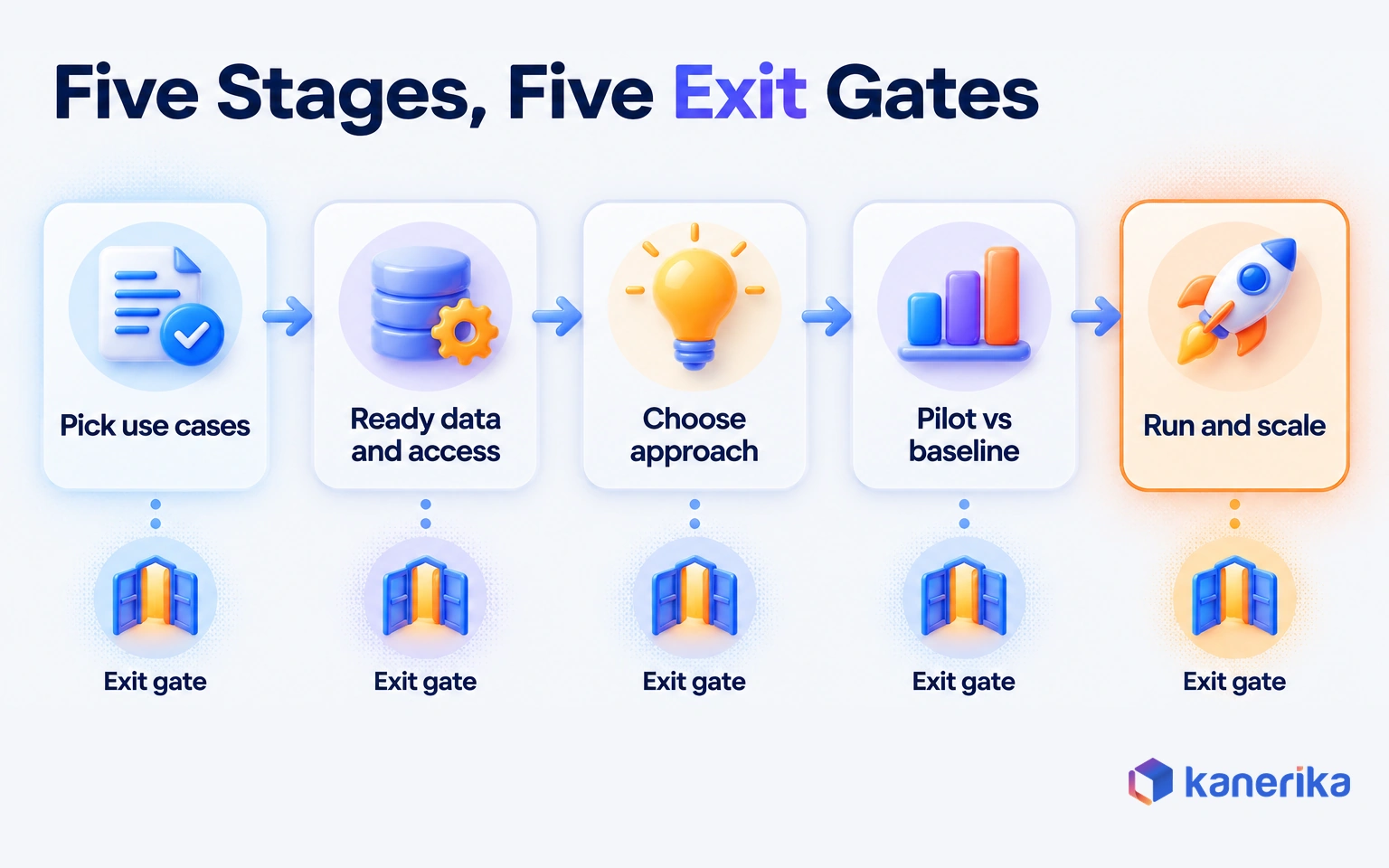
The gates matter more than the stage names. A team can move quickly through a stage when the evidence is ready, and a stalled stage tells you exactly which problem to fix. Here is how ownership and evidence line up across the five stages.
| Stage | Owner | Exit evidence |
|---|
| 1. Pick use cases by value and feasibility | Business sponsor with a product owner | A scored shortlist and a recorded baseline for the top use case |
| 2. Ready the data and access controls | Data owner with the security team | Cleaned sources, tested retrieval and permissions that follow each user |
| 3. Choose the delivery approach | Architecture lead | A documented build or buy decision with a cost estimate |
| 4. Pilot against a baseline and an evaluation set | Product owner | Pilot results against the baseline and a passing evaluation score |
| 5. Move to production, monitor and scale | Platform or operations team | Live monitoring, a rollback plan and a recorded scale decision |
The sections below walk through each stage in order, starting with how to choose what to build first.
Stage 1: Pick Use Cases by Value and Feasibility
Good first use cases are frequent, measurable and low-risk to get wrong. Score each candidate on two axes: the value of improving it, and the feasibility of doing so with the data and skills you have.
Value means volume times pain, or how often the task happens and what it costs in time, errors or delay. Feasibility covers data access, the risk if an output is wrong, and whether a person can check the result quickly. Drafting first replies to support tickets, for instance, often scores high on both. Writing final legal advice scores high on value but low on feasibility.
| High feasibility | Low feasibility |
|---|
| High value | Start here: pilot first | Plan it: fix data or risk first |
| Low value | Use for training and quick wins | Drop it |
Marketing content is a common early candidate, because the output is easy for a person to review before it ships. Coca-Cola’s “Create Real Magic” campaign, for instance, used AI-generated art to let consumers co-create branded visuals. Work like that scores high on both axes, because the value is visible and a person can check each image before it goes public. Brand-visibility monitoring is a second, low-risk marketing candidate, since it reads AI answers and changes nothing. More buyers now ask ChatGPT, Gemini or Google’s AI Overviews for product recommendations. Marketing teams can track how often their brand appears in those answers with tools like SE Ranking.
Visible wins like these build interest, yet the scoring grid should still decide the order. For a broader catalog by function, browse these generative AI use cases that work in production. Then bring your top three back to the grid.
Stage 2: Ready the Data and Access Controls
Generative AI answers are only as good as the documents and records behind them. Stage 2 makes sure the sources a use case needs are clean, current and safe to expose.
Start with document cleanup before anything else. Remove duplicates and outdated versions, and tag each source with an owner and a review date. A policy assistant that retrieves an outdated travel policy will be confidently wrong, and users will notice fast.
Then test retrieval quality. Most enterprise assistants use retrieval-augmented generation (RAG), which finds relevant passages and then hands them to the model. Build a short set of real questions and check that the right passages come back before you judge any answers.
Permissions are still the step teams skip most often. The assistant must carry each user’s access rights into retrieval, so a junior analyst never gets an answer built from a board document. Enforce this in the retrieval layer, because an instruction in the prompt can be talked around.
Checklist
Generative AI Checklist
Use Kanerika’s Generative AI Checklist to review readiness before a use case moves from pilot toward production.
Get the Checklist →
Stage 3: Choose the Delivery Approach
There are five common ways to deliver a generative AI use case. They differ mainly in how much of your data and logic they hold. The right choice is usually the lightest approach that meets the use case’s data and control needs.
A SaaS assistant such as Microsoft 365 Copilot or ChatGPT Enterprise is the fastest to roll out, though it follows the vendor’s design. An API application wraps your own interface and logic around a hosted model. RAG adds your documents, fine-tuning shapes the model with your examples, and agents let the model act in other systems.
| Approach | Best for | Data need | Cost profile | Time to value |
|---|
| SaaS assistant | General writing, summaries and meeting notes | Low; works on files the user can already open | Per-user license | Fastest |
| API application | A custom workflow or interface | Low to medium | Model calls plus build cost | Fast to medium |
| RAG application | Answers grounded in company documents | High; clean, permissioned sources | Model calls, retrieval index and upkeep | Medium |
| Fine-tuned model | A consistent style, format or narrow task | High; labeled examples | Training runs plus hosting | Medium to slow |
| AI agents | Multi-step tasks that act in other systems | High; tools, permissions and approval rules | Model calls per step plus monitoring | Slowest |
The build-or-buy call turns on the same question as the table: how much of your data and rules the tool has to hold. Buy when the work happens inside one product and needs answers rather than actions. Build when the use case needs your data, your rules or an audit trail the vendor cannot provide.
Our comparison of RAG vs fine-tuning goes deeper on the middle rows of that table. If a use case is really about forecasting or scoring, read generative AI vs predictive AI first. A predictive model may be the better fit.
Talk to Kanerika
Choose the Right Approach for Your First Use Case
Bring one workflow and its volumes. Kanerika will walk through SaaS, RAG, fine-tuning and agent options, the data each one needs and what it costs to run.
Schedule a Demo →
Stage 4: Pilot Against a Baseline and an Evaluation Set
A pilot is an experiment, so it needs a control. Measure the current process before launch, including time per task, error rate and cost. Without that baseline, the pilot can only produce opinions.
Next, build an evaluation set before the pilot begins. As a rule of thumb, 50 to 200 real examples with graded correct answers is enough to start for most text use cases. Run every model or prompt change against the same set, so you compare versions fairly.
- Record the baseline before anything changes.
- Build and grade the evaluation set before the pilot starts.
- Then run the pilot with a small group of real users on real work.
- Log every failure with its cause: retrieval, model, data or user.
- Compare results to the baseline and decide to go, fix or stop.
The failure log is the most useful output of a pilot. It tells you whether to fix data, change the approach or retrain users, and it gives Stage 5 its first monitoring rules.
AI Assessment
Where Does Your Organization Stand on Generative AI?
Score your data, governance, skills and use cases in a short AI maturity assessment, and see which gaps to close before your next pilot moves toward production.
Start Your AI Assessment →
Stage 5: Move to Production, Monitor and Scale
Production is the point when a use case starts serving people who never volunteered for the pilot. It needs the same operational care as any business system, plus a few checks that are specific to generative AI:
- Quality: re-run the evaluation set on every change and sample live answers each week.
- Latency: set a response-time target and alert when it slips.
- Cost: track spend per user and per successful task, with a budget alert.
- Errors and incidents: log failures, user corrections and harmful outputs, with a named responder.
- Access: audit who retrieved what and review every permission change.
- Rollback: keep the previous prompt, model and index version ready so you can restore it fast.
Take the support-ticket assistant from Stage 1 as an illustration. A prompt change ships, and the weekly evaluation re-run catches a drop in accuracy on refund questions. The rollback restores the previous prompt the same day, and the team fixes the change against the evaluation set before trying again.
Scale only once a use case holds its error rate and cost per successful task against the Stage 4 baseline for several weeks. Then extend it to the next team or data source, and repeat the Stage 4 evaluation for each new group of users.
Governance, Security and Regulation for Generative AI Adoption
Governance is the set of rules that decides who may use generative AI, on which data, and with what checks. It should run beside every stage instead of arriving as a review at the end.
Two frameworks give most enterprises a starting structure. The NIST AI 600-1 Generative AI Profile, published July 26, 2024, applies the AI Risk Management Framework to generative AI risks. ISO/IEC 42001, the AI management system standard, offers a management-system frame for the same work.
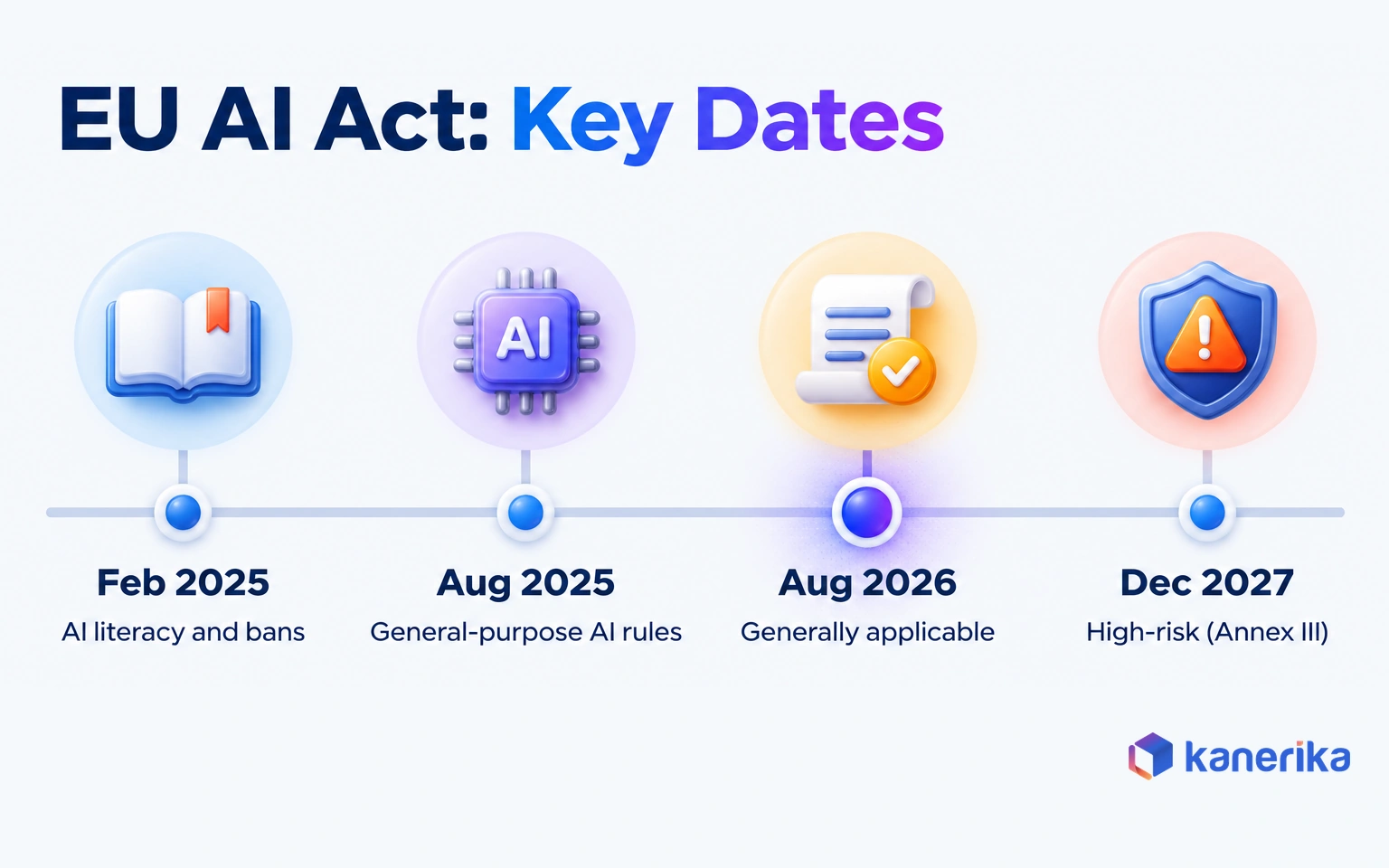
For companies with EU operations or customers, regulation comes with fixed dates as of October 2026. The EU AI Act phases in its obligations as follows:
| EU AI Act milestone | Date |
|---|
| Act enters into force | August 1, 2024 |
| Prohibited practices and AI literacy obligations apply | February 2, 2025 |
| General-purpose AI model obligations apply | August 2, 2025 |
| Act became generally applicable, including transparency rules | August 2, 2026 |
| High-risk use cases in Annex III | December 2, 2027 (extended) |
| High-risk AI in regulated products (Annex I) | August 2, 2028 (extended) |
The AI literacy duty has applied since February 2, 2025, which makes training part of compliance as well as adoption. Both high-risk dates moved later under the AI Omnibus, which entered into force in July 2026. National supervision and enforcement began on August 2, 2026.
The security risks are also specific. Prompt injection hides instructions in a document or web page, and the model then follows them. Shadow AI is staff pasting company data into personal tools because the approved option is slow or missing.
Retrieval-layer permissions and output checks answer the first risk, while an acceptable-use policy, an approved tool list and data-loss controls answer the second. Our guide to LLM security covers attack patterns in depth, while the AI governance guide covers policy design.
How to Drive Employee Adoption of Generative AI
Employee adoption is the point when a tool becomes a habit. It depends less on enthusiasm than on whether the tool fits the work people already have to do.
In daily work, the tool takes the first draft or the first search, and the person keeps the judgment call. That split changes who does which task on a team. AI rollout planning therefore sits beside workforce management decisions about roles, skills and staffing.
Evidence for task-level gains exists when the task is clearly defined. In a 2022 controlled experiment, GitHub research found that developers using Copilot completed a coding task 55% faster. The Copilot group finished in 1 hour and 11 minutes on average, against 2 hours and 41 minutes for the group without it. Its completion rate was higher too, at 78% versus 70%.
Watch on YouTube
Enterprise AI Adoption: Why Employees Resist and Most AI Projects Fail
Kanerika on why employees push back on new AI tools and what leaders can change so adoption sticks beyond the launch.
That was one task in one experiment, yet it shows the pattern: gains appear when the tool sits inside a defined piece of work. Four practices spread that pattern across a company:
- Role-based training. Teach each role the three or four tasks where the tool helps, using their own documents rather than a generic prompt course.
- Champions. Name one experienced user per team who answers questions and collects examples that work.
- Workflow redesign. Put the assistant inside the system where the work happens, then remove the old step it replaces.
- Clear permission. Publish which data people may use and which tools are approved, so careful employees feel safe to try.
Resistance usually signals a real problem, such as extra steps, unclear rules or worry about job changes. Treat it as feedback rather than as an obstacle. Our guide to AI change management covers communication and role design in more detail.
How to Measure Generative AI Adoption and Business Value
Measurement has to answer two questions: are people using the tool, and is the business better off? Each question needs its own set of metrics, and mixing them hides problems.
Adoption metrics show reach and habit, so they come first. Weekly active use counts who opens the tool, while repeat use shows who comes back. Workflow coverage tells you what share of the target process now runs through the assistant. Correction rate tracks how often users edit or reject outputs.
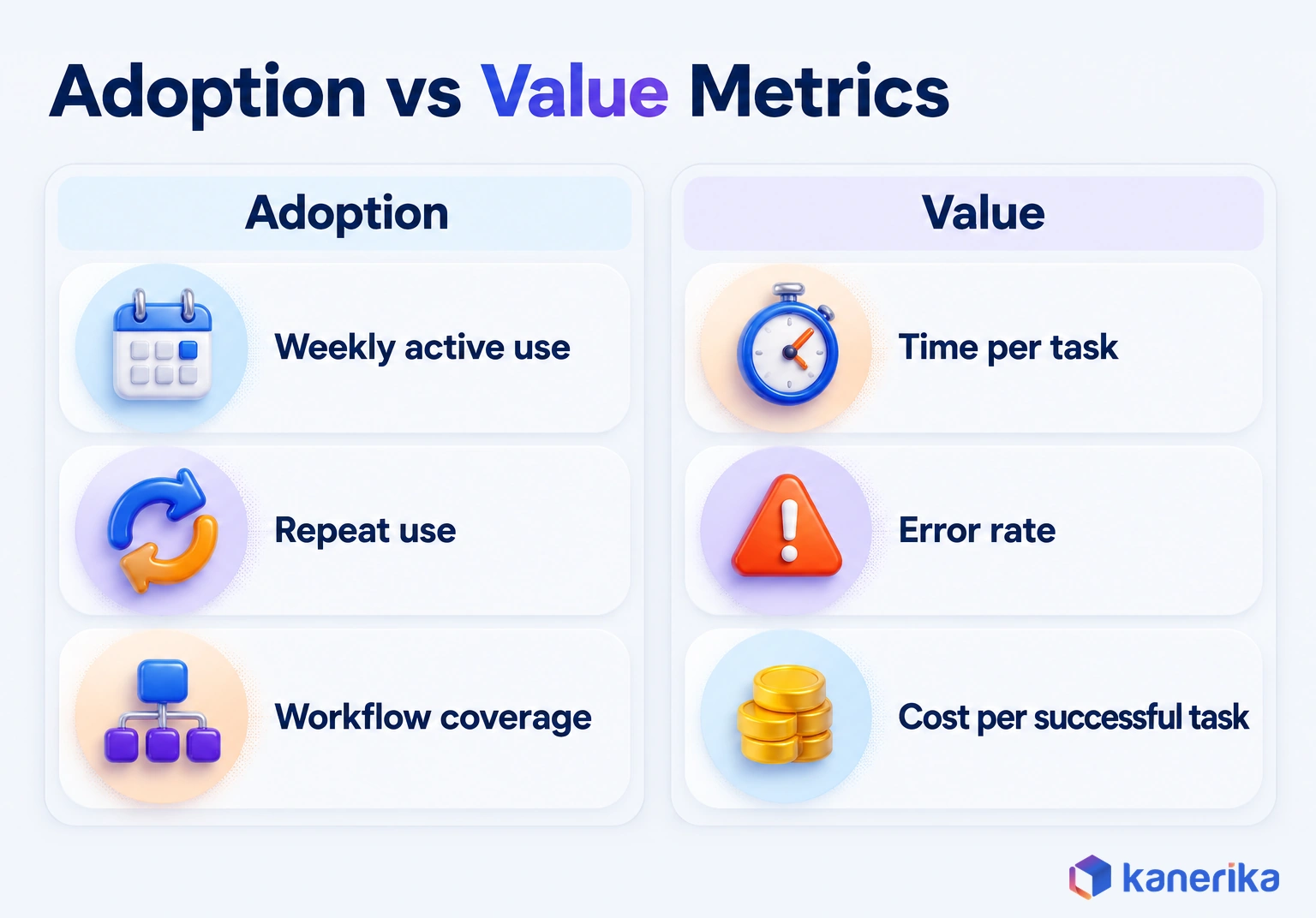
Value metrics compare against the Stage 4 baseline: time per task, error rate, cycle time and cost per successful task. A dashboard with high weekly use and flat cycle times means people like the tool, but the workflow has not changed.
| Metric | Type | What it tells you |
|---|
| Weekly active users | Adoption | How many people use the tool at all |
| Repeat use rate | Adoption | Whether use has become a habit |
| Workflow coverage | Adoption | Share of the target process that runs through the tool |
| Correction rate | Adoption and quality | How often outputs need edits or rejection |
| Time per task | Value | Speed gain against the baseline |
| Error rate | Value | Quality gain or loss against the baseline |
| Cost per successful task | Value | Full cost of each task finished without rework |
Cost per successful task is the number that decides whether to scale. Divide the full monthly run cost, including licenses, model calls and review time, by the tasks finished without rework. As an illustration, $6,000 a month across 1,500 accepted tasks comes to $4 per successful task.
If the manual process costs more than that per task, the use case pays its way. For the full ROI formula and payback math, see our generative AI ROI benchmarks.
A 90-Day Generative AI Adoption Plan
Ninety days is enough to take one use case from selection to a monitored production service, provided that the scope stays narrow. Treat the plan below as guidance, and stretch the windows to fit your data and approval cycles. For a longer horizon across several use cases, see our AI implementation roadmap.
- Days 1 to 30, choose and prepare. Score candidates, pick one use case, name the business owner and record the baseline. Inventory the data sources, start cleanup and agree the access model with security.
- Days 31 to 60, build and pilot. Choose the delivery approach, build the evaluation set and run a pilot with a small group of real users. Log every failure, then fix the top causes.
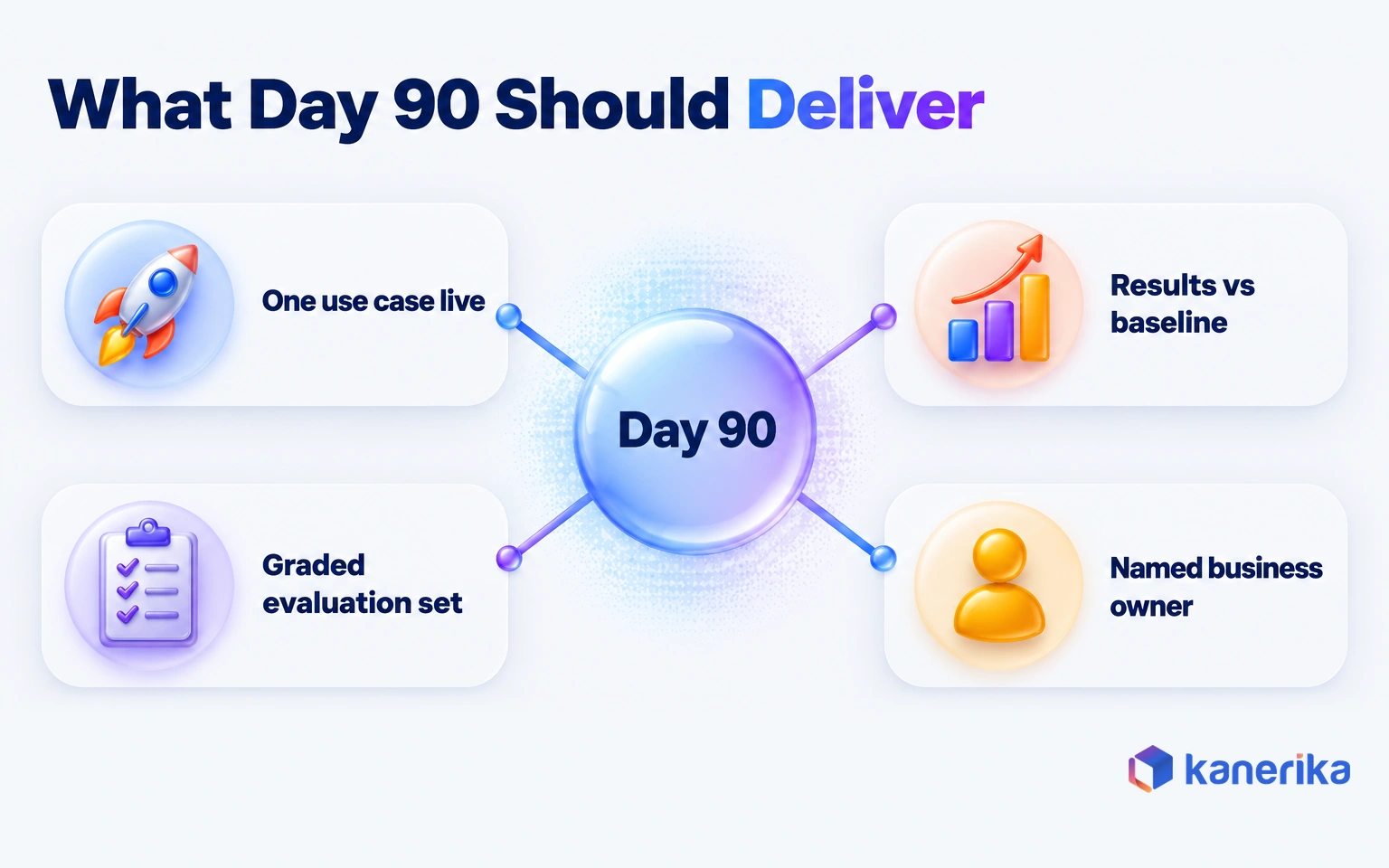
- Days 61 to 90, launch and measure. Go live with monitoring, a rollback plan and a cost alert. Then compare results to the baseline and decide whether to scale, fix or stop.
By day 90, the goal is one workflow in production with measured results, not a portfolio of pilots. The second use case then reuses the data work, the evaluation method and the governance controls, so it moves faster.
Common Generative AI Adoption Mistakes
The same mistakes repeat across companies and industries, and each one has a plain fix. Use this list as a review before any use case goes live.
- Buying licenses before choosing use cases. Pick two or three workflows first, then size the licenses to them.
- Measuring logins instead of outcomes. Track repeat use and cost per successful task next to active users.
- Skipping the baseline. Measure the current process before the pilot starts.
- Treating data cleanup as optional. Give every source the assistant reads an owner and a review date.
- Putting access rules in the prompt. Enforce permissions in the retrieval layer instead.
- Leaving the workflow unchanged. Build the assistant into the system people already use.
- Writing policy after rollout. Publish an acceptable-use policy and an approved tool list on day one.
- Scaling a pilot that never beat the baseline. Scale only use cases whose numbers hold in production.
The first mistake shows how the list plays out. A company buys seats for every employee, then spends the next quarter hunting for uses that justify the bill. Starting from two workflows reverses that order, so the license count follows the work.
Most of these mistakes come from treating adoption as a technology purchase rather than a change in how work runs. Run it as an operating change, with owners and evidence at each step, and the list gets much shorter.
How Kanerika Helps Enterprises Move Generative AI From Pilot to Production
Kanerika’s generative AI services follow the same five stages, so each engagement starts from a use case and a baseline rather than a tool. We help score candidates and prepare data and access controls. We also choose between SaaS, RAG, fine-tuning and agents, and run pilots against evaluation sets before anything goes live.
An investment bank’s project shows Stage 2 and Stage 5 in practice. Its analysts needed answers from documents and databases, asked in plain language. Kanerika built an assistant with role-based access enforced at the retrieval layer, so each analyst saw only what their role allowed. The design was built to extend to more sources.
- 43% faster information retrieval
- 100% role-based compliance at the point of retrieval
- 35% improvement in workforce efficiency
Because permissions were part of the design from the start, the bank could trust the assistant with sensitive material. The investment bank case study describes the full project.
Case Study
43% Faster Document Retrieval for an Investment Bank
Analysts at an investment bank queried documents and databases in plain language, with role-based access enforced at retrieval. The result was 43% faster information retrieval and a 35% improvement in workforce efficiency.
Read the Case Study →
Is Your Organization Ready to Scale Generative AI?
You are ready to scale when one use case has an owner, a baseline and clean, permissioned data. Its production numbers should also beat the manual process. If any of those is missing, fix it on the current use case before you add a second.
For many teams the next step is agentic AI, where the model takes actions in other systems instead of only answering. The same stages apply, with tighter permissions and approval rules, because an agent that acts needs more control than an assistant that drafts.
Generative AI adoption comes down to four moves. Pick one workflow, prove it against a baseline, govern it from day one and scale only what the numbers support. Start this week: score three candidates on the grid and record the baseline for the winner, the first step from pilot to production.
Frequently Asked Questions
What is generative AI adoption?
Generative AI adoption is the process of moving generative AI from trial use into everyday business work with measurable results. It has three layers. People use the tools, use cases run in production with controls and owners, and the business can prove gains against a baseline. Usage alone does not count as full adoption.
What are the stages of generative AI adoption?
A practical model has five stages. Teams pick use cases by value and feasibility, ready the data and access controls, and choose a delivery approach. They then pilot against a baseline and an evaluation set, and finally move to production with monitoring. Each stage ends with evidence before the next one begins.
How long does enterprise generative AI adoption take?
One focused use case can move from selection to a monitored production service in about 90 days when the scope is narrow and the data is reachable. Company-wide adoption takes longer, because each new use case needs its own data work, evaluation and training. Later use cases move faster by reusing earlier controls.
How much does enterprise generative AI adoption cost?
Cost depends on the delivery approach, the number of users and how much the system runs. Budget for licenses or model calls, data preparation, integration, evaluation, monitoring and training. Review time by people is often overlooked. Track cost per successful task, which divides total monthly run cost by the tasks finished without rework.
How do you measure generative AI adoption?
Use two sets of metrics. Adoption metrics include weekly active users, repeat use, workflow coverage and correction rate. Value metrics include time per task, error rate and cost per successful task, all compared with a baseline recorded before the pilot. High usage with flat value metrics means the workflow itself has not changed.
How can businesses protect sensitive data when using generative AI?
Use approved enterprise tools with clear data-handling terms, and keep company data out of personal tools. Carry each user’s permissions into retrieval so answers draw only on documents they may see. Add data-loss controls, log who retrieved what and test for prompt injection before each release. Train staff on what data they may share.
Should enterprises buy a generative AI tool or build a custom solution?
Buy when the work happens inside one product and mainly needs answers, such as drafting or summarizing. Build when the use case needs your own data, business rules, actions in other systems or an audit trail a vendor cannot provide. Many enterprises do both, buying assistants for general work and building for core workflows.
Why are businesses adopting generative AI, and what do they gain?
Businesses adopt generative AI to cut the time spent on writing, searching, summarizing and answering routine questions. Gains show up as faster tasks, fewer errors and quicker access to knowledge. A 2022 GitHub experiment found developers using Copilot finished a coding task 55% faster. Real gains depend on measuring each workflow against a baseline.
What challenges do enterprises face when adopting generative AI?
The common challenges are missing baselines, no business owner, data that is not ready, weak access controls, unplanned costs and workflows that never change. Gartner predicted that “through 2026, organizations will abandon 60% of AI projects unsupported by AI-ready data.” Security risks such as prompt injection and shadow AI add to the list.
How can organizations ensure responsible generative AI adoption?
Start with an acceptable-use policy and a list of approved tools. Enforce data permissions in the retrieval layer, test outputs against an evaluation set and log incidents with a named owner. Frameworks such as the NIST Generative AI Profile and ISO/IEC 42001 give structure. Companies with EU exposure should also track the EU AI Act dates.
What is the future of generative AI adoption in enterprises?
Enterprises are moving from assistants that draft and answer toward agentic AI that takes actions in other systems. That shift raises the bar on permissions, approval rules and monitoring. Regulation is firming up too, with the EU AI Act generally applicable since August 2, 2026. Companies with production foundations in place will find the move easier.
What is a real-life example of generative AI adoption?
An investment bank worked with Kanerika on an assistant that let analysts query documents and databases in plain language. Role-based access was enforced at the retrieval layer, so each analyst saw only permitted sources. The bank recorded 43% faster information retrieval, 100% role-based compliance at the point of retrieval and a 35% improvement in workforce efficiency.
Which industries benefit most from generative AI?
Industries with heavy document work and high volumes of routine questions tend to benefit early. Banking, insurance, healthcare, retail, manufacturing and logistics all have strong candidates, such as claims summaries, policy search, product content and support replies. The best fit depends on the workflow more than the sector, so score use cases by value and feasibility.
What are the first steps in a generative AI adoption strategy?
Begin by listing candidate workflows and scoring each one on value and feasibility. Pick one use case, name a business owner and measure the current process to set a baseline. Then check the data it needs, agree access rules with security and publish an acceptable-use policy before any pilot starts.
How do you move a generative AI pilot into production?
Compare pilot results with the baseline and a graded evaluation set, and fix the top failure causes. Before launch, add monitoring for quality, latency, cost and errors, audit access and keep a rollback version ready. Assign an operations owner, then scale to new teams only after the numbers hold for several weeks.




