

TL;DR
The generative AI use cases that work in 2026 are tasks where a model writes a draft and a person approves it. Staff question answering, service agent support, invoice reading, code help and content drafting have the strongest record. Forecasting and fraud scoring belong to predictive AI instead. Every use case needs an owner, a number to improve and a check that catches mistakes. Choose your first three by value, data readiness and risk. Leave agents that change records or move money until those first three prove their results.
Key Takeaways
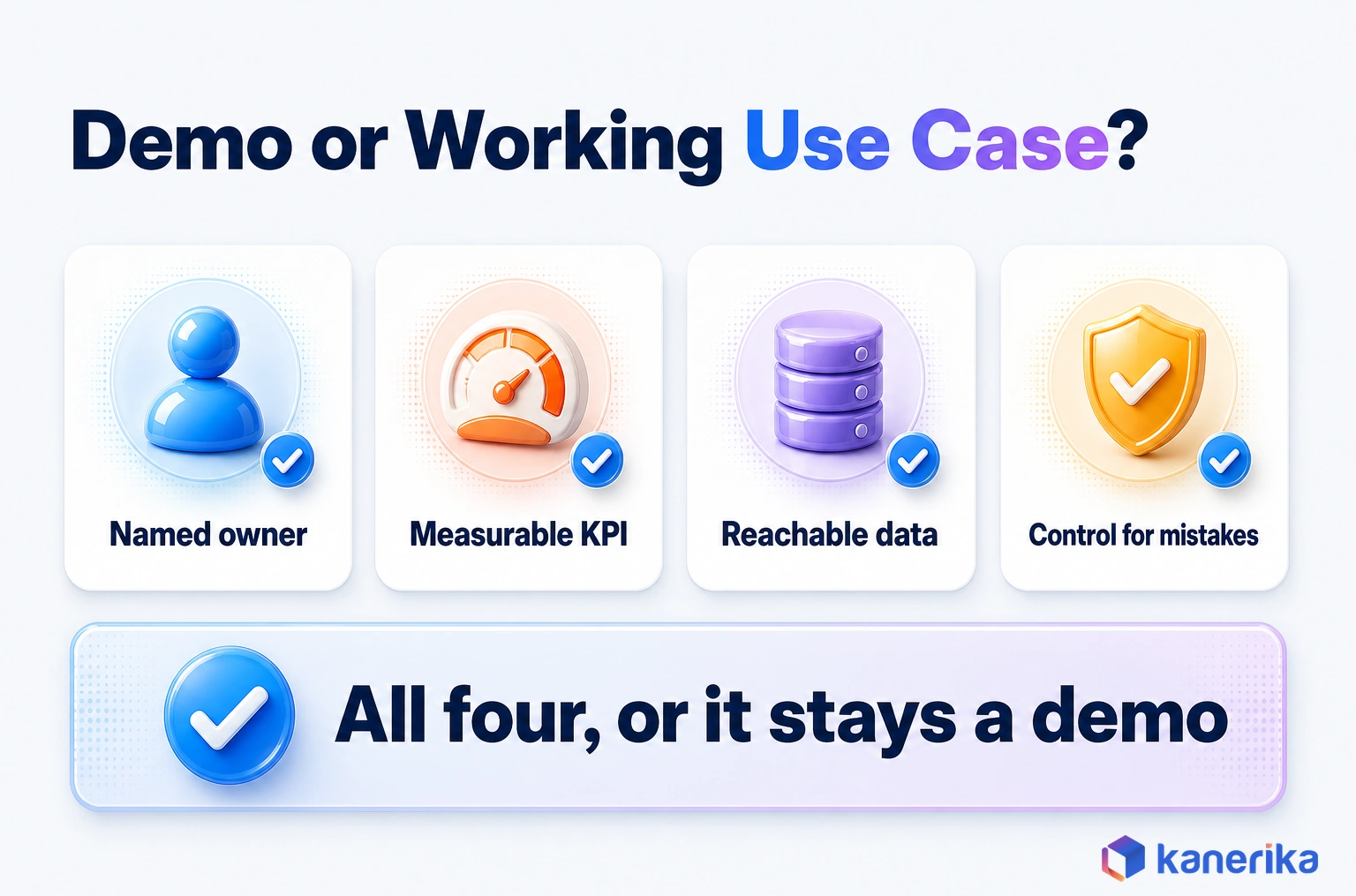
- A working use case has an owner, a KPI, reachable data and a control that catches mistakes.
- Generative AI creates drafts, answers, summaries and code; scoring and forecasting belong to predictive ML.
- Knowledge assistants rank first because nearly every team loses time searching for the right document.
- Back-office use cases work best when the model extracts, rules validate and a person approves.
- Choose the lightest build pattern that works, and reach for fine-tuning or agents only when simpler options fall short.
- Score candidates on value, feasibility and risk, then baseline each KPI before launch.
Forty Ideas, Budget for Three
Picture a steering committee on a Monday morning with a spreadsheet of 40 generative AI ideas. Every department sent a wish list, such as a contract reviewer or a chatbot for the careers page. The budget, however, covers three.
The ideas that survive that meeting are rarely the flashiest, though. They have a named owner, data the team can actually reach and a number someone will check in six months. The scene is illustrative, but the choice is real for any enterprise past its first pilots.
This guide is the catalog that committee needs. It covers 20 generative AI use cases running in production across functions and industries. For each one, you get the build pattern, the KPI and the control. After that comes a method for choosing where to start.
What Separates a Working Generative AI Use Case From a Demo
A working use case is one that a business team relies on every week. In practice, the difference comes down to four things: an owner, a KPI, data the model may use and a control that catches mistakes.
Adoption is no longer the hard part. Stanford’s AI Index 2026 reports that organizational AI adoption reached 88%. It also finds that generative AI reached 53% population adoption within three years, faster than the PC or the internet.
Results, however, are harder to show. Deloitte’s State of AI in the Enterprise report surveyed 3,235 leaders between August and September 2025. Of those leaders, 66% report productivity or efficiency gains, while only 20% report increased revenue. Even so, 74% hope to grow revenue through AI.
That gap between time saved and money earned, measured in the 2026 edition of the survey, is why use-case choices get judged so closely. The same survey shows where that impact lands. Leaders rank search and knowledge management, virtual assistants and chatbots, and content generation as the most impactful areas.
That ranking is why this catalog opens with knowledge assistants. The wider picture of budgets and platforms sits in our guide to generative AI in the enterprise. This page instead stays focused on what to build.
AI Assessment
Which Generative AI Use Cases Is Your Organization Ready For?
Score your data, processes, governance and skills in a short self-assessment, and see which use cases your foundations can support today.
Start Your AI Assessment →What Counts as a Generative AI Use Case (and What Does Not)
Start with what the system hands back. When it creates something new, such as a draft, a summary, an answer, code or an image, the job is generative. If the output is a score, a forecast or a yes-or-no flag, you are looking at a different kind of AI instead.
The line matters because the two need different data and different tests. For example, a demand forecast learns from years of numeric history and is judged on its error rate. A contract summary, on the other hand, comes from a pretrained language model and is judged on whether a lawyer agrees with it.
Some published lists put fraud scoring or predictive maintenance on the menu, although that mixes the two up. Those jobs belong to predictive analytics, and the deeper technology comparison is covered in generative AI vs predictive AI.
A Quick Test for Any Proposal
A quick test helps when a proposal lands on your desk. Ask what the output looks like, then ask who checks it. When the answer is new text that a person reviews, it is a generative job. When it is a number that a threshold acts on, the job is predictive.
The table below maps common task types to the kind of AI that fits them best, with an enterprise example for each.
| Task type | Best fit | Enterprise example |
|---|---|---|
| Draft, rewrite or translate text | Generative AI | First draft of a proposal from an approved content library |
| Answer questions from documents | Generative AI with retrieval | Policy assistant that cites the source clause |
| Summarize long records | Generative AI | Claims or case summary for a handler |
| Write or explain code | Generative AI | Unit tests for an existing function |
| Forecast a number | Predictive ML | Weekly demand by store |
| Score a risk | Predictive ML | Fraud probability on a card payment |
| Follow fixed steps | Rules or RPA | Copy approved invoice totals into the ERP |
Many real processes use all three, so the boundary is about parts rather than whole projects. For example, an invoice flow can use generative AI to read a messy PDF and rules to check the totals. A predictive model can then flag an unusual supplier. Naming which part is which keeps each team testing the right thing.
Kanerika Service
AI and Machine Learning Services
Kanerika builds generative and predictive AI solutions, so each part of a process gets the model type that fits it, from reading documents to forecasting demand.
Explore AI ServicesGenerative AI Use Cases at a Glance
The table lists the 20 generative AI use cases this guide covers, grouped by function. Pattern means how the use case is usually built, while maturity is our editorial read of how widely each runs in production. Two tables split one catalog for readability, with eight front-office uses first and twelve back-office, technical and industry uses after them.
Production-proven means the pattern is common in live enterprise deployments. Scaling means teams are moving it past pilots, while emerging means early production with heavy human review. Read the table as a menu rather than a ranking.
Front-Office and Cross-Functional Use Cases
| Use case | Function | Pattern | Maturity | Primary KPI |
|---|---|---|---|---|
| Enterprise knowledge assistant | Cross-functional | RAG | Production-proven | Answer acceptance rate |
| Agent assist and case summaries | Customer service | RAG plus copilot | Production-proven | Average handle time |
| Self-service assistant | Customer service | RAG with human handoff | Scaling | Resolution without escalation |
| Proposal and RFP drafting | Sales | RAG | Scaling | Hours per proposal |
| Personalized outreach | Sales and marketing | Prompting with CRM data | Scaling | Reply rate |
| Content production | Marketing | SaaS copilot | Production-proven | Assets per writer per week |
| Brand and compliance review | Marketing and legal | Prompting plus rules | Scaling | Review cycle time |
| Localization and variants | Marketing | Prompting plus native review | Production-proven | Cost per localized asset |
Back-Office, Technical and Industry Use Cases
| Use case | Function | Pattern | Maturity | Primary KPI |
|---|---|---|---|---|
| Invoice and document processing | Finance | Extraction plus rules | Production-proven | Touchless rate |
| Contract review | Legal | RAG over a playbook | Scaling | Review hours per contract |
| HR helpdesk and onboarding | HR | RAG | Production-proven | Questions resolved without a ticket |
| Meeting and case summaries | All functions | SaaS copilot | Production-proven | Action items closed on time |
| Code generation and testing | Engineering | SaaS copilot | Production-proven | Cycle time per change |
| IT service desk triage | IT | RAG plus routing | Scaling | Mean time to resolve |
| Text-to-SQL and BI copilots | Data and analytics | Semantic layer plus prompting | Scaling | Correct-answer rate |
| Research and KYC summaries | Financial services | RAG | Scaling | Analyst hours per file |
| Clinical documentation drafts | Healthcare | Speech plus summarization | Scaling | Documentation time per visit |
| Claims intake summaries | Insurance | Extraction plus summarization | Scaling | Time to first decision |
| Maintenance-manual assistant | Manufacturing | RAG | Emerging | Time to fix per fault |
| Product content and shopping assistants | Retail | Prompting with catalog data | Scaling | Content cost per SKU |
Enterprise Knowledge Assistants
An enterprise knowledge assistant answers employee questions from the company’s own documents, such as policies, SOPs, product manuals and contracts. It sits first in this catalog because Deloitte’s respondents rank search and knowledge management as the top area of impact.
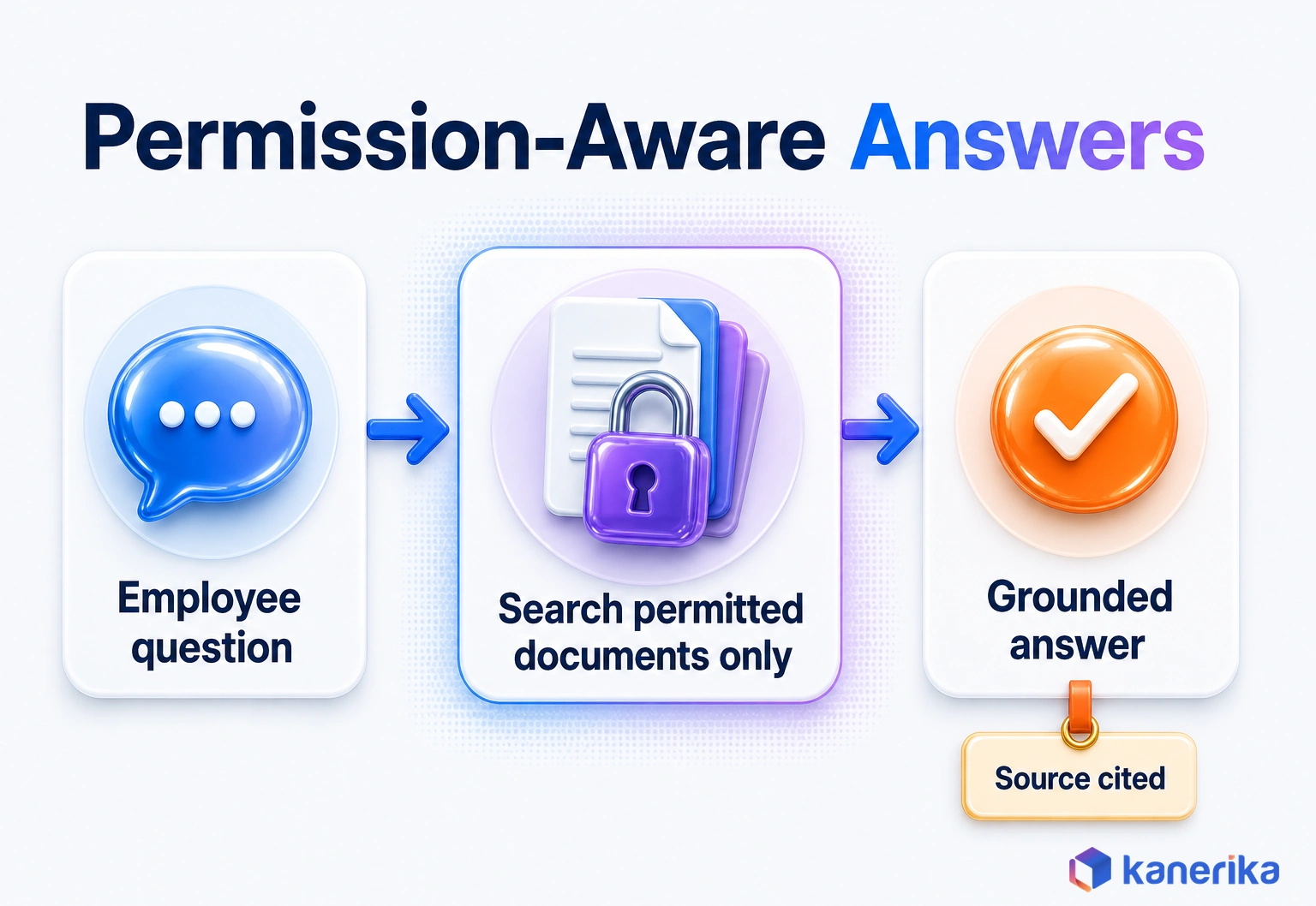
Most assistants use retrieval-augmented generation, or RAG. The system searches an index of approved documents, passes the best passages to the model and then asks it to answer only from them. A good answer then cites the paragraph it came from, so the reader can check it in one click.
The control that matters most, especially for HR and finance content, is permissions at retrieval. If a junior analyst asks about executive pay bands, the search step should never fetch the HR file in the first place. Filtering after the model has read the text is too late, because the answer may already paraphrase it.
Teams usually start with one well-kept collection, such as IT policies or the sales playbook. Measure answer acceptance, the share of answers that cite a source and how often users still open a ticket afterward.
Stale documents cause more wrong answers than the model does. So give every collection an owner who retires outdated versions on a schedule.
Customer Service and Sales Use Cases
Customer-facing teams were among the first to put generative AI into daily work, because their days are full of conversations and documents. The four use cases below range from tools that help a human agent to assistants that talk to customers directly.
Agent Assist and Case Summarization
Agent assist sits beside a human service agent. While the call or chat runs, it suggests answers from the knowledge base, drafts replies and summarizes the case when it closes. The agent stays in charge, so a wrong suggestion costs a few seconds rather than a customer.
Average handle time and after-call work are generally the KPIs. Summaries also improve the next contact, since the following agent reads a clean case note instead of a wall of chat logs.
Self-Service That Resolves, Not Deflects
Customer-facing assistants answer questions directly, while using the same retrieval pattern over help articles, order data and policies. The goal is resolution. A bot that pushes customers away from people without solving the problem only moves the cost into churn instead.
Two controls matter here. The assistant needs a clear handoff to a person when its confidence is low or the customer asks for one. Under the EU AI Act, people talking to a generative AI chatbot must also be told they are dealing with a machine.
Proposal and RFP Drafting
Sales and bid teams answer the same security, pricing and capability questions again and again. A drafting assistant pulls approved answers from a content library, fills a first draft of the RFP and marks every answer it could not source. The bid manager then edits instead of writing from scratch.
The KPI is hours per proposal, with win rate as a slower second measure because outcomes arrive later. Keep the library curated, since a model drafting from outdated answers will repeat them with confidence.
Personalized Outreach
Generative AI can draft outreach emails for each account segment from CRM fields, recent activity and approved messaging. The safer pattern works at segment level, with a marketer approving each template before it goes out. Fully automated one-to-one emails at volume, on the other hand, tend to drift off brand and into claims nobody approved.
Track reply rate and unsubscribe rate together, because a rise in one can hide a rise in the other. Our guide to AI personalization also covers the data side of this use case in more depth.
Talk to Kanerika
Planning a Customer-Facing AI Assistant?
Kanerika can review your help content, CRM data and handoff rules, and map which service or sales use case is ready to pilot first.
Talk to an AI Expert →Marketing and Content Use Cases
Marketing uses generative AI to produce more content without hiring at the same pace, but volume without brand control creates new problems. The three use cases below pair a drafting model with a review step so that voice and claims stay protected.
Content Production at Scale
Content marketing works, but it’s resource intensive. Blog posts. Social media updates. Email sequences. Ad copy. Video scripts, increasingly paired with an AI Video Generator like Higgsfield to turn those scripts into finished clips.
First versions of these assets can come from a drafting model once it has a brief, a style guide and approved product facts. Writers then shape, fact-check and finish them. The useful KPI is assets per writer per week at a steady quality score, rather than raw word count.
Image and video tools follow the same rule. They speed up variants and storyboards, while a person signs off on anything that carries the brand. The EU AI Act requires providers of generative AI to make AI-generated content identifiable, so check how your tools label their output.
Brand and Compliance Review
The same models that draft content can also check it, much like AI proofreading tools do for grammar and tone. A review assistant reads each draft against the style guide, banned claims and required regulatory wording, then flags lines for a human reviewer. Regulated teams in particular use this pattern to shorten review queues without removing the reviewer.
Measure review cycle time and the share of issues caught before legal review. The model flags, and then a person decides.
Localization and Variant Testing
Translation was an early win for generative AI, and the practice has grown into full localization. The model adapts copy for each market, including tone, units and local examples, before a native speaker reviews the result.
Teams also generate several headline or email variants for A/B tests, a job that used to take a copywriter most of a day. Cost per localized asset and time to market are the KPIs. Still, keep native review on anything legal, medical or financial.
Finance, Legal, HR and Back-Office Use Cases
Back-office work runs on documents such as invoices, contracts, policies, tickets and meeting notes. Generative AI helps here because it can read layouts and wording that vary from one sender to the next, which older template tools could not.
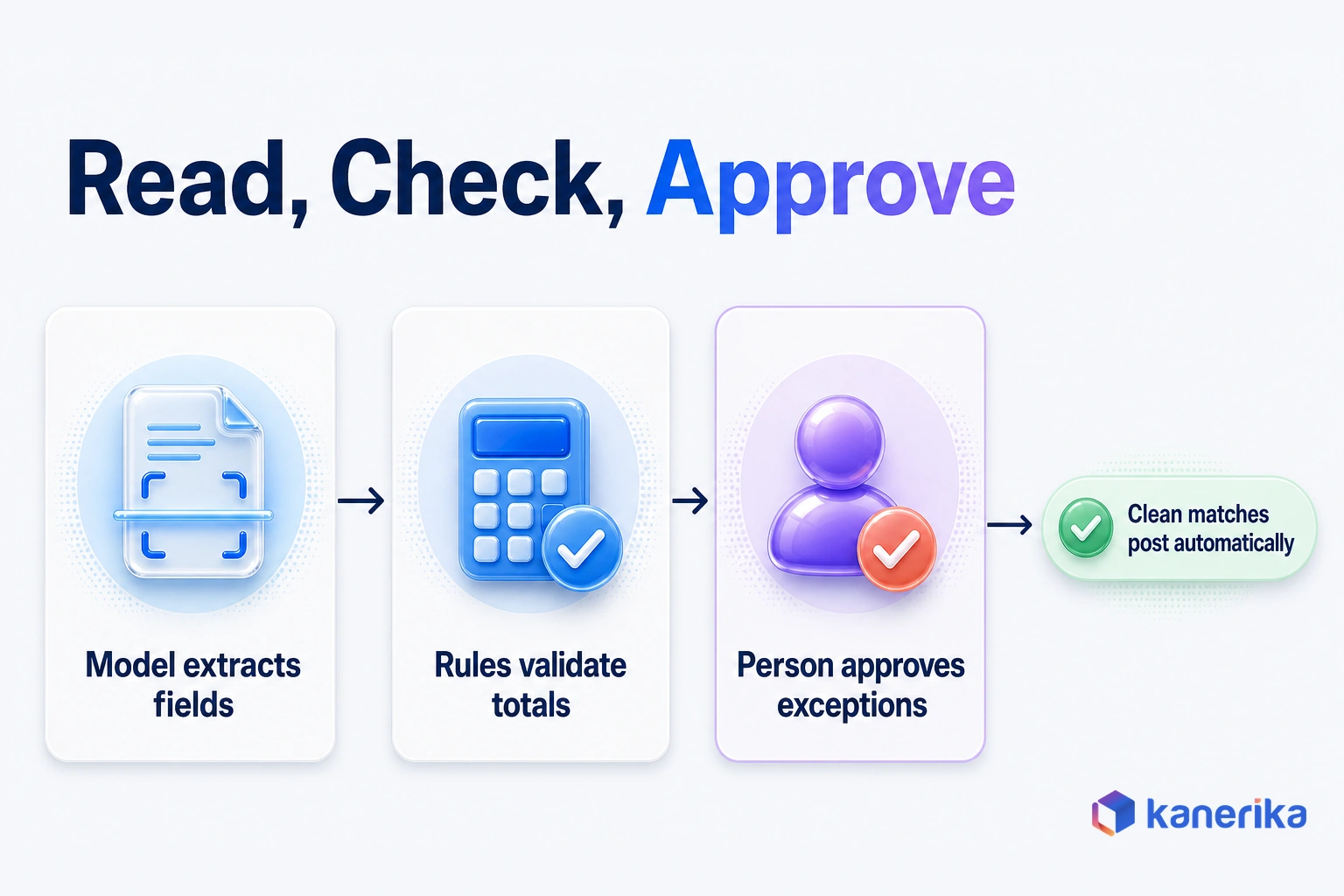
The safest pattern splits each job into three steps. The model extracts and drafts, rules validate whatever can be checked, and finally a person approves anything with money or legal weight attached.
Intelligent Document Processing and Invoices
Invoices arrive as PDFs, scans and emails in dozens of layouts. A generative model reads each one and returns structured fields, such as supplier, line items, tax and totals, even when the layout is new. Rules then check that the lines add up and match the purchase order, so only exceptions reach an accounts payable clerk.
Older template-based capture tools needed a template for each supplier layout, so a redesigned invoice often landed in the exception queue. A language model reads the page the way a clerk does, by meaning rather than position. The validation rules still matter, since the model can misread a smudged total just as a person can.
The KPI is the touchless rate, that is, the share of invoices that post without a human edit. Our guide to intelligent document processing explains the extraction pipeline behind this use case in detail.
HR Helpdesk and Onboarding
HR teams field the same questions about leave, benefits and expenses every week. A policy assistant built on retrieval answers them with a citation, while an onboarding assistant walks new hires through their first weeks. Both cut ticket volume without touching employment decisions.
Recruitment, however, is different. The EU AI Act lists CV-sorting software for recruitment as high-risk, so any screening use should keep people making the decisions. Use generative AI to draft job descriptions and interview guides rather than to rank candidates on its own.
Contract Review and Clause Extraction
Legal teams use generative AI to compare incoming contracts against their own playbook. The model extracts key clauses, such as liability caps, renewal terms and data-processing duties, and flags each deviation with the playbook position beside it.
The playbook is the real asset here. It records the company’s standard position on each clause, the fallback positions it will accept and the points that always need a senior lawyer. A model that compares against that playbook keeps first-pass reviews consistent, so it matters less which lawyer opens the file.
The lawyer still decides what to accept. Measure review hours per contract and the share of deviations caught on the first pass.
Datasheet
Klara: Document Intelligence and Compliance Agent
See how Klara checks contracts against enterprise playbooks, flags compliance risks and suggests compliant redlines, with human oversight on every change.
View the Datasheet →Meeting and Case Summaries
Summaries are the quiet workhorse of generative AI. Copilots in meeting and collaboration tools turn calls into notes, decisions and action items. The value appears when those action items flow into the system of record, such as the CRM or project tracker. Otherwise they sit in an inbox.
Measure the share of action items closed on time rather than minutes saved, because a summary nobody acts on saves nothing.
Software, IT and Data Team Use Cases
Technical teams adopted generative AI early because code, tickets and queries are text with fairly clear right and wrong answers. That also makes these use cases easier to test than most.
Code Generation, Review and Testing
Coding assistants suggest code, explain unfamiliar functions, write unit tests and draft review comments. The best-known evidence is a 2022 GitHub controlled experiment on one coding task. Developers using Copilot finished 55% faster, averaging 1 hour and 11 minutes, and their completion rate was 78% against 70% without it. That result comes from a single task, so treat it as a direction rather than a forecast.
On your own team, measure cycle time per change, review rework and defect escape rate in the repositories you already run. Keep humans reviewing every merge, and scan generated code for secrets and license issues before it ships.
IT Service Desk and Incident Summaries
IT service desks use generative AI to classify incoming tickets, suggest a fix from the runbook and draft the reply. During an incident, it summarizes alerts and chat threads, so the next engineer on call starts with context instead of scrollback.
The KPIs are mean time to resolve and first-contact resolution. Runbooks must stay current, since the assistant can only retrieve the fix someone wrote down.
Text-to-SQL and BI Copilots
BI copilots let business users ask questions in plain English and then get a query, a chart or a short narrative back. They work only when a semantic layer defines metrics such as revenue or churn once, so the model never invents its own formula. Test them against a fixed set of questions with known answers before rollout. Our guide to generative AI for data analytics also covers the patterns in depth.
Case Study
22% Better KPI Accuracy with Gen AI CRM Dashboard
Kanerika used generative AI to build a CRM dashboard for an ERP software provider, giving a complete view of sales data and KPIs, with a 22% uptick in KPI identification accuracy and a 14% boost in sales and revenue.
Read the Case Study →Generative AI Use Cases by Industry
Every industry uses the functional use cases above, and each also has a few that fit its own documents and rules. The examples below stay strictly generative. Where a sector’s best-known AI job is prediction, such as credit scoring or failure forecasting, it belongs to predictive ML instead.
| Industry | Generative AI use case | Control that matters most |
|---|---|---|
| Financial services | Research and KYC file summaries | Analyst signs off and source citations stay in the file |
| Healthcare | Clinical documentation drafts | Clinician reviews and signs every note |
| Insurance | Claims intake summaries | Adjuster decides coverage and payment |
| Manufacturing | Maintenance-manual assistant | Answers cite the approved manual revision |
| Retail | Product content and shopping assistants | Catalog data is the only source of product facts |
Financial Services
Banks and asset managers produce research notes, credit memos and know-your-customer files from long documents. Picture an onboarding pack with a registry extract, a shareholder chart and scanned IDs. The model drafts the ownership summary and flags any owner it could not trace, so the analyst starts from that gap and still makes the call.
Analyst hours per file is the KPI to watch. Keep the source citations in the file, since auditors will ask where each fact came from.
Healthcare
Clinical documentation is the standout. Ambient tools turn a visit conversation into a draft note, which the clinician then edits and signs. The aim is less after-hours charting so that clinicians give more attention to the patient.
Picture a follow-up visit where the patient mentions a new medication halfway through. The draft note lists it under current medications, and the clinician confirms the dose before signing.
Patient data must stay within approved, compliant systems. Patient-facing advice is a much higher bar, so it is better left until internal use cases have proven themselves.
Insurance
Insurance claims arrive with forms, photos, emails and repair estimates. A generative model summarizes the file, lists missing documents and drafts the first letter to the claimant.
Take a water-damage claim that arrives with a stack of photos, a plumber’s invoice and two emails. The model lists the missing proof of ownership before an adjuster opens the file. Track time to first decision and the share of files that need a second request for documents.
Manufacturing
Plants hold decades of knowledge in manuals, work instructions and maintenance logs. A maintenance assistant lets a technician ask how to clear a specific fault code. The answer then comes back with the manual page cited.
Predicting when a machine will fail remains a predictive ML job, while generative AI explains what to do once it does. The key control is version discipline, because a superseded procedure on a production line is a safety problem.
Retail
Retailers use generative AI to write product descriptions, titles and attributes at catalog scale. They also run shopping assistants that answer questions about fit, compatibility and returns. Both depend on clean product data, because the model should never invent a specification.
Measure content cost per SKU and conversion on assisted sessions. Pull price, stock and returns answers from live systems rather than from the model’s memory.
Agentic Use Cases: When Generative AI Takes Actions
The moment a model updates a ticket instead of suggesting a reply, the risk changes. That is the agentic step, where the model goes past the draft and acts inside a business system. It might send a reply or reorder stock after checking rules and approvals.
It helps to think in three rungs. At the assist rung, the model answers or suggests. At the draft rung, it prepares a complete work product that a person then approves. Finally, at the act rung, it carries out steps through tools and APIs within set limits.
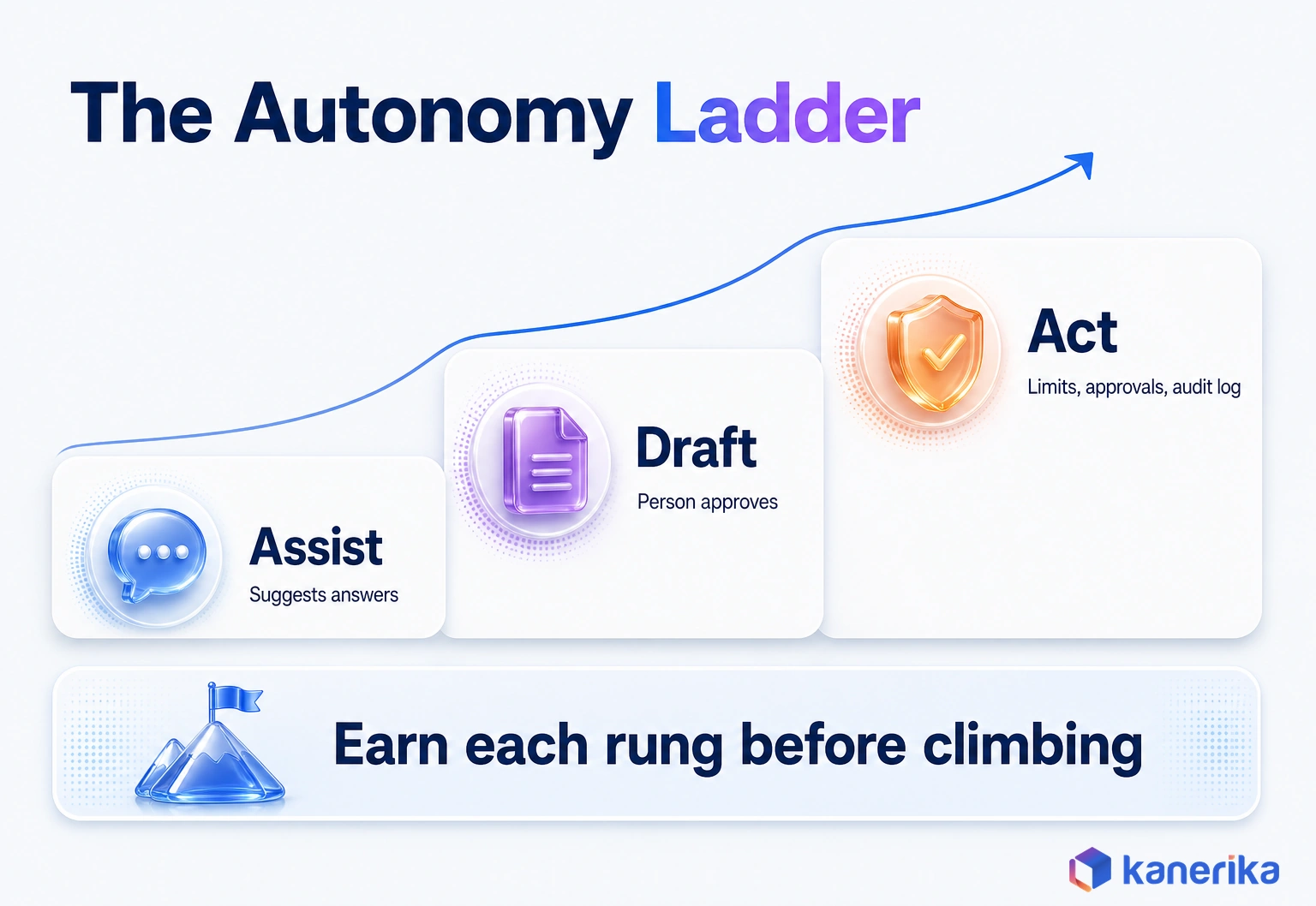
The use cases in this catalog already sit on these rungs. Agent assist works at the assist rung and RFP drafting at the draft rung, while invoice exceptions and ticket resolution belong on the act rung.
Deloitte’s respondents expect the highest agentic impact in customer support, home of the ticket-resolution agent. They also see high potential in supply chain, R&D, knowledge management and cybersecurity.
Each rung needs stronger controls than the one below it. In particular, agents that act need scoped permissions, spending and step limits, and an audit log of every action. They also need human approval for anything that moves money or changes a record of truth.
Start at the draft rung, then earn the right to act. Before giving an agent write access to a live system, read our guide to agentic automation.
Which Implementation Pattern Each Use Case Needs
Every use case in this catalog is built from one of four patterns, and picking the wrong one is a common reason pilots stall. The pattern shapes your data work, cost and risk more than the choice of model does.
Start with the lightest pattern that can work. For example, a SaaS copilot already inside your email or code editor needs almost no build. Retrieval adds your own documents, fine-tuning changes the model’s behavior, and agents add tools and actions.
| Pattern | Best for | Data you need | Example use cases |
|---|---|---|---|
| Prompting or SaaS copilot | General drafting and summaries | Little beyond the user’s input | Meeting summaries, content drafts, code suggestions |
| RAG (retrieval-augmented generation) | Answers that must match your documents | Clean, permissioned document collections | Knowledge assistant, HR helpdesk, contract review |
| Fine-tuning | A fixed format, tone or vocabulary at volume | A curated set of labeled examples | Claims summaries in a house format, product content |
| Agent | Multi-step work across systems | APIs, permissions and approval rules | Ticket resolution, invoice exceptions |
Fine-tuning is often chosen too early. Retrieval fixes the most common complaint, answers that ignore company facts, at lower cost and with easier updates when documents change.
When you are weighing RAG or fine-tuning for a specific use case, that comparison goes deeper. For the products behind each pattern, see our roundup of generative AI tools.
How to Pick Your First Three Use Cases
Choosing first use cases works best as a scoring exercise. Score every candidate on three things, and then the shortlist usually picks itself.
Score Value, Feasibility and Risk
- Business value: how much time, cost or revenue moves if it works, and who owns that number.
- Feasibility: whether the data exists, is clean enough and can be reached with the right permissions.
- Risk tier: what happens when the output is wrong, from a weak draft to a regulatory breach.
Rate each from 1 to 5, then favor high value, high feasibility and low risk. A sensible first-round choice is to weight feasibility heavily, because data readiness decides whether a pilot ships at all.
Risk is easiest to rate with three anchors. A score of 1 means a wrong output is a weak draft someone fixes before use. At 3, a wrong answer reaches a customer or shapes a manager’s decision. Reserve 5 for cases where money moves, a record changes or a regulation applies.
A Worked Example From Finance
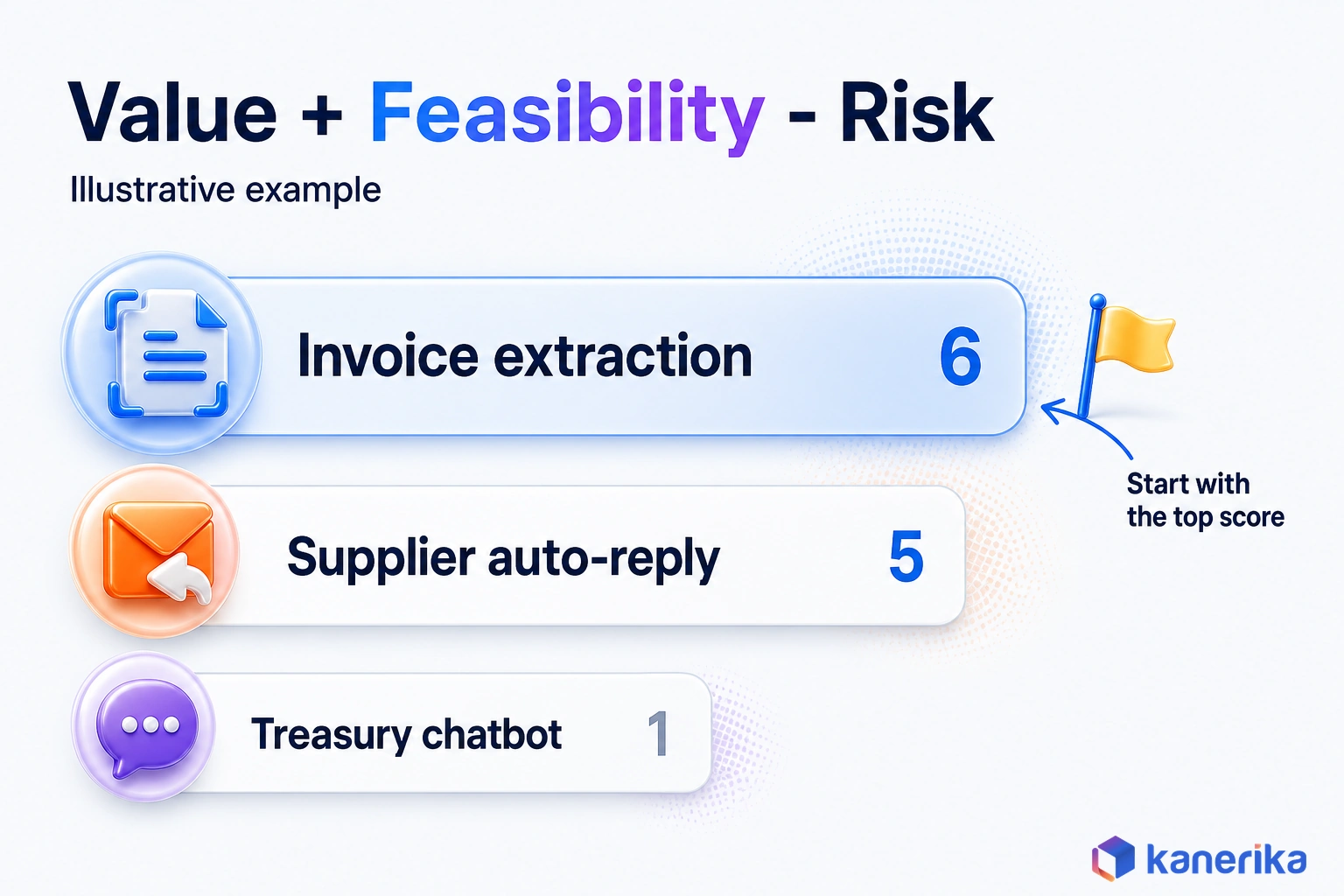
Take an illustrative finance team weighing three ideas. Invoice extraction scores 4 on value and 4 on feasibility, because invoices already land in a shared inbox. It scores 2 on risk, since rules and a clerk check every posting.
A treasury chatbot for cash questions scores 3, 2 and 4, because its data sits across several bank portals and a wrong number misleads decisions. Finally, an auto-reply to supplier emails scores 2, 5 and 2.
With value plus feasibility minus risk as a simple score, invoice extraction totals 6, the supplier auto-reply totals 5 and the treasury chatbot totals 1. So invoice extraction goes first, and the chatbot waits until its data is consolidated. These numbers show the method rather than a benchmark, and the example uses equal weights to keep the arithmetic simple.
Turn the Shortlist Into a Plan
Pick three that cover different patterns if you can, such as one copilot, one retrieval use case and one document flow. That spreads learning across platform work you will reuse later.
Run the scoring with the people who own the KPI and the data in the same room. A use case the data owner cannot support will stall, however high its value score.
Keep the ideas that lose. Re-score the backlog each quarter, because a use case blocked by messy data today may be ready once another project cleans that source. The treasury chatbot in the example is exactly that kind of candidate.
Then set a baseline for each KPI before launch, because a gain you cannot compare is a gain nobody will fund. Moving a winner from trial to everyday use is its own discipline, covered in our guide to moving a use case from pilot to production.
Risks, Controls and How to Measure Each Use Case
Every generative AI use case carries risks, and the right controls depend on what the use case touches. For example, a meeting summary posted to the wrong channel is a different problem from a chatbot that leaks customer data.
Two frameworks give teams a common vocabulary. NIST published AI 600-1, the Generative AI Profile of its AI Risk Management Framework, on July 26, 2024. The OWASP Top 10 for LLM applications ranks prompt injection as LLM01:2025 and sensitive information disclosure as LLM02:2025.
Risks and Controls by Use Case
Prompt injection matters most where a model reads outside content, such as emails, web pages or uploaded files, because hidden instructions can ride along. The table maps each main risk to the use cases most exposed and the control that fits.
| Risk | Use cases most exposed | Control |
|---|---|---|
| Hallucination | Knowledge assistants, self-service, clinical drafts | Retrieval with citations and human sign-off on high-stakes output |
| Sensitive data leakage (LLM02:2025) | HR helpdesk, KYC summaries, BI copilots | Permissions at retrieval, data masking and approved model endpoints |
| Prompt injection (LLM01:2025) | Email agents, document processing, self-service | Treat input as data, limit tools and require approval before actions |
| IP and copyright | Content production, code generation | Licensed tools, code scanning and human editing |
| Regulatory exposure | Recruitment screening, customer chatbots | EU AI Act review, disclosure and human decisions |
The EU AI Act adds dates to plan around. It entered into force on August 1, 2024, and its bans on prohibited practices, along with AI literacy duties, applied from February 2, 2025.
Obligations for general-purpose AI models followed on August 2, 2025, and the Act became generally applicable on August 2, 2026. Under the AI Omnibus, high-risk rules for Annex III systems move to December 2, 2027, and Annex I to August 2, 2028.
Recruitment screening and other Annex III uses therefore have a firm date to design toward. For deeper technical controls, such as injection defenses and data protection, see our LLM security guide.
Checklist
AI Governance Checklist
Work through the policies, controls and review steps that keep generative AI use cases safe, compliant and auditable as they scale.
Get the Checklist →How to Measure Each Use Case
Measure each use case against the number it was chosen to move, and capture the baseline before launch. Then track cost per successful task, which divides total run cost, including model fees and human review time, by tasks completed without rework.
| Use case | KPI | Baseline to capture first |
|---|---|---|
| Knowledge assistant | Answer acceptance rate | Time to find an answer today |
| Agent assist | Average handle time | Current handle time by queue |
| Invoice processing | Touchless rate | Manual touches per invoice |
| Code assistant | Cycle time per change | Current cycle time and rework |
| Content production | Assets per writer per week | Current output at the same quality bar |
| BI copilot | Correct-answer rate | Analyst hours on ad hoc requests |
Turning those KPIs into a financial case is a separate calculation, covered in our guide to measuring generative AI ROI.
How Kanerika Builds Production Generative AI Use Cases
Kanerika helps enterprises move generative AI from a long list of ideas to a few use cases that run every day. The work starts with the scoring this guide describes, which is then applied to your own processes, data and risk appetite.
Delivery then follows the patterns above. Kanerika grounds models in governed enterprise data and applies permissions at retrieval. It also adds approval steps wherever output touches money, customers or records. Every use case ships with a KPI baseline, so the first review compares real numbers.
One project shows a generative AI analytics use case at work. A fast-growing ERP software provider offered CRM software to its clients. Its sales data, however, was hard to analyze, and the CRM lacked a dashboard for spotting KPIs. Adoption of the existing interface was also low.
Kanerika used generative AI to build a dashboard that gave users a complete view of sales data and KPIs through a more intuitive interface. The CRM dashboard case study reports these results:
- 22% uptick in KPI identification accuracy
- 14% boost in sales and revenue
- 10% increase in customer retention
Each result maps to a measurable KPI, so it passes the same test this guide applies to every use case on the list.
Kanerika Service
Generative AI Consulting and Development
Kanerika scores your use cases, grounds models in governed enterprise data and builds generative AI solutions with the approvals and KPIs needed for daily production use.
Explore Generative AI ServicesWhich Generative AI Use Cases Should You Start With?
Start with the generative AI use cases that read, draft or summarize language for a person who stays accountable. Knowledge assistants, agent assist, document processing, code help and content drafting have the strongest production record as well as the simplest controls.
Then score your own candidates on value, data readiness and risk, pick three that span different patterns and baseline each KPI first. Move to agents that act only after those drafting use cases prove their numbers.
So the generative AI use cases that work are the ones with an owner, a KPI and a control from the first day.
Frequently Asked Questions
What are the most common generative AI use cases in business?
The most common generative AI use cases in business are knowledge assistants, agent assist in customer service, content drafting, document processing and code assistance. Deloitte’s 2026 enterprise survey ranks search and knowledge management, virtual assistants and content generation as the most impactful areas. Meeting summaries and IT service desk support are also widespread.
What are the best generative AI use cases for enterprises in 2026?
The best enterprise use cases pair a clear owner, a measurable KPI and data the team can reach. Knowledge assistants, agent assist, invoice and document processing, code assistance and content drafting fit that test well. Start with drafting and summarizing work where a person approves the output, and add agents that take actions once those prove their numbers.
How is generative AI used in manufacturing?
Manufacturers use generative AI for maintenance assistants that answer technician questions from manuals and work instructions, citing the source page. Other uses include drafting standard operating procedures, summarizing shift logs and quality reports, and writing supplier emails. Failure prediction and demand forecasting remain predictive machine learning jobs, with generative AI explaining results and next steps.
What is the difference between generative AI and traditional AI?
Generative AI creates new content such as text, code, images and summaries. Traditional or predictive AI analyzes data to classify, score or forecast, for example flagging fraud or predicting demand. Many business processes combine both. A predictive model spots an issue, and a generative model drafts the explanation or response for a person to review.
How do you choose the right generative AI use case?
Score each candidate on business value, feasibility and risk. Value asks how much time, cost or revenue moves and who owns that number. Feasibility asks whether clean, permissioned data exists. Risk asks what happens when the output is wrong. Start where value and feasibility are high and risk is low, and set a KPI baseline before launch.
How much does it cost to implement generative AI?
Costs depend on the build pattern more than the model. A SaaS copilot mostly adds license fees and training. Retrieval use cases add data preparation, indexing and permission work. Fine-tuning and agents add labeled data, integration, testing and monitoring. Human review time is a real cost too, so track cost per successful task rather than model fees alone.
How long does it take for a generative AI use case to show ROI?
Timelines vary with the pattern and the data. Copilot and drafting use cases usually show time savings soonest, because they need little data work. Retrieval and document flows take longer, since data must be prepared and permissioned first. Set a KPI baseline before launch, review it at fixed intervals and include human review time in the cost.
Is my data safe when using generative AI?
It can be when the setup is controlled. Use enterprise model endpoints whose terms exclude training on your data, apply permissions when documents are retrieved and mask sensitive fields. Guard against prompt injection, which OWASP ranks first in its 2025 list for LLM applications, and log every request. Keep confidential data out of personal chat tools.
How do companies use generative AI with their own data?
A common approach is retrieval-augmented generation, or RAG. The system searches approved documents or records, passes the relevant passages to the model and asks it to answer only from them, with citations. Permissions are applied during that search step, so each user only receives answers built from content they are already allowed to see.
What is a real-life example of generative AI?
One real example is a CRM dashboard Kanerika built for a fast-growing ERP software provider. Generative AI helped create a dashboard that gave users a complete view of sales data and KPIs through a more intuitive interface. The case study reports a 22% uptick in KPI identification accuracy, a 14% boost in sales and revenue and 10% higher retention.
Is ChatGPT a generative AI?
Yes. ChatGPT is a generative AI application built on large language models that produce text, code and images in response to prompts. Enterprises often use similar models through business editions or cloud platforms. Those versions add administrative controls, data protection terms and connections to company documents that a personal chat account does not offer.
Can generative AI write and test code?
Yes. Coding assistants suggest code, explain functions, write unit tests and draft review comments. In a 2022 GitHub experiment on one coding task, developers using Copilot finished 55% faster. Results in real codebases vary, so keep human review on every merge. Scan generated code for secrets and license issues, and measure cycle time in your own repositories.
What are the use cases of generative AI in HR?
HR teams use generative AI for policy helpdesks that answer leave and benefits questions. It also powers onboarding assistants and drafts job descriptions and interview guides. Screening candidates needs far more care. The EU AI Act lists CV-sorting software for recruitment as high-risk, so hiring decisions should stay with people who can explain them.
What are the best generative AI use cases for customer service?
Agent assist is the strongest starting point. It suggests answers, drafts replies and summarizes cases while a human agent stays in control. Self-service assistants that answer from help articles and order data come next, with a clear handoff to a person. Track handle time and true resolution rates, and tell customers when they are chatting with a machine.
How is generative AI used in finance and accounting?
Finance teams use generative AI to read invoices and receipts in varied layouts, draft variance commentary, summarize contracts and answer policy questions. The safest pattern lets the model extract and draft while rules check totals and matches, and a person approves anything that posts to the ledger. The touchless processing rate is a useful first KPI.
What are the use cases of generative AI in healthcare?
The leading healthcare use case is clinical documentation, where ambient tools turn a visit conversation into a draft note that the clinician edits and signs. Others include summarizing patient records, drafting letters and answering staff policy questions. Patient data must stay in approved systems, and clinicians remain responsible for every clinical decision the tools support.