TL;DR
Enterprises need AI agent orchestration only when one workflow spans several agents, and then a central orchestrator beats agents coordinating themselves. Orchestration is the control layer that routes work, holds shared state, enforces permissions and approvals, and logs every step. Start with the simplest pattern that works, such as a fixed sequence, and use model-driven routing only for open-ended steps.
Connect agents to tools and data with MCP, and add A2A only when agents from different teams or vendors must talk. Pick a platform for durable state, tracing and approval support, since AutoGen and the OpenAI Assistants API have both been retired. Build governance before the second agent ships, with scoped permissions, stop rules and a named owner for every action.
Key Takeaways
- AI agent orchestration is the layer that decides which agent acts next, what each one may touch and when a person must approve.
- Use the lowest level of complexity that works: a direct model call, then one agent with tools, then several agents.
- Six patterns cover most designs: sequential, concurrent, handoff, group chat, magentic and orchestrator-workers. Each carries a distinct risk.
- MCP connects an agent to tools and data, A2A connects agents to each other, and plain APIs still connect systems.
- Multi-agent systems can use about 15 times the tokens of a chat, so measure cost per completed workflow, not cost per call.
- Gartner expects over 40% of agentic AI projects to be canceled by 2027, mostly over cost, value and risk controls.
Watch on YouTube
Why AI Agents Fail in Production
Kanerika walks through the reasons AI agents break once they leave the demo, from missing controls to weak handoffs, and what a production-ready design needs instead.
One Invoice, Three Agents, Two Different Answers
It is late on the last day of the quarter when an invoice for $48,600 lands in accounts payable. Its purchase order, however, says $46,000. Within a minute, three AI agents pick it up.
The intake agent extracts the fields and then flags a 5.7% variance. Next, a policy agent reads the tolerance rule, decides the gap needs a buyer’s sign-off and places a hold. A few seconds later, the payment agent reads the same record, sees a 10% tolerance in an older vendor contract and schedules the payment.
Each agent did its own job correctly, yet the company now has a held invoice and a scheduled payment for the same bill. The missing piece was a coordinator that owned the record, decided who acts next and stopped the payment until the hold cleared.
That coordinator is, in short, what AI agent orchestration provides. This guide explains how it works, which pattern and protocol to choose, what the 2026 platforms do well and how to govern it. It closes with the five decisions an enterprise should settle before running a second agent.
What Is AI Agent Orchestration?
AI agent orchestration is the coordination of several AI agents, tools and people so they complete one business process as a single, controlled workflow. The orchestrator decides which agent works on which step, passes the right context along and checks each result before the next step starts.
Think of the shift supervisor in a claims office. The adjusters do the skilled work, but the supervisor assigns cases, holds the case file, signs off on large payouts and keeps the log. Without that role, skilled people still collide, and the same thing happens with agents.
Orchestration is also different from classic automation. A rule-based workflow, such as an enterprise RPA bot, follows fixed steps and fails when the input changes. An agent, by contrast, can reason about a messy input and choose a tool. Our guide to AI vs intelligent automation covers that line in detail. Orchestration sits above both, so one workflow can mix fixed rules, AI agents and human approvals.
One more distinction also saves confusion. Data orchestration tools schedule data pipelines and batch jobs on a timetable, whereas agent orchestration coordinates decisions made at run time by models.
What the Orchestrator Controls
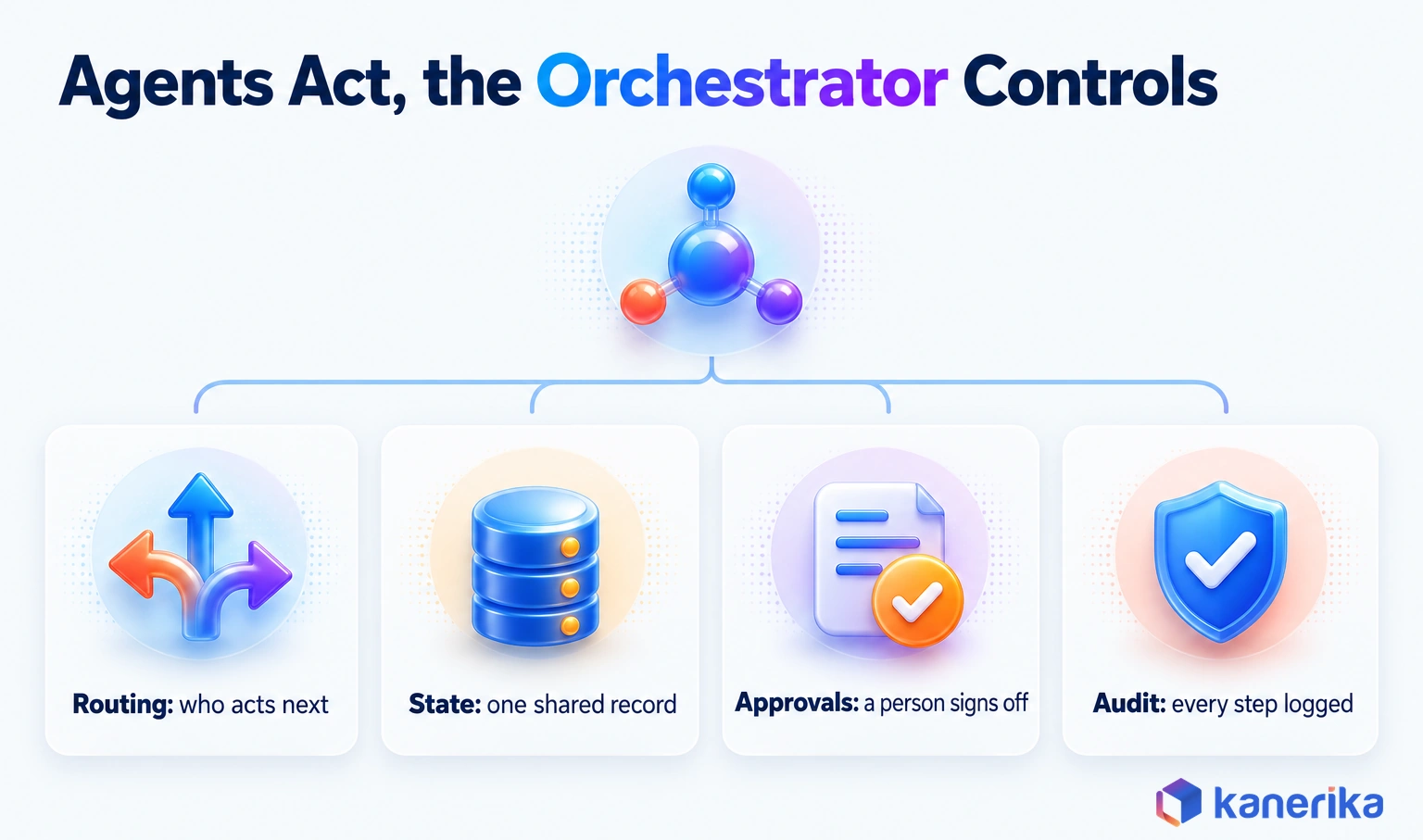
The orchestrator is the only part of the system that sees the whole workflow, so it carries the controls. That position gives it four controls no single agent should hold. An agent that controls its own permissions or audit trail cannot be trusted with either.
- Routing: which agent, tool or person acts next, and when to retry or stop.
- State: one shared record of the case, its history and its current status.
- Approvals: what each agent may read, write or trigger alone, and where a person must sign off first.
- Audit: a log of every input, decision, tool call and output.
Single Agent vs Agent Workflow vs Orchestrated Agents
Three designs often get called “agentic,” and they behave very differently under load. The table compares them on the questions that matter once a workflow goes live.
| Design | Who decides the next step | Where state lives | Failure handling | Best for |
|---|
| Single agent with tools | Its own reasoning | The model’s context window | Retries, or it gives up | One job with a few tools, such as answering policy questions |
| Agent workflow | Fixed code paths | The workflow engine | Predefined retries and branches | Repeatable steps with known order, such as document intake |
| Orchestrated agents | An orchestrator, by rule or by model | A shared, governed state store | Retries, fallbacks, compensation and human escalation | Cross-team processes with several specialists and approval points |
Why It Matters in 2026
Agents are starting to ship as features inside the business applications enterprises already license. Gartner predicts that 40% of enterprise applications will include task-specific AI agents by the end of 2026, up from less than 5% in 2025.
That shift changes the problem. A finance team may soon run one agent in its ERP, another in procurement and a third in the service desk. Each may also come from a different vendor. Someone has to decide how those agents hand work to each other and who owns the result. That makes orchestration an architecture decision instead of a feature.
It is also why enterprise AI adoption depends less on model quality and more on control. The firms that scale agents are the ones that can show, for any action, which agent took it, with what data and under whose approval.
How AI Agent Orchestration Works
Under the hood, an orchestration system is a small set of layers wrapped around the agents. Each layer answers one question, and the agents themselves are only one of them.
The Six Layers of an Orchestration System
At the top, the orchestrator plans the work. Below it, specialist agents each handle one domain, such as reading documents or checking compliance. Our explainer on how autonomous agents work covers what happens inside each one.
The agents reach tools and data through a connection layer, which in most 2026 designs means Model Context Protocol (MCP) servers in front of databases, APIs and files. A state and memory layer keeps the case record, so any agent can pick up where another stopped.
Two more layers then wrap everything else. Guardrails and approvals check each action against policy and route high-risk steps to a person. Observability records traces, costs and outcomes, so a failed run can be replayed and explained.
Teams that skip the last two layers usually ship a fast demo and then stall in security review. In practice, guardrails and observability decide whether a workflow ever reaches production.
Kanerika Service
Agentic AI Services
Kanerika designs and builds AI agent workflows with scoped permissions, human approval points and full tracing, so each action can be explained and audited.
Explore Agentic AI Services
One Request From Start to Finish
A single request shows how the layers work together in practice. Take, for example, a customer asking to change the delivery address on a shipped order.
- Intake: the orchestrator receives the request and opens a case record with an ID.
- Plan: it breaks the goal into steps, such as verify the customer, check shipment status and update the carrier.
- Route: it assigns each step to the right agent or tool, by rule or by model choice.
- Execute: agents call their tools and write results back to the shared record.
- Validate: the orchestrator checks each output against a schema and the business rules.
- Approve: if a step crosses a threshold, such as a fee waiver, a person signs off.
- Complete and log: the case closes, the customer gets a reply and the trace is stored.
Steps five and six are where most of the value sits, because they enforce the rules. Without them, an orchestrator only passes messages; with them, it enforces the process.
How Agents Share State, Memory and Context
Agents forget everything outside their context window, so shared memory has to be designed rather than assumed. For that reason, it helps to separate three kinds.
Session memory holds the current conversation and disappears when the session ends. Workflow memory holds the case record across agents and days, including every intermediate result. Organizational memory is the knowledge the whole company relies on, such as customer master data, policies and contracts.
The common mistake is letting each agent keep its own copy of organizational memory. In the invoice story, the payment agent read an older contract because nobody pointed it at the governed source. The fix is a single governed data layer, with catalog permissions and lineage, that every agent reads through. That turns “which contract is current” into a data question with one answer.
AI Agent Orchestration Patterns and When to Use Each
A pattern is the shape of the conversation between agents, and choosing one is the biggest design decision you will make. Microsoft’s architecture guidance names five, and Anthropic adds an orchestrator-workers shape in its guide to building effective agents.
Each pattern also trades something away. A fixed sequence is easy to audit but slow, while an open group discussion is flexible but hard to predict. The table also adds the column most guides leave out: the main way each pattern fails.
| Pattern | How it works | Best for | Main risk |
|---|
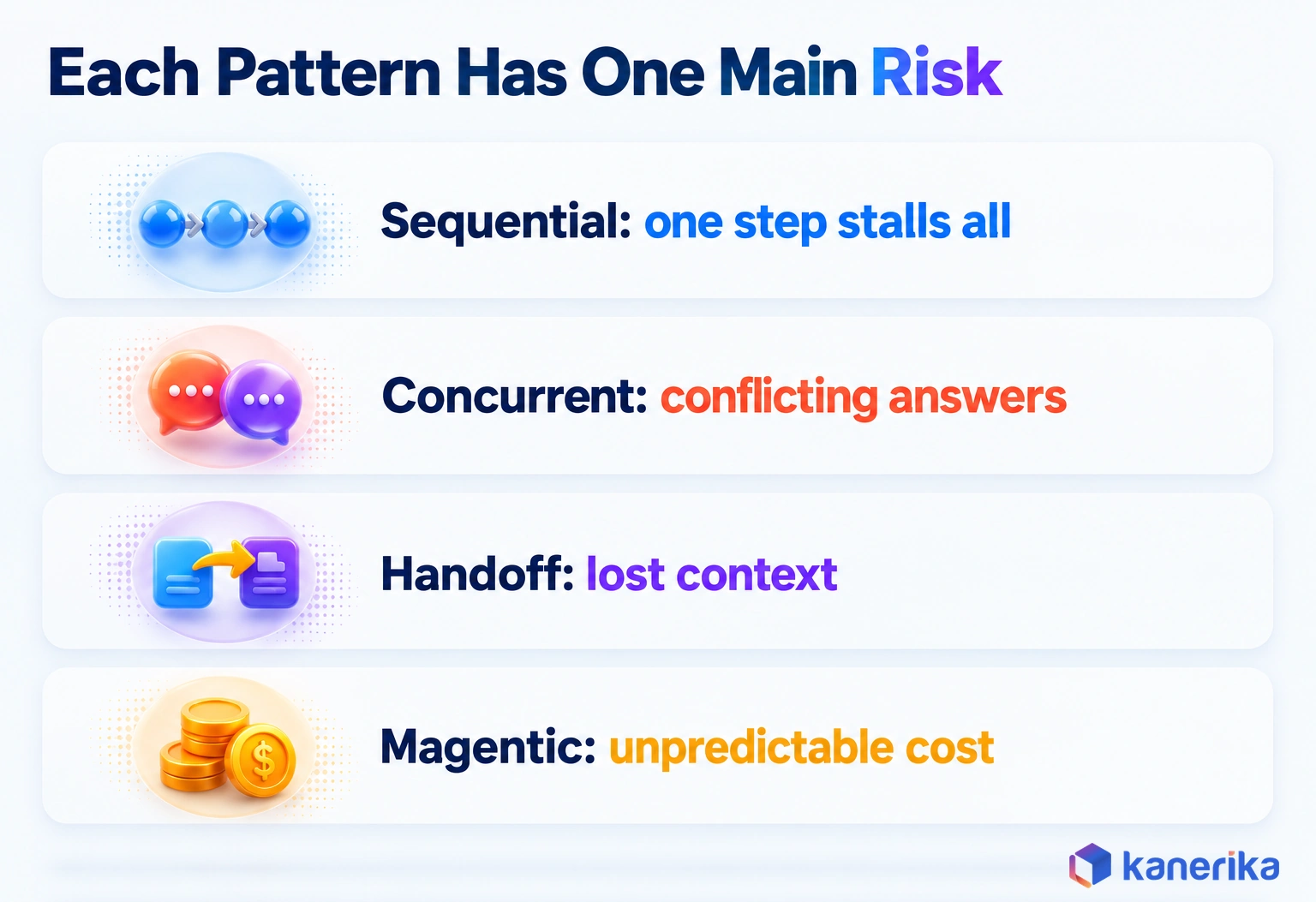
| Sequential | Agents run in a fixed order, each using the previous output | Document processing, step-by-step reviews | One slow or wrong step stalls everything after it |
| Concurrent | Several agents work on the same input in parallel, then results merge | Research, risk checks from several angles | Conflicting answers with no clear way to reconcile |
| Handoff | One agent passes full control to a better-suited agent | Customer service triage, routing to specialists | Context lost at the handoff, or endless ping-pong |
| Group chat (maker-checker) | Agents discuss in a shared thread, often one drafting and one reviewing | Drafts that need a second opinion, policy checks | Long, costly loops if no turn limit is set |
| Magentic | A planner builds a task ledger and assigns steps as it learns | Open-ended problems with no known path | Hard to predict cost and runtime |
| Orchestrator-workers | A central model splits the task, delegates to workers and combines results | Complex tasks whose subtasks are unknown up front | The orchestrator becomes a single point of failure |
For most enterprise processes, start with sequential or handoff, because both are easy to test and explain to an auditor. Move to orchestrator-workers or magentic only when the steps truly cannot be known in advance, and cap their turns and budget from day one.
Centralized vs Decentralized vs Federated Control
Patterns describe the conversation, while control models describe who is in charge of it. In general, the choice follows your org chart and your risk appetite.
| Control model | How it works | Strength | Weakness |
|---|
| Centralized | One orchestrator directs every agent | Simple to audit and govern | A bottleneck at high volume |
| Decentralized | Agents negotiate directly with each other | Resilient, no single point of failure | Hard to trace who decided what |
| Federated | Each team runs its own orchestrator, and they connect through agreed contracts | Teams keep autonomy over their own agents | Needs shared standards for identity and logging |
Centralized control is the right default for a first production workflow. Federated control makes sense once several business units run their own agents and need them to cooperate, which is exactly where the A2A protocol helps.
Deterministic Routing vs LLM-Driven Routing
The orchestrator can decide the next step in two ways. Deterministic routing uses code and rules. A typical rule, for instance, sends any amount above $10,000 to the controller. LLM-driven routing asks a model to read the situation and pick the next agent.
Rules are cheap, fast and fully explainable, so they belong on regulated steps like payments, access changes and anything an auditor will ask about. Model routing handles open-ended steps well, such as deciding whether a vague customer email is a complaint, a refund request or both.
In practice, the default is hybrid. Let a model classify and plan, but put every consequential action behind a deterministic check. That way, a wrong guess by the model costs a retry rather than a wrong payment.
Do You Need Multiple Agents at All?
The patterns above only matter if the work truly needs several agents. Many teams build a multi-agent system for a job that one agent with good tools would do better. One agent is also faster and far cheaper.
Microsoft’s guidance frames this as a ladder: a direct model call, then a single agent with tools, then a multi-agent system. Its advice is short: “use the lowest level of complexity that reliably meets your requirements.” Each step up also adds latency, cost and new ways to fail.
Still, multiple agents do earn their place in some cases. Anthropic reported on June 13, 2025 that its multi-agent research setup beat a single-agent Claude Opus 4 by 90.2% on an internal research evaluation. Parallel agents could explore more sources at once. The same work also used far more tokens, which is the tradeoff to price in.
Use this five-question gate before adding a second agent:
- Does the work cross a security or data boundary that one agent should not span?
- Do different steps need different tools, models or permissions?
- Can parts of the work run in parallel and save real time?
- Does a separate reviewer agent catch errors a single agent would miss?
- Will different teams own and change different parts of the workflow?
If you answer “no” to all five, stay with one agent. Two or more “yes” answers usually justify orchestration. Our deeper guide to multi-agent AI systems walks through that build decision with more examples.
MCP, A2A and APIs: How Agents Connect
Agents need two kinds of connection: one to reach tools and data, and one to reach other agents. Since April 2025, two open protocols have covered those jobs, while ordinary APIs still do the system-to-system integration underneath.
The Model Context Protocol (MCP) gives an agent a standard way to discover and call tools, read resources and use prompts from a server. Its latest specification is version 2026-07-28. Governance has also matured. MCP moved into the Linux Foundation’s Agentic AI Foundation, announced on December 9, 2025 with founding contributions from Anthropic, Block and OpenAI.
Where A2A Fits Alongside MCP
Agent2Agent (A2A) solves the second job. Google launched it in April 2025, and it became a Linux Foundation project on June 23, 2025 with support from more than 100 companies. With A2A, an agent can describe its skills, accept a task from another agent and report progress. That works even when the two run on different platforms.
| Connection | Connects what | Governed by | Use it when |
|---|
| MCP | An agent to tools, data and prompts | Agentic AI Foundation (Linux Foundation) | An agent needs governed access to systems such as a CRM, database or file store |
| A2A | An agent to another agent | Linux Foundation A2A project | Agents from different teams, vendors or platforms must delegate work |
| APIs | One system to another | Each vendor | The step is deterministic and needs no reasoning, such as posting a journal entry |
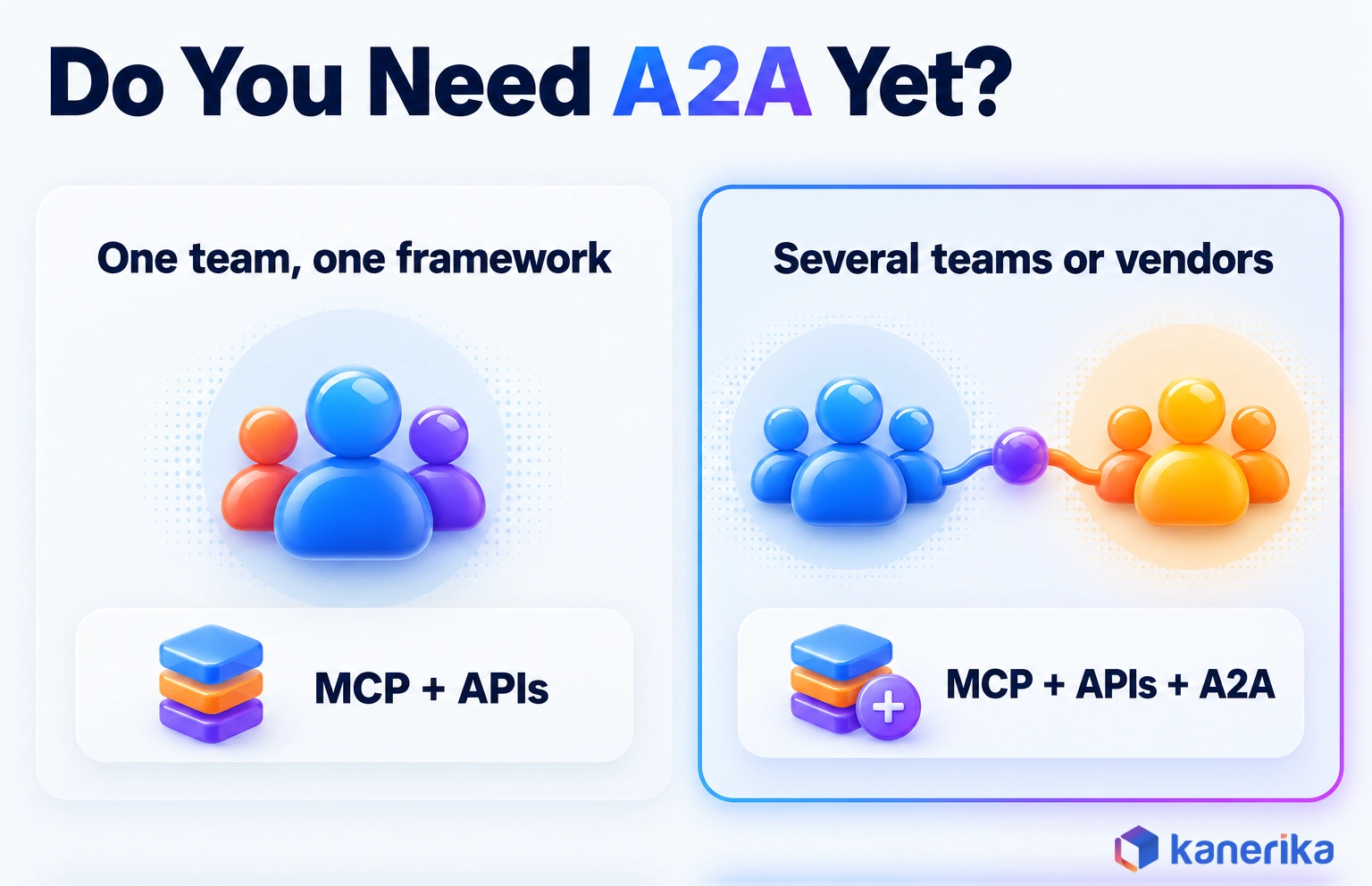
In practice, most first workflows need MCP and APIs but not A2A. If one team builds all the agents on one framework, the framework’s own messaging is simpler. A2A pays off when a procurement agent from one vendor must hand a task to a finance agent from another. Plan for it, but do not start there. Our MCP vs A2A comparison covers the protocol-level differences.
Keep agentic AI security in view as well, because every connection is an entry point. An MCP server is a doorway into your systems, so each one needs authentication, least-privilege scopes and logging, exactly like any other integration.
Watch on YouTube
Google’s A2A Protocol: How AI Agents Collaborate Without Humans
A plain explanation of Google’s Agent2Agent protocol: how one agent describes its skills, accepts a task from another agent and reports progress across platforms.
AI Agent Orchestration Frameworks and Platforms in 2026
The tooling splits into two camps: code-first agent frameworks that engineers build on, and managed platforms that bundle agents, connectors and governance. Neither is better in general; the right pick depends on who will run the system and how much control you need.
The table lists leading options by type, without prices, because agent pricing changes too often to print. For a head-to-head on two of the most common choices, see our comparison of CrewAI vs AutoGen and Microsoft Agent Framework.
| Option | Type | Orchestration model | Strengths | Watch-outs |
|---|
| LangGraph | Code-first framework (MIT license) | Graphs of stateful nodes | Durable execution, human-in-the-loop, fine control | Low-level, so teams write more code |
| Microsoft Agent Framework | Code-first framework | Agents plus graph-based workflows | Successor to AutoGen and Semantic Kernel, fits Azure estates | Teams on AutoGen must migrate |
| OpenAI Agents SDK | Code-first framework | Handoffs between agents | Built-in guardrails, human-in-the-loop, sessions and tracing | Tightest fit with OpenAI models |
| CrewAI | Code-first framework | Crews (agent teams) and Flows (event-driven workflows) | Fast to prototype role-based teams | Confirm tracing and state needs before scaling |
| Google ADK | Code-first framework | Sequential, parallel and loop workflow agents, plus graphs | Clear workflow primitives, fits Google Cloud | Check deployment options outside Google Cloud |
| Agent Squad | Code-first framework | Intent routing to specialist agents | Light routing layer for conversational apps | Moved from AWS Labs to 2FastLabs (last commit October 8, 2026), so check release cadence |
| IBM watsonx Orchestrate | Managed enterprise platform | Vendor-managed agent orchestration | Packaged for business teams | Test lock-in and connector fit for your stack |
LangGraph sits on top of the wider LangChain toolset, and our guide to LangChain vs LangGraph explains where one ends and the other begins. Teams that prefer a visual tool can start with an AI agent builder. They can then move to a framework once the workflow needs custom control.
What Changed Since 2025
Several tools that topped 2025 lists have since been retired or renamed. Any article or vendor deck that still recommends them is out of date.
- AutoGen is archived. Microsoft’s AutoGen repository tells new users to start with Microsoft Agent Framework, which it describes as production-ready with stable APIs.
- The OpenAI Assistants API is gone. OpenAI announced its deprecation on August 26, 2025 and removed it on August 26, 2026, per its deprecations page. The Responses API is the replacement path.
- AWS Multi-Agent Orchestrator was renamed Agent Squad. Its README says the project has moved from awslabs to 2fastlabs/agent-squad.
If your agents still run on AutoGen, follow Microsoft’s AutoGen migration guide and plan the move to Agent Framework as a scoped project. Teams on the Assistants API should rebuild on the Responses API, and OpenAI’s migration guide maps threads to the Conversations API.
On-Demand Webinar
Model Context Protocol (MCP): The Key to Building Context-Aware AI Agents
An on-demand Kanerika session on how MCP connects agents to business tools and data, and what it takes to build context-aware agents on top of it.
Watch the Webinar →
A Platform Selection Scorecard
Demos make every framework look capable, so score candidates on what breaks in production instead. Weight each criterion, run the same test workflow on every finalist and record what you saw, not what the vendor promised.
| Criterion | Suggested weight | What to test |
|---|
| State persistence | 20% | Kill a run halfway and confirm it resumes from the last step |
| Human-in-the-loop | 15% | Pause for approval for a day, then resume with the approver’s edit |
| Tracing | 15% | Replay one failed run and see every prompt, tool call and output |
| Identity and permissions | 15% | Give each agent its own scoped credential and prove it cannot exceed it |
| Protocol support | 10% | Connect one MCP server and, if needed, one A2A agent |
| Deployment and residency | 15% | Run in your cloud region and keep data where policy requires |
| Lock-in | 10% | Swap the model provider and count what you had to rewrite |
The weights add up to 100%, so treat them as a starting point to adjust. A bank might raise identity and residency, while a startup might weight lock-in lower.
Choosing an Approach: Scenario Picks and a Worked Example
The right design depends on the workflow, so it helps to see one clear pick per common scenario. Each row below names a pattern, the reason and the point where a person must approve.
| Scenario | Pattern pick | Why | Approval point |
|---|
| Invoice exceptions | Sequential with a maker-checker step | Fixed order, and a second agent checks the variance logic | Payment release above tolerance |
| Customer service triage | Handoff | A front agent routes to billing, technical or returns specialists | Refunds or credits above a set amount |
| Claims intake | Sequential | Documents, coverage check and fraud score run in a known order | Any denial or payout above threshold |
| Supplier onboarding | Orchestrator with specialist agents | Several checks with different data and permissions | Bank detail changes |
| Research and report drafting | Concurrent, then maker-checker | Parallel search saves time, and a reviewer catches weak sources | Publication or client delivery |
| IT incident response | Magentic, with tight limits | The cause is unknown at the start, so the plan must adapt | Any production change or rollback |
Notice that every row keeps a person on the step that moves money, changes access or speaks for the company. That is the pattern behind most successful agentic AI deployments: agents prepare the work and people approve the consequential part.
AI Assessment
Is Your Business Ready for AI Agents?
Take Kanerika’s AI maturity assessment to see where your data, processes and governance stand before you add a second agent to a workflow.
Start Your AI Assessment →
Worked Example: Supplier Onboarding
Supplier onboarding shows why orchestration matters. The process touches documents, sanctions lists and the ERP, and one field, the bank account, is a favorite target for fraud.
Here is how an orchestrated version runs, step by step, once the supplier submits the form. The numbers are illustrative, chosen to show the mechanics rather than a measured result.
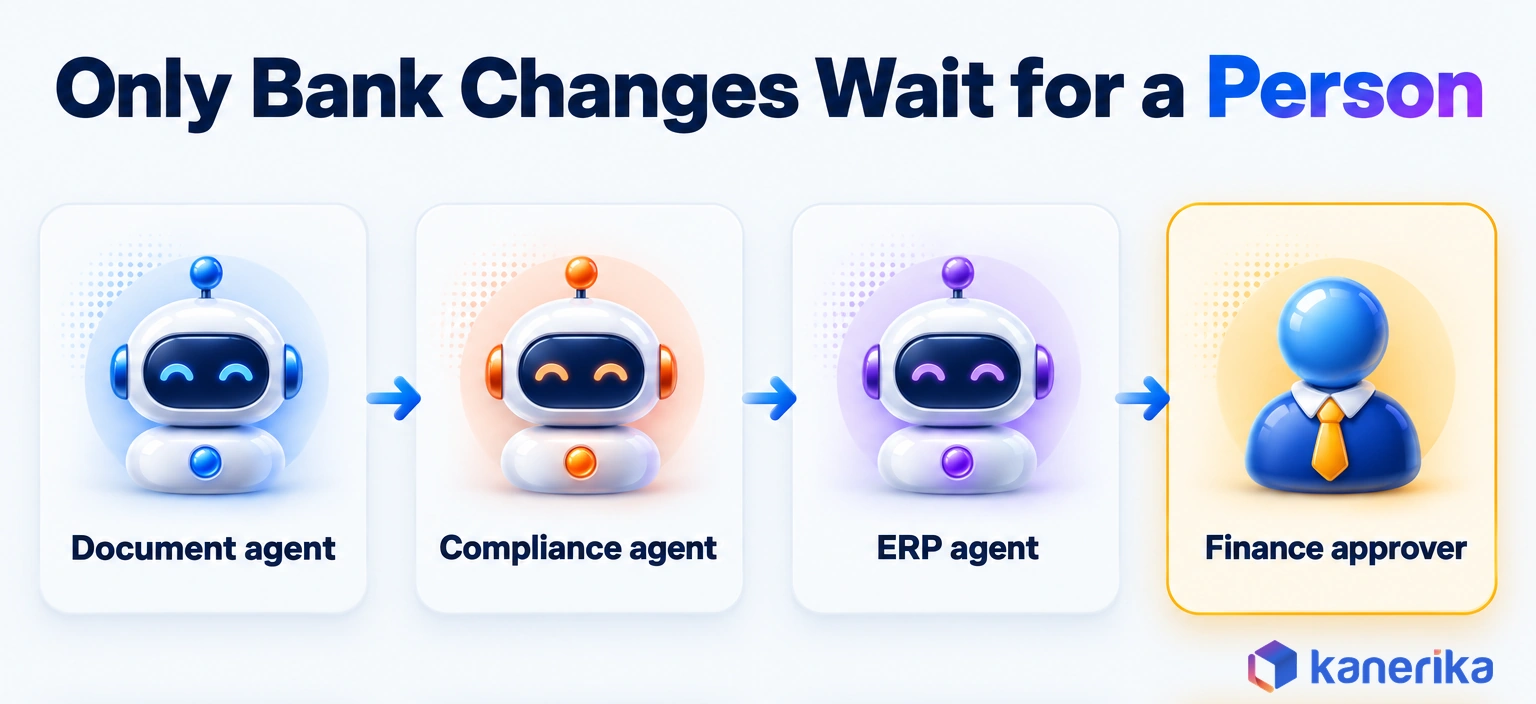
- Document agent: reads the supplier’s form, tax certificate and bank letter, and extracts 24 fields into the case record.
- Compliance agent: screens the company and its directors against sanctions and adverse-media sources, and writes a pass, review or fail result with citations.
- ERP agent: drafts the vendor master record but has no permission to activate it.
- Orchestrator: checks that all three results are present and valid, then routes the case. A clean case with no bank change goes to activation.
- Human approval: any new or changed bank detail goes to a finance approver, who confirms it by a call-back to a known number before activation.
The orchestrator keeps a single state record that every agent reads and writes. A simplified version looks like this:
{
  "case_id": "SUP-2026-0412",
  "status": "awaiting_approval",
  "steps": {
    "document_extract": {"result": "ok", "fields": 24, "attempts": 1},
    "sanctions_screen": {"result": "pass", "sources_checked": 3, "attempts": 1},
    "erp_draft": {"result": "drafted", "vendor_id": null, "attempts": 2}
  },
  "approval": {"required": true, "reason": "bank_detail_change", "owner": "ap_manager"},
  "limits": {"max_attempts_per_step": 3, "max_runtime_minutes": 30}
}
Two rules keep the run safe. First, each step may retry up to three times, and the ERP draft above needed a second attempt after a timeout. Second, if a step fails three times or the run passes 30 minutes, the orchestrator stops. It opens a ticket for a person instead of looping. The case can resume from the failed step, because the record holds every earlier result.
Running Orchestration in Production
A demo proves an idea, while production proves you can trust it at volume. Closing that gap takes engineering discipline in four areas.
The infrastructure underneath, such as hosting, queues and model gateways, is its own topic, covered in our guide to AI agent infrastructure. This section stays on the orchestration layer.
Contracts, Idempotency and Duplicate Actions
Every agent should accept and return a defined structure, such as a JSON schema, rather than free text. A contract lets the orchestrator reject a malformed answer before it reaches the next agent or a live system.
Idempotency matters just as much, since retries are normal. Networks fail and orchestrators retry, so the same “create vendor” or “pay invoice” call can arrive twice. Without protection, the second call creates a duplicate.
- Attach an idempotency key, such as the case ID plus the step name, to every action that writes to a system.
- Have the target system ignore a repeat of a key it has already processed.
- Separate “propose” from “commit,” so agents draft changes and only the orchestrator commits them.
- Version the contracts, so one team’s change does not silently break another team’s agent.
Failures, Retries and Stop Rules
Agents fail in ordinary ways, such as timeouts, rate limits and bad tool responses, and in model-specific ways, such as confident wrong answers. So design for both from the first sprint.
Set a timeout on every tool call and a maximum number of turns on every conversation. In the OpenAI Agents SDK, for example, that cap is the max_turns argument to Runner.run, and a run that passes it raises MaxTurnsExceeded. Also give each step a fallback, such as a simpler model or a human queue. For actions that already took effect, define compensation. If the vendor record was created but screening later fails, the orchestrator deactivates that record.
Finally, build a kill switch that stops all agent actions in one place. You hope never to use it, but auditors will ask whether it exists, and on a bad day it limits the damage to minutes.
Testing and Tracing a Multi-Agent Workflow
Testing a multi-agent workflow means testing the whole path, not each agent alone. Build a set of real, anonymized cases with known correct outcomes, and run every change against that set before release. It is the same regression habit that machine learning operations teams apply to models.
Tracing then makes the results explainable. Each run should record the plan, every prompt, every tool call, each agent’s output and the approver’s decision. With that record, a strange result takes minutes rather than days to investigate.
| Metric | What it tells you | Watch for |
|---|
| Task success rate | Share of cases completed correctly without rework | A drop after a model or prompt change |
| Escalation rate | Share of cases sent to a person | Too high wastes staff; too low may hide risk |
| Cost per completed workflow | Total run cost divided by successful completions | Rises when retries and loops grow |
| p95 latency | Time the slowest 5% of cases take end to end | One slow agent dragging the whole chain |
| Policy violations | Actions blocked by guardrails or flagged in review | Any rise after a new tool or permission |
What Orchestration Costs to Run
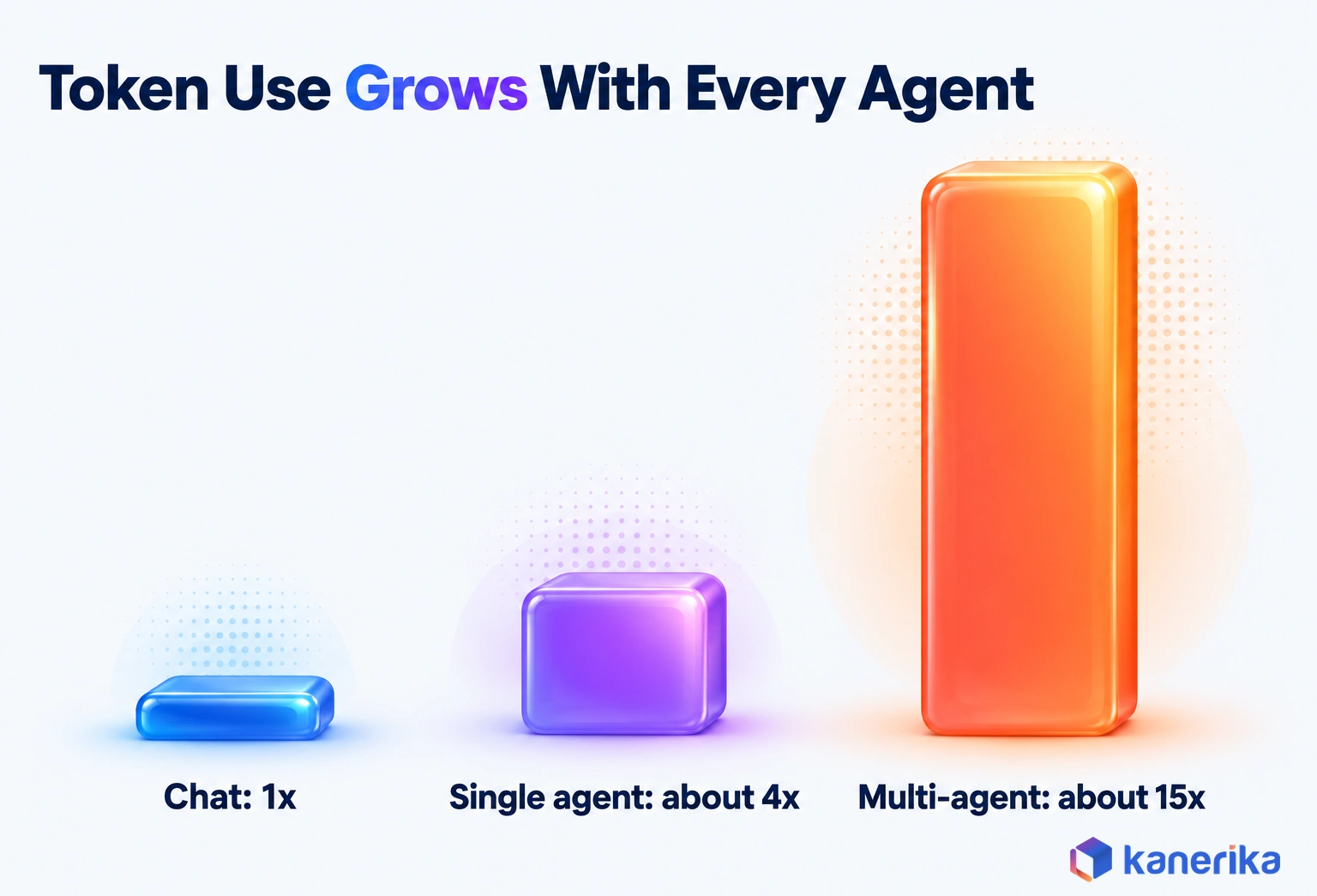
Model spend grows faster than most teams expect once several agents talk to each other. Anthropic’s research, published June 13, 2025, found that agents use about 4 times more tokens than a chat. Multi-agent systems used about 15 times more.
That is why the useful number is cost per completed workflow: total run cost divided by workflows that finished successfully. Failed and abandoned runs still cost money, so they belong in the total but not in the count.
Here is an illustrative month. Say model, tool and hosting costs come to $1,200, and 1,000 runs start. If 800 finish successfully, the cost per completed workflow is $1,200 divided by 800, or $1.50. Cut failures to 100 and the same spend gives 900 completions, or about $1.33 each.
Budgets for building the system, rather than running it, are a separate exercise covered in our breakdown of AI agent development cost.
Governance and Human Oversight
AI governance for agents is the set of rules that decides what agents may do on their own and what needs a person. It has to exist before the second agent ships, because adding it afterward means rebuilding permissions, logs and approvals around a live system.
Two references give teams a shared language, so reviews go faster. The OWASP Top 10 for Agentic Applications, published on December 9, 2025, lists the main security risks for agents. The NIST AI Risk Management Framework, released in January 2023, gives the wider structure for governing AI risk. For the security controls in depth, see our AI security framework guide.
| Risk | Control | Owner |
|---|
| Over-broad permissions | A separate, least-privilege identity per agent, scoped per step | Security and platform team |
| Prompt injection through tool output | Treat tool and document content as untrusted; validate before acting | Engineering team |
| Data leakage | Read through the governed data layer with masking and access policies | Data governance team |
| Runaway loops and cost | Turn limits, budgets per run and alerts on spend | Platform owner |
| Conflicting writes | Only the orchestrator commits, with idempotency keys | Engineering team |
| Unexplained decisions | Full traces kept for the retention period your policy sets | Process owner and audit |
Humans In, On and Out of the Loop
The right amount of human oversight depends on what a step could cost if it went wrong. A person on every step defeats the purpose, so match the mode to the risk.
| Mode | When to use it | Example |
|---|
| Human in the loop | The action is costly, irreversible or regulated | Approving a supplier bank change or a claim denial |
| Human on the loop | The action is reversible and mistakes are cheap to fix | Reviewing a daily sample of auto-routed tickets |
| Human out of the loop | The action is low-risk and fully covered by rules | Extracting fields from a standard form |
Most teams start with more approvals than they need and remove them as the metrics prove the agents reliable. That order is safer than the reverse, and it builds the evidence a risk committee will ask for.
Checklist
Agentic AI Readiness Checklist
Before you scale from one agent to several, check your data access, permissions, approval points and monitoring. This checklist covers each readiness question.
Get the Checklist →
Common Mistakes That Stall Orchestration Projects
The warning signs are well documented. In a June 25, 2025 press release, Gartner predicted that over 40% of agentic AI projects will be canceled by the end of 2027. The reasons it named were rising costs, unclear business value and weak risk controls. The same research estimated that only about 130 of the thousands of vendors claiming agentic AI offer the real thing.
- Building several agents for a one-agent job. Extra agents add cost and failure points without adding value.
- No baseline. Without cycle time and cost per case measured beforehand, nobody can prove the pilot worked.
- Shared credentials. One service account for every agent makes it impossible to limit or trace actions.
- Free-text handoffs. Agents passing prose to each other lose fields and invent details.
- No stop rules. Loops without turn or budget limits turn a small bug into a large bill.
- Governance last. Security review finds the gaps after launch, and the project pauses for months.
How Kanerika Builds Governed Agent Orchestration
Kanerika builds agent workflows the way a regulated business has to run them: measured, permissioned and traceable from the first pilot. The work runs in five stages, each with an exit test before the next begins.
Assess and baseline. We map one process end to end and measure its cycle time, error rate and cost per case. That baseline is the yardstick for every later decision.
Design the pattern, protocols and data access. We pick the simplest pattern that fits and define each agent’s permissions. Agents read from a governed data layer rather than from raw copies. In the opening invoice story, that alone would have kept the payment agent off the outdated contract. FLIP, Kanerika’s intelligent workflow automation platform, covers fixed steps such as AP automation and AI invoice processing. Its AI Workforce agents handle common tasks, such as Susan for PII redaction and Mike for catching arithmetic errors.
Pilot under control. A small group runs real cases with human approval points switched on, such as the bank-change gate in the supplier onboarding example. Every consequential action gets reviewed while the agents earn trust.
Validate against the baseline. Rollout waits until task success rate, escalation rate and cost per completed workflow beat the starting numbers.
Roll out to production. Tracing, stop rules and a kill switch go live with the workflow. The team expands to the next process only once the first one holds steady. Our agentic AI services follow this sequence on every engagement.
Case Study: Faster Expert Vetting With a Compliance Agent
One engagement shows the approach at work, especially the review gate. A global expert-network firm with more than a million experts screened each one by hand for negative news. Analysts searched news, social media and LinkedIn, and the backlog delayed client events. So Kanerika built an AI compliance agent that runs an orchestrated, multi-step workflow. It pulls each expert’s profile from internal databases and also searches news, social and professional records. It then maps findings to the firm’s compliance rulebook with citations and hands analysts a structured report to review.
The analyst keeps the final decision, which is the human review gate this guide recommends. The results: expert vetting ran 3 times faster, backlog cases fell 70%, event delays dropped 40% and negative-news screening time came down 60%.
Case Study
3x Faster Expert Vetting with an AI Compliance Agent
A global expert-network firm cut negative-news screening time by 60% and backlog cases by 70% with a Kanerika AI compliance agent that hands analysts a cited report to review.
Read the Case Study →
What Enterprises Need to Know in 2026
AI agent orchestration comes down to five decisions, and each one is easier to make early than to fix later. First, decide whether you need several agents at all, using the lowest level of complexity that works. Second, pick the simplest pattern for the workflow, usually sequential or handoff for a first build.
Third, connect agents to tools through MCP and to each other through A2A only when teams or vendors must cooperate. Fourth, choose a platform for state, tracing and approvals, and drop anything built on AutoGen or the Assistants API. Fifth, put permissions, stop rules and named owners in place before the second agent ships.
Teams weighing a broader roadmap can start from our AI services overview. The one recommendation for 2026 is this: run one governed, measured workflow before you add the next agent. Control comes first, and the agents come second.
Frequently Asked Questions
What is AI agent orchestration?
AI agent orchestration is the coordination of several AI agents, tools and people so they complete one business process as a single controlled workflow. An orchestrator decides which agent handles each step, passes context along, holds a shared record, enforces permissions and approvals, and logs every action so the result can be traced and explained later.
What is an AI agent orchestrator?
An AI agent orchestrator is the component that directs a multi-agent workflow. It receives a request, plans the steps, routes each step to the right agent or tool, validates the outputs and sends high-risk actions to a person for approval. It also keeps the case record and the audit trail, so it is the single point of control.
How does AI agent orchestration work?
The orchestrator receives a request and opens a case record. It plans the steps, routes each one to an agent or tool and collects the results in shared state. It then validates each output, asks a person to approve any high-risk action, closes the case and stores a trace of every prompt, tool call and decision for later review.
Is a single AI agent better than multiple agents?
A single agent is often the better choice because it is cheaper, faster and easier to test. Microsoft advises using the lowest level of complexity that reliably meets requirements. Multiple agents make sense when work crosses security boundaries, needs different tools or permissions, benefits from parallel work or needs a separate reviewer to catch errors.
What tools are used for AI agent orchestration?
Common code-first frameworks in 2026 include LangGraph, Microsoft Agent Framework, the OpenAI Agents SDK, CrewAI, Google ADK and Agent Squad. Managed platforms such as IBM watsonx Orchestrate suit business teams that want packaged connectors. AutoGen is archived and the OpenAI Assistants API was removed in August 2026, so new projects should avoid both of them.
What is the role of MCP and A2A in agent orchestration?
MCP, the Model Context Protocol, gives an agent a standard way to reach tools, data and prompts through servers. A2A, the Agent2Agent protocol, lets agents on different platforms describe their skills and delegate tasks to each other. Since December 2025, both have been under Linux Foundation governance, and most first workflows need MCP and APIs before they need A2A.
How much does AI agent orchestration cost to run?
Running costs depend mostly on model tokens, tool calls and hosting. Anthropic found multi-agent systems use about 15 times the tokens of a chat, so costs climb quickly. The useful measure is cost per completed workflow, which is total run cost divided by successful completions, because failed and abandoned runs still cost money every month.
How do you monitor multiple AI agents in production?
Monitor multiple agents with end-to-end tracing that records the plan, every prompt, each tool call, each output and every approval. Track task success rate, escalation rate, cost per completed workflow, p95 latency and policy violations. Alert on sudden changes after a model, prompt or permission update, and replay failed runs to find the agent responsible.
What are the biggest security risks in AI agent orchestration?
The biggest risks are over-broad permissions, prompt injection hidden in tool output or documents, data leakage, runaway loops that burn budget, conflicting writes to the same record and decisions nobody can explain. Controls include a scoped identity per agent, validation of untrusted content, a governed data layer, turn limits, idempotency keys and full traces.
Why do AI agent orchestration projects fail?
Projects usually fail for avoidable reasons. Teams build several agents for a one-agent job, skip the baseline measurement, share one credential across agents, pass free text between agents, set no stop rules or leave governance until after launch. Gartner expects over 40% of agentic AI projects to be canceled by 2027 over cost, value and risk controls.
When should you use agent orchestration?
Use agent orchestration when one workflow needs several agents with different tools, data or permissions, when steps can run in parallel, or when different teams own different parts. If one agent with good tools can do the job reliably, stay with one agent, since every added agent brings extra cost, latency and new ways to fail.
What is multi-agent orchestration?
Multi-agent orchestration is the management of several specialized AI agents working on one goal. Each agent handles a domain, such as documents, compliance or ERP updates, and an orchestrator coordinates their order, shared state and handoffs. Common designs include sequential, concurrent, handoff, group chat, magentic and orchestrator-workers patterns, each suited to a different kind of task.
What is the difference between AI orchestration and AI agents?
An AI agent is a single program that reasons about a goal and uses tools to act. AI orchestration is the layer above the agents that decides which one acts next, what each may access and when a person must approve. Agents do the work, and orchestration keeps several agents consistent, governed and accountable as one workflow.
What is the difference between automation and orchestration?
Automation makes one task run without a person, such as extracting fields from a form. Orchestration connects many automated tasks, agents and human steps into one end-to-end process with an order, shared state and rules for failures. A business usually automates individual steps first, then orchestrates them so the whole process runs reliably from start to finish.
What is the difference between an API and orchestration?
An API is an interface that lets one system call another for a specific function, such as posting a payment. Orchestration decides when to make those calls, in what order, with which agent and under what approval. APIs are the building blocks, while orchestration is the control logic that sequences them, handles retries and records the outcome of each step.
What is generative AI orchestration?
Generative AI orchestration coordinates large language models, prompts, retrieval, tools and agents so they produce reliable results inside a business process. It covers routing a request to the right model, grounding answers in governed data, validating outputs against rules and adding human review where the stakes are high. It turns model outputs into dependable workflow steps.
What is an example of AI agent orchestration?
Supplier onboarding is a clear example. A document agent extracts details from forms, a compliance agent screens the supplier against sanctions lists and an ERP agent drafts the vendor record. The orchestrator checks every result, retries failed steps and sends any bank detail change to a finance approver before the supplier is activated in the ERP.
What are the main AI agent orchestration patterns?
The main patterns are sequential, where agents run in a fixed order, and concurrent, where they work in parallel. Handoff passes control to a better-suited agent, while group chat lets agents draft and review in one thread. Magentic uses a planner with a task ledger, and orchestrator-workers splits a task across worker agents and combines results.




