TL;DR
Data governance with Microsoft Purview runs on two layers: the Data Map finds and classifies data, and the Unified Catalog lets business teams add owners, definitions and quality checks. It suits Microsoft-heavy data estates best but fits SAP-heavy ones less well. You pay for governed assets, meaning data linked to data products, glossary terms or quality rules, plus compute for quality checks.
Start small, for example with one business area, two named owners and one clear goal. Purview gives you the records auditors ask for, but it does not make you compliant by itself. Track a few simple measures, such as owned datasets and quality scores, to show the program is working.
Key Takeaways
- Microsoft Purview governs data in two layers, so the Data Map holds the technical inventory while the Unified Catalog holds business meaning.
- Five business concepts carry the program, namely governance domains, data products, critical data elements, glossary terms and OKRs.
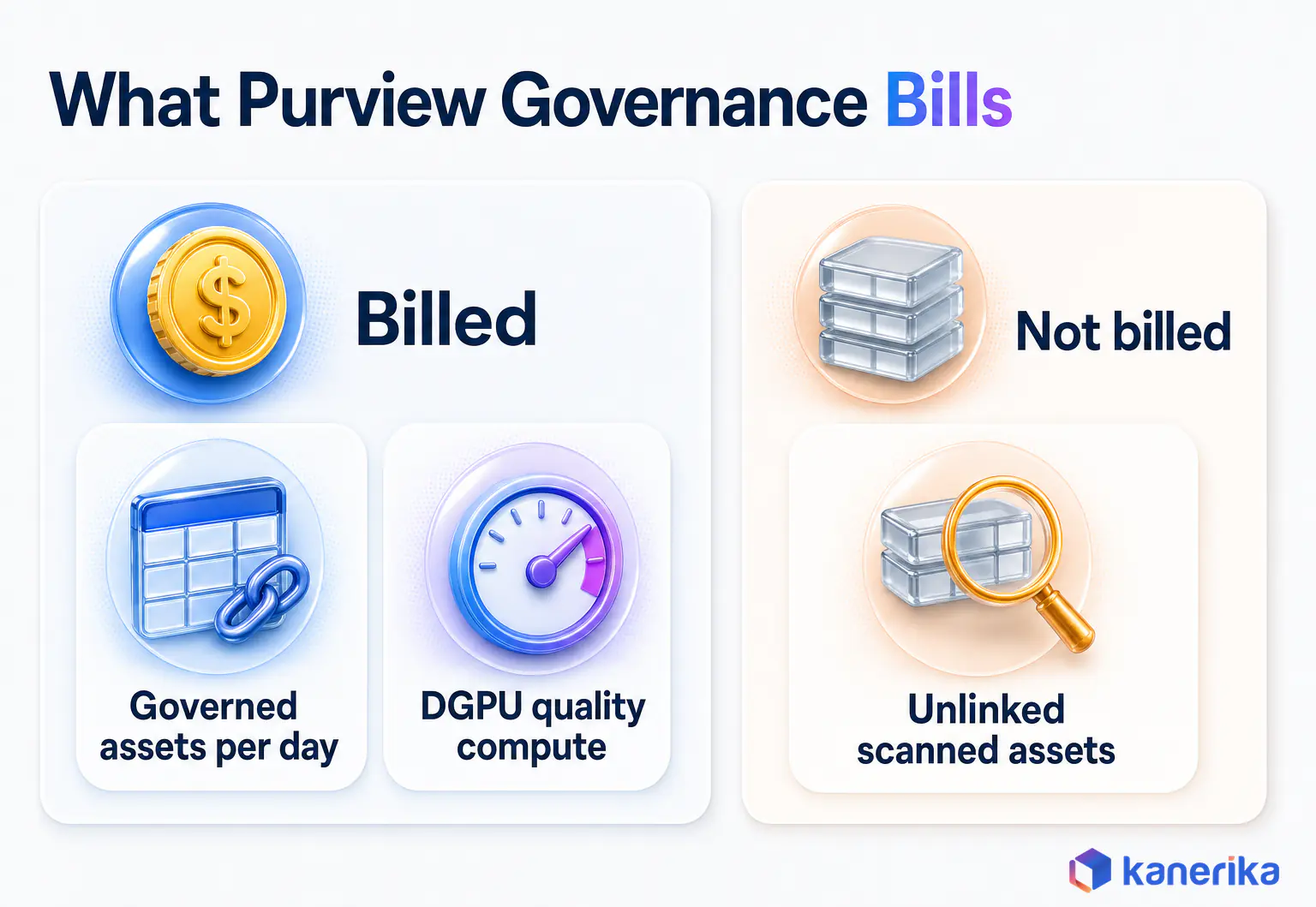
- Billing has two meters, governed assets per day and data quality compute, so only assets linked to a governance concept add cost.
- Coverage is strongest across Azure, Fabric, Databricks and Snowflake, while SAP HANA, SAP BW and Amazon S3 lineage have real gaps.
- Fabric’s built-in governance covers discovery and endorsement, but Purview adds protection policies, DLP, audit and a catalog across the whole estate.
- A pilot on one domain, measured with a short KPI set, beats a broad scan that nobody owns.
Watch on YouTube
Transform Your Data Strategy with Microsoft Purview: Governance, Security & Growth
A walkthrough of how Microsoft Purview brings governance, security and compliance together, and what that means for teams that need trusted, well-owned data.
The Audit Question Nobody Could Answer
Picture a compliance review at a mid-sized US health insurer. The auditor points at a Power BI report that regulators rely on and asks three questions. Which datasets feed it, who owns each one, and how sensitive is the data inside?
The IT team can list the databases in a few minutes. But nobody can name the owners, and the lineage lives in one engineer’s head. So the answer takes three weeks, two spreadsheets and a lot of guesswork.
That gap gets expensive when something goes wrong. IBM’s Cost of a Data Breach Report 2026 puts the global average breach at USD 4.99 million, a record high and up 12%. Purview exists to make those three questions quick to answer. This guide explains how it works, what it costs, where it falls short and how to roll it out.
What Data Governance with Microsoft Purview Actually Covers
Data governance answers three plain questions about any dataset: what is it, who owns it, and can people trust it. Microsoft Purview is the Microsoft platform that tries to answer them across your whole estate, rather than inside one database.
The name dates from 19 April 2022, when Microsoft launched the Microsoft Purview brand and combined the former Azure Purview with its Microsoft 365 compliance portfolio. Because one product family now covers governance and security, buyers often mix the two up.
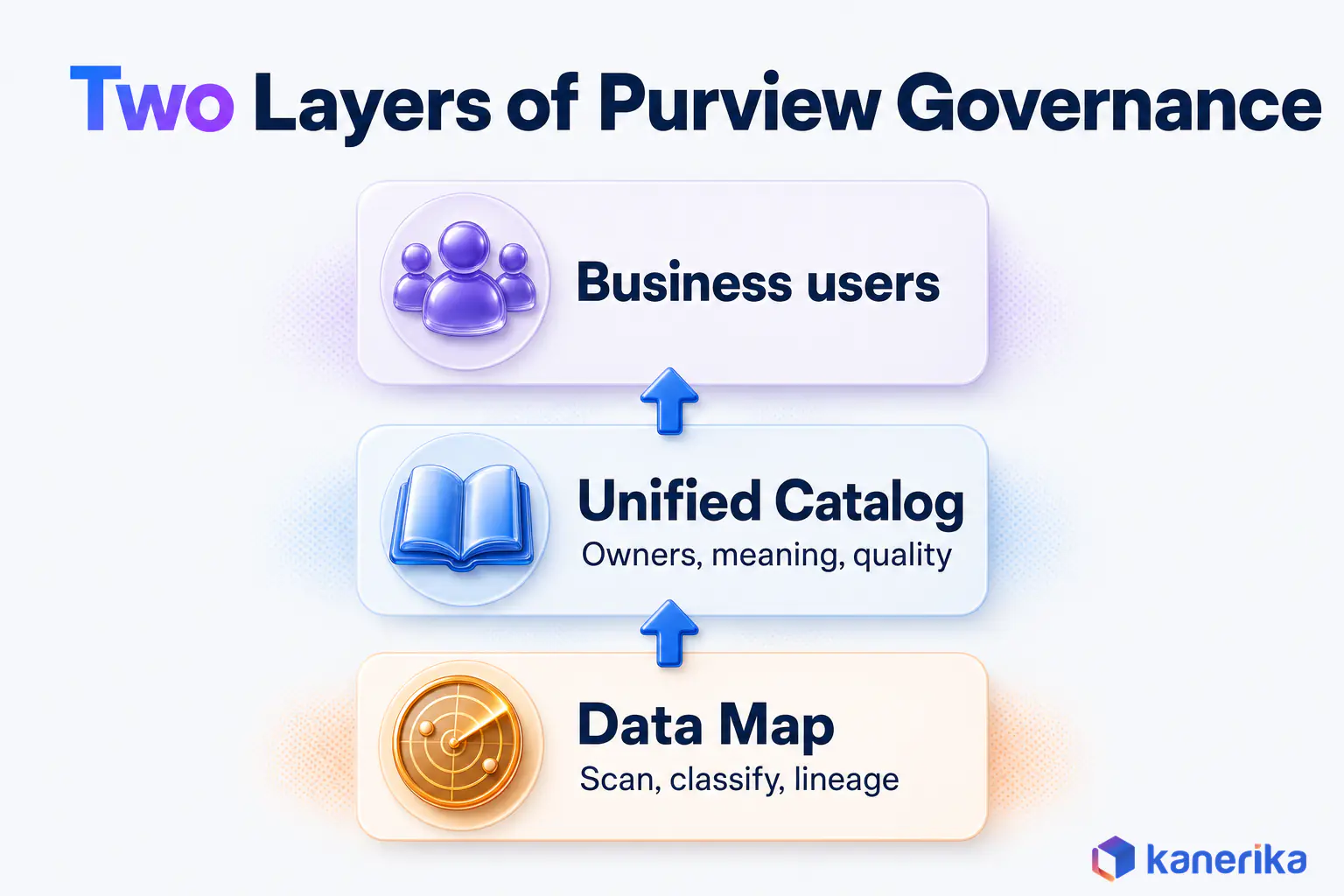
For governance, two parts matter most. The Data Map finds and describes your data, while the Unified Catalog gives it business meaning. Our Microsoft Purview overview covers the rest of the product, and the broader data governance guide explains the discipline itself.
Data Map: The Technical Inventory
The Data Map is where Purview learns what exists. First you register sources such as Azure SQL, a Fabric workspace or Snowflake, and then you run scans that collect schemas, columns and file details. Each scan refreshes the map, so the inventory stays current instead of going stale like a spreadsheet.
Scans classify what they find as well. Purview ships with more than 200 built-in system classifications, such as credit card numbers or national ID formats. You can also add custom ones for your own codes, so a column tagged as a US Social Security number becomes searchable and reportable.
Lineage is the third job. The map records how data moves from source to report, at least where the connector supports it. For more on search and browsing, see our guide to the Microsoft Purview data catalog.
Unified Catalog: The Business Layer
A technical inventory tells you a table called CUST_TXN_02 exists. But it does not tell you that finance relies on it for monthly revenue, or that a named person answers for it. The Unified Catalog fills that gap.
Inside the catalog, business users group assets into domains and data products, then attach glossary terms and set quality rules. Microsoft lists access policies, health controls, data quality, OKRs and AI-powered Copilot search among its features. A sales analyst can then find a trusted dataset without filing a ticket.
Where Governance Ends and Data Security Begins
Purview also includes security and compliance tools, so teams often blur the two. Governance decides what data means and who owns it, while security decides who may see it and stops it from leaking. The table maps each common need to the right Purview solution, so you know which guide to read next.
Keep this boundary in mind during planning. A catalog shows people where sensitive data sits, but labels and DLP policies are what actually protect it.
The Five Business Concepts You Govern With
Every governance program needs a shared vocabulary, and Purview builds one from five business concepts. Microsoft’s getting started guide names them as governance domains, data products, critical data elements, glossary terms and OKRs.
A simple example shows how they fit together. Say a finance domain owns a data product called Monthly Revenue, built from three tables in Fabric. The glossary then defines Net Revenue, so every report uses one formula.
A critical data element marks Customer ID as a field that must stay complete. Finally, an OKR states the target, such as cutting revenue reconciliation time over two quarters.
Domains follow the same thinking as federated domain ownership in a data mesh. In other words, the business area that knows the data best decides how it is described and shared.
| Concept | What it is | Who usually owns it | Example |
|---|
| Governance domain | A boundary for a business area, with its own owners and rules | Governance Domain Owner | Finance, Claims, Supply Chain |
| Data product | A packaged set of assets built for a clear use | Data Product Owner | Monthly Revenue, Active Members |
| Critical data element (preview) | A field that must stay correct when it moves across systems | Data Steward | Customer ID, Policy Number |
| Glossary term | A shared business definition | Domain experts and stewards | Net Revenue, Active Customer |
| OKR | A business objective tied to governed data | Domain leadership | Cut reconciliation time in finance |
Start small with these concepts. One domain, two or three data products and a dozen glossary terms are enough to prove value. More can follow once people actually use what you published.
Kanerika Service
Data Governance Services
Kanerika sets up domains, owners, glossaries, lineage and quality controls on Microsoft Purview, so business and AI teams can trust the same data.
Explore Data Governance
Who Does What: Purview Data Governance Roles
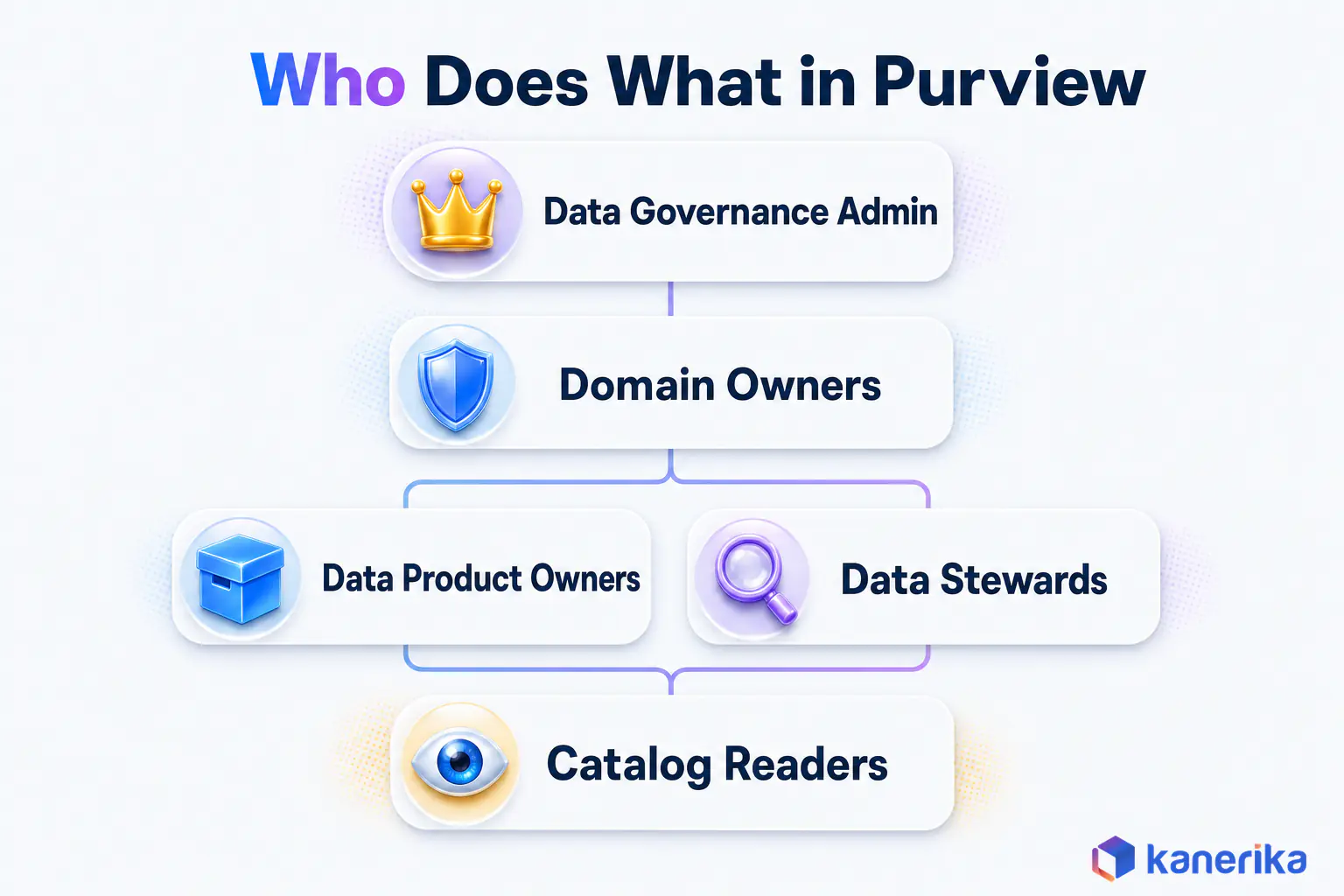
Clear roles decide whether a catalog stays current or decays within months. So Purview splits governance work into tenant roles and domain roles, as set out in Microsoft’s roles and permissions page.
Think of it like running a library. One person sets library-wide rules, section heads run their shelves, and curators keep the books in order. Readers can browse, yet only the right people can change what is on the shelf.
| Role | Scope | What they do |
|---|
| Data Governance Admin | Tenant | Sets up governance and then assigns who can create domains |
| Governance Domain Creator | Tenant | Creates governance domains for business areas |
| Governance Domain Owner | One domain | Runs the domain, assigns roles and approves what gets published |
| Data Product Owner | Domain | Builds data products and maintains their documentation |
| Data Steward | Domain | Curates terms and critical data elements while watching quality |
| Global or Local Catalog Reader | Tenant or domain | Finds and reads published content |
Microsoft advises at least two owners per domain, and the reason is practical. When one owner leaves or goes on leave, publishing stops unless a second person can approve changes.
In RACI terms, the domain owner is accountable while product owners and stewards do the work. The admin is consulted on tenant settings, and readers stay informed through the catalog. So write those names down before anyone runs a scan.
How to Roll Out Data Governance with Microsoft Purview in Six Steps
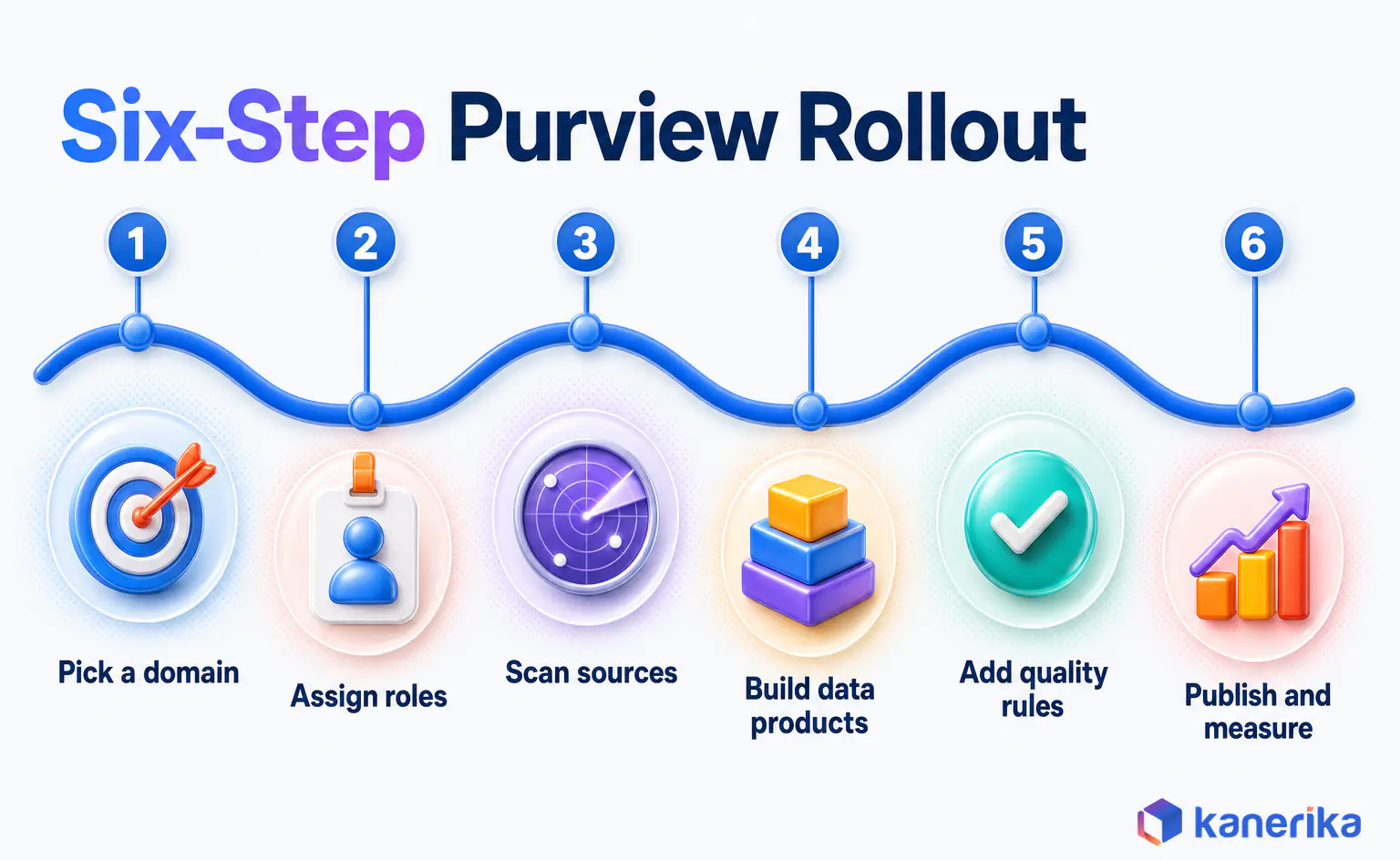
A Purview rollout succeeds when it starts with a business problem and a named owner. The six steps below follow that order, and each one ends with something a business user can see. If you want a broader template first, see our data governance framework guide. Steps two and three cause the most delay because of permissions and connectors, so many teams bring in Microsoft Purview implementation support for them.
- Pick one domain and one business outcome. Choose an area with a real pain point, such as finance reporting that takes days to reconcile. Then write the outcome in one sentence so everyone can test it later.
- Assign roles, confirm billing and check prerequisites. Name the admin, domain creator and at least two domain owners. Also confirm consent to the governance billing model and the permissions needed to scan each source.
- Register and scan the domain’s sources in the Data Map. Scan only the systems that feed your chosen outcome. After that, review the classifications that come back and add custom ones where your codes are unique.
- Create the domain, data products, glossary and critical data elements. Group the scanned assets into two or three data products. Define the terms people argue about most, because those definitions drive the quickest wins.
- Add data quality rules, lineage and access checks. Turn on quality scoring for the fields that matter, then confirm lineage for the main report. Finally, check who can request access and who approves it.
- Publish, set OKRs and agree a stewardship rhythm. Publish the data products to the catalog and attach one OKR. A monthly stewardship review then keeps terms and owners current after the launch buzz fades.
Governance-First or Metadata-First?
There are two ways to start, and both are valid. Governance-first means you define domains and owners before scanning, whereas metadata-first means you scan broadly and then curate what you find.
| Approach | When it fits | Main risk |
|---|
| Governance-first | A clear business owner and a pressing outcome, such as an audit or a reporting dispute | Slower discovery of data outside the first domain |
| Metadata-first | A security or migration team needs a quick inventory of sensitive data across many sources | A large catalog nobody owns, plus higher governed asset counts later |
For most business-led programs, governance-first is the safer default. Metadata-first makes sense when the immediate goal is finding sensitive data rather than building trust in reports.
Data Quality and Health Management in Unified Catalog
A catalog that lists bad data only makes bad data easier to find. That is why the Unified Catalog includes data quality scoring and health management alongside the business concepts.
Quality is measured across six dimensions: completeness, consistency, conformity, accuracy, freshness and uniqueness. Say the Customer ID field in a claims table is blank in some rows. A completeness rule flags it and the score drops, so the steward sees the problem before a report goes out.
Here is what to know before you switch quality on:
- Rules run on managed compute measured in Data Governance Processing Units, so scoring frequency affects cost.
- Each asset can carry up to 200 data quality rules, which is far more than most teams need at first.
- Supported sources include Fabric, Azure Synapse, Databricks Unity Catalog, Snowflake, Google BigQuery and Iceberg, while on-premises sources are in preview.
- Health controls and OKRs sit beside quality scores, so leaders can track progress without opening each asset.
Pair quality rules with lineage wherever possible. When a score drops, lineage shows which upstream job caused it, as our guide to data lineage explains in more detail.
On-Demand Webinar
Secure, Govern, Thrive: Transform Your Data Strategy with Microsoft Purview
An on-demand session on using Microsoft Purview to govern, secure and get more value from enterprise data.
Watch the Webinar →
What Purview Can Govern: Fabric, Azure, Databricks, Snowflake and the Gaps
Purview is strongest inside the Microsoft estate, yet many companies also run Databricks, Snowflake, AWS or SAP. So before you commit, check what each connector can actually do. Microsoft keeps a connector overview matrix, and the rows below show the ones that come up most in planning.
| Source | Classification | Lineage | What to plan for |
|---|
| Azure Databricks Unity Catalog | Yes | Yes | A good fit, especially for lakehouse estates on Azure |
| Snowflake | Yes | Yes, with conditions | Labels are supported, but access policies are not |
| Amazon S3 | Yes | Limited | Plan manual lineage notes for AWS pipelines |
| SAP ECC and SAP S/4HANA | No | Yes, with conditions | Lineage works, but sensitive fields are not auto-classified |
| SAP HANA | No | No | Expect a gap for SAP-heavy finance and supply chain data |
| SAP BW | No | No | The same gap for BW models and queries |
The pattern is clear. Purview governs Azure, Fabric, Databricks and Snowflake well. Elsewhere the picture is weaker, since policy enforcement outside Azure is limited, SAP sources are not auto-classified, and SAP HANA and BW lineage is missing. If SAP drives your most important reports, plan for that before the pilot rather than after it.
When Fabric’s Built-In Governance Is Enough and When to Add Purview
Microsoft Fabric has its own governance features, so some teams ask whether they need Purview at all. Per Microsoft’s Fabric and Purview guidance, the OneLake catalog already offers discovery, governance insights, recommended actions, domains, endorsement and lineage.
That covers a lot for a team whose data lives only in Fabric. Purview becomes necessary once you need protection, monitoring or a catalog that reaches beyond Fabric.
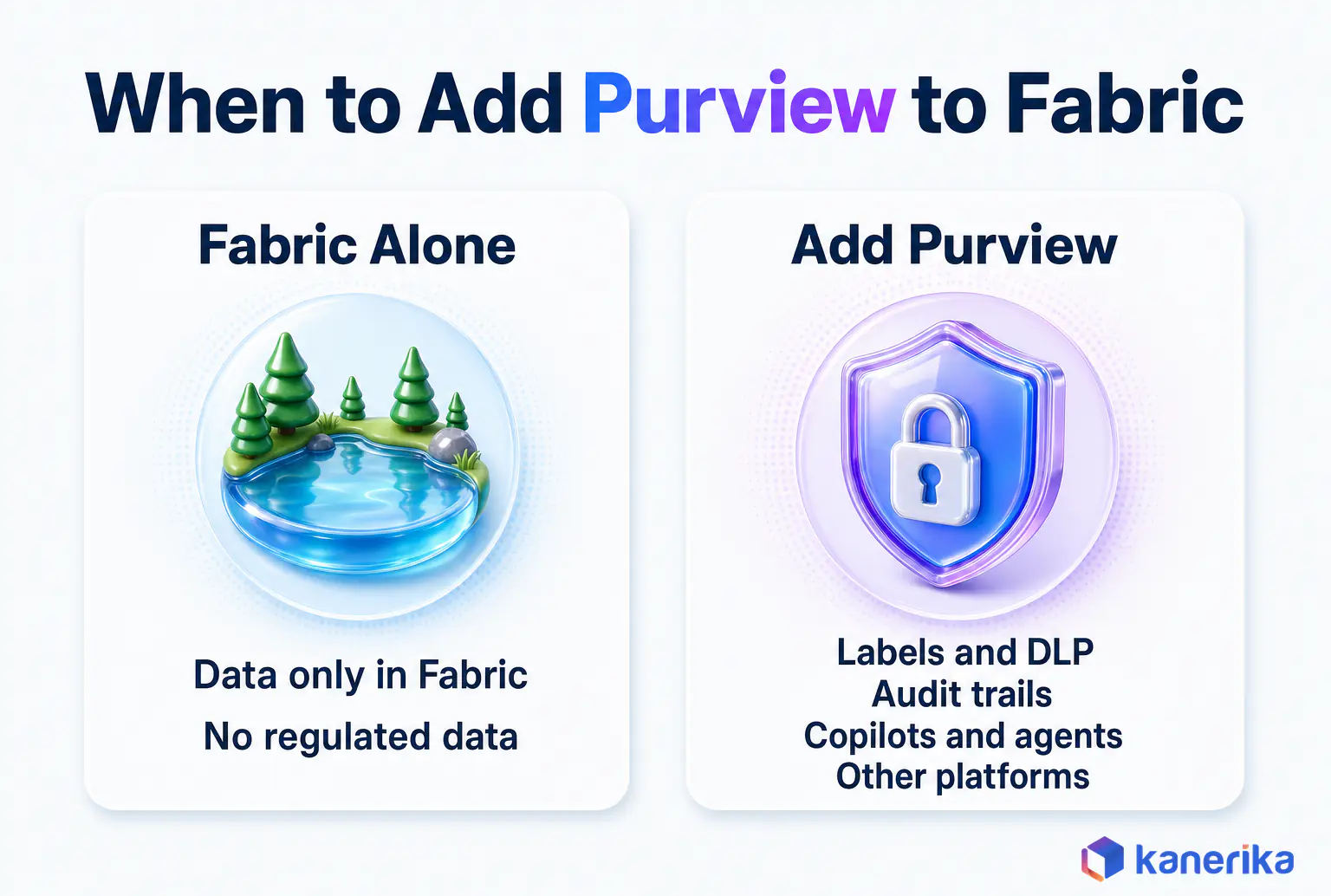
The table below compares the two side by side, so you can see exactly which gap each Purview feature closes.
| Need | Fabric built-in | Purview adds |
|---|
| Find and endorse data | OneLake catalog, endorsement, domains | One catalog across Fabric and other platforms |
| Protect sensitive data | Workspace and item permissions, plus native sensitivity labels | Information Protection policies and DLP for structured Fabric data |
| Prove who did what | Governance posture via governance insights (no user-activity audit) | Audit log of all Fabric user activity, plus Insider Risk Management |
| Govern AI | Not covered on its own | Governance for Fabric Copilots and agents |
A practical rule follows from this. Stay with Fabric’s built-in tools while all governed data sits in Fabric and nothing regulated is involved. Then add Purview once DLP, audits, AI agents or a second platform enter the picture. Our Microsoft Fabric governance guide also covers the native side in depth.
How Purview Governance Supports HIPAA, GLBA, CCPA and GDPR Work
Regulations rarely say “use this tool,” but they do ask you to know where personal data lives and to prove how you protect it. Purview helps with both parts. Still, it does not make you compliant on its own, because compliance is an outcome of your policies, people and processes.
The stakes are real. DLA Piper’s January 2026 survey counted roughly EUR 1.2 billion in GDPR fines in the past year, and EUR 7.1 billion in total since May 2018. Fines like these make weak controls and missing records costly, which is exactly the evidence gap governance should close.
| Obligation | Purview capability that helps | Evidence it produces |
|---|
| HIPAA: know where protected health information lives and who touches it | Classification, sensitivity labels, Audit | An inventory of PHI locations and access records |
| GLBA: safeguard customer financial information | Classification, DLP, access policies | A list of sensitive financial assets and DLP incident reports |
| CCPA: know what personal information you hold | Data Map scans and catalog search | A map of personal data by source system |
| GDPR: keep records of processing and limit data use | Lineage, glossary terms, data products with owners | Lineage diagrams and named owners for each dataset |
Treat this table as a starting map for your compliance team. Legal and privacy experts still decide what each rule requires in your context, while Purview supplies the records they ask for.
Datasheet
Elevate Data Governance, Compliance and Security of Your Organization
See how Kanerika delivers governance, compliance and data protection on Microsoft Purview, with scope, deliverables and outcomes on one page.
View the Datasheet →
How Purview Data Governance Is Billed
Purview governance pricing confuses many buyers because it counts governed assets, not scanned ones. Microsoft’s data governance billing page describes a pay-as-you-go model with two meters.
A governed asset is a table, view or similar item linked to a governance concept. That concept can be a data product, a critical data element, a glossary term or a quality rule. Assets that sit in the Data Map without such a link are not counted, so scanning 50,000 tables while linking 400 bills on roughly 400.
| Meter | What counts | Tip |
|---|
| Governed assets | Unique governed assets per day | Link assets to data products on purpose rather than in bulk |
| Data Governance Processing Unit (DGPU) | 60 minutes of managed compute for quality and health work, in Basic, Standard or Advanced tiers | Basic is the default, so schedule quality runs to match how often data changes |
| Data Map and scans | Not charged once you consent to the new model or upgrade to enterprise | Confirm consent early in the rollout |
There is also a free version with one organization-wide instance for Azure and Fabric resources, capped at 1,000 annotated assets. It suits a proof of concept, but not a full program.
Prices change by region and over time, so this guide quotes none. Instead, use the Azure Purview pricing page and calculator for current rates. For Microsoft 365 plan details, see our breakdown of Purview licensing by plan.
How to Know It Is Working: Governance KPIs
Governance programs lose funding when nobody can show progress in plain numbers. A short KPI set fixes that, as long as each measure ties back to the business outcome you picked in step one.
Measure a baseline before the pilot starts, because without it a good result looks like an opinion. The table lists KPIs that Purview data can support, with the direction you want to see rather than invented targets.
| KPI | How to measure it | Direction to aim for |
|---|
| Governed assets in the priority domain | Governed asset count for that domain | Rising steadily rather than spiking |
| Data products with an owner and glossary terms | Share of published data products that have both | Toward all of them |
| Data quality score | Unified Catalog quality trend per data product | Rising month over month |
| Time to find data | Survey or ticket data from analysts | Falling |
| Access request turnaround | Time from request until approval | Falling |
| Audit evidence preparation time | Hours spent answering an audit request | Falling sharply |
Report these monthly to the domain owners and quarterly to leadership. Two or three moving in the right direction is usually enough to fund the next domain.
Mistakes That Stall Purview Governance Programs
The same few mistakes show up again and again in stalled programs. Each one is avoidable, though, with a little planning.
- Scanning everything first. A huge inventory with no owners overwhelms stewards and inflates governed asset counts later.
- No named owners. A domain with one owner stalls whenever that person is away.
- Treating the catalog as access control. Finding data and protecting it are different jobs, so pair the catalog with labels and DLP.
- Ignoring DGPU spend. Quality rules that run hourly on slow-changing tables burn compute for no benefit.
- Skipping OKRs. Without a stated objective, the program becomes a documentation exercise that nobody funds twice.
Most of these trace back to one root cause. The team treated Purview as a tool rollout rather than a change in how people own and describe data.
Talk to Kanerika
Planning a Purview Governance Pilot?
Bring one domain and the reports that depend on it. Kanerika will help you name owners, scope the sources and set the KPIs that prove the pilot worked.
Book a Working Session →
How Kanerika Implements Data Governance with Microsoft Purview
Kanerika is a Microsoft Solutions Partner for Data & AI with the Analytics Specialization, and an experienced Purview implementor. Our teams deliver governance through kanGovern for strategy and enforcement, kanComply for compliance and kanGuard for protection, all built on Purview.
Every engagement follows the same four steps, delivered as part of our data governance services:
- Assess and pick a domain. We review sources, regulations and pain points, then choose the domain with the clearest payoff.
- Configure the Data Map and Unified Catalog. We register sources and tune classifications, then set up domains, data products and glossary terms.
- Stand up quality, roles and stewardship. We define quality rules, assign owners and stewards, and then agree a review rhythm.
- Hand over with KPIs. We leave a baseline, a KPI dashboard and a plan for the next domain.
One example comes from healthcare. A top North American healthcare organization had data spread across Azure Blob storage, SQL databases and SaaS apps. But it had no consistent way to classify and describe that data. So Kanerika built a central Purview catalog and a classification framework with steward roles and usage policies. Kanerika also integrated Power BI dashboards to deliver better business insights.
The results were measurable. The client saw a 57% reduction in data discovery time, a 90% increase in compliance adherence and a 70% enhancement in data accessibility. A similar approach also worked for a lender, as the Purview data governance case study for a leading bank shows.
Case Study
90% Compliance Adherence for Healthcare with Purview
A top North American healthcare organization unified data from Azure Blob, SQL databases and SaaS apps in one Purview catalog, cutting data discovery time by 57% and raising compliance adherence by 90%.
Read the Case Study →
Is Microsoft Purview the Right Data Governance Platform for You?
Purview is a strong fit for some estates and only a partial fit for others. The quick checklist below helps you decide before you spend time on a pilot.
- Most of your data sits in Azure, Fabric, Microsoft 365, Databricks or Snowflake.
- You already use, or plan to use, Microsoft sensitivity labels and DLP.
- You need to govern Copilot and AI agents alongside your data.
- Business teams can name owners for at least one domain.
- SAP is not the main source of your most important reports.
If most of these hold, Purview is likely the simplest choice, because it shares identity, labels and billing with the rest of your Microsoft stack. If SAP or several non-Microsoft clouds dominate, however, compare it with Collibra, Alation or Databricks Unity Catalog. Our comparisons of Purview vs Collibra, Purview vs Collibra vs Alation and Unity Catalog vs Purview vs Collibra go deeper on each.
Teams that want a second opinion on fit can book a working session. For the wider context, our look at data management trends shows where governance is heading next.
So what should you know about data governance with Microsoft Purview before you start? It runs on two layers and bills on governed assets. It covers the Microsoft estate well, with known gaps elsewhere, and it succeeds when one domain with named owners proves value first.
Frequently Asked Questions
What is data governance in Microsoft Purview?
Data governance in Microsoft Purview is the practice of describing, owning and checking data through two parts of the platform. The Data Map scans sources, classifies sensitive fields and records lineage. The Unified Catalog adds governance domains, data products, glossary terms, quality rules and OKRs, so business users can find trusted data and know who answers for it.
What is Microsoft Purview used for?
Microsoft Purview is used to govern, protect and manage data across Microsoft and other platforms. Governance teams use the Data Map and Unified Catalog to inventory and describe data. Security and compliance teams use Information Protection, Data Loss Prevention, eDiscovery, Audit and Insider Risk Management to label sensitive content, prevent leaks and respond to legal requests.
What is the benefit of Microsoft Purview for regulatory compliance?
Purview helps teams produce the controls and evidence that regulations ask for. Classification shows where personal or health data lives, labels and DLP protect it, Audit records activity, and lineage plus named owners document how data is used. It supports HIPAA, GLBA, CCPA and GDPR work, but compliance still depends on your own policies and processes.
What is the difference between Microsoft Purview and Collibra?
Microsoft Purview is built into the Microsoft stack, so it shares identity, sensitivity labels and billing with Azure, Fabric and Microsoft 365. Collibra is an independent governance platform known for workflow-driven stewardship across many vendors. Purview usually suits Microsoft-centered estates, while Collibra often suits companies with many non-Microsoft systems or heavy SAP use in core reporting.
What are the main data governance tools, and where does Purview fit?
The main data governance tools include Microsoft Purview, Collibra, Alation, Informatica and Databricks Unity Catalog. Purview fits companies whose data sits mostly in Azure, Fabric, Microsoft 365, Databricks or Snowflake. Collibra and Alation suit mixed estates with strong stewardship needs, and Unity Catalog suits Databricks-first teams. The best platform depends on where your data lives.
What are the 5 pillars of data governance?
A common way to describe the five pillars of data governance is ownership, data quality, metadata and cataloging, security and privacy, and compliance. Ownership names who answers for data. Quality keeps it correct. Metadata makes it findable. Security and privacy control access, and compliance proves the rules are followed. Frameworks differ, but most cover these five areas.
What is the main purpose of data governance?
The main purpose of data governance is to make data trustworthy, findable and safe to use. It sets who owns each dataset, how terms are defined, what quality is acceptable and who may access what. Good governance shortens the time people spend searching for data and arguing about numbers, and it produces evidence for audits and regulators.
What are the four main roles in data governance?
Most programs use four core roles, namely an executive sponsor, a data owner, a data steward and data users. In Purview these map to the Data Governance Admin and domain owners for accountability, Data Product Owners and Data Stewards for daily curation, and Catalog Readers for consumers. Naming these people before scanning is the most useful early step.
Is Microsoft Purview SaaS or PaaS?
Microsoft Purview is delivered as a managed cloud service, so Microsoft runs the infrastructure and you configure the governance. You do not install servers or manage patches for the platform itself. Most teams treat it like SaaS in daily use, while connecting sources still takes real setup work such as permissions, network access and scan schedules.
How is AI changing data governance?
AI raises the stakes for data governance because copilots and agents read the same data people do, so bad or sensitive data spreads faster. Purview now covers governance for Fabric Copilots and agents and offers AI-powered Copilot search in the Unified Catalog. Teams are also applying quality rules and labels earlier, before data reaches an AI model.
How do you implement data governance in Microsoft Purview?
Start with one domain and one business outcome. Assign roles, including at least two domain owners, and confirm the billing model. Register and scan only that domain’s sources, then create data products, glossary terms and critical data elements. Add quality rules and lineage checks, publish to the catalog, set OKRs and hold a monthly stewardship review.
What is the difference between Purview Data Map and Unified Catalog?
The Data Map is the technical layer. It scans registered sources, captures metadata, applies classifications and records lineage. The Unified Catalog is the business layer on top. It holds governance domains, data products, glossary terms, critical data elements, quality scores and OKRs. You need the Data Map to find data and the Unified Catalog to govern it well.
How does Microsoft Purview help with data governance?
Purview gives data governance a working home. It scans sources and classifies sensitive fields automatically, then lets business teams group assets into domains and data products with named owners. Glossary terms create shared definitions, quality rules score the data, and lineage shows where it came from. These answer what data exists, who owns it and whether people can trust it.
Is Microsoft Purview free for data governance?
There is a free version of Purview data governance. It provides one organization-wide instance for Azure and Fabric resources and is capped at 1,000 annotated assets. That suits a proof of concept or a small pilot. Larger programs move to the enterprise version, which bills for governed assets per day and for data quality compute.
How much does Microsoft Purview data governance cost?
Purview data governance uses pay-as-you-go billing with two main meters. One counts unique governed assets per day, meaning assets linked to a data product, glossary term, critical data element or quality rule. The other counts Data Governance Processing Units for quality work. Prices vary by region and change over time, so check the Azure pricing calculator.
How do you create a data product in Microsoft Purview?
Create a data product inside a governance domain in the Unified Catalog. Give it a name, a business description and an owner, then link the tables, views or files it should contain from the Data Map. Add glossary terms and quality rules, and publish it once the domain owner approves. Business users can then find and request it.
Does Microsoft Purview support data lineage?
Yes, Microsoft Purview records data lineage in the Data Map for sources whose connectors support it. Azure Databricks Unity Catalog and Snowflake support lineage, with some conditions for Snowflake. Amazon S3 lineage is limited, and SAP HANA and SAP BW show no lineage support in Microsoft’s connector matrix. Check each source before promising end-to-end lineage.
Can Microsoft Purview govern Snowflake and Databricks data?
Yes. Microsoft’s connector matrix shows classification and lineage support for Azure Databricks Unity Catalog and for Snowflake, with conditions on Snowflake lineage. Snowflake supports sensitivity labels but not Purview access policies. Unified Catalog data quality also runs on both platforms, so mixed Microsoft, Databricks and Snowflake estates can sit inside one governance program.
What is the difference between Microsoft Fabric governance and Microsoft Purview?
Fabric’s built-in governance works through the OneLake catalog, which offers discovery, governance insights, recommended actions, domains, endorsement and lineage inside Fabric. Microsoft Purview adds Information Protection labels, DLP for structured Fabric data, Audit, Insider Risk Management and governance for Fabric Copilots and agents. It also catalogs data beyond Fabric, across Azure and other platforms.
Does Microsoft Purview enforce access controls?
Partly. The Unified Catalog includes access policies and request workflows for published data products, and Information Protection labels and DLP policies protect sensitive content. Policy enforcement outside Azure is limited, though, and Snowflake does not support Purview access policies. Treat the catalog as the place to find and request data, and keep platform permissions as the real gate.
What are the limitations of Microsoft Purview for data governance?
The main limitations are platform coverage and setup effort. SAP HANA and SAP BW show no classification or lineage support in Microsoft’s connector matrix, Amazon S3 lineage is limited and policy enforcement outside Azure is narrow. Critical data elements are still in preview. Costs also rise if teams link assets in bulk or schedule quality rules too often.
How does Microsoft Purview support HIPAA compliance?
Purview supports HIPAA work by finding and labeling protected health information. Data Map classifications locate PHI across sources, sensitivity labels and DLP limit how it moves, and Audit records who accessed it. Lineage and named owners show how data flows into reports. These produce evidence for HIPAA reviews, but your organization remains responsible for meeting the rule.
How long does a Purview data governance rollout take?
Timing depends on scope more than on the tool. A pilot on one domain with a few sources and two or three data products moves much faster than an enterprise-wide program. Permissions, connector setup and agreeing on owners usually take the most time. Prove value in one domain first, then add further domains in planned waves.
What are the pillars of Microsoft Purview?
Microsoft groups Purview into three solution areas, namely data security, data governance, and risk and compliance. Data security covers Information Protection, Data Loss Prevention and Insider Risk Management. Data governance covers the Data Map and Unified Catalog. Risk and compliance covers tools such as Audit, eDiscovery and Compliance Manager. Most programs start in one area and expand later.
What is the difference between Azure Purview and Microsoft Purview?
Azure Purview was Microsoft’s earlier data governance service for scanning and cataloging data. On 19 April 2022 Microsoft launched the Microsoft Purview brand, combining Azure Purview with its Microsoft 365 compliance portfolio. Azure Purview’s capabilities now live on as the Data Map and Unified Catalog inside Microsoft Purview, which is the main data governance offering on Azure.
What does Microsoft Purview replace?
Microsoft Purview replaced two earlier product lines rather than a single tool. It took over Azure Purview, the data catalog and scanning service, and the Microsoft 365 compliance portfolio, which covered labeling, data loss prevention and eDiscovery. For many companies it also replaces spreadsheet inventories and homegrown glossaries that teams once used to track data ownership.
What is a governance domain in Microsoft Purview?
A governance domain is a boundary in the Unified Catalog for one business area, such as finance, claims or supply chain. Each domain has its own owners, data products, glossary terms and quality rules. Microsoft advises assigning at least two domain owners, so publishing and approvals continue when one person is away or leaves the company for good.
What are the two types of classification in Microsoft Purview?
Purview uses system classifications and custom classifications. System classifications come built in, with more than 200 patterns such as credit card numbers and national ID formats. Custom classifications are ones you define for your own data, such as internal account codes or policy numbers. Both are applied during Data Map scans and make sensitive columns searchable and reportable.
What is a Data Governance Processing Unit (DGPU) in Purview?
A Data Governance Processing Unit, or DGPU, is the billing unit for data quality and health management work in the Unified Catalog. One DGPU equals 60 minutes of managed compute. It comes in Basic, Standard and Advanced tiers, with Basic as the default. Scheduling quality rules to match how often data changes keeps DGPU spend under control.
Is Microsoft Purview a DLP solution?
Yes, Microsoft Purview includes Data Loss Prevention, but DLP is only one part of the platform. Purview DLP policies detect and block sensitive data leaving through email, endpoints, cloud apps and structured Fabric data. Data governance features such as the Data Map and Unified Catalog are separate, and they work best alongside DLP rather than instead of it.




