
 Migration Services for Enterprise Modernization

Modernize SAP data, ERP environments, and custom applications with migration services built around your business priorities. Kanerika helps enterprises move from legacy SAP environments, migrate SAP data and reporting, transition to S/4HANA, and modernize custom ABAP for a cleaner core.
Faster Migration
Lower Migration Cost
Predictable Timelines
Get Started with SAP Migration Solutions
SAP Migration Services Across Data, ERP, and Applications
From SAP BusinessObjects and data migration to S/4HANA transitions and ABAP modernization, Kanerika helps enterprises move critical SAP workloads with the right expertise, automation, and migration strategy.
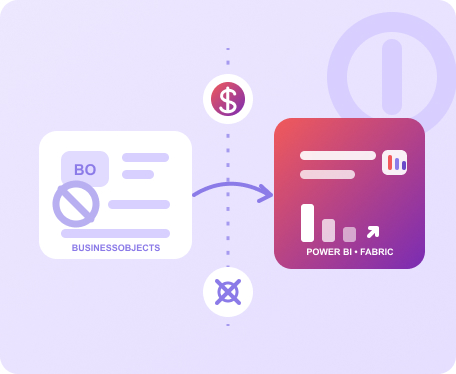
SAP BusinessObjects Migration
Move SAP BusinessObjects reports and analytics to Power BI, Microsoft Fabric, or other modern platforms. FLIP automates supported conversion and validation to reduce manual redevelopment.
- Reports and dashboards migrate with business logic preserved
- Reduce manual report redevelopment effort
- Retire legacy BI platforms and licensing costs
SAP Clean Core & ABAP Modernization
Modernize custom ABAP applications to support S/4HANA adoption and future upgrades. Kanerika helps reduce technical debt while keeping critical business functionality intact.
- Assess and modernize legacy ABAP code
- Reduce technical debt and custom code complexity
- Build a cleaner core for easier upgrades
SAP S/4HANA Migration
Move from SAP ECC to S/4HANA with a migration strategy built around your business processes, data, and applications. Kanerika helps reduce disruption across the transition.
- Prepare legacy SAP environments for S/4HANA
- Preserve critical business processes and data
- Reduce migration risk with structured validation
The Cost of Standing Still
The Business Cost of Delaying SAP Migration
Legacy SAP environments can increase maintenance costs, limit flexibility, and make it harder to adopt newer ERP, analytics, and AI capabilities.
Rising Maintenance Costs
Legacy systems require ongoing support, infrastructure, licenses, and specialized skills.
Growing Technical Debt
Older custom code and extensions can make SAP upgrades more difficult and costly.
Limited Data Access
SAP data can remain fragmented across systems, reports, and analytics environments.
Slower Business Reporting
Legacy reporting environments can make changes, analysis, and self-service reporting harder.
S/4HANA Readiness Gaps
Custom ABAP and older SAP environments may require significant work before an S/4HANA transition.
Delayed AI Initiatives
Disconnected SAP data makes it harder to build the trusted data foundation AI use cases require.
The Payoff
What SAP Migration Can Deliver
A well-planned SAP migration can reduce operating costs, simplify the technology landscape, and give teams better access to the data and applications they need.
Reduce Technology Costs
Retire legacy platforms, infrastructure, and licenses where appropriate.
- Lower ongoing maintenance costs
- Reduce dependency on legacy tools
Improve Business Agility
Give teams modern platforms that are easier to scale, maintain, and adapt.
- Faster access to business data
- Simpler reporting and analytics
Prepare for Future SAP Needs
Create a stronger foundation for S/4HANA, Clean Core, analytics, and AI initiatives.
- Better upgrade readiness
- Less technical debt over time
A Structured Approach to SAP Migration
Kanerika combines SAP expertise, migration automation, and business validation to help enterprises move critical SAP workloads with greater control.

STEP 1
Assess
Review the SAP landscape, migration scope, data, applications, reports, and dependencies.
STEP 2
Plan
Define the target environment, priorities, migration strategy, and delivery roadmap.

STEP 3
Prepare
Address data, custom code, reporting, and other dependencies before migration.
STEP 4
Migrate
Move the selected SAP workloads using automation and controlled delivery practices.

STEP 5
Validate
Verify data, applications, reports, and business outcomes before production cutover.
The Payoff
Migrate SAP Data to the Target Platforms That Fit Your Strategy
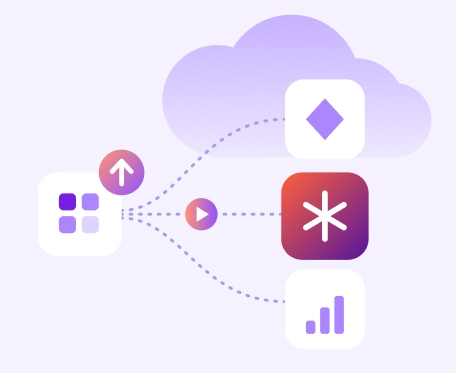
Kanerika helps enterprises move SAP data and analytics workloads to Microsoft Fabric, Power BI, Databricks, Snowflake, and other target platforms based on their technology strategy.
Multi-System SAP Data
Bring SAP data from multiple systems together for consistent reporting and analysis.
Trusted Business Metrics
Create consistent data models, KPIs, and definitions across teams and applications.
Analytics Ready for AI
Build a governed data foundation that supports analytics, AI, and decision-making.
Why FLIP
Automate SAP Data and Reporting Migration with FLIP
FLIP automates supported migration workloads to reduce repetitive manual work, shorten delivery timelines, and improve migration consistency.
Faster Migration
Automation handles 70 to 80% of conversion work and shortens timelines by 40 to 60% against manual approaches.
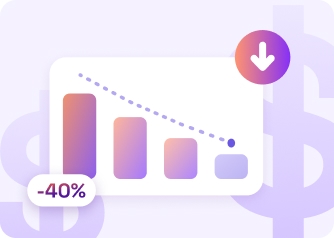
Lower Migration Cost
Less manual effort cuts project spend by 50%, which frees budget for the analytics your teams want next.

Fewer Resources Required
FLIP reduces the resources a migration project needs by 70%, so internal teams stay focused on daily operations.
Lower Delivery Risk
Automated validation compares new outputs with source results, so numbers match before business users switch over.
Platform Freedom
Fabric, Power BI, Snowflake, Databricks or another target. Your architecture plans decide the destination, and FLIP adapts.
Phased Control
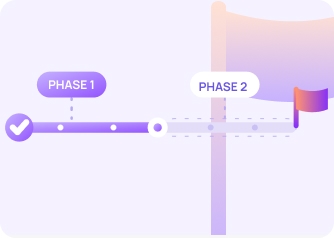
Move by business unit, report family or data domain, and keep both environments running until results are trusted.
Proven Results from Kanerika Migration Projects
28% Cost Savings with Snowflake Migration for Analytics
Impact:
- 28% Annual Cost Savings
- 45% Faster Refresh Cycles
- 50% Fewer Outages
80% Faster Insights with Azure to Microsoft Fabric
Impact:
- 30% Reduction in Cloud and Data Costs
- 50% Improvement in Data Pipeline
- 80% Faster Business Insights & Reporting
65% Performance Gain with Cognos to Power BI
Impact:
- 65% Increase in Operational Performance
- 27% Overall Reduction in BI-Related Costs
- 2X Scalable Data and BI Capabilities
Frequently Asked Questions (FAQs)
01What Are SAP Migration Services?
SAP migration services help enterprises move SAP systems, data, reports, applications, and custom code to new platforms or SAP environments. Kanerika supports SAP BusinessObjects migration, SAP data migration, S/4HANA migration, Clean Core initiatives, and legacy ABAP modernization based on enterprise requirements.
02Can You Migrate SAP Data to Microsoft Fabric?
Yes. Kanerika helps enterprises move SAP data and analytics workloads to Microsoft Fabric, Power BI, Databricks, Snowflake, and other target platforms. FLIP can automate supported migration activities to reduce manual conversion and validation effort.
03Can You Migrate SAP BusinessObjects to Power BI?
Yes. Kanerika helps enterprises migrate SAP BusinessObjects reports and analytics to Power BI or Microsoft Fabric. FLIP automates supported report conversion and validation, helping reduce the manual effort involved in rebuilding reports and business logic.
04What Is SAP S/4HANA Migration?
SAP S/4HANA migration involves moving from SAP ECC or another SAP ERP environment to S/4HANA. The work can include migration planning, data transition, custom code remediation, testing, integrations, and production cutover based on the selected migration approach.
05What Happens to Custom ABAP During S/4HANA Migration?
Custom ABAP is assessed for compatibility, business value, and future requirements. Code that needs changes can be remediated, while unused or unnecessary customizations can be retired. This helps reduce technical debt and supports a cleaner SAP core.
06What Is SAP Clean Core?
SAP Clean Core focuses on keeping the SAP core easier to maintain and upgrade by reducing unnecessary customizations and managing extensions appropriately. Kanerika helps enterprises assess legacy ABAP, address technical debt, and prepare custom applications for S/4HANA.
07How Does FLIP Accelerate SAP Migration?
FLIP automates supported migration activities such as assessment, conversion, and validation. For SAP data and reporting workloads, automation reduces repetitive manual work and can significantly shorten migration timelines.
08Which Platforms Can SAP Data Be Migrated To?
SAP data can be migrated to Microsoft Fabric, Power BI, Databricks, Snowflake, Azure services, and other enterprise platforms. The right destination depends on your existing architecture, analytics requirements, cloud strategy, and business goals.
09Can SAP Migration Be Done in Phases?
Yes. Enterprises can migrate SAP workloads in phases based on business units, applications, data domains, reports, or business priorities. A phased approach can reduce disruption while allowing teams to validate each migration before moving to the next stage.