

SAP Migration Services, Automated With FLIP
SAP estates hold years of reports, data flows and business logic. Moving them to Microsoft Fabric, Power BI or another platform manually takes a lot of time. FLIP automates conversion and validation, so SAP migration finishes faster, costs less and carries less risk.
Faster Migration
Lower Migration Cost
Predictable Timelines
Get Started with SAP Migration Services Solutions
Migrate SAP BusinessObjects and SAP Data to Modern Platforms
Enterprises are moving off legacy SAP reporting to the platforms to advanced systems. FLIP speeds up SAP migrations to Microsoft Fabric, Power BI, and other any modern data platform.
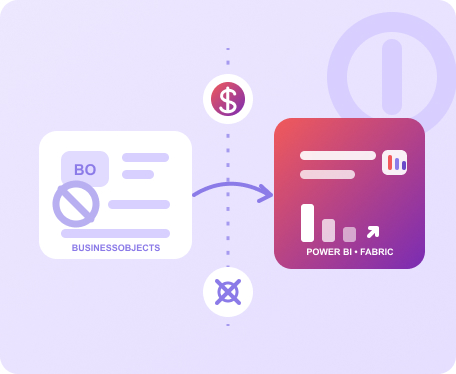
SAP BusinessObjects to Power BI and Fabric
Legacy SAP reports and BusinessObjects content move to Power BI or Microsoft Fabric with layouts, calculations and logic preserved. Automation handles the conversion work that usually consumes most of the project.
- Reports and dashboards convert with logic intact
- Business users keep the views they rely on
- Legacy BI licenses retire after migration completes
SAP Data Migration to Modern Platforms
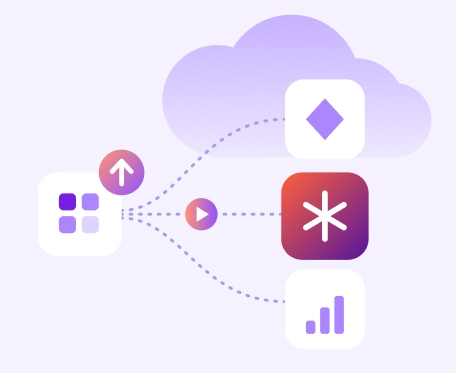
SAP data migration moves the data behind your reports to a cloud platform that scales with demand. FLIP keeps lineage and validation attached to every dataset that moves.
- Target Microsoft Fabric, Snowflake, Databricks or others
- Validated outputs reconcile with source before cutover
- Phased moves by business unit or data domain
The Cost of Standing Still
The Hidden Cost of Staying on Legacy SAP
Legacy SAP limits agility, increases costs, and slows analytics and AI adoption.
Approaching Platform End-of-Life
BusinessObjects and legacy platforms approach end-of-life, reducing time for safe migration.
Maintain Data Silos
Disconnected SAP systems prevent complete visibility across business processes.
Delay AI Adoption
Legacy SAP data limits access to the clean data AI initiatives need.
Risk Manual Migration Errors
Rebuilding reports manually can lose business logic and create inconsistent results.
Create Reporting Inconsistency
Different KPI definitions across reports reduce trust in business insights.
Increase Operating Costs
Rising license and infrastructure costs consume budgets better used for modernization.
See It Work
Watch FLIP Automate the Migration Off DataStage
A short walkthrough of how FLIP reads legacy jobs, converts the logic automatically, and re-platforms the estate to a modern cloud platform.
- Reads and parses existing DataStage jobs automatically
- Phase one converts jobs to Talend, up to 80% automated with team validation
- Stops IBM licensing costs from day one
- Phase two moves Talend to Microsoft Fabric at your pace
Your team controls the timeline.
FLIP handles the conversion.
The Payoff
The Business Case for Moving Off SAP
Modernization pays for itself. It lowers run cost, shortens time to insight, and turns a static data estate into a foundation the business can build on.
Reduce Platform Costs
Retiring legacy licenses and infrastructure lowers run costs. FLIP cuts migration spend by 50%.
- Fewer legacy licenses to renew
- Predictable project scope and cost
Accelerate Business Reporting
Modern platforms provide faster data access, scalable analytics, and trusted reporting.
- Self-service reporting for users
- Reduced manual effort for teams
AI-Ready Data Foundation
Transform SAP data environments with governed platforms powering analytics and AI.
- Governed data ready for AI use cases
- Native Power BI and Copilot integration
Kanerika Migration SAP Execution Framework
Five stages take an SAP migration from first inventory to a tuned, governed platform.

STEP 1
Assess
Inventory SAP reports, data sources and dependencies.
STEP 2
Convert
FLIP automates conversion of reports, logic and data flows.

STEP 3
Validate
Automated checks compare new outputs with source results.
STEP 4
Migrate
Phased cutover moves business units without disrupting businesses.

STEP 5
Optimize
Post go-live tuning, cost review and governance keep the platform AI-ready
The Payoff
Governed SAP Analytics on Microsoft Fabric
Beyond migration, Kanerika designs governed analytics that bring SAP data together on Microsoft Fabric.
Multi-System SAP Ingestion
Bring data from several SAP systems into one governed platform.
Governed Semantic Layer
One consistent set of KPIs and definitions for every team.
Automated Data Validation
Reconciliation checks confirm source-to-target completeness and log exceptions.
Why FLIP
Why Choose FLIP for SAP Migration
Automate SAP migration with FLIP to reduce effort, risk, and delivery timelines.
Faster Migration
Automation handles 70 to 80% of conversion work and shortens timelines by 40 to 60% against manual approaches.
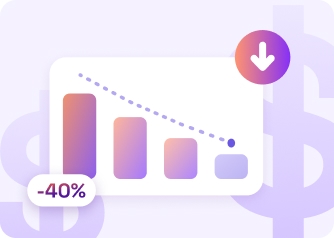
Lower Migration Cost
Less manual effort cuts project spend by 50%, which frees budget for the analytics your teams want next.

Fewer Resources Required
FLIP reduces the resources a migration project needs by 70%, so internal teams stay focused on daily operations.
Lower Delivery Risk
Automated validation compares new outputs with source results, so numbers match before business users switch over.
Platform Freedom
Fabric, Power BI, Snowflake, Databricks or another target. Your architecture plans decide the destination, and FLIP adapts.
Phased Control
Move by business unit, report family or data domain, and keep both environments running until results are trusted.
Proven Results from SAP Migration Projects
25% Lower Storage Costs for Steel Manufacturing on Azure
Impact:
- 25% Reduction in storage expenses
- 2.5% Increase in revenues
- 40% Improvement in productivity
52% Fewer Config Errors in Connected Vehicle Data
Impact:
- 18% Increase in operational efficiency
- 25% Faster decision making
- 52% Decrease in manual config errors
90% Data Accuracy with Microsoft Fabric & Power BI
Impact:
- 85% Increased Operational Visibility
- 90% Data Accuracy & KPI Reliability
- 100% Scalability & Support
Frequently Asked Questions (FAQs)
01What Are SAP Migration Services?
SAP migration services move reports, data and business logic out of SAP and SAP BusinessObjects environments onto a modern platform such as Microsoft Fabric, Power BI, Snowflake or Databricks. The scope covers inventory, conversion, validation and cutover. FLIP, Kanerika’s migration accelerator, automates most of that work, which shortens timelines and reduces the people a project needs. Business users keep familiar reports on a platform designed for cloud scale and AI.
02How Does SAP BusinessObjects to Power BI Migration Work With FLIP?
FLIP reads existing BusinessObjects content, converts reports and calculations for Power BI or Microsoft Fabric, and validates outputs against the source. Automation covers 70 to 80 percent of conversion work, so consultants spend their time on review and business sign-off. Users keep the views they rely on, and the business can retire legacy BI licenses once the move completes. Scope and timeline depend on report volume and complexity, and an assessment sizes both before delivery begins.
03Which Platforms Can SAP Data Move To?
SAP data can move to Microsoft Fabric, Snowflake, Databricks, Azure services and other modern platforms, with Power BI covering the reporting layer. FLIP supports multiple targets, so your architecture and licensing plans decide the destination. The company is a Microsoft Solutions Partner for Data and AI, a Microsoft Fabric Featured Partner, a Snowflake Select Tier Partner and a Databricks Consulting Partner, which gives clients delivery depth on each option.
04How Long Does an SAP Data Migration Take?
Timelines depend on report volume, data size and how much logic sits inside each report. Automation shortens the schedule, and FLIP delivers migrations 40 to 60 percent faster than manual approaches. Phased delivery lets business units go live in waves while later waves are still in progress. An initial assessment produces a scoped estimate for your specific SAP landscape, so budget and schedule discussions start from facts. Larger estates usually run as several waves, and each wave follows the same automated pattern.
05HWill Business Logic and Report Accuracy Stay Intact?
Preserving logic is the main design goal of FLIP conversion. Calculations, filters and formatting carry across, and automated validation compares new outputs with the source so mismatches surface before users switch. Business owners review results on their own reports before sign-off. Each conversion is documented, which gives audit and compliance teams a clear record of what changed and why. Teams can also run the legacy environment alongside the new one during the transition for side-by-side comparison.
06Can We Migrate SAP in Phases Instead of All at Once?
Yes, and phased migration often carries less risk. Teams can move by business unit, report family or data domain, and run old and new environments in parallel until the new outputs are trusted. This spreads effort across quarters, limits disruption and lets early wins support later phases. FLIP automation keeps each phase quick to plan and run. Many teams begin with the reports used most often, prove the results with business users, and then extend the same approach to the remaining estate.
07What Tools Are Used for SAP Data Migration?
FLIP, Kanerika’s proprietary migration accelerator, handles assessment, conversion and validation. It is listed on Azure Marketplace and is eligible for Microsoft Azure Consumption Commitment, so qualifying spend can go toward the project. Engineers add tailored configuration for each SAP landscape, so the accelerator fits your reports and data models. The same accelerator supports migrations from Crystal Reports, Cognos, Tableau, Informatica, IBM DataStage and other legacy tools.
08How Does Kanerika Reduce SAP Migration Risk?
Automated conversion removes much of the manual error that causes rework. Validation checks run against source outputs before cutover, and phased delivery keeps the business running during the move. The company holds ISO 27001, SOC 2 Type II and CMMI Level 3 credentials, and data handling follows client security requirements. Every step is documented for audit and review, and business owners approve results before each phase goes live.