TL;DR
Microsoft Fabric deployment pipelines promote content across Development, Test, and Production workspaces without manual copying, using up to 10 stages and three types of deployment rules to keep environment-specific settings intact. Git integration handles version control inside a workspace, and deployment pipelines handle promotion between workspaces. Most governed setups run both. Starting December 1, 2026, workspaces with sensitivity-labeled items will require read-write access on every item before a deployment can go through.
Microsoft Fabric deployment pipelines move data items like reports, notebooks, semantic models, and lakehouses across development, test, and production workspaces in a controlled sequence. Teams that skip them tend to find out the hard way. A report changes in production, nobody tracked why, and the fix takes longer than the original build.
Fabric ties deployment pipelines to its Application Lifecycle Management tooling, alongside Git integration for version control. The two solve different problems, and mixing them up is one of the most common setup mistakes teams make.
This guide covers how deployment pipelines work, how to set one up correctly the first time, where Git integration fits alongside them, and two governance changes rolling out through the end of 2026 that change how teams can deploy going forward.
Key Takeaways
- Fabric deployment pipelines run on three stages by default (Development, Test, Production) and can scale from 2 to 10.
- Item pairing matches by name, type, and folder location. Items added straight to a workspace outside the pipeline become unpaired duplicates.
- Pipeline Admin is the only pipeline-level permission that exists. Everything else comes from the workspace role assigned alongside it.
- Deployment moves structure, not data. Semantic models need a manual refresh after every promotion.
- Deployment rules and Variable Libraries solve different configuration problems. Rules override values at deploy time. Libraries hold values read at runtime.
- Starting December 1, 2026, workspaces with sensitivity-label-protected items will require read-write access on every item before a user can deploy to them.
Setting Up Microsoft Fabric Deployment Pipelines for the First Time?
Kanerika’s Fabric implementation team configures ALM, Git integration, and deployment pipeline governance as standard delivery on every Fabric engagement.
 Book a Meeting
What Deployment Pipelines Do in Microsoft Fabric
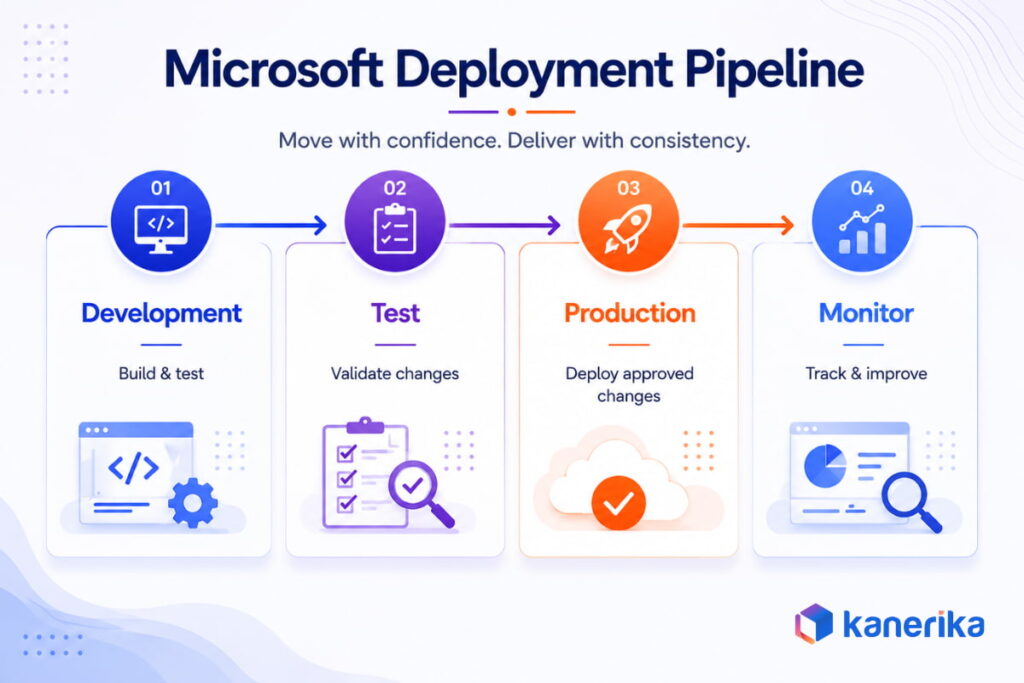
A Microsoft Fabric deployment pipeline promotes data items from one workspace to the next in a controlled sequence, stage by stage, until they reach production. Fabric copies the source items to the target stage and applies any deployment rules configured for that stage. Nothing moves until someone explicitly triggers the deployment.
Before deployment pipelines existed in Fabric, the tool started in Power BI, teams recreated or copied reports and models by hand when moving toward production. That left no audit trail and no reliable way to confirm what changed between one release and the next.
Every new pipeline starts with three stages named Development, Test, and Production, though names and count can change at creation. Each stage maps to exactly one Fabric workspace. This guide walks through that structure first, then setup, permissions, deployment mechanics, deployment rules, where Git integration fits, two 2026 governance changes, and known limitations, before closing with how Kanerika applies all of this on Fabric implementation engagements.
How Fabric Deployment Pipelines Work
1. The Development, Test, and Production Stages
A pipeline can run anywhere from 2 to 10 stages, though most teams stay with the default three. Stage count and stage names lock in at creation and cannot change afterward. Renaming has to happen before the first deployment, not after.
Each stage is backed by exactly one Fabric workspace, and content flows left to right, from lower environments toward production. A workspace already assigned to any stage cannot be reused in a different pipeline’s stage while it stays assigned.
Deployment Pipeline Stage Limits:
| Setting | Value |
|---|
| Minimum stages | 2 |
| Default stages | 3 (Development, Test, Production) |
| Maximum stages | 10 |
| Workspaces per stage | Exactly 1, no sharing across stages or pipelines |
| Stage names and count | Fixed at creation, cannot be changed later |
Table 1 covers the hard limits teams hit most often during planning. A pipeline built for a four-environment release process (Dev, QA, UAT, Prod) is a valid design and stays within the maximum of 10.
2. How Fabric Pairs Items Across Stages
Item pairing is how Fabric decides which item in the target stage gets overwritten during a deployment. Pairing runs on item name and item type first, with folder location acting as a tiebreaker when duplicates share a name and type.
Renaming a paired item does not break the pairing. Items added directly to a workspace outside the pipeline flow, rather than deployed through it, become unpaired duplicates and tend to cause confusion the next time someone deploys.
3. Assigning and Unassigning Workspaces
A stage has to sit empty before a workspace can be assigned to it. Swapping workspaces requires unassigning the current one first, and that unassignment permanently deletes the deployment history and any configured rules for that stage. There is no undo.
A workspace tied to a pipeline also cannot be deleted through workspace settings directly. It has to be unassigned from the pipeline before deletion becomes an option.
Setting Up Your First Deployment Pipeline
1. Creating the Pipeline and Naming Stages
Pipelines get created from the Deployment Pipelines entry point in the Fabric workspace list, or from inside a specific workspace, which auto-assigns that workspace to the first stage. Either route opens the same setup flow, naming the pipeline, setting the stage count, and naming each stage before continuing.
Fabric’s new deployment pipeline UI is the default experience as of mid-2026 and organizes everything around the stage a user has selected, rather than the whole pipeline canvas at once. The older UI is still reachable through a toggle in the upper right corner for teams mid-transition.
2. Assigning Workspaces to Each Stage
Each stage needs a Fabric workspace on a supported capacity before content can move through it. Assigning a workspace to an already-populated stage triggers a full compare, so most teams assign workspaces to empty stages first and let content flow in through the initial deployment.
Fabric auto-pairs items by name, type, and folder as soon as a workspace lands in a stage. A quick check of that first pairing pass catches naming collisions before they turn into overwritten reports later.
3. Configuring Deployment Rules Before the First Deploy
Deployment rules need to exist before the first deployment to any stage runs, not after. A first deployment without rules configured propagates development connection strings straight into higher environments, and reconfiguring rules afterward does not retroactively fix content that already deployed with the wrong connection.
Section six covers all three rule types in detail. For setup purposes, the sequence that avoids rework runs in order. Assign the workspace first, configure rules for that target stage next, then deploy.
Pipeline Access Versus Workspace Access
Fabric separates pipeline permissions from workspace permissions completely, and both are required to deploy anything. Pipeline Admin is the only permission level a pipeline itself grants. It covers viewing, sharing, editing, and deleting the pipeline, along with unassigning workspaces from stages.
What a user can do inside the stages comes entirely from their role in the underlying workspace, held alongside Pipeline Admin status.
What Each Workspace Role Adds to Pipeline Admin:
| Workspace Role (combined with Pipeline Admin) | Deploy Items | View Workspace Content | Configure Rules |
|---|
| Viewer | No | Consume only | No |
| Contributor | Yes, if contributor in both source and target | Yes | No |
| Member | Yes, if contributor in both source and target | Yes | Yes, if owner of the item |
| Admin | Yes | Yes | Yes, if owner of the item |
A Pipeline Admin with no workspace role attached can see the pipeline exists and share it with teammates. They cannot open the workspace content or deploy anything, which surprises teams who assume pipeline access alone is enough. Source: Microsoft Learn
Deploying, Comparing, and Validating Across Stages
1. Full, Selective, and Backward Deployment
Fabric supports three deployment modes, and picking the wrong one for the situation is a common source of surprise overwrites.
Deployment Modes Compared:
| Mode | What It Does | Best For |
|---|
| Full | Promotes every item in the source stage to the adjacent target | Milestone releases where everything in Dev is validated |
| Selective | Promotes only chosen items, with Select related pulling in dependencies | Targeted fixes, single-report updates |
| Backward | Deploys every item from a later stage back to an earlier one | Recovering an earlier stage, only into one with no assigned content |
Selective deployment needs flat list view turned on to select items across different folders in one pass. Backward deployment only works into a stage that has no workspace assigned yet, and it always moves every item together rather than a hand-picked subset.
2. Reading the Stage Compare View
The pipeline canvas shows a status indicator between each pair of adjacent stages. Green signals every paired item matches on both sides. Orange signals at least one item has been added, changed, or removed since the last deployment.
Selecting an item inside a stage shows one of four possible labels. Same as Source, Different from Source, Only in Source, and Not in Source cover every state an item can be in between two stages. Reading that label before deploying takes less time than untangling an accidental overwrite afterward.
3. Validating After Deployment
Deployment copies structure and metadata, not data. A semantic model needs a manual refresh in the target workspace before its numbers reflect anything current, and reports connected to it will look stale until that refresh runs, a step worth repeating when you promote field parameters with deployment pipelines.
Gateway mappings also do not carry over automatically after the first deployment to a stage. That mapping has to be configured manually through the target item’s settings, and subsequent deployments will not reset it once it is set correctly.
Deployment Rules and Parameterization
Content promoted through a pipeline carries its original connection strings unless something intervenes. Without a rule or a parameter override, a semantic model deployed from Dev to Production keeps pointing at the Dev data source, which is rarely what anyone intends.
1. Data Source Rules
A data source rule overrides the connection of a semantic model or dataflow at the point of deployment, without touching the item itself. The rule lives in the pipeline’s stage settings and applies automatically on the next deployment of that item.
This is the faster option for existing models where editing the underlying Power Query connection is not practical right now.
2. Parameter Rules
A parameter rule overrides the value of a Power Query parameter already defined inside the semantic model, things like server name, database, or environment identifier. Setting this up takes more upfront work than a data source rule, since the model needs parameters built in first.
It pays off on new development, because the override is visible and version-controlled inside the model itself rather than hidden in pipeline configuration.
3. Default Lakehouse Rules
Fabric has a third rule type most write-ups skip. Default lakehouse rules control which lakehouse a notebook points to by default in a given stage. Skipping this one carries real risk, since notebooks referencing a hardcoded lakehouse from Dev will keep querying Dev data even after the notebook itself deploys to Production.
Fabric’s Three Deployment Rule Types:
| Data Source Rules | Parameter Rules | Default Lakehouse Rules |
|---|
| Applies to | Dataflows, semantic models, paginated reports, mirrored databases | Dataflows and semantic models with defined parameters | Notebooks |
| Where it lives | Pipeline stage settings only | Inside the item’s Power Query parameters | Pipeline stage settings only |
| Setup effort | Low, no item changes needed | Higher, requires parameters defined first | Low |
| Best for | Existing models, quick fixes | New builds | Notebooks with a hardcoded lakehouse reference |
All three rule types share the same two constraints. Rules can only be created in the Test or Production stage, never in Development, and only by the owner of the item the rule applies to. Items with a configured but not-yet-applied rule show as Different from Source in the compare view until the next deployment runs and the rule takes effect.
Deployment Pipelines vs Git Integration
1. Where Git Integration Ends and Deployment Pipelines Start
Git integration in Fabric handles version control, tracking commits, branches, and change history for supported items, connected to GitHub, GitHub Enterprise, or Azure DevOps Repos at the workspace level. Deployment pipelines handle promotion instead, moving content between separate workspaces that represent separate environments.
Fabric does not offer the kind of packaged deployment automation Power BI already has through its Azure DevOps extension, which handles most deployment pipeline operations without custom scripting. A team wanting a GitHub commit to trigger an automatic Fabric promotion has to build that connection with GitHub Actions or scripted calls to the Fabric REST APIs. It is not a built-in feature yet.
Deployment Pipelines vs Git Integration:
| Git Integration | Deployment Pipelines |
|---|
| Solves | Version control, change history | Environment promotion |
| Scope | Within one workspace’s connected branch | Across separate workspaces/stages |
| Native GitHub trigger to deploy | Not built in, needs GitHub Actions or REST API calls | N/A |
| Typical pairing | Feature branch to Dev workspace | Dev to Test to Production workspaces |
2. Using Both Together in a CI/CD Setup
Most production-grade Fabric setups run both at once rather than picking one. Developers commit changes through Git integration into an isolated feature workspace or branch, and once that work merges to the main branch feeding the Development stage, deployment pipelines carry it forward to Test and Production.
Neither tool replaces the other. Git integration answers “what changed and when.” Deployment pipelines answer “is this environment in sync with the one before it.”
What’s Changing in Fabric Deployment Pipelines in 2026
1. Semantic Model Enhanced Metadata Requirement
As of February 12, 2026, Fabric deployment pipelines retired support for semantic models that have not been upgraded to Enhanced Metadata. Models built or modified in current Power BI Desktop already use Enhanced Metadata by default, so most active development is unaffected. Older models that have not been touched in a while are the ones worth checking before the next deployment.
2. Sensitivity-Label Deployment Restriction Coming December 2026
Starting December 1, 2026, users without read-write permissions on every item in a workspace will lose the ability to deploy to that workspace through a pipeline, or assign it to certain stages. The restriction only applies to workspaces containing items protected by sensitivity labels with active protection policies, so teams without label-based protection in place will not notice a change.
Teams running a formal data governance program, financial services, healthcare, anywhere data classification is already enforced, are the ones who should confirm read-write access is set correctly on protected workspaces before this takes effect.
Known Limitations: Setup Mistakes and Item Support Gaps
1. Item Support Gaps
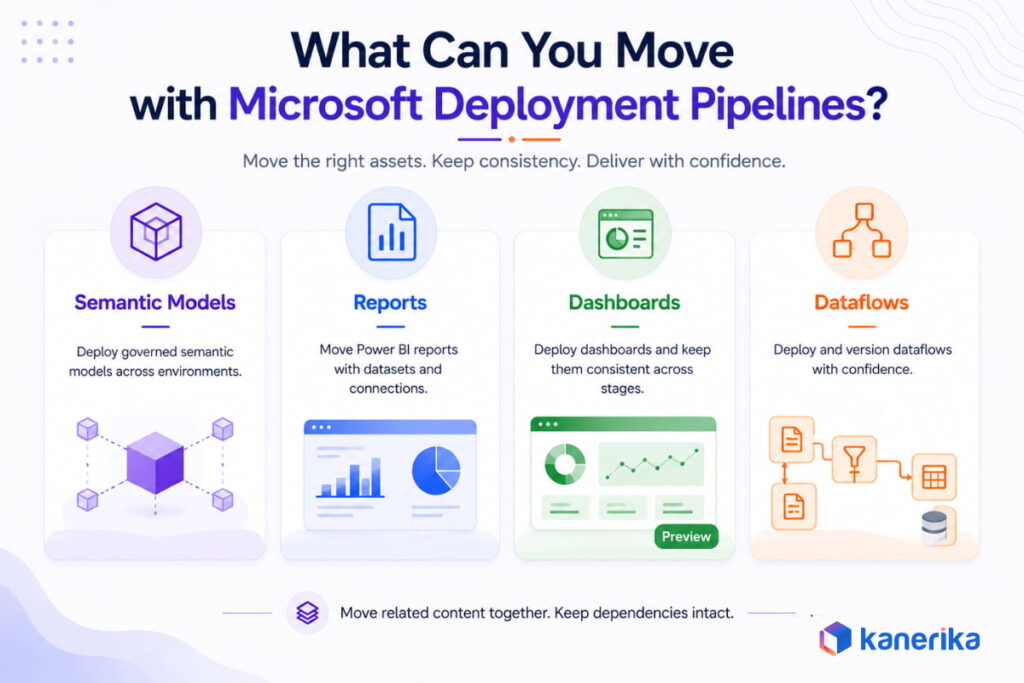
Not every Fabric data engineering item deploys through a pipeline, and the supported items list is worth checking before designing a pipeline around a specific item type. A single deployment also caps out at 300 items, worth knowing before planning a large workspace migration as one pass instead of several batches.
Warehouse deployment is the area still catching up. Microsoft has confirmed it is actively building native warehouse deployment support with DacFx and cross-warehouse dependency resolution, but as of this writing that work is not yet complete, and teams with complex cross-warehouse dependencies are using pre and post-deployment scripting as a bridge in the meantime. Lakehouse deployment itself is supported, and the SQL analytics endpoint now provisions automatically as part of that lakehouse deployment.
2. Common Setup Mistakes That Break Deployments
Setup Mistakes and What They Cause:
| Mistake | What Happens |
|---|
| Hardcoded connection strings, no deployment rule | Dev endpoints carry into Production, reports query the wrong database |
| Deploying before configuring rules | First deployment propagates Dev config upward before the fix exists |
| Ignoring dependent items on a selective deploy | Report deploys without its semantic model, breaks in the target stage |
| Skipping the compare view before deploying | Intentional Production changes get overwritten by an older Dev version |
| No semantic model refresh post-deploy | Reports show stale or empty data despite a successful structural deployment |
Most of these show up in the first few deployments a team runs, before the habit of checking rules and the compare view becomes routine.
How Kanerika Builds Governed CI/CD Workflows on Microsoft Fabric
Kanerika is a Microsoft Fabric Featured Partner. Deployment pipeline governance gets scoped to how each client’s environment works, built into the engagement itself rather than treated as a checkbox at the end.
Amit Chandak, Kanerika’s Chief Analytics Officer, is a Microsoft Data Platform MVP who has worked with Fabric since before general availability. Kanerika was one of the first companies worldwide to deploy Microsoft Fabric in production environments, and that early production experience shapes how workspace and pipeline governance gets structured on every engagement.
Three things carry across most Fabric engagements:
- Environment design: Dev, Test, and Production workspaces get built with deployment rules configured before the first deploy runs. Teams inherit a working setup instead of discovering a hardcoded connection string in Production three months later.
- Migration-to-pipeline handoff: FLIP, our migration accelerator, handles discovery, automated conversion, and validation on Azure Data Factory and Synapse, SSIS, and Informatica migrations into Fabric. The client’s own deployment pipeline picks up where FLIP’s deployment stage ends, and it stays the standing setup long after the migration team leaves.
- Governance alignment: workspaces holding sensitivity-labeled data get their read-write access reviewed on a schedule set now, ahead of the December 2026 restriction, rather than discovered the day a deployment starts failing.
Kanerika holds ISO 9001, ISO 27001, and ISO 27701 certifications, SOC 2 Type II compliance, and a CMMI Level 3 appraisal, and was named a Major Contender on the Everest Group Microsoft Azure Services PEAK Matrix 2026.
FoodPharma, a contract manufacturer of functional food delivery systems, ran plant operations, quality, and finance data through six disconnected systems with no shared reporting layer. Every cross-functional report started from manual extraction and reconciliation across all six.
Challenge
NetSuite, RedZone, Parity Factory, UpKeep, Paychex, and Outlook each held a separate piece of the operational picture. Pulling one cross-functional report meant reconciling data manually across all six systems, a process that took two business days and consumed roughly 15 hours of BI team time per week. Plant managers waited two days to diagnose a yield issue that needed a same-morning answer.
Solution
Kanerika consolidated 50+ tables and approximately 1TB of historical data from all six systems into Microsoft Fabric’s OneLake, with automated daily loads running through Data Pipelines and Dataflow Gen2. Power BI gave FoodPharma’s teams a single, consistent environment for building reports and querying operational data directly. Full implementation completed in seven weeks.
Results
- Unified data foundation ready to support enterprise AI workloads
- Cross-functional reporting cut from 2 business days to 90 minutes
- BI team recovered approximately 15 hours per week previously spent on manual data work
- Full implementation completed in 7 weeks
Conclusion
Deployment pipelines are how Fabric content moves from a developer’s workspace to something end users depend on, without manual copying or guesswork about what changed. Configure rules before the first deploy, check the compare view before promoting, and confirm read-write access ahead of the December 2026 sensitivity-label change if governed data sits in the pipeline. None of this replaces judgment about what belongs in each stage, but it removes the specific failures that catch teams running their first few deployments. Once rules and the compare view become routine, the pipeline mostly runs itself.
Fabric Pipelines Work Better When the Workspace Architecture Is Right From the Start.
Kanerika designs Fabric workspace structure, OneLake layout, and deployment pipeline configuration before any content moves to production.
See Our Microsoft Fabric Services
Frequently Asked Questions
1. What's the difference between Git integration and deployment pipelines in Fabric?
Git integration handles version control inside a single workspace, tracking commits and branches for supported items through GitHub, GitHub Enterprise, or Azure DevOps Repos. Deployment pipelines handle promotion instead, moving content between separate workspaces that represent Dev, Test, and Production. Most governed Fabric setups run both together, committing through Git integration first, then promoting validated changes forward through deployment pipelines.
2. How many stages can a Fabric deployment pipeline have?
A pipeline can run anywhere from 2 to 10 stages. The default is three, named Development, Test, and Production, and most teams stay with that default. Stage count and stage names are both fixed at creation and cannot be changed afterward, so a team planning a four-environment release process needs to set that up from the start rather than adding a stage later.
3. Does Fabric support GitHub the same way Power BI supports Azure DevOps?
Fabric doesn’t offer that same native deployment trigger yet. It supports GitHub for version control through Git integration, the same way it supports Azure DevOps Repos. What’s missing is the packaged deployment automation Power BI already has through its Azure DevOps extension. Triggering a Fabric deployment pipeline automatically from a GitHub commit requires building that connection with GitHub Actions or scripted calls to the Fabric REST APIs.
4. What happens to Lakehouse SQL analytics endpoints during deployment?
The SQL analytics endpoint now provisions automatically as part of lakehouse deployment, since the lakehouse itself is a supported item in Fabric deployment pipelines. Earlier community reports of endpoint gaps predate this behavior. The area still catching up is warehouse-level deployment with complex cross-warehouse dependencies, where Microsoft has confirmed native DacFx support is in active development but not yet complete.
5. Can you deploy backward from production to test?
Yes, but only into a target stage that has no workspace currently assigned, and only as a full deployment. Backward deployment always moves every item together rather than a hand-picked subset, and it cannot overwrite content already sitting in an earlier stage. Recovering an earlier environment starts with unassigning its workspace, then deploying backward into the now-empty stage.
6. What are deployment rules and when do you need them?
Deployment rules override connection strings, parameter values, or default lakehouse references automatically when content promotes to a new stage. Data source rules, parameter rules, and default lakehouse rules are the three types Fabric supports, each suited to a different item type. They need to be configured before the first deployment to any stage, since deploying first propagates the wrong environment’s configuration upward.
7. Does deploying a pipeline move the underlying data?
No, deployment copies structure and metadata only, never the underlying data itself. A semantic model deployed to a new stage needs a manual refresh in that target workspace before its numbers reflect anything current. Gateway mappings also don’t carry over automatically after the first deployment, so those need a manual check too before reports go live in the new stage.
8. Which Fabric item types still aren't fully supported in deployment pipelines?
Check Microsoft’s supported items list before designing a pipeline around a specific item type, since coverage keeps expanding and a hardcoded assumption can go stale fast. Warehouse deployment with complex cross-warehouse dependencies is the clearest current gap, with native DacFx support in active development. A single deployment also caps out at 300 items regardless of type, worth knowing for large workspace migrations more than day-to-day releases.














