TL;DR
Data profiling measures what a dataset actually holds, from nulls and duplicates to formats and broken joins, and it pays off most in seven enterprise applications. The seven are quality baselining, migration readiness, system integration, BI reporting accuracy, AI readiness, master data management and governance reporting. In each one, the profile drives a go or no-go call before data moves, merges, feeds a report or trains a model.
A profile describes the data, while business rules decide whether a result is acceptable. Purview, Power Query, Snowflake and Databricks all profile data natively, and dedicated tools fill the gaps across many sources. Kanerika builds profiling into governance and migration work, including a healthcare Purview program that cut data discovery time by 57%.
Key Takeaways
- Data profiling pays off in seven enterprise applications, from quality baselines and migrations to AI readiness, master data and governance.
- Every application ends in a decision, such as holding a cutover, fixing a join or retraining on cleaner data.
- A profile describes data but cannot judge it, so business owners must set the acceptance rules.
- Samples are fast but can hide rare defects, so ID columns, money amounts and regulated fields deserve a full scan.
- Purview, Power Query, Snowflake and Databricks profile natively, so start with the platform you already run and repeat the profile on a schedule.
- On a migration, profile twice, once to size the cleanup and again after a trial load to prove the data arrived intact.
Watch on YouTube
What Do Companies Miss Before Starting a Data Migration?
Kanerika’s team walks through the gaps that surface late in migration projects and the checks worth running before the move begins.
Two Weeks Before an ERP Cutover
Picture a finance team two weeks from an ERP cutover (an illustrative scenario, not a client story). The pipeline tests pass, the row counts match and the project plan is still green. Then an analyst runs a quick profile of the orders table and finds thousands of orders with no customer ID.
Nothing in the tests was wrong, though. They checked that data moved, but not what the data contained. That gap is where data profiling earns its place, because it measures the contents before anyone trusts them. The tests worth writing after profiling are covered in our guide to data integrity testing.
The pressure to measure is real, especially once AI enters the picture. Drexel LeBow and Precisely surveyed 505 data and analytics leaders for their 2026 State of Data Integrity and AI Readiness report. Of those leaders, 51% named data quality their top data integrity priority.
Yet 29% said the biggest obstacle to getting high-quality data was measuring data quality effectively. Profiling is that measurement step, and this guide shows where it pays off, how to run it and which tools do the work.
What Is Data Profiling?
Data profiling is the practice of measuring a dataset’s structure, content and relationships before anyone uses it for a decision. A profiler reads a table, or a sample of it, and returns statistics for every column. Those numbers show how complete the data is, what shape the values take and whether tables connect the way the design says they should.
Think of it as an inspection report for data. A building inspector does not renovate the house, but the report tells the owner what needs work and what can wait. In the same way, a profile replaces a hopeful guess about the customer table with measured facts. It counts the missing postcodes, the duplicate account numbers and the dates that fall outside any sensible range.
IBM’s guide to data profiling also draws a useful line between profiling and data mining. Profiling summarizes what a dataset holds. Mining searches the same data for patterns that predict an outcome. That is why teams profile first, since a pattern found in untrusted data is not worth acting on.
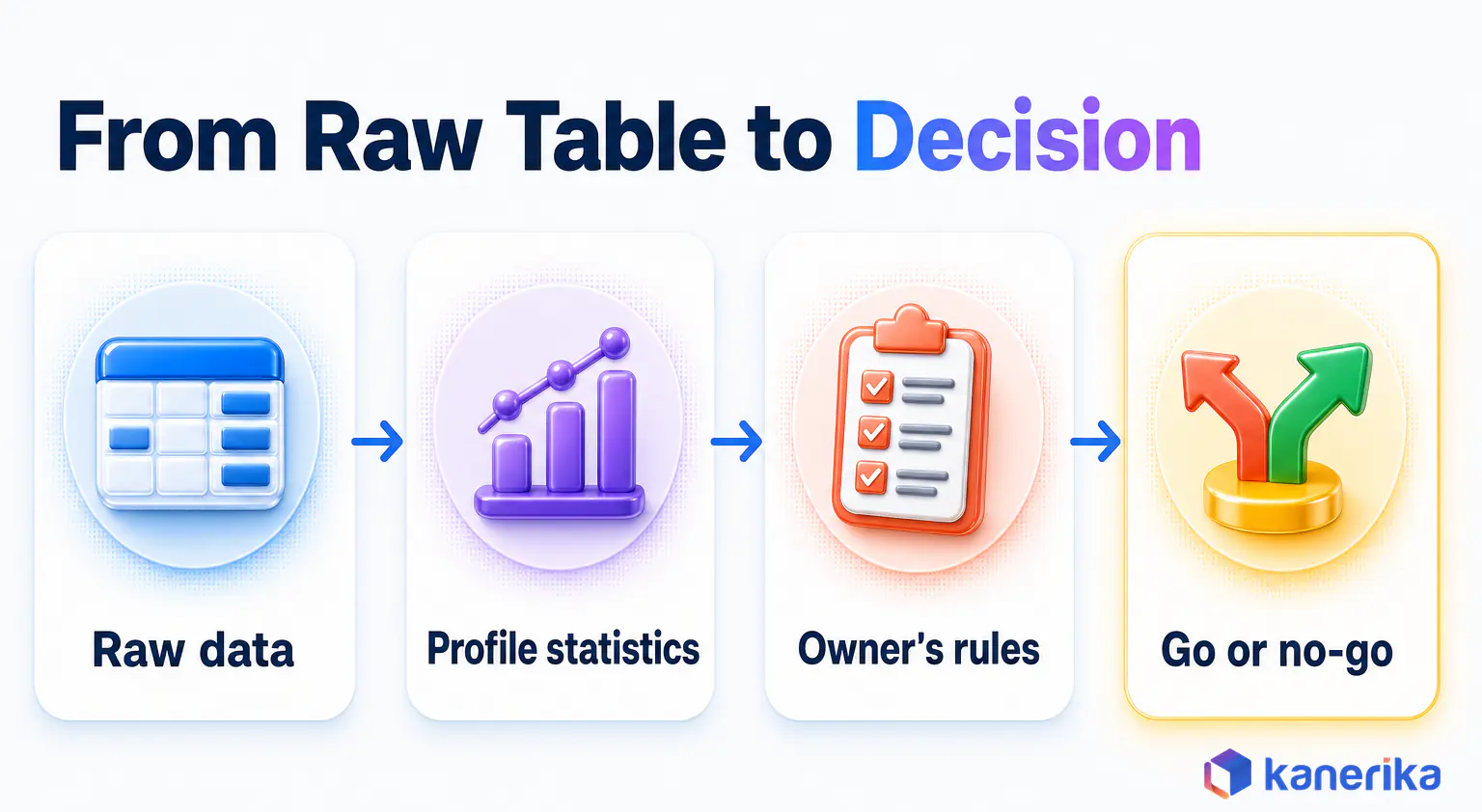
The Statistics a Profiler Computes
Every major profiler returns a similar core set of numbers. The table below lists eight of them, what each one tells you and the warning sign to look for.
| Statistic | What it tells you | Warning sign |
|---|
| Null rate | Share of empty values in a column | Gaps in a field that should always be filled, such as an order’s customer ID |
| Distinct count | How many different values appear | One value in a column that should vary, or thousands of values in a status field |
| Cardinality ratio | Distinct values divided by total rows | Below 1.0 on a column meant to be a unique key |
| Minimum and maximum | The range of values | Negative quantities or birth dates in the future |
| Pattern or format | The shapes values take, such as five digits or letters followed by numbers | Several date formats in one column |
| Length | Shortest and longest value | Values cut off at a fixed length after a load |
| Duplicate rate on business key | Repeated records for the same real-world entity | Two rows for one invoice number |
| Referential overlap | Share of keys that match a parent table | Orders whose customer ID exists nowhere in the customer table |
Each statistic is cheap on its own, so teams can afford all eight. When read together, they show whether a table can do the job someone has planned for it. A 2% null rate is harmless in an optional phone column, yet the same rate in a payment amount column could stall a month-end close.
What a Profile Cannot Tell You
A profile describes data, but it does not judge it. For example, imagine a price column where an upstream change multiplied every value by 100. The column still looks healthy, with no nulls, one format and a tidy range. Only a business rule, such as “unit prices sit between 1 and 500,” exposes the error.
That is why acceptance criteria come from the people who own the data, not from the profiler. The UK Government Data Quality Framework lists six dimensions to judge against, namely completeness, uniqueness, consistency, timeliness, validity and accuracy.
A profile supplies evidence for most of them. Accuracy is the exception, because it usually needs a comparison with a trusted source. That is one reason data integrity and data quality are treated as separate concerns.
In short, profiling measures and people decide. A data quality framework sets the rules and the owners, and the profile supplies the numbers those rules are checked against.
Types of Data Profiling and the Techniques Behind Them
Data profiling comes in three types, and each one answers a different question about a dataset. IBM groups them as structure discovery, content discovery and relationship discovery. Structure discovery checks whether values follow the expected format and data type. Content discovery looks inside the values for gaps, errors and outliers, while relationship discovery tests how columns and tables connect.
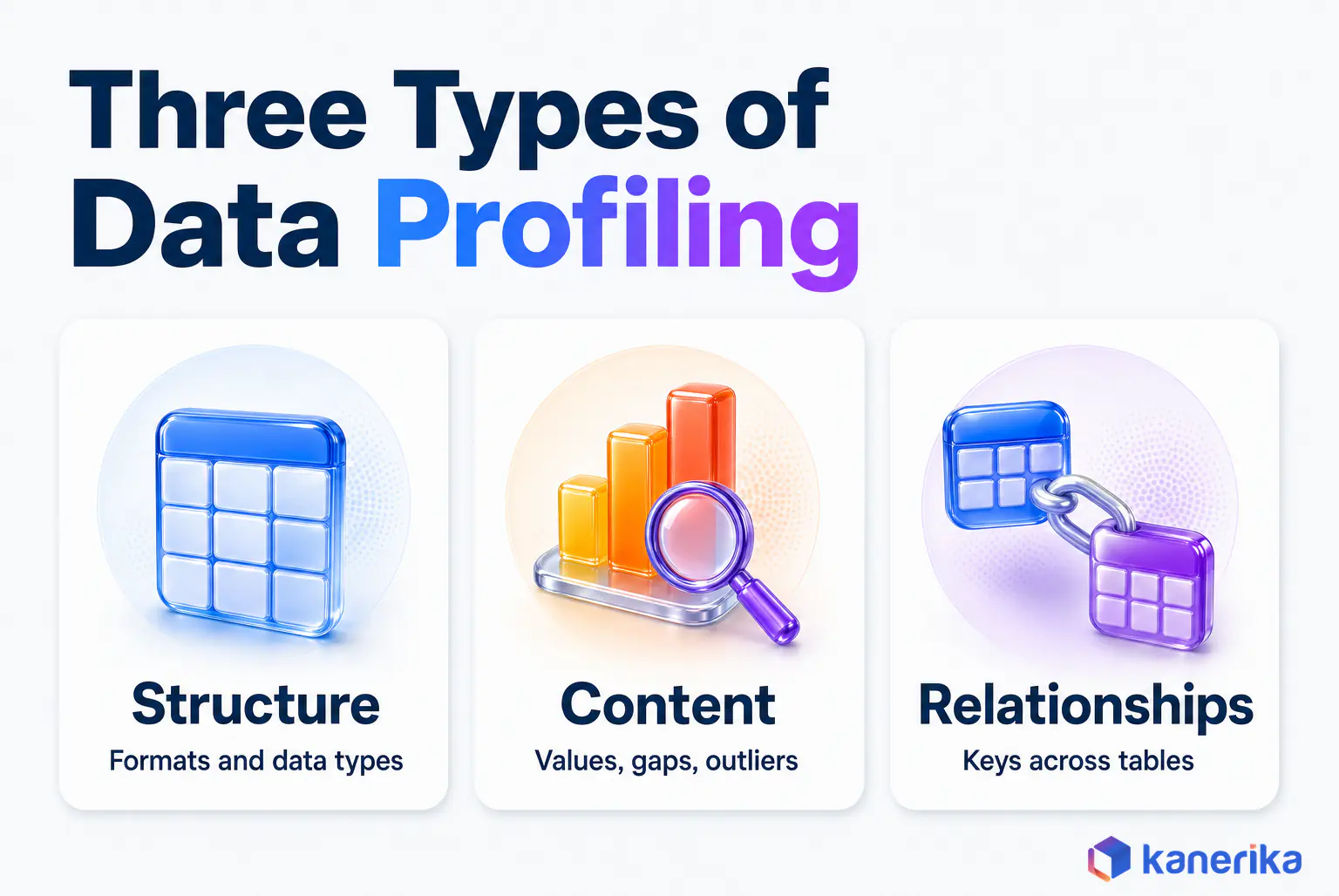
A customer table, for instance, shows the difference. First, structure discovery might find that the signup date is stored as text in three formats. Content discovery then finds that a fifth of the email addresses are blank. Relationship discovery finally reveals that some customers point to a sales region that no longer exists.
Underneath the three types sit four techniques. They run from the narrowest check to the broadest, and a thorough profiling job runs them in that order.
| Technique | What it examines | Type it serves | Example finding |
|---|
| Column profiling | One column at a time, with counts, ranges and patterns | Structure and content | A date column stored as text in three formats |
| Cross-column profiling | Dependencies between columns in one table | Content | Postcodes that do not match the city field |
| Cross-table profiling | Key overlap and joins across tables | Relationship | Customer IDs in orders that do not exist in the CRM |
| Data rule validation | Values against rules the business has written down | All three | Discounts above the approval limit |
The order matters in practice. Column checks are fast and catch the obvious defects, so they come first. Cross-table checks cost more compute, and they only make sense once each column is understood.
7 Best Applications of Data Profiling for Enterprise Teams
The seven applications below are where data profiling changes an outcome instead of just producing a report. Each one starts with a business problem, then runs a specific set of checks and ends with a decision the profile makes possible. The order follows a typical data program, from a first quality baseline through to regulatory reporting.
You do not need all seven at once, though. Pick the one tied to your next migration, report or model, then reuse the same profile for the others as they come up.
1. Data Quality Assessment and Baselining
A quality program needs a starting number before it can show progress, and a profile provides it. Without one, a team cannot say whether last quarter’s fixes made anything better. So profiling every critical table once gives each column a measured null rate, duplicate rate and format spread.
The first profile usually surfaces more defects than anyone can fix, so the real work is ranking them. A missing tax ID on supplier records matters far more than an inconsistent middle-name format. The baseline then becomes the yardstick for later profiles, which is the core of keeping data reliable over time. Skip it, and a lake slowly turns into a data swamp where nobody can say which tables are fit to use.
The baseline checks that matter most:
- Null and duplicate rates on every critical column
- Format consistency on IDs, dates and codes
- Value ranges against known business limits
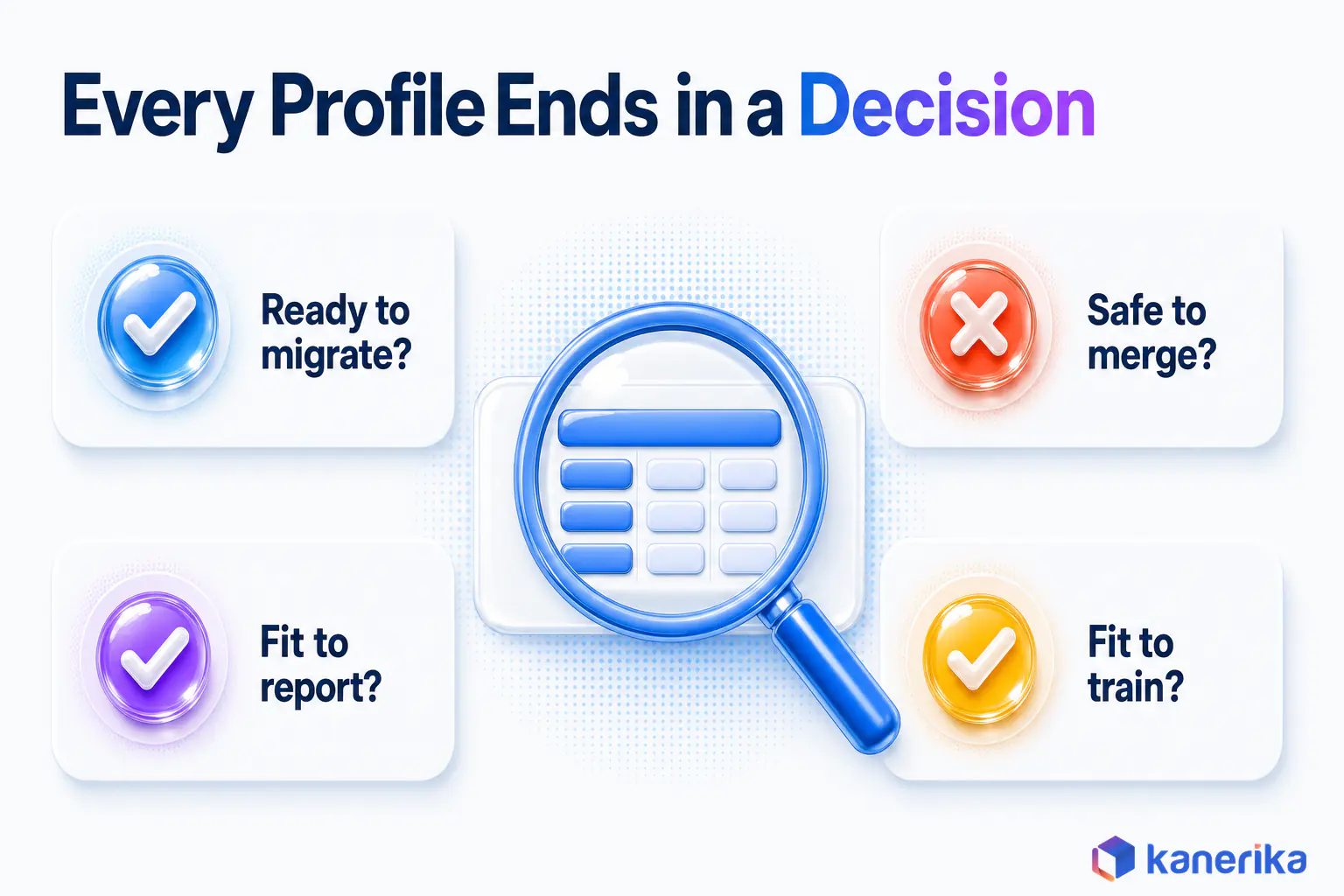
The decision it feeds. Which defects get fixed first, and which tables are fit to use today.
2. Data Migration Readiness
Migrations stumble on data that nobody examined until cutover. Profiling the source and the target before the move shows where types clash and where text will be cut short. It also shows which keys have no parent record. Old codes surface too, such as a legacy status X that means closed in one region but cancelled in another.
Run the profile twice, once early and once late. The first run sizes the cleanup work while the project is still young. The second, after a trial load, proves that the target holds the same data as the source. Both runs fit naturally into the data migration life cycle, and Kanerika’s guide to data quality during migration covers the validation work that follows the second run.
The checks that catch most cutover surprises:
- Data types and field lengths in source versus target
- Orphan keys that would break referential integrity
- Code values with no mapping in the new system
The decision it feeds. Go, delay or descope the cutover, and which tables need cleansing before the next trial load.
3. Data Integration Across Systems
Joining a CRM to an ERP sounds simple until the keys disagree. One system stores customer numbers with leading zeros, but the other strips them. One holds full country names, while the other uses ISO codes. A cross-table profile measures how many keys actually match before anyone builds the pipeline.
That overlap number answers the real question, which is whether the systems can be combined at all. When a large share of IDs fails to match, the project needs a matching or mastering step first. Kanerika’s data integration best practices cover what comes next.
The decision it feeds. Join the systems directly, build a mapping layer, or route the records through master data management first.
4. BI and Reporting Accuracy
Dashboards inherit every defect in the tables beneath them. A duplicate order key double-counts revenue, and a null region quietly drops sales from the regional total. Because the report still renders without an error, nobody notices until finance compares it with the ledger.
Profiling the fact and dimension tables behind a report catches these defects before publication. Duplicate checks on business keys, null checks on grouping columns and range checks on amounts cover most of the risk. The downstream cost of skipping them is clear in Kanerika’s look at the impact of bad data quality.
The decision it feeds. Publish the report, publish it with a caveat, or hold it until the source is fixed.
5. AI and Machine Learning Data Readiness
Models learn whatever the training data says, gaps included, and the analyst data suggests most organizations are not ready for that. In a February 2025 release, Gartner predicted that through 2026 organizations will abandon 60% of AI projects unsupported by AI-ready data. The same release reported that 63% of organizations lack the right data management practices for AI, or are unsure whether they have them. The LeBow and Precisely study points the same way, with 43% of leaders naming data readiness the top challenge in aligning AI with business goals.
Profiling turns that readiness question into numbers. Distribution checks show whether training data covers the cases the model will meet in production. Completeness checks find features that are mostly empty. Leakage checks look for columns that give away the answer, such as a “refund issued” flag inside a model that predicts refunds.
The same logic applies to retrieval-augmented generation. Profiling document metadata finds missing owners, dates and access labels before they confuse the retriever. Kanerika’s guide to AI data quality goes deeper on the checks that matter for models.
The decision it feeds. Train now, collect or label more data, or drop features that are empty or leak the target.
6. Master Data Management
Master data is where duplicates do the most damage, because every other system copies it. For instance, the same supplier can appear three times with three spellings and two bank accounts. A profile of the customer, product or supplier tables counts the likely duplicates and shows which attributes conflict.
Those counts then set the scope of a golden-record project. They also tell data stewards which match rules to write. For example, a tax ID filled on nearly every record makes a strong match key. A patchy one forces the match to lean on names and addresses instead.
The decision it feeds. Which match rules to trust, and how much manual stewardship the golden record will need.
7. Governance, Privacy and Regulatory Reporting
Data governance teams need to know where sensitive data sits before they can protect it. Pattern profiling finds columns that look like national IDs, card numbers or email addresses, even in a column named notes. That evidence feeds classification and the data catalog. Many data classification tools run the same pattern checks under the hood.
Regulators also ask for proof of completeness. A dated profile showing every required field filled is that proof, especially once an owner signs it off. Paired with data lineage, it shows both where a reported number came from and how complete it was when it left the source.
The decision it feeds. Which columns to classify and mask, and whether a regulatory submission is complete enough to file.
Checklist
Data Governance Checklist
A practical checklist for setting up data ownership, classification, quality rules and compliance controls across the enterprise.
Get the Checklist →
How Industries Apply These Seven
The seven applications show up in every sector, but the tables that matter change from one to the next. The table below maps five industries to the application that usually comes first, the tables it targets and one example check.
| Industry | Application that leads | Typical profiling target | Example check |
|---|
| Healthcare | 6. Master data management | Patient and claims records | Duplicate patient records across admission systems |
| Banking and financial services | 7. Governance and regulatory reporting | Customer, account and transaction data | Account numbers that fail format rules before regulatory reporting |
| Retail | 4. BI and reporting accuracy | Product and inventory master data | SKUs with missing prices or conflicting descriptions |
| Manufacturing | 5. AI and ML data readiness | Bills of materials and sensor data | Sensor readings outside physical limits |
| Logistics | 3. Data integration across systems | Shipment and address data | Postcodes that do not match the city field |
Notice that the checks barely change, while the targets do. That is good news for teams with mixed estates, since one profiling method can serve every business unit.
How to Perform Data Profiling in Six Steps
Running a profile takes minutes, but running a useful one takes a plan. The six steps below keep the work tied to a decision, so the output is a call someone can act on. Skipping the first and fifth steps is the usual reason a profile ends up as a spreadsheet nobody opens.
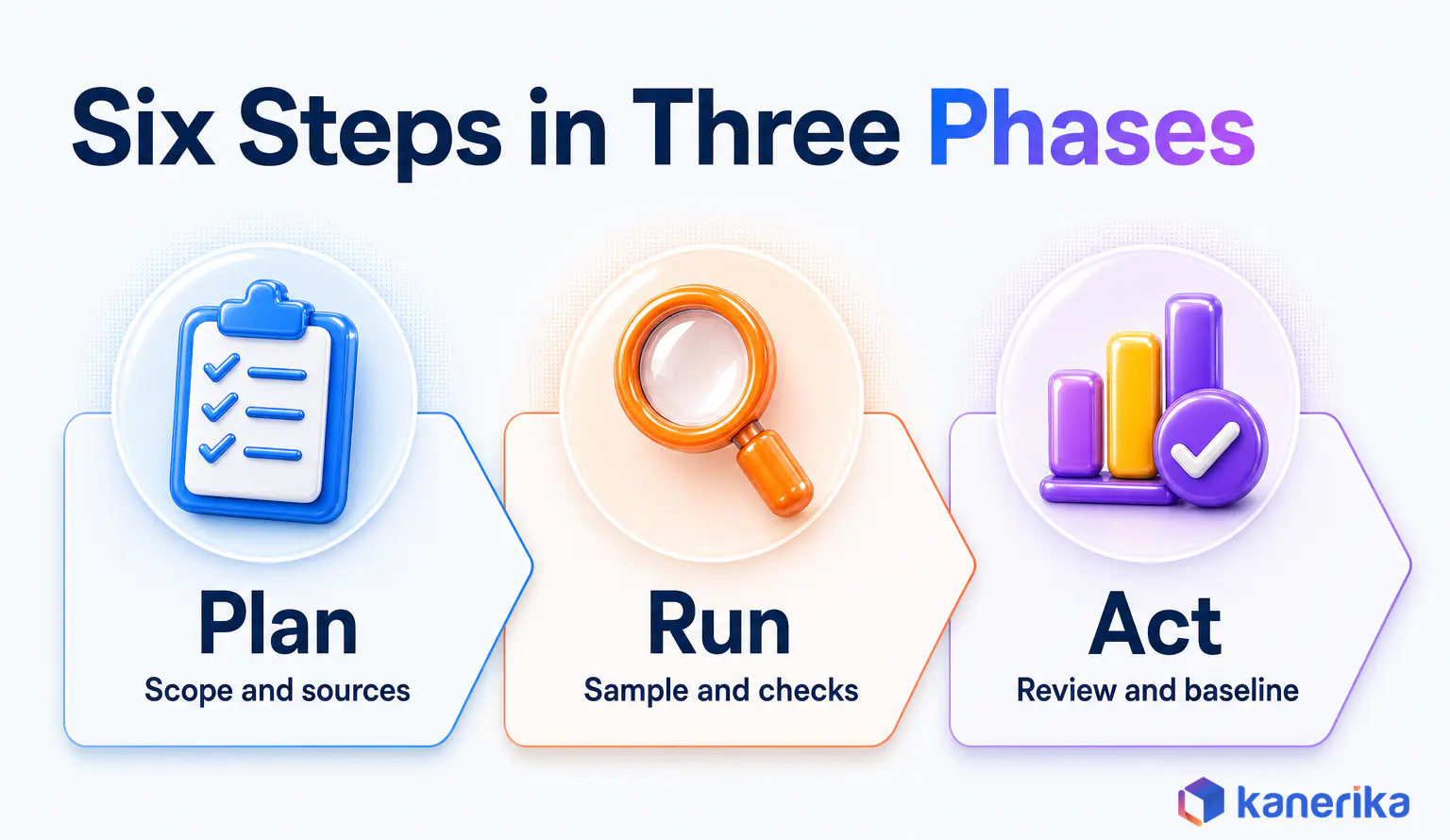
- Scope the decision. Start with the question the profile must answer, such as whether the orders table is ready for a new revenue report. Then name the tables, the critical columns and the business owner who will judge the results.
- Inventory sources and access. List every source, its size and who grants access. Sensitive tables may need approval first, because the profile output itself can show real values.
- Choose a sample or a full scan. Samples are fast and fine for a first look, so start there. ID columns, money amounts and regulated fields deserve a full scan, as the next section explains.
- Run the checks. Start with column statistics, then cross-column rules, then cross-table key overlap. Save every result with a date so later runs can be compared.
- Review findings with owners. Walk the business owner through each warning sign and then agree which ones break the decision. This is also where acceptance rules get written down.
- Baseline and repeat. Store the agreed numbers as the baseline. Then schedule the profile after each pipeline load or on a fixed cadence, and alert when a number drifts past its threshold.
Profiling a Table With SQL
If no profiling tool is in place yet, plain SQL covers step 4 for a single table. The first query below returns the row count, nulls and distinct values, as well as the date range for an orders table. The second counts orders whose customer does not exist in the customer table.
-- Column profile for one table
SELECT
  COUNT(*)                          AS row_count,
  COUNT(*) - COUNT(customer_id)     AS null_customer_ids,
  COUNT(DISTINCT customer_id)       AS distinct_customers,
  COUNT(DISTINCT order_id)          AS distinct_orders,
  MIN(order_date)                   AS earliest_order,
  MAX(order_date)                   AS latest_order
FROM erp.orders;

-- Cross-table check: orders that point to a missing customer
SELECT COUNT(*) AS orphan_orders
FROM erp.orders o
LEFT JOIN crm.customers c
  ON o.customer_id = c.customer_id
WHERE o.customer_id IS NOT NULL
  AND c.customer_id IS NULL;
Both queries run on most SQL engines with small changes. If distinct_orders is lower than row_count, the table holds duplicate order IDs. Hand-written queries are a fine start, although maintaining them gets slow once there are dozens of tables.
Sampling or Full Scan?
Every tool makes a default choice about how much data to read, and the defaults vary widely. So knowing them tells you what a clean-looking profile actually covered.
| Tool | Documented default scope | Source |
|---|
| Power Query | First 1,000 rows, switchable to the entire data set | Microsoft Learn |
| Microsoft Purview Unified Catalog | Random sample of 1 million records, 50 columns per batch | Microsoft Learn |
| Databricks data profiling | Full table on every refresh for snapshot profiles (tables up to 4TB); larger tables use time series profiles | Databricks docs |
Samples hide rare defects, though. If 50 rows in 10 million carry a corrupt key, a 1,000-row sample will almost certainly miss every one of them. Power Query’s first 1,000 rows are not even random, so they reflect whatever order the source returns.
The practical rule is simple. Sample for a first look, then run a full scan on the columns where a single bad value matters.
Worked Example: Is an ERP Orders Table Ready for Reporting?
This example is illustrative, not client data. A team wants to launch a revenue dashboard on a 50,000-row ERP orders table. The owner’s acceptance rule, agreed in step 5, is that fewer than 1% of orders may lack a customer ID.
| Check | Result | Acceptance rule | Verdict |
|---|
| Row count | 50,000 | Matches the ERP control total | Pass |
| Missing customer ID | 2,000 rows (4%) | Under 1% | Fail |
| Duplicate order IDs | 0 | Zero | Pass |
| Order dates | All inside the reporting fiscal year | No future dates | Pass |
| Orphan customer IDs | 0 of the 48,000 populated IDs | Zero | Pass |
The verdict is hold. Two thousand missing IDs out of 50,000 is 4%, four times the agreed limit, so revenue by customer would be understated. The team reviews the 2,000 rows with the owner, fixes the extraction and re-profiles before launch.
Now change one fact. Suppose the review shows that the 2,000 orders are legitimate anonymous counter sales, which never carry a customer ID. In that case, the data is fine and the rule was wrong.
So the owner rewrites the rule to exclude counter sales, and the check passes. The dashboard then launches with a note on how anonymous sales are counted. Same profile, different decision, which is exactly why step 5 exists.
Watch on YouTube
Validate and Reconcile Data in Minutes with FLIP
A demo of automated data validation and reconciliation with Kanerika’s FLIP, the step that confirms loaded data matches its source.
Data Profiling Tools: Native Features vs Dedicated and Open-Source Options
Pick a profiling tool by where your data already lives rather than by brand. Each major data platform now ships native profiling, so the first question is whether the platform you run already does the job. Dedicated and open-source tools then fill the gaps, mainly when data spans many systems.
What Each Tool Profiles
| Tool | Where it profiles | What it reports | Limit to know |
|---|
| Power Query | Data loaded in Power Query editors, including Power BI | Column quality (valid, error, empty and other states), value distribution and column profile | First 1,000 rows unless switched to the entire data set |
| Microsoft Purview Unified Catalog | Governed assets, including Fabric, Azure Databricks Unity Catalog and Snowflake sources | Column profiles, with AI recommending which columns to profile | Random sample of 1 million records, 50 columns per batch |
| Snowflake data profile | Tables in Snowsight, on the Data Quality tab | Row count, last update, NULL count, minimum and maximum, most common values | Enterprise Edition; an X-Small warehouse is recommended |
| Databricks data profiling | Unity Catalog tables | Time series, inference and snapshot profiles, with profile and drift metric tables | Snapshot profiles up to 4TB; runs on serverless jobs |
| AWS Glue DataBrew | DataBrew datasets | Profile job evaluations of a dataset | Results are written to Amazon S3 for review |
| fg-data-profiling (open source) | pandas and Spark DataFrames in Python | Per-column statistics in a shareable report | Replaced the ydata-profiling name; you run and scale it yourself |
Two retirements are worth knowing if older guides still shape your shortlist. Qlik retired Talend Open Studio on January 31, 2024. Microsoft retired Azure Data Catalog on May 15, 2024, and Purview replaced it, as covered in Kanerika’s guide to the Microsoft Purview data catalog.
Kanerika Service
Microsoft Purview Implementation
Kanerika sets up Purview Unified Catalog, classification and data quality profiling so profiles run on a schedule next to the data they describe.
Explore Purview Services
Which Approach Fits Your Scenario
The right approach depends on the situation more than the feature list. The table below matches six common scenarios to the approach that usually fits.
| Scenario | Approach that fits |
|---|
| One-off check on a single table | SQL, or the profiling view in your BI or notebook tool |
| Data already governed in Microsoft Purview | Purview Unified Catalog profiling on a schedule |
| Tables already in Snowflake Enterprise Edition | The Snowsight data profile on the Data Quality tab |
| Lakehouse on Databricks with drift concerns | Databricks data profiling with drift metrics |
| Many sources across clouds and on-premises systems | A dedicated data quality platform, or open-source profiling in a shared pipeline |
| Data science work in Python | fg-data-profiling on pandas or Spark DataFrames |
In practice, teams often end up with two layers. Native profiling covers each platform, and a shared layer handles cross-system checks such as key overlap between the CRM and the ERP. That split keeps each check close to the data while still answering questions no single platform can. Snowflake teams can go deeper with Kanerika’s guide to Snowflake data quality.
Data Profiling Challenges and Best Practices
Profiling looks simple on a single table, but it gets harder at enterprise scale. The same handful of problems shows up in almost every program, and each one has a practical fix.
Common Challenges
- Load on production systems. Full scans on a busy transactional database slow it down, so profile a replica or a recent snapshot instead.
- Sensitive values in the output. A profile’s most-common-values list can expose names or card numbers, which makes the output as sensitive as the source.
- Sample blind spots. Rare defects slip past small samples, as the sampling section showed.
- No business owner. Without an owner, nobody can say whether a 3% null rate is acceptable, so findings stall.
- Profiles that run once. A profile taken at the start of a migration is out of date by cutover, because the business keeps changing the data.
That last challenge also causes the most expensive surprises. A team profiles the source in month one, while the business keeps editing data for six more months. The cutover then meets defects the first profile never saw. Regulated sectors such as banking feel this sharply, since a bad migration can turn into a reporting problem as well.
Checklist
Data Migration Checklist
A step-by-step checklist for planning and running a data migration, from assessing the source to signing off the cutover.
Get the Checklist →
Best Practices That Hold Up
Most of these practices are the fixes above turned into habits a team can check off, plus one that makes results visible to the people who query the data.
- Tie every profile to a named decision and a named owner.
- Profile critical columns in full, and everything else by sample.
- Store results with dates, so drift shows up as a trend.
- Mask or restrict sensitive values in the profile output.
- Schedule repeat profiles after each load, and alert on drift past agreed thresholds.
- Publish results to the data catalog, so analysts see quality next to the data they query.
Data Profiling vs Data Quality, Validation, Cleansing and Observability
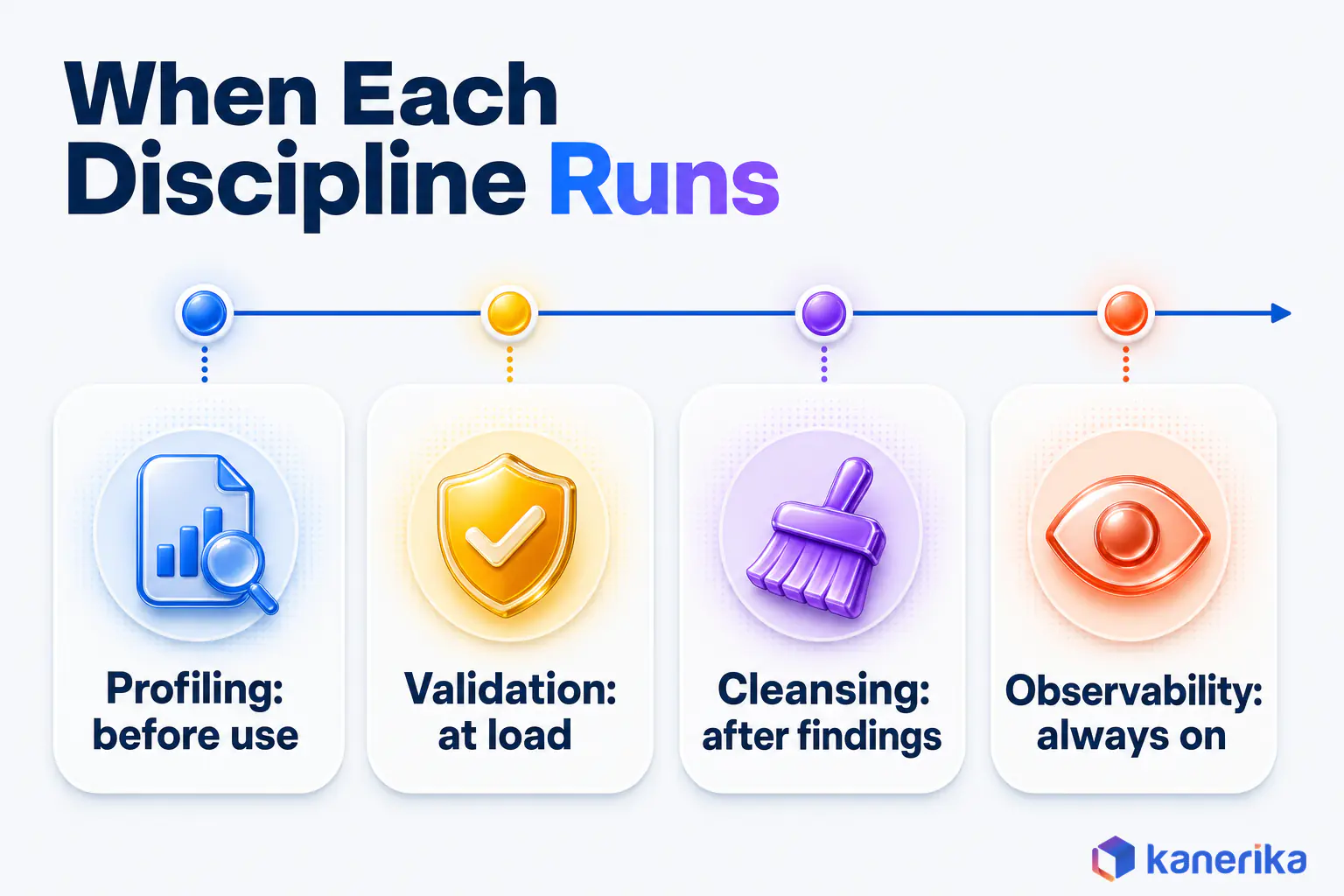
Profiling sits beside several neighbouring disciplines, and the names often get used loosely. The simplest way to keep them apart is by the question each one answers. Profiling asks what is in the data. The others ask whether it follows the rules, how to fix it, who governs it and whether production data is still healthy.
They also run at different moments. Profiling comes first, validation runs as data loads, cleansing follows the findings and observability watches production around the clock.
A migration, for example, shows the sequence clearly. The team profiles the source to find defects, then writes validation rules from what it found. Records that fail get cleansed, and the loaded tables are handed to observability once they go live. Each discipline builds on the one before it, which is why profiling usually comes first.
| Discipline | Question it answers | Typical owner | Read more |
|---|
| Data profiling | What is actually in this dataset? | Data engineers and analysts, with business owners | This guide |
| Data validation | Does each record pass the agreed rules? | Pipeline and test engineers | Data migration testing |
| Data cleansing | How do we fix the defects we found? | Data engineers and stewards | Data migration cleansing |
| Data quality management | Who owns quality, and which rules apply? | Governance office and data stewards | Data quality framework |
| Data observability | Is production data still healthy right now? | Data platform and operations teams | Data observability |
| Data mining | Which patterns predict an outcome? | Data scientists | Runs on data that has already been profiled |
Observability and profiling overlap the most, because both compute statistics on data. The difference is timing and purpose, which Kanerika’s comparison of data observability and data quality sets out in detail.
How Kanerika Builds Data Profiling Into Governance and Migration Work
Kanerika treats profiling as the evidence layer of a governance or migration program, not as a separate project. The method runs in five steps, and each one maps to a decision a client has to make.
First, we scope the critical data and its acceptance criteria with the business owners, because a profile without rules cannot fail anything. Then we profile and baseline the data in place, on the platform where it already lives. Defects are then ranked by business impact, so the fixes that protect revenue, reporting or compliance come first.
Once fixes land, we re-profile to prove they worked. Finally, repeat profiles are scheduled in Purview Unified Catalog or the target platform, so the baseline stays current.
On migration programs, the same steps run twice. The source is profiled before design, which sizes the cleanup and shapes the mapping rules. The target is then profiled after each trial load to prove the data arrived intact. Kanerika’s FLIP migration accelerator adds automated validation and reconciliation to that second check.
Case Study: Healthcare Governance With Microsoft Purview
A large North American healthcare organization shows how this fits inside a wider program. Its data was spread across Azure Blob Storage, SQL databases and SaaS applications, with no consistent classification or metadata framework. Kanerika implemented Microsoft Purview to catalog the estate with metadata and classifications. The team also set up a classification framework with steward roles, and added data quality metrics, lineage tracking and Power BI dashboards.
The governance program as a whole cut data discovery time by 57%, raised compliance adherence by 90% and improved data accessibility by 70%. Profiling was one part of that work, not all of it. The quality metrics gave stewards measured evidence to act on, which is the role profiling plays in every program. Kanerika’s data governance services and Microsoft Purview practice apply the same method in healthcare, financial services, retail, manufacturing and logistics.
Case Study
90% Compliance Adherence for Healthcare with Purview
A large North American healthcare organization used Microsoft Purview to catalog and classify data across Azure, SQL and SaaS sources, cutting data discovery time by 57% and raising compliance adherence by 90%.
Read the Case Study →
Wrapping Up
Data profiling is the measurement step that other data decisions depend on. It does not fix anything by itself, but it shows what needs fixing, how badly and whether the fix worked. Keep each profile tied to an owner and a rule, and repeat it as the data changes.
So where does data profiling earn its keep for enterprise teams? It earns it in seven places: quality baselining, migration readiness, system integration, BI reporting accuracy, AI readiness, master data management and governance reporting. Of those seven, start with the application tied to your next migration, report or model.
Frequently Asked Questions
What is data profiling?
Data profiling is the process of measuring a dataset’s structure, content and relationships before it is used. A profiler reads a table and reports statistics such as null rates, distinct values, value ranges, formats and key matches. Teams use the results to judge whether data is fit for a migration, a report, an integration or an AI model.
What is an example of data profiling?
A team plans a revenue dashboard on a 50,000-row orders table. The profile shows 2,000 orders with no customer ID, which is 4% of the table. The owner’s rule allows under 1%, so the launch is held. After review, the team fixes the extraction, re-profiles the table and launches once the check passes.
What skills are needed for data profiling?
A profiler needs solid SQL, an understanding of data types and keys, and basic statistics such as distributions and outliers. Familiarity with the profiling features of the team’s platform helps, for example Purview, Snowflake or Databricks. Business knowledge matters just as much, because someone has to judge which findings actually break a decision.
What is the difference between data analysis and data profiling?
Data profiling checks whether a dataset is complete, consistent and usable. Data analysis uses trusted data to answer business questions, such as why sales fell in one region. Profiling usually comes first and decides whether the analysis can go ahead. An analyst who skips it risks drawing conclusions from duplicates, gaps or broken joins.
What is the difference between data profiling and data validation?
Data profiling measures what a dataset contains and reports statistics about it. Data validation checks each record against agreed rules and passes or rejects it. Profiling often comes first, because its findings help teams write the validation rules. Validation then runs inside pipelines at load time, while profiling is repeated on a schedule.
What is the difference between data profiling and data cleansing?
Data profiling finds and measures defects, such as duplicates, nulls and broken formats. Data cleansing fixes them by correcting, standardizing, merging or removing records. The two work as a loop. A team profiles to find the problems, cleanses the ones that matter and then profiles again to prove the fixes worked.
How is data profiling different from data observability?
Data profiling is a measurement run at a point in time, usually before data is used or after a change. Data observability monitors production data continuously for freshness, volume, schema and distribution changes, and it alerts when something breaks. Both compute statistics. Profiling sets the baseline, and observability watches for drift away from it.
Can data profiling be automated, and how often should it run?
Yes. Purview, Snowflake and Databricks can all run profiles on a schedule, and SQL or Python profiles can run in a pipeline. Profile critical tables after every load and compare the results with the baseline. Less critical tables can run weekly or monthly. Set alert thresholds so a human only reviews meaningful changes.
Can data profiling identify sensitive or personal data?
Yes. Pattern profiling spots values that look like national ID numbers, card numbers, phone numbers or email addresses, even in columns with vague names. Those findings feed data classification and the data catalog. The profile output can itself contain sensitive samples, so teams should mask it and restrict access the same way as the source data.
What are the 5 C's of data quality?
There is no single standard list of the 5 C’s. A common version names completeness, consistency, conformity, currency and correctness. Many teams use the six dimensions from the UK Government Data Quality Framework instead. Those are completeness, uniqueness, consistency, timeliness, validity and accuracy. Profiling supplies evidence for most of these dimensions.
What are the three types of data profiling?
The three types are structure discovery, content discovery and relationship discovery. Structure discovery checks whether values follow the expected format and data type. Content discovery examines the values themselves for gaps, errors and outliers. Relationship discovery tests how columns and tables connect, such as whether every order points to a customer that exists.
What are the four levels of data profiling?
The four levels, often called techniques, are column profiling, cross-column profiling, cross-table profiling and data rule validation. Column profiling summarizes one column at a time. Cross-column profiling finds dependencies inside a table. Cross-table profiling checks keys and joins between tables. Rule validation tests values against rules the business has written down and agreed.
How do you perform data profiling?
Start by naming the decision the profile supports and the owner who will judge it. Then list the sources and confirm access. Choose a sample or a full scan, and run column, cross-column and cross-table checks. Review the findings with the owner, agree acceptance rules, store the results as a baseline and repeat the profile on a schedule.
How do you do data profiling with SQL?
SQL covers basic profiling for a single table. COUNT and COUNT DISTINCT return row counts, null counts and distinct values. MIN and MAX show value ranges. GROUP BY on a column reveals its most common values. A LEFT JOIN against a parent table finds orphan keys. Save each result with a date so later runs can be compared.
What are the best tools for data profiling?
The best tool is usually the one built into the platform that already holds the data. Power Query, Microsoft Purview Unified Catalog, Snowflake and Databricks all profile natively. AWS Glue DataBrew runs profile jobs on AWS. For Python work, fg-data-profiling profiles pandas and Spark DataFrames. Dedicated data quality platforms help when data spans many systems.
What is data profiling in ETL, and is it an ETL process?
Data profiling supports ETL at two points and sits outside the extract, transform and load steps. Teams profile sources before designing a pipeline, so mappings and transformations match the real data. They profile again after loading to confirm nothing was lost or changed. Many pipelines also schedule profiles after each load to catch drift early.
What are the benefits of data profiling?
Profiling shows the real condition of data before anyone relies on it. It sizes cleanup work for migrations, stops wrong numbers reaching reports, tests whether systems can be joined and checks whether training data is fit for a model. It also gives governance teams dated evidence of completeness, which helps with audits and regulatory reporting.
What are the challenges of data profiling?
Full scans can slow busy production databases, so many teams profile a replica or snapshot. Profile output can expose sensitive values and needs access controls. Samples can miss rare defects. Findings stall when no business owner decides what is acceptable. Profiles taken only once go stale, because the data keeps changing after the first run.














