TL;DR
The best AI forecasting tools in 2026 are the ones native to your data platform. Choose Azure ML or Fabric on Microsoft, Databricks on a lakehouse, and Snowflake ML or BigQuery ML for SQL teams. On AWS, use SageMaker Canvas, since Amazon Forecast closed to new customers in July 2024.
Pick DataRobot for data across several clouds and SAP IBP for planners already on SAP. Pilot five applications first: sales and demand, cash flow, supply chain, workforce and customer behaviour. Prove each model beats a naive baseline on WAPE and bias, since a forecast is only worth the decision it changes.
Key Takeaways
- AI forecasting trains machine learning models on history and outside drivers to predict demand, revenue, cash, staffing or load, and it refreshes as new data lands.
- The 2026 shortlist follows your data platform: Azure Machine Learning and Fabric, Databricks, Snowflake ML, BigQuery ML with TimesFM, SageMaker Canvas, DataRobot and SAP IBP.
- Amazon Forecast closed to new customers on July 29, 2024, so new AWS projects start in SageMaker Canvas.
- The five applications covered here are sales and demand, cash flow, supply chain and inventory, workforce, and customer behaviour.
- A model earns production only when it beats a naive baseline on held-out periods, measured with WAPE, MASE and bias.
- The common failures are leakage, missing baselines, point forecasts without ranges and unmonitored drift, which are process problems rather than algorithm problems.
Watch on YouTube
7 Ways Predictive Analytics Complements Business Intelligence
See how predictive models sit next to BI reporting, turning dashboards that describe the past into forecasts that tell teams what to plan for next.
The Cash Forecast That Arrived Too Late
Every morning, a bank’s treasury analyst opens several systems and copies balances into a spreadsheet. Payments, loan drawdowns and incoming wires also live in different places.
By late morning the daily cash forecast is ready, but it is already stale. Funding decisions get made on yesterday’s picture, and surplus cash sits idle because nobody trusts the number enough to place it.
That is the problem AI forecasting solves when it works. A model reads the same sources automatically, learns the patterns in daily inflows and outflows, and posts a forecast before the team starts work.
The hard part is picking a tool that fits your data, beating a simple baseline, and wiring the output into decisions people already make.
This guide covers all three. It groups seven tools by platform, walks through five applications, and then shows how to check accuracy with real arithmetic.
What Is AI Forecasting?
AI forecasting is the use of machine learning to predict a future quantity from past data and the drivers that move it. Think of targets such as next week’s orders, tomorrow’s cash position or next month’s call volume.
Classic methods generally fit one pattern to one history. Machine learning models can learn from thousands of related series at once and add outside signals such as prices, promotions, weather or holidays.
AI forecasting in businesses is not just a buzzword; it’s a powerful approach that combines advanced algorithms, machine learning, and big data to provide insights far beyond traditional forecasting methods. From predicting sales trends to anticipating supply chain disruptions, AI forecasting is enhancing accuracy and reliability across various business functions, giving companies a competitive edge in an increasingly unpredictable market landscape. In practice, these capabilities often sit alongside established sales forecasting tools, where AI models enrich existing forecasts with real-time data, pattern recognition, and adaptive learning rather than replacing familiar planning workflows.
In practice, the output is a number tied to a date, ideally with a range around it. A treasurer can act on “net cash next Tuesday will land between two known amounts” far more easily than on a single guess.
Kanerika Service
Predictive Analytics Services
Kanerika builds forecasting and predictive models on your data platform, backtests them against a baseline and wires the output into the tools your planners already use.
Explore Predictive Analytics
What AI Forecasting Predicts
The same techniques apply to any quantity measured over time. Each of the six targets below maps to a recurring decision, and that decision sets the grain and horizon you forecast at.
- Demand: units by product, store or channel, which drive purchasing and production.
- Sales and revenue: bookings and pipeline conversion for quota and budget planning.
- Cash and finance: daily inflows and outflows, expenses and working capital.
- Workforce: call volumes and ticket counts, as well as the shifts needed to handle them.
- Energy load: electricity demand by hour, especially for utilities and grid operators.
- Risk: default rates and claim volumes, since both drift with the economy.
AI Forecasting vs Traditional Forecasting
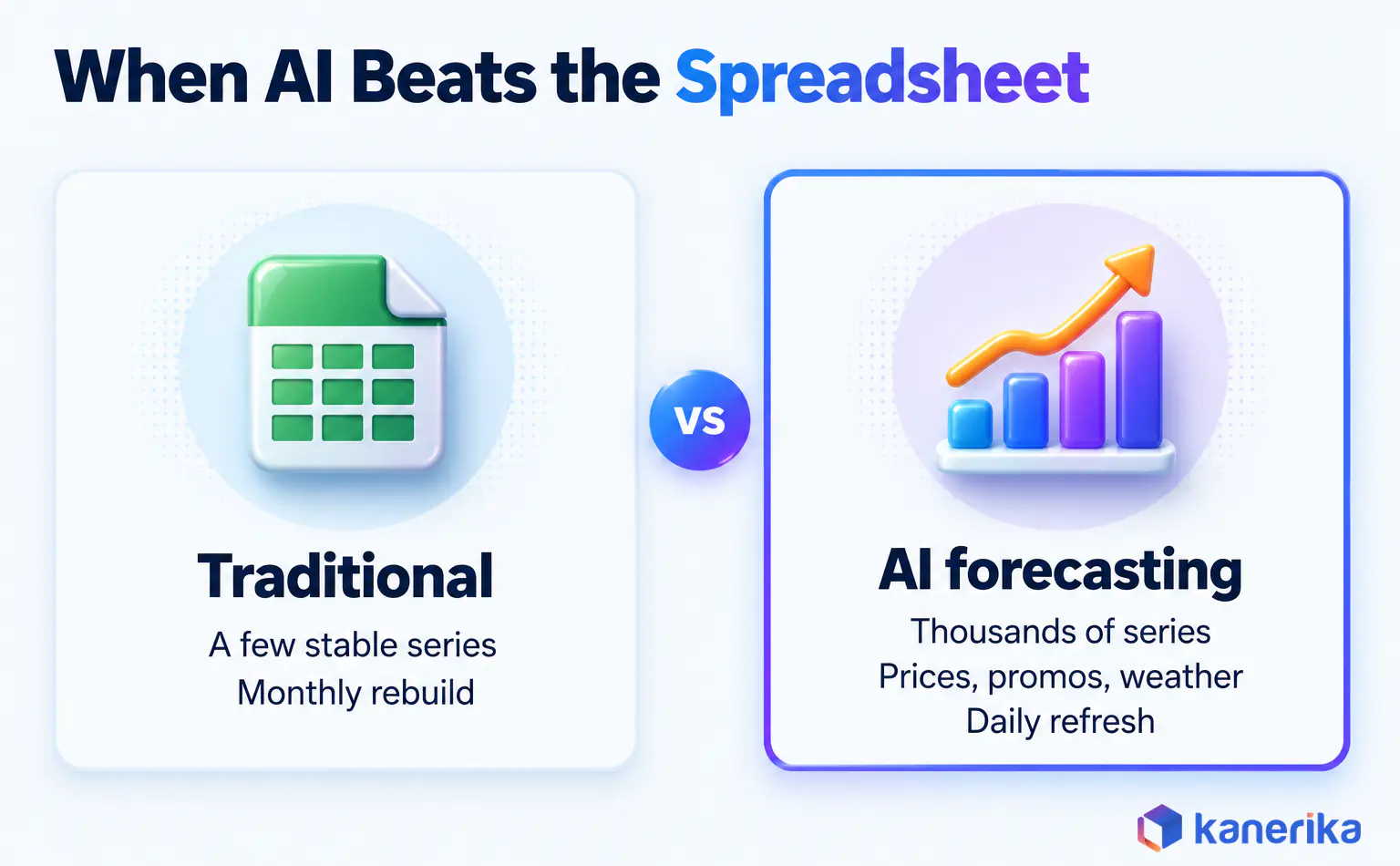
Traditional forecasting means spreadsheets and classic statistics such as moving averages or exponential smoothing. It works well for stable series with clear seasonality, and planners can also explain every number.
Machine learning changes the trade-offs. It handles far more series and drivers, retrains on a schedule, and catches non-linear effects such as a promotion that only works on weekends. The price is less transparency, so explainability has to be designed in from the start.
| Factor | Traditional forecasting | AI forecasting |
|---|
| Data volume | One series at a time, modest history | Thousands of related series in one model |
| Outside drivers | Added by hand, if at all | Prices, promotions, weather and events as inputs |
| Refresh | Monthly or quarterly rebuild | Scheduled retraining and daily scoring |
| Non-linear effects | Hard to capture | Learned from the data |
| Explainability | Every term is readable | Needs driver importance and override logs |
| Best fit | Stable, low-volume series | Many series, many drivers, frequent decisions |
Neither side wins everywhere. For example, a stable monthly series with five years of history may not justify a machine learning pipeline. The baseline test later in this guide settles that question with data rather than opinion.
Where AI Forecasting Fits Next to Predictive Analytics
Forecasting and predictive analytics overlap, but they answer different questions. Forecasting asks how much and when, such as units sold next week. Predictive analytics usually classifies or scores, such as which customer is likely to leave.
The model families overlap too. For instance, gradient boosting can score churn risk or forecast weekly demand, depending on how the data is framed. Time order is the real difference, because a forecast must never train on information from after the date it predicts.
For the classification and regression side, our guide to machine learning models for predictive analytics goes deeper. This post, in contrast, stays with time series and the tools built for them.
How AI Forecasting Works, Step by Step
Seven steps take a forecast from a business question to a number that planners act on. They apply whichever tool you buy, and each step produces something the next one needs, so treat them as the project plan.
- Name the decision and the horizon. “Order quantity per store, two weeks ahead” sets the grain, the horizon and the metric in one line.
- Assemble the data. Pull history at that grain through a data analytics pipeline, plus drivers such as price, promotions, holidays and stock-outs.
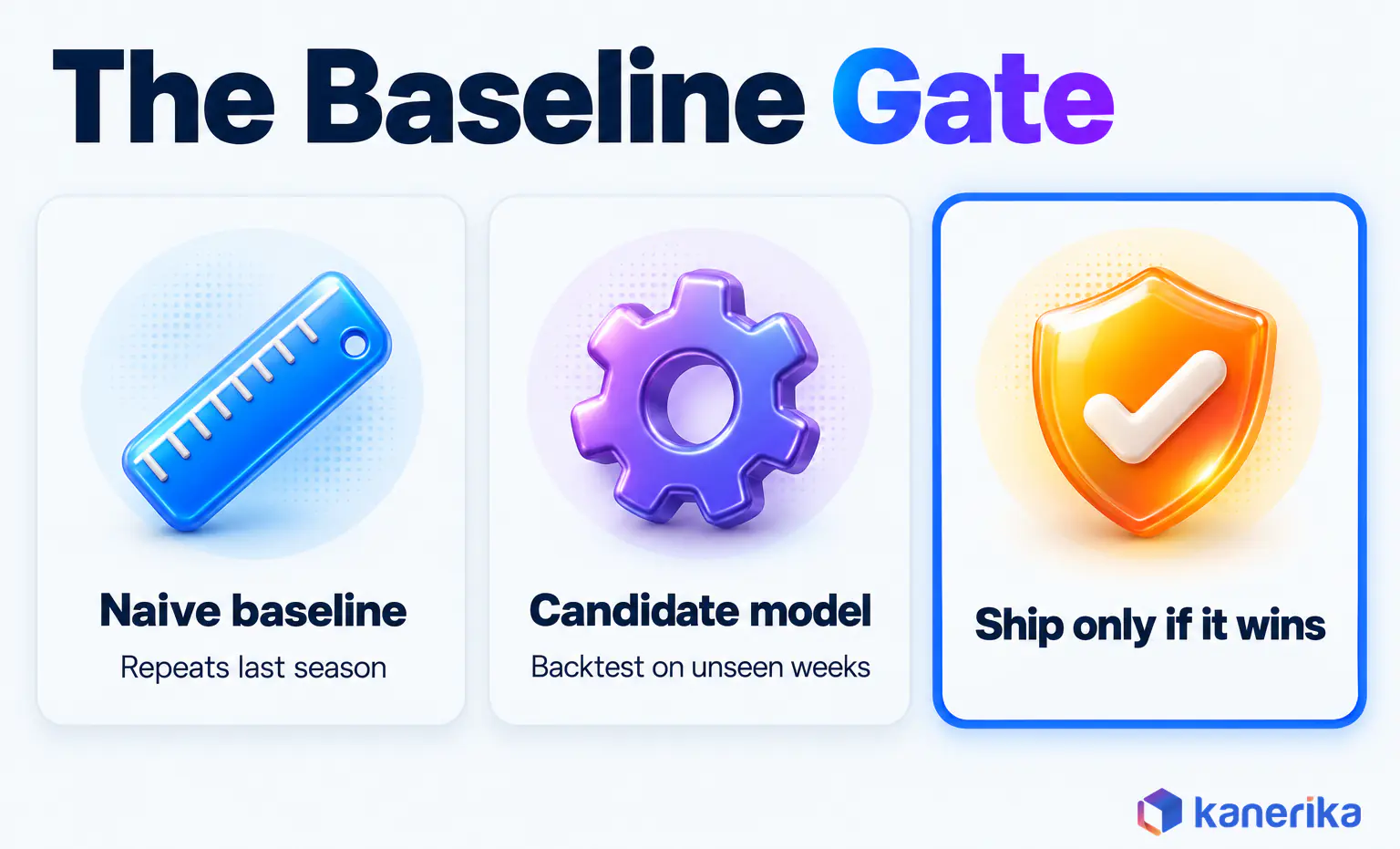
- Build a naive baseline. Seasonal naive repeats the value from the same period in the last cycle. Every candidate model must then beat it.
- Train candidate models. Try a statistical model and a gradient boosting model, as well as a deep learning or foundation model for large catalogs.
- Backtest on held-out periods. Train on the past, predict a window the model never saw, and repeat across several windows.
- Deploy into the planning tool. Write forecasts into the ERP, planning sheet or portal where people already work, rather than a separate report.
- Monitor drift and retrain. Track error every cycle and retrain when it rises or when the business changes, while data observability tools catch broken inputs early.
Steps three and five are the ones teams skip when deadlines bite. Without them, nobody can say whether the new model beats last year’s numbers copied forward.
Step six decides adoption. A forecast that lives only in a notebook changes nothing, however accurate it is. Plan the hand-off to planners before you train anything.
The Model Families Behind AI Forecasting
Every tool in the next section wraps a handful of model families. Knowing them helps you read vendor claims and also choose sensible defaults.
| Family | Examples | Good at | Weak at | Ships in |
|---|
| Statistical | ARIMA, exponential smoothing, Prophet | Short histories, clear seasonality, readable output | Many drivers and non-linear effects | Azure AutoML, Snowflake, Databricks (Auto-ARIMA) |
| Gradient boosting | LightGBM, XGBoost | Many series and drivers at once | Extrapolating beyond past ranges | Azure AutoML, Snowflake (“fast” method) |
| Deep learning | TCN, LSTM | Long, high-frequency histories across many series | Needs lots of data and tuning | Azure AutoML (TCNForecaster) |
| Foundation models | TimesFM | First forecasts with no training step | Outside drivers (multivariate is in Preview) | BigQuery ML (AI.FORECAST) |
Ensembles combine several of these families, so one weak model matters less. Azure AutoML builds soft-voting ensembles, and Snowflake’s default FORECAST blends Prophet, ARIMA, exponential smoothing and gradient boosting in one model.
Start with what your platform ships by default, since it is already wired to your data. Let a backtest on your own data decide whether a heavier model earns its compute.
Top 7 AI Forecasting Tools in 2026
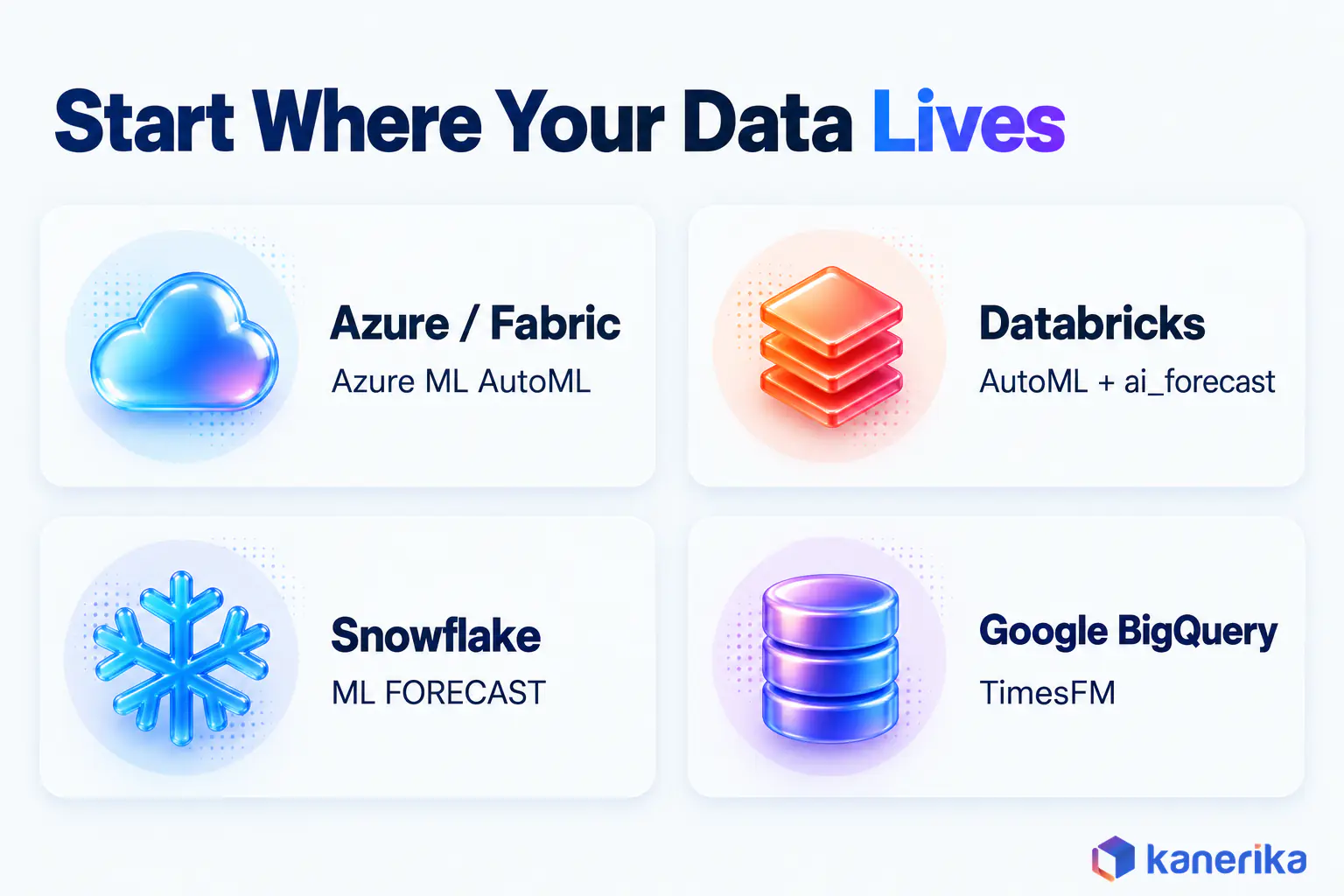
The seven tools below are grouped by the data platform they run on, because moving data to a separate product adds cost and delay. Each entry also links to the vendor’s own documentation.
| Tool | Best fit | Forecasting approach | Skill needed |
|---|
| Azure ML AutoML and Fabric AutoML | Microsoft stack | Model search across statistical, boosting and TCN models, plus ensembles | Data science or low-code |
| Databricks AutoML and ai_forecast | Lakehouse teams | Serverless forecasting UI and a SQL function | SQL or Python |
| Snowflake ML FORECAST | SQL-first teams on Snowflake | Ensemble of Prophet, ARIMA, exponential smoothing and GBM | SQL |
| BigQuery ML with TimesFM | Google Cloud teams | Pretrained foundation model, no training step | SQL |
| Amazon SageMaker Canvas | AWS teams | No-code model building, the AWS path after Amazon Forecast | No-code |
| DataRobot | Data spread across platforms | Time-series AutoML with multiseries and nowcasting | Data science |
| SAP Integrated Business Planning | Planners on SAP | Machine learning forecasting inside S&OP and demand planning | Planner |
On-Demand Webinar
Custom vs Off-the-Shelf AI: Choosing the Right Solution
Kanerika’s experts discuss when a packaged AI product is enough and when a custom model on your own data pays off, the same call you make when shortlisting forecasting tools.
Watch the Webinar →
1. Azure Machine Learning AutoML (and AutoML in Microsoft Fabric)
Microsoft-stack teams get the widest model menu here, especially for deep learning. Azure Machine Learning AutoML tries Naive, Seasonal Naive, ARIMA(X), exponential smoothing, Prophet, LightGBM, XGBoost and TCNForecaster, then builds soft-voting ensembles.
Putting the naive models inside the search is a quiet strength, because the baseline test runs automatically. Teams working in Microsoft Fabric get a lighter path, since AutoML in Fabric runs on the open-source FLAML library.
Best fit: organisations whose data already sits in Azure or OneLake. Watch for: a full model search takes compute and data science time to tune.
2. Databricks AutoML and ai_forecast
Lakehouse teams with a mix of SQL and Python skills get two options on the Databricks Data Intelligence Platform. The Databricks AutoML forecasting UI defaults to serverless forecasting, so nobody manages a training cluster. Its Auto-ARIMA option needs a regular time frequency, meaning equal intervals between points. AutoML fills missing time steps with the previous value, so check that this fill makes sense for your series.
For analysts who prefer pure SQL, the ai_forecast function forecasts straight from a query. As of October 2026, version 1 is in Public Preview and the recommended version 2 is in Beta. It needs a Pro or Serverless SQL warehouse, and our guide to Databricks AI Functions shows where it sits among the other built-in functions.
Preview status matters, especially for production work. Use AutoML for anything a planner relies on daily, and keep ai_forecast for exploration until it reaches general availability.
Datasheet
Build a Modern Data and AI Foundation with Databricks
A short datasheet on how Kanerika sets up the Databricks lakehouse foundation that forecasting models and AI functions depend on.
Get the Datasheet →
3. Snowflake ML FORECAST
If your analysts live in SQL on Snowflake, Snowflake ML FORECAST is the shortest path from table to forecast. By default it trains an ensemble of Prophet, ARIMA and exponential smoothing, as well as a gradient boosting machine.
Setting the method to “fast” trains the gradient boosting model only, which trades some breadth for speed. Data never leaves Snowflake, so governance stays where it already is. You do give up some control over model internals compared to a full data science platform.
4. Google BigQuery ML with TimesFM
Google Cloud teams that want a forecast without training anything can start in BigQuery. Its AI.FORECAST function calls a built-in TimesFM model, a pretrained time-series foundation model, so there is no training step and no model to manage.
That makes it a fast way to get a first forecast on Google Cloud, and it is available in all BigQuery regions. As of October 2026, multivariate forecasting with outside drivers is still in Preview. Treat it as a strong starting point, then test whether a trained model beats it on your own data.
5. Amazon SageMaker Canvas
For AWS teams, the forecasting choice changed in 2024. Amazon Forecast closed to new customers on July 29, 2024; existing customers can keep using it, but AWS points users to Amazon SageMaker Canvas.
Canvas is a no-code workspace, so analysts build time-series forecasts without writing code. It suits AWS teams whose forecasting owners are analysts rather than engineers. Any guide that still recommends Amazon Forecast for a new project is out of date.
6. DataRobot
DataRobot is an independent AutoML platform, useful when data sits on more than one cloud. Its time-series modeling handles multiseries problems and nowcasting, as well as prediction intervals.
Prediction intervals deserve attention. A range tells a buyer how much safety stock to hold, which a single number cannot. Still, expect a separate platform licence and a small platform team to run it well.
7. SAP Integrated Business Planning
For planners who already run on SAP, SAP Integrated Business Planning puts machine learning forecasting inside the planning workflow itself. It covers sales and operations planning, demand forecasting, response and supply, demand-driven replenishment and inventory planning on SAP HANA.
The big win is adoption, because the forecast lands where planners already approve orders. The limit is flexibility, since custom models and non-SAP data take more integration work.
AI Assessment
Is Your Data Ready for AI Forecasting?
Take Kanerika’s AI maturity assessment to see where your data, governance and teams stand before you commit to a forecasting platform.
Take the Assessment →
How to Choose an AI Forecasting Tool
The right tool is usually the one closest to your data and your people, rather than the one with the best demo. Start with where the history lives, whether a lakehouse or one of the common data warehouse tools. Then check who will build and maintain the models.
| If your situation is | Start with |
|---|
| Data in Azure, OneLake or Power BI | Azure ML AutoML or AutoML in Fabric |
| Lakehouse on Databricks with a mixed SQL and Python team | Databricks AutoML, with ai_forecast for exploration |
| Analysts who work in SQL on Snowflake | Snowflake ML FORECAST |
| Google Cloud and a need for quick first forecasts | BigQuery ML AI.FORECAST with TimesFM |
| AWS, with analysts who do not code | Amazon SageMaker Canvas |
| Data spread across clouds and a central data science team | DataRobot |
| Planning already runs on SAP | SAP Integrated Business Planning |
After that, three more checks narrow the field. Horizon and granularity matter, because hourly load and quarterly revenue need different models. Planning workflow matters too, since a forecast must reach a planner to change anything.
Explainability matters most in finance and regulated work, especially where someone signs off on every number. Revenue teams forecasting from a CRM pipeline often pair one of these seven with the CRM-native sales forecasting tools mentioned earlier.
What Drives the Cost
Pricing models differ across these vendors, so budget by cost driver rather than by list price. In practice, four drivers decide most of the bill.
- Data preparation: cleaning histories, filling gaps and joining drivers before any model runs.
- Compute per series: a model search across thousands of series costs far more than one SQL call to a pretrained model.
- Licences: platform consumption for the cloud-native tools, but separate licences for DataRobot and SAP IBP.
- Integration: writing forecasts back into ERP, planning or treasury systems, then keeping that pipeline running.
Picture a retailer with 5,000 SKU-store series. On Azure AutoML, every candidate model is trained and backtested across those series, so compute grows with both the catalog and the model menu. In BigQuery, a single AI.FORECAST call scores the same table with a pretrained model and no training step.
Integration often outlasts the licence in cost. The write-back pipeline needs attention every time a source system, product hierarchy or planning calendar changes, long after the model choice is settled.
A small pilot on one decision exposes all four costs before you commit to a platform.
Top 5 AI Forecasting Applications
Applications are where forecasts finally turn into money saved or earned. Each one below names the decision it changes, the inputs it needs and the metric to watch.
All five feed broader AI decision-making, yet each one starts with a single forecast that someone acts on every day or week.
Sales and Demand Forecasting
The decision is how much to buy, make or ship, by product and location. Inputs are sales history, prices, promotions, holidays and stock-outs, since a stock-out hides true demand.
Watch WAPE at the level where orders are placed, plus bias, because a steady under-forecast quietly empties shelves. For demand sensing and cold-start products, see our deeper guide to AI demand forecasting.
Financial and Cash-Flow Forecasting
Treasury and FP&A teams use forecasts to decide how much cash to hold, borrow or invest each day. Inputs include payment schedules and receivables, together with payroll dates and past inflow and outflow patterns.
The metric to watch is error on the daily net position, since that number sets funding moves. Pairing the model with RPA in finance also removes the manual data gathering around it. The bank treasury project in the Kanerika section below shows this application running in production.
Supply Chain and Inventory Optimization
Here the forecast drives safety stock and reorder points rather than purchase quantities alone. It also feeds automation in logistics, from replenishment to routing. Safety stock depends on how long replenishment takes, so the inputs add supplier lead times, transit delays and order constraints to the demand forecast itself.
Prediction intervals matter more than point accuracy in this case, because safety stock is sized from the spread of possible demand. Teams comparing platforms for this work can also start with our roundup of supply chain analytics tools.
Workforce and Capacity Planning
Contact centres, hospitals and warehouses all staff to forecast volume, so errors show up as queues or idle time. The decision is how many people to schedule per shift, often weeks ahead.
Inputs are interval-level volumes and handling times, as well as seasonality and known events. Bias is the metric to watch, since chronic under-forecasting burns out staff while over-forecasting wastes payroll. The same volumes also feed operational analytics dashboards that track the day as it unfolds.
Marketing and Customer Behaviour Prediction
Marketing teams forecast campaign response and lead volume, as well as the timing of churn. The decision is where to spend next month’s budget and when to step in with at-risk customers.
Inputs are the campaign calendar, spend by channel and past response, plus usage signals such as falling logins for churn. Shifts in review and social sentiment can move ahead of sales, and sentiment analysis tools turn that text into a daily input for the model.
Watch WAPE on weekly lead volume, plus bias, so next month’s budget is not set from an optimistic forecast.
How to Measure AI Forecast Accuracy
Accuracy needs a number that buyers and vendors cannot argue about, so the metric choice comes first. The five measures below cover most needs, and the worked example shows why one alone can mislead.
| Metric | What it tells you | Watch out for |
|---|
| MAE | Average size of the error, in units | Hard to compare across items of different scale |
| MAPE | Average error as a percentage of actuals | Undefined when any actual is zero, so it breaks on slow movers |
| WAPE | Total absolute error divided by total actuals | Can hide poor accuracy on small items |
| MASE | Error scaled against a naive forecast; below 1 means the model beats naive | Needs a naive or seasonal naive error on the training data, so it is unreliable on very short histories |
| Bias | Whether forecasts run high or low on average | A small error can still hide a steady lean |
The textbook Forecasting: Principles and Practice notes that MAPE becomes infinite or undefined when an actual value is zero. MASE avoids that by scaling errors against a naive method’s errors on the training data.
A Three-Week Worked Example
Take a product with weekly actual sales of 100, 80 and 120 units. The model forecast 90, 88 and 111 for those weeks.
The absolute errors are 10, 8 and 9 units, so MAE is 27 divided by 3, or 9 units. MAPE averages 10%, 10% and 7.5% to about 9.2%. WAPE is 27 divided by 300 actual units, or 9.0%.
Now compare a naive forecast that repeats last week’s actual. If the week before sold 95, naive predicts 95, 100 and 80, with errors of 5, 20 and 40. Its MAE is 65 divided by 3, or about 21.7 units.
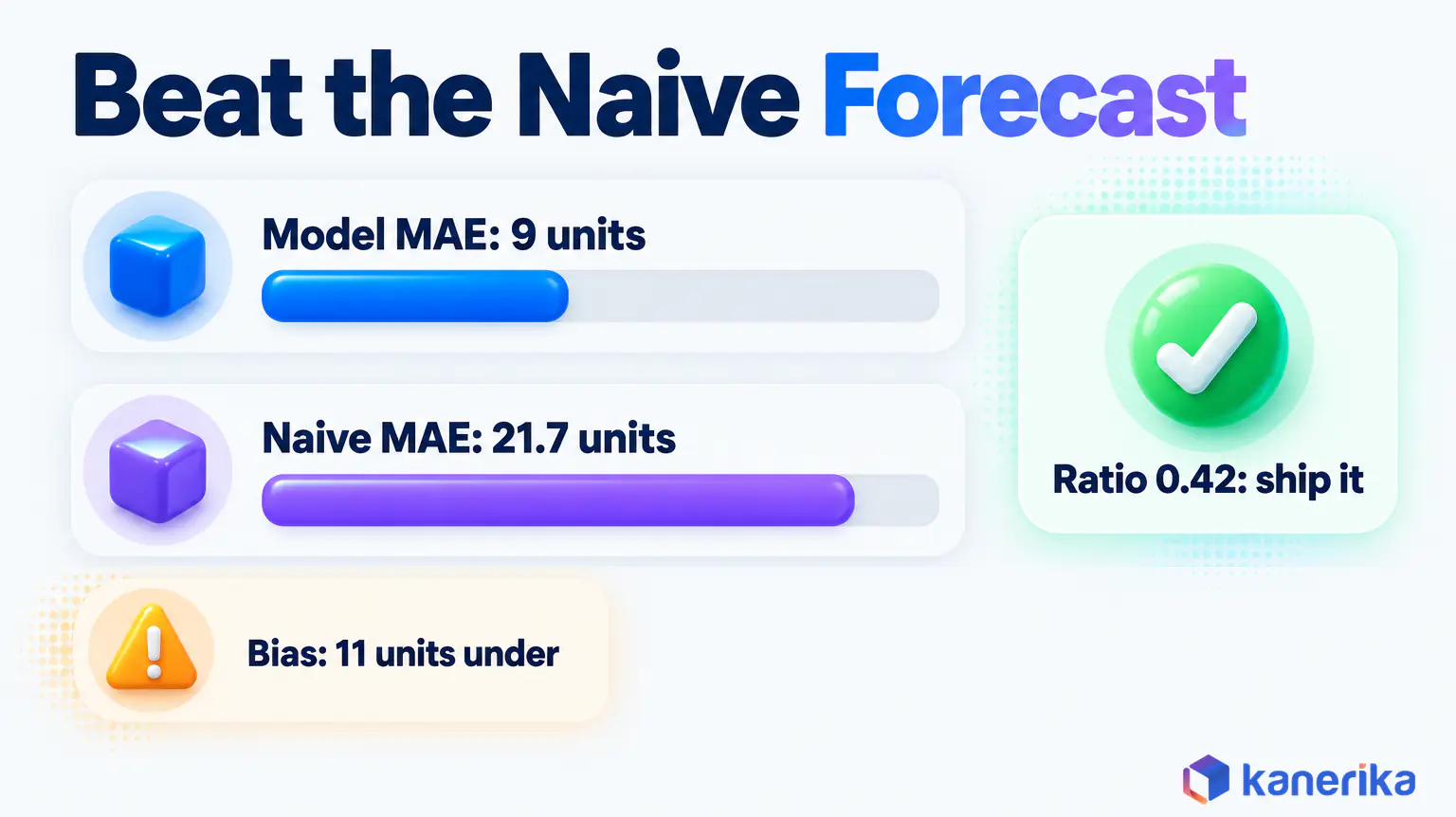
The model’s MAE of 9 is about 0.42 of the naive error, so it clearly earns its place. Bias tells a second story, because the model ran 11 units under across the three weeks.
Ship a model only if it beats seasonal naive on backtests across several held-out windows, not on one lucky month. With strong yearly patterns, seasonal naive replaces plain naive and the arithmetic stays the same.
The M5 forecasting competition shows how high that bar is. In the organisers’ M5 results paper, only 1,972 of 5,507 teams (35.8%) beat seasonal naive on Walmart unit sales.
Common AI Forecasting Mistakes and Limits
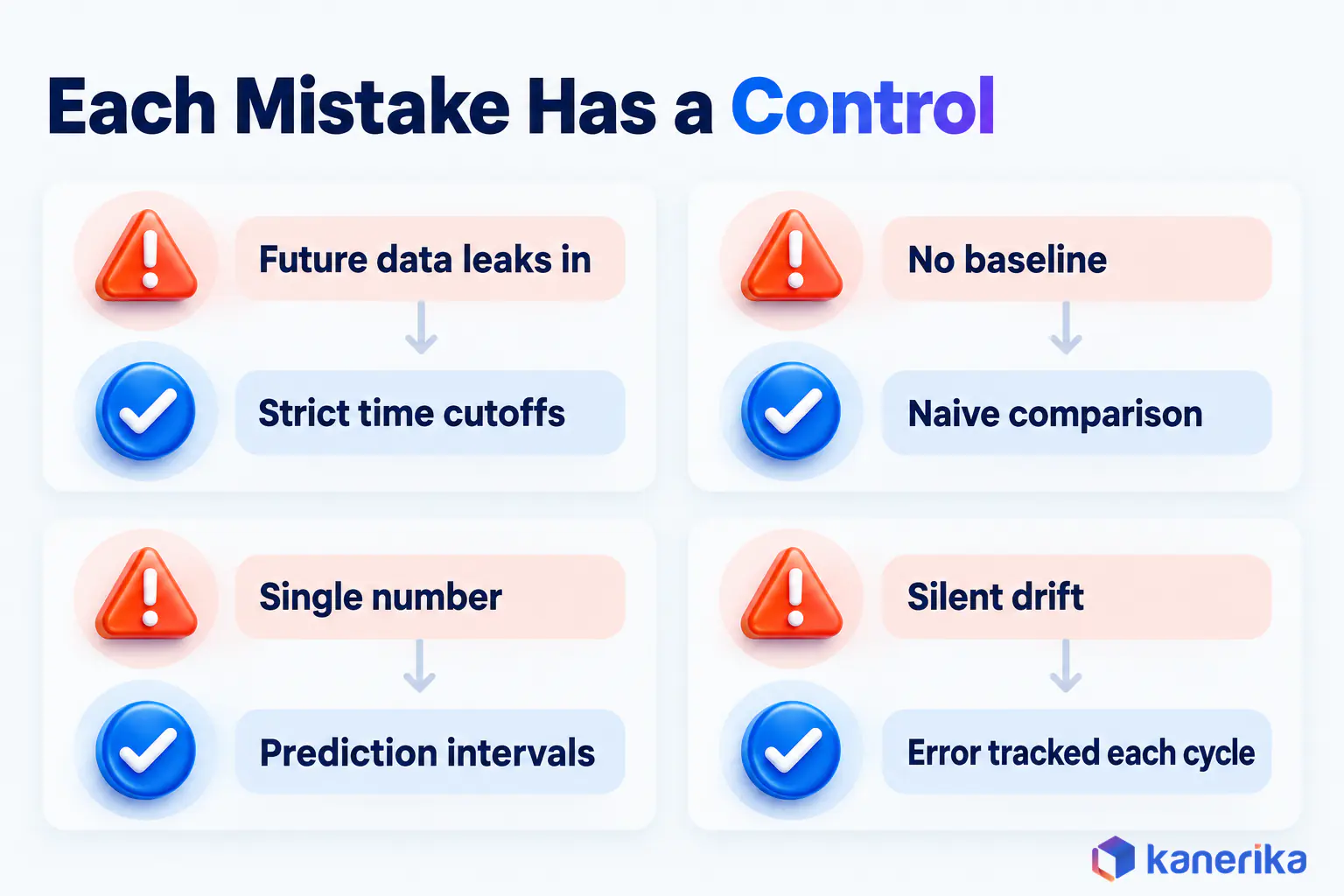
Each of the six mistakes below leaves a recognisable trace, from a backtest that looks too good to planners who quietly override every number. Each one also has a simple control.
- Leakage from future data: a feature known only after the fact, such as month-end returns, makes backtests look brilliant and production fail, so add data integrity testing to the pipeline.
- No baseline: without a naive comparison, a 12% error sounds good or bad depending on who presents it.
- Point forecasts without intervals: a single number hides the uncertainty that inventory and treasury decisions need.
- Ignoring promotions and events: a model that never sees a promotion flag treats every spike as noise.
- No drift monitoring: a new product range, price change or competitor shifts patterns, so accuracy decays quietly.
- Black-box trust: planners override forecasts they cannot explain, so the model’s work is wasted.
Limits remain even when the process is sound. Forecasts cannot predict shocks with no precedent in the data, and short histories leave little for any model to learn.
Governance Controls
Four controls keep a forecasting model trustworthy once it launches. Each is cheap to set up early and expensive to bolt on later. Together they form the forecasting slice of a wider AI TRiSM program.
- Named owner: one person answers for accuracy and retraining, so nothing falls between teams.
- Versioning: every forecast records the model version and data snapshot that produced it, so any number can be reproduced.
- Override log: planner changes are logged with a reason, then scored against actuals.
- Explainability: driver importance sits next to each forecast, so reviewers see why it moved.
The override log is often the most revealing of the four. Within a few cycles, it shows whether human adjustments improve the forecast or simply add noise.
How Kanerika Builds AI Forecasting Into Daily Decisions
Kanerika starts every forecasting engagement with one decision rather than a platform. We pick the use case, build a clean data layer, set the naive baseline, then train and backtest candidate models.
The forecast is then embedded in the tool people already use, with drift monitoring and retraining built in. Our predictive analytics services also cover that full path, from data preparation to production monitoring. When planners need a dedicated front end, our AI application development team builds it.
The treasury team from the opening is a real Kanerika client, a leading bank whose analysts built the daily cash forecast by hand.
Two constraints shaped the build. The bank had no reliable way to separate cash it had to retain from cash it could deploy, so surplus funds sat unallocated. Hand-built spreadsheets also risked a calculation error on every daily cycle, across funding operations spanning several business lines.
Kanerika joined the fragmented source systems into one input layer, which removed the manual consolidation step from the daily cycle. On Microsoft Azure, the team built a predictive model for daily inflows and outflows. Kanerika then embedded it in the bank’s Daily Funding Portal, the tool treasury teams already used, where it flags retained and surplus cash automatically.
As a result, workforce productivity rose 20%, processing delays fell 35% and use of AI tools and data rose 40%. The full story is in the AI cash-flow forecasting case study.
Case Study
AI Cash-Flow Forecasting for Bank Treasury Funding
Kanerika built a daily inflow and outflow forecast inside a bank’s Daily Funding Portal, delivering 20% higher workforce productivity, 35% fewer processing delays and 40% more AI tool and data use.
Read the Case Study →
Which AI Forecasting Tools and Applications Matter in 2026
The answer depends on your platform more than on any ranking. Azure ML or Fabric, Databricks, Snowflake ML, BigQuery ML, SageMaker Canvas, DataRobot and SAP IBP each win when their data already lives there.
On the applications side, sales and demand, cash flow, supply chain, workforce and customer behaviour are the five worth piloting first. Pick one decision, beat a naive baseline, and put the forecast where people act. That is how the right AI forecasting tool and application earns its place in 2026.
Frequently Asked Questions
What are AI forecasting tools?
AI forecasting tools are software platforms that train machine learning models on historical data and outside drivers to predict future values such as demand, revenue or cash. Examples include Azure Machine Learning AutoML, Databricks AutoML, Snowflake ML FORECAST, BigQuery ML with TimesFM, SageMaker Canvas, DataRobot and SAP Integrated Business Planning. Most teams pick the one native to their data platform.
How is AI used in forecasting?
AI learns patterns from many related time series at once, adds drivers such as price, promotions and weather, and refreshes forecasts automatically as new data arrives. Teams apply it to demand, sales, cash flow, staffing and energy load. The output feeds planning tools, so buyers, treasurers and schedulers act on updated numbers instead of last month’s spreadsheet.
What are the 4 types of forecasting?
A common grouping lists four types. Qualitative forecasting uses expert judgment. Time-series forecasting projects past patterns forward. Causal forecasting links the target to drivers such as price or economic indicators. Simulation tests what-if scenarios. Lists vary by textbook, and many business teams combine time-series and causal models, which is what most machine learning forecasting does.
How is AI used in financial forecasting?
Finance teams use AI to forecast cash flow, revenue, expenses and working capital. Models learn from payment schedules, receivables, payroll dates and past inflows and outflows, then refresh every day. Treasury teams use the output to decide how much cash to hold, borrow or invest, and FP&A teams use it to update budgets and rolling forecasts.
Which AI technology is most commonly used in financial forecasting?
Machine learning on time-series data is the core technology, usually through gradient boosting models, classic statistical models such as ARIMA, or ensembles that combine them. Deep learning appears where histories are long and detailed. The exact mix varies by team, and explainability needs in finance often favour models whose drivers can be shown, reviewed and audited.
How to use AI to forecast sales?
Start by defining the decision, such as monthly revenue by region or weekly units by product. Gather sales history plus drivers like price, promotions and pipeline data. Build a naive baseline, train candidate models, backtest them on held-out periods, and deploy the winner into the planning or CRM tool where the sales team already works.
Can AI predict demand?
Yes. AI predicts demand by learning from sales history and drivers such as price, promotions, holidays, weather and stock-outs, often across thousands of products and locations at once. Accuracy is limited for brand-new items and events with no precedent, so teams pair the model with planner review, prediction intervals and regular retraining as market conditions change.
Can ChatGPT do forecasting?
ChatGPT can explain forecasting methods, write forecasting code and help analyse a small dataset, but it is not a forecasting system on its own. Production forecasting needs governed data pipelines, backtesting, scheduled retraining and monitoring. Use a dedicated tool such as Azure Machine Learning, Databricks, Snowflake ML or BigQuery ML for forecasts that drive real business decisions.
What data do you need for AI forecasting?
You need a clean history of the value you want to predict at the grain of the decision, such as daily cash or weekly units by store. Add the drivers that move it, including prices, promotions, holidays, weather or payment schedules. Longer history helps, and gaps, stock-outs and data errors should be fixed before training begins.
How do you measure AI forecast accuracy?
Compare forecasts with actuals on periods the model never saw. MAE shows average error in units, WAPE shows total error as a share of total actuals, and MASE compares the error with a naive forecast. Track bias as well. Avoid MAPE for items with zero sales, because it becomes undefined whenever an actual value is zero.
What happened to Amazon Forecast?
AWS closed Amazon Forecast to new customers effective July 29, 2024. Existing customers can continue using the service, but AWS now directs users to Amazon SageMaker Canvas for time-series forecasting. Any new forecasting project on AWS should therefore start in SageMaker Canvas, and older guides that still recommend Amazon Forecast for new work are out of date.
How can AI predict trends?
AI predicts trends by learning how a series has moved over time, including its level, growth, seasonality and reaction to drivers such as price or promotions. Models then project those patterns forward. They stay reliable only while the underlying conditions hold, so teams monitor error and retrain when a new product, price or competitor changes the pattern.
How accurate is AI forecasting?
Accuracy depends on the data, the horizon and the item, so no single figure applies everywhere. Judge it on your own history by backtesting on held-out periods and comparing against a naive forecast. Track WAPE or MASE together with bias. A model is worth deploying only when it consistently beats the naive baseline across several test windows.
What is explainable AI for forecasting?
Explainable AI for forecasting shows why a model produced a number, for example which drivers such as price, promotions or holidays moved this week’s forecast. Common methods include driver importance scores and per-forecast breakdowns. Planners and auditors need this to trust and approve forecasts, especially in finance, where someone signs off on every figure that reaches the plan.
Who provides the best AI-driven demand forecasting?
No single vendor is best for everyone. The strongest choice is usually the tool native to your data, such as Azure Machine Learning or Fabric for Microsoft shops, Databricks for lakehouses, Snowflake ML for SQL teams, BigQuery ML on Google Cloud, or SAP IBP for SAP planners. Test any shortlist against a naive baseline on your own data.
Which AI model is best for forecasting?
No model wins every time. Statistical models such as ARIMA and exponential smoothing suit short, seasonal series. Gradient boosting models such as LightGBM handle many series and drivers. Deep learning and foundation models such as TimesFM help with large catalogs or fast starts. Ensembles blend several families, and a backtest on your own data should make the final call.
How do you choose the best forecast model?
Start with a naive or seasonal naive baseline, then train a few candidate models from different families. Backtest each one on several held-out windows the model never saw, and compare WAPE or MASE plus bias. Pick the simplest model that reliably beats the baseline, and prefer one whose drivers planners can understand and explain to others.
What is the use of AI in load forecasting?
Utilities and grid operators use AI to forecast electricity demand by hour or day. Models combine past load with weather, temperature, calendar effects and planned events to predict peaks. Better load forecasts help schedule generation, buy power at the right time and plan maintenance, and they rely on the same backtesting and drift checks as business forecasts.
What are the two main methods of forecasting?
The two main methods are qualitative and quantitative forecasting. Qualitative methods rely on expert judgment, surveys and market research, and they suit new products with little history. Quantitative methods use historical data with statistical or machine learning models, including time-series and causal approaches. AI forecasting sits on the quantitative side, though planners can still adjust its output.














