TL;DR
The best use cases for automation in insurance are claims intake, underwriting intake, renewals and premium matching. They pay off first because the work is repetitive, rule-based and full of documents. The main benefits are faster claims, lower cost per case and fewer typing errors. Use simple rules and document tools first, and add AI only where judgment helps. Keep a person in charge of denials, fraud cases and prices. Measure each number before you start, so you can prove the gain.
Key Takeaways
- Start with work that is high in volume, stable in its rules and heavy on documents, such as FNOL, submissions, renewals and reconciliation.
- Rules and workflow, RPA, document processing, APIs and AI each fit a different insurance job, so most insurers run several together.
- Score candidate processes on volume, rule stability, data quality, risk of a wrong decision and system access before picking the first one.
- Prove the benefits with cycle time, cost per transaction, straight-through rate and first-pass accuracy, measured against a recorded baseline.
- Keep people accountable for denials, fraud referrals, pricing models and every model or rule change.
- Kanerika’s premium reconciliation work for Fortegra reached 99% extraction accuracy and cut reconciliation time by 85%.
Watch on YouTube
Claims Processing Automation on FLIP | Kanerika’s Intelligent Workflow Automation Platform
A short walkthrough of claims processing automated on Kanerika’s FLIP platform, from document capture to routing, before this guide breaks the same path down step by step.
One Claim, Six Systems: Why Insurers Automate
A policyholder emails a claim at 11:40 p.m. on a Sunday. A pipe burst under the kitchen sink. The message carries six phone photos, a plumber’s PDF estimate and a policy number with one digit wrong.
On Monday morning a claims assistant opens the email, finds the right policy and keys the loss details into the claims system. She then checks coverage in policy administration, sets a reserve, orders an inspection and files the photos. Once finance approves the estimate, someone re-keys the payee details into the payments system.
That is one routine water claim touching six systems and at least three people before an adjuster makes a single judgment call. Multiply it by a few thousand claims a month. The cost of re-keying, chasing documents and fixing typos soon rivals the cost of the decisions themselves.
Automation in insurance exists to remove exactly that kind of work. This guide covers what the term means and which use cases pay back first. It also shows which tool fits which job, how to prove the benefits and where the rules draw the line.
What Is Automation in Insurance?
Automation in insurance means using software to complete repeatable steps in claims, underwriting, policy service and finance without a person keying each one. It ranges from a simple routing rule to a model that scores a claim for fraud risk.
It helps to think of it as a toolkit with several different tools. Each type is good at a different kind of work, so most carriers end up running several side by side. The table below sets out the five types you will meet in any vendor conversation.
| Automation type | What it does | Insurance example |
|---|
| Rules and workflow | Routes work and applies business rules, so every case has a status and an owner | Sends glass-only auto claims to a fast-track queue when they fall under a set amount |
| Robotic process automation (RPA) | Software bots repeat a person’s clicks and keystrokes in existing screens | Copies FNOL data into a legacy claims screen when no API exists |
| Intelligent document processing (IDP) | Classifies documents, then extracts fields with a confidence score | Pulls insured name, dates and limits from documents such as ACORD forms and loss runs |
| API integration | Moves data directly between systems through published interfaces | Posts a new portal claim straight into the core claims system |
| ML and AI decisioning, including agents | Scores, predicts or recommends, while agents can also plan multi-step tasks | Flags a claim for fraud review or suggests a reserve before an adjuster approves it |
When these types run together under one orchestration layer, the industry calls it intelligent automation or hyperautomation. This guide on intelligent automation vs hyperautomation explains how the two labels differ.
Why Insurance Work Fits Automation
Insurance runs on documents, rules and repetition. A carrier writes thousands of similar policies and receives similar claims every day. It also answers the same service questions again and again, so much of the work is predictable enough to automate.
Underwriting shows how much time goes to that predictable work. In a 2021 survey of P&C underwriters by The Institutes and Accenture, underwriters reported spending up to 40% of their time on non-core and administrative tasks. Redundant inputs and manual processes were the most cited source of inefficiency, named by 71% of respondents.
That survey predates the generative AI wave, so treat it as a picture of the manual baseline. Two shifts make the topic more pressing in 2026. First, agentic AI systems can plan and complete several steps on their own in claims and service work.
Second, US states are writing rules on how insurers govern AI and external data. Automated decisions therefore need documentation, testing and an audit trail, and the risks section below covers those rules.
How It Differs Across P&C, Life and Health
The same tools apply across lines of business, but the workflows and the constraints differ. A P&C carrier fights volume spikes after storms, while a health plan works against regulatory clocks on prior authorization.
| Line | High-volume workflows | Main constraint |
|---|
| Property and casualty | FNOL, auto glass and property claims, broker submissions, endorsements and renewals | Catastrophe surges, when claim volume can jump overnight |
| Life and annuities | New business applications, beneficiary changes and policy service requests | Long-lived policies that still sit on old administration systems |
| Health | Claims adjudication, eligibility checks and prior authorization | CMS decision deadlines and medical-record privacy |
Commercial lines add one more wrinkle. Broker submissions arrive as emails with spreadsheets, schedules and loss runs attached. So document processing and data extraction have to work before any decision can be automated.
How an Automated Insurance Workflow Runs, Intake to Completion
Every automated insurance process follows the same basic path, from an incoming request to a finished, logged outcome. Once you see that path, it becomes easier to spot which step is slowing your team down.
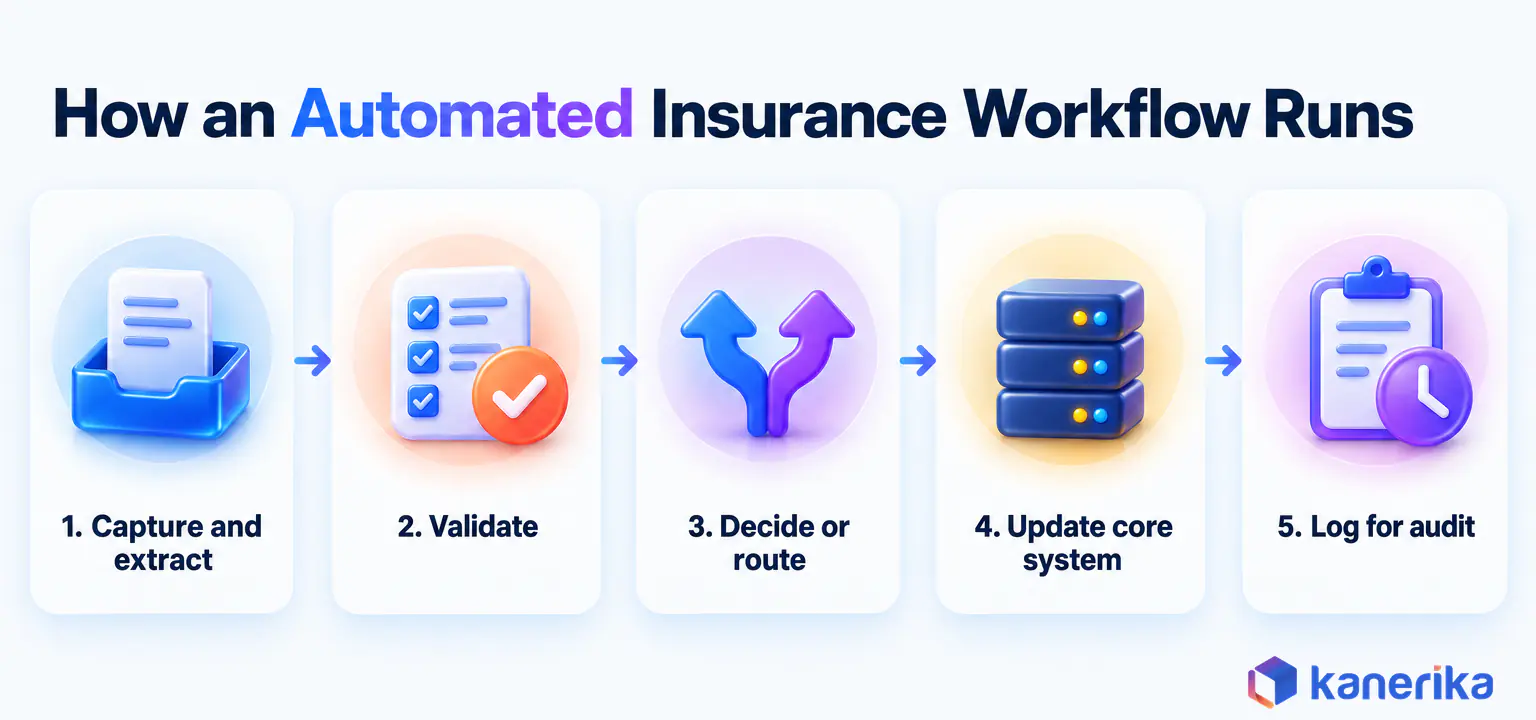
- Capture. The request arrives by email, portal, phone transcript, API or broker upload, then lands in one queue.
- Extract. Document processing reads forms, PDFs and photos so the process gets the fields it needs.
- Validate. Rules check the extracted data against the policy record, coverage dates and required fields before anything moves on.
- Decide or route. Clean, simple cases move straight through, while flagged, complex or low-confidence cases go to a person.
- Act in the core system. APIs or bots then create the claim, issue the endorsement or post the payment.
- Log for audit. Every step, input and decision is recorded so compliance teams and auditors can replay it later.
The share of cases that pass every step without a person touching them is the straight-through processing rate. Few insurers aim for 100%. Instead, a well-run process sends clean cases through and hands people a smaller, better-prepared queue.
Worked Example: Automating First Notice of Loss
Go back to the burst pipe from the opening. Here is how the same claim moves when intake is automated, with a person kept in the loop where it matters.
- The email lands in a monitored claims inbox, and a workflow case opens within minutes.
- IDP classifies the attachments as photos and a repair estimate, then extracts the loss date, address and estimate total.
- Rules match the policy by name and address despite the wrong digit, then confirm the policy was in force on the loss date.
- A screen checks the claim against referral rules and a fraud score.
- Clean, low-value water claims get a claim number, a reserve and an inspection order, so the policyholder gets a text with next steps.
- Claims above a set amount go to an adjuster’s queue with the extracted data already filled in, and so do claims with coverage questions or a high referral score.
The adjuster still decides coverage questions and settlement on anything complex. What disappears is the re-keying, the hunt for the policy and the Monday backlog.
AI agents can take on more of steps four to six under supervision, as this guide to AI agents for claims processing explains. Even then, the human-review exit stays in place.
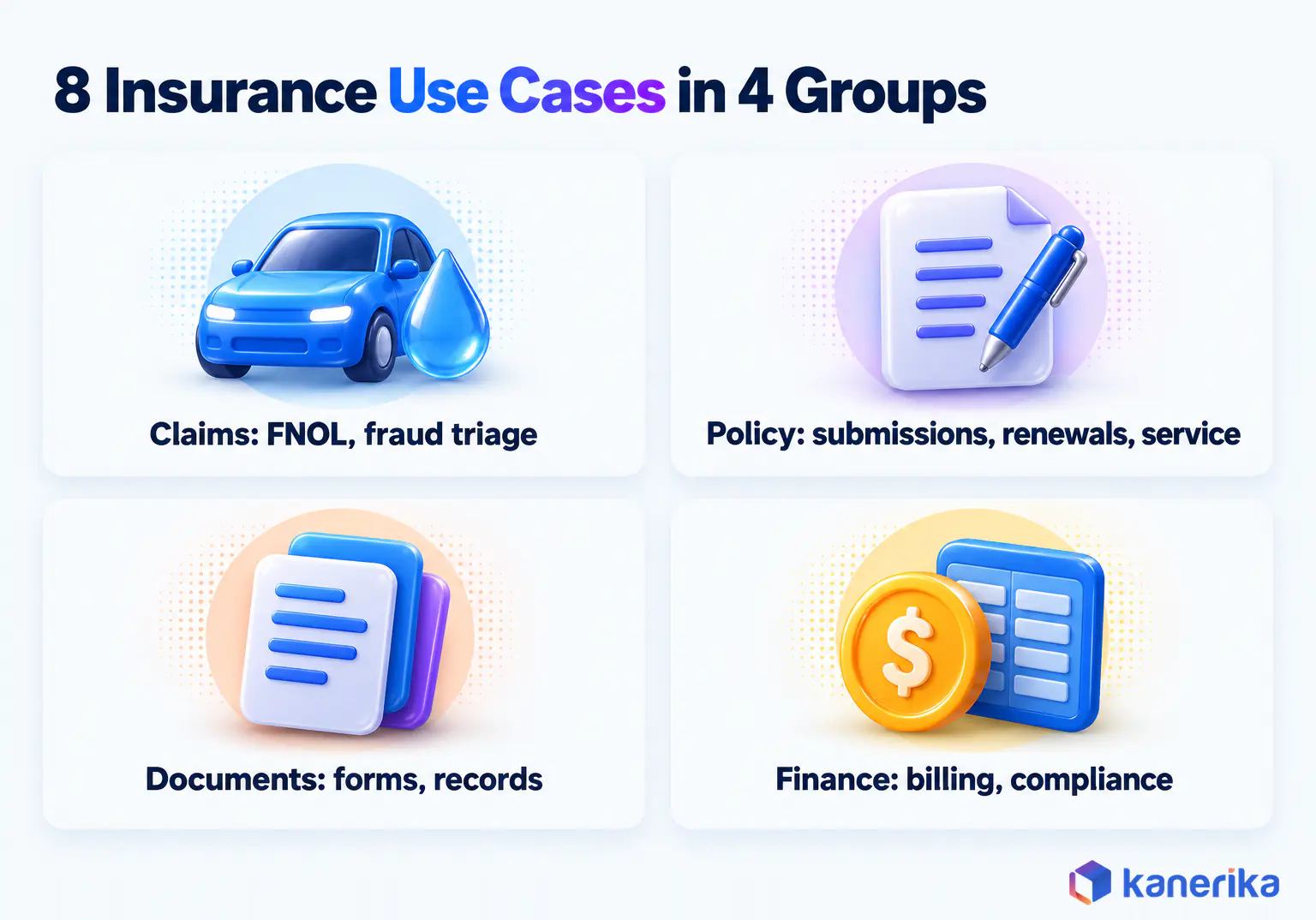
8 Use Cases for Automation in Insurance
The strongest use cases share three traits: high volume, stable rules and documents that arrive in predictable formats. The eight below follow the order work moves through an insurer, and each uses the same pattern so you can compare them. Claims intake comes first, then underwriting submissions, renewals and the document processing that feeds all three. Fraud triage and customer service follow, and billing and compliance close the loop on the finance side, where gains are often easiest to measure.
Claims Intake and FNOL
First notice of loss is the front door of the claims process and the place where many errors begin. Claims arrive by phone, email, app, broker and partner feed, each in a different shape.
Automating intake means every channel feeds one structured claim record. The policy lookup, coverage check and assignment are done before an adjuster opens the file. Glass, minor water and low-value auto claims are the usual first candidates because their rules are clear.
Kanerika’s FLIP claims processing automation pulls claims from portals, email, mobile uploads, EDI feeds and SFTP into one deduplicated queue. Its exception agent then routes each flagged claim by type, complexity, jurisdiction and adjuster workload.
Best-fit automation: workflow rules plus IDP, with APIs into the claims system.
Underwriting Submission Intake
Commercial underwriters receive broker submissions as emails with ACORD applications, schedules of values and loss runs attached. Before any risk judgment happens, someone has to read, re-key and clear each one.
Automation extracts those documents into a structured submission, checks for missing items, clears duplicates and scores appetite fit. As a result, underwriters get back the administrative time the 2021 survey measured, up to 40%, and spend it on pricing and terms.
Best-fit automation: IDP plus rules for appetite checks and triage.
Policy Administration and Renewals
Endorsements, address changes, certificate requests and renewals are high in volume and driven by rules. Many still pass through service teams who copy data between the portal, the policy system and the document generator.
Renewal automation pulls the expiring policy and applies rating changes. It then flags any account that needs an underwriter and issues documents for the rest. Clean, unchanged personal lines renewals are strong candidates for straight-through processing.
Best-fit automation: workflow and API integration, with RPA for older policy systems that lack APIs.
Insurance Document Processing
Few industries handle as many documents as insurance. ACORD forms, loss runs, medical records, police reports, repair estimates and bordereaux all arrive as PDFs, scans and spreadsheets. Kanerika’s bordereaux automation accelerator, for instance, ingests submissions from email, SFTP, portals and shared drives, then automates schema mapping and validation.
Good intelligent document processing classifies each file, extracts the fields a process needs and returns a confidence score for each one. Low-confidence fields go to a person to confirm, so accuracy stays high without checking every page by hand.
Microsoft’s Document Intelligence guidance treats confidence as a 0-to-1 probability, where 0.95 means a field is likely correct 19 times in 20. For custom models, it advises a trained accuracy of 80% or higher, and close to 100% for financial or medical records. Set the review threshold per field, so a policy number faces a higher bar than a free-text note.
Best-fit automation: IDP feeding workflow and the core systems.
Fraud Triage and Referral
Fraud is expensive for everyone who buys a policy. The Coalition Against Insurance Fraud estimates it costs US consumers at least $308.6 billion a year and appears in about 10% of P&C losses.
In this use case, automation acts as a router. Rules and models score each claim at intake, then send suspicious ones to the special investigations unit with the evidence attached, while clean claims keep moving. The detection models themselves are covered in this guide to AI fraud detection models.
Best-fit automation: rules plus ML scoring, with investigators deciding every referral.
Customer Onboarding and Service
Policyholders ask the same questions again and again, about claim status, payment dates, ID cards and coverage. New customers also need identity checks, disclosures and document collection before a policy is issued.
Self-service portals, conversational AI assistants and automatic status updates answer the routine questions. Complaints and complex coverage questions, by contrast, go to a person. Onboarding workflows collect documents and run identity checks, then push clean applications to issue.
Best-fit automation: workflow and APIs, with conversational AI for routine questions.
Premium Billing and Reconciliation
Premium payments arrive from banks, agencies and payment processors, often with the policy number buried in a free-text reference. Matching each payment to the right policy by hand is slow and error-prone.
Automated reconciliation pulls the statements and extracts policy numbers and amounts. It then matches them against the ledger and sends only the exceptions to a person. The pattern is close to RPA in finance operations, and Kanerika’s results with Fortegra appear in the Kanerika section below.
Best-fit automation: RPA plus rules, moving to APIs as bank and ledger connectors allow.
Case Study
99% Accuracy in Premium Reconciliation with UiPath
Kanerika automated premium reconciliation for Fortegra with UiPath bots and Python extraction, reaching 99% data-extraction accuracy and cutting reconciliation from five days a month to a few hours.
Read the Case Study →
Compliance Monitoring and Regulatory Reporting
Insurers file statutory reports, track licensing, monitor complaint handling and answer market-conduct exams. Much of that work means pulling the same data from several systems on a fixed calendar.
Automation assembles those reports on schedule, checks them against rules and keeps a log of every source and change. It can also monitor automated decisions, a job that gained weight when Colorado’s amended Regulation 10-1-1 took effect on October 15, 2025. Our guide to AI compliance controls covers the wider picture.
Best-fit automation: workflow plus data pipelines, with audit logging built in.
RPA vs Workflow vs IDP vs APIs vs AI: Which Fits Which Insurance Job
Picking the wrong tool is one of the fastest ways to stall an automation project. A bot built on a screen that changes every quarter will keep breaking. Similarly, an AI model asked to do a simple routing job adds risk for no gain.
The rule of thumb is simple. Use the most predictable tool that can do the job, then add intelligence only where the input or the decision truly varies.
| Approach | Best for | Weak at | Insurance example | Typical owner |
|---|
| Rules and workflow | Routing, approvals, SLAs and status tracking | Reading unstructured documents, since rules need clean inputs | Assigning claims by type and value | Operations and IT |
| RPA | Legacy screens, especially when no API exists | Screens that change often, and any judgment call | Keying FNOL data into a green-screen claims system | Automation center of excellence |
| IDP | Forms, PDFs, emails and scans | Decisions after extraction, which need rules or models | Extracting ACORD and loss-run fields | Operations and the data team |
| API integration | Fast, reliable system-to-system data flow | Systems that expose no API, unless a vendor adds one | Posting a portal claim into the core claims system | IT and the integration team |
| ML and AI, including generative AI and agents | Scoring, triage, drafting and summarizing | Adverse decisions, because each one must be explained | Fraud score at intake, or a claim summary for an adjuster | Data science, risk and compliance |
Where Each Approach Goes Deeper
The depth a team needs depends on the job. Bot-level depth matters when clean data has to move between systems, such as keying FNOL details into a legacy claims screen. Language-model depth matters when the input is free text or the output is a draft a person checks, such as an adjuster’s claim summary.
Most claims need both, at different steps. The bot-level detail sits in this guide to RPA use cases in insurance, while the language-model use cases sit in the guide to generative AI in insurance.
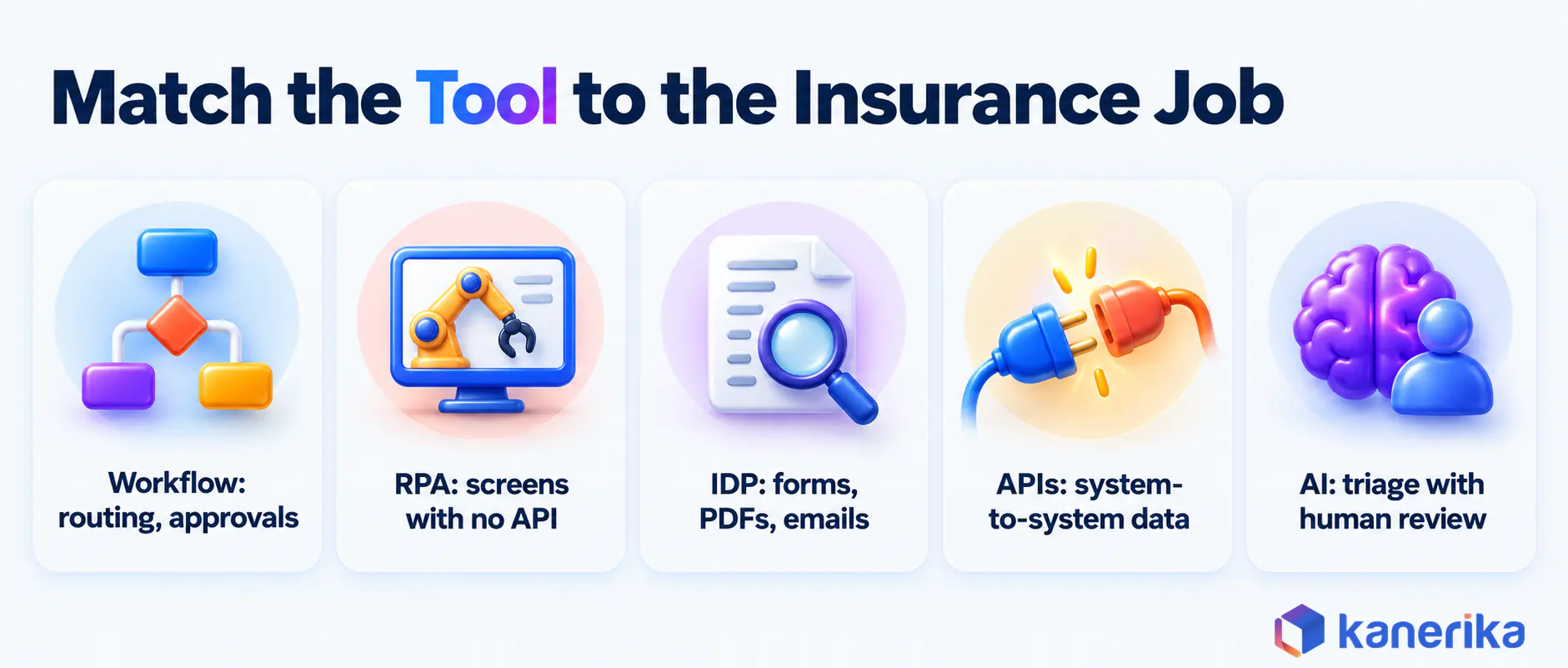
When the goal is to run all five as one process, the orchestration layer matters most. That is the territory of enterprise workflow automation platforms, which coordinate bots, documents, APIs and people in a single flow.
How to Evaluate an Automation Platform or Partner
Platform names matter less than fit with your core systems. Suites such as UiPath and Microsoft Power Automate cover RPA and workflow, while IDP and AI models often come from separate tools. This UiPath vs Power Automate comparison sets the two suites side by side, and the six questions below apply to any platform or partner.
- Core-system connectors. Does it connect to your policy, claims and billing systems through APIs, and what happens when a system has none?
- Exception handling. Where do failed or low-confidence cases go, and who works that queue?
- Audit trail. Can you replay any case with the inputs, rules and model versions it used?
- Model governance. How are models tested and monitored for drift before regulators ask?
- Licence model. Is pricing per bot, user, page or transaction, and how does cost grow when volume rises?
- Support. Who fixes a broken bot at 2 a.m. during a catastrophe surge?
A good partner answers each question with an example from a live insurance deployment. Vague answers on exceptions and audit trails, by contrast, are the warning sign to watch for.
Retry settings test that depth: in Azure Logic Apps, most connector operations retry a failed call up to 4 times by default. The waits grow exponentially but stay between 5 and 45 seconds, per Microsoft’s error-handling documentation. A step set to run after a failure can then send the case to a person’s exception queue.
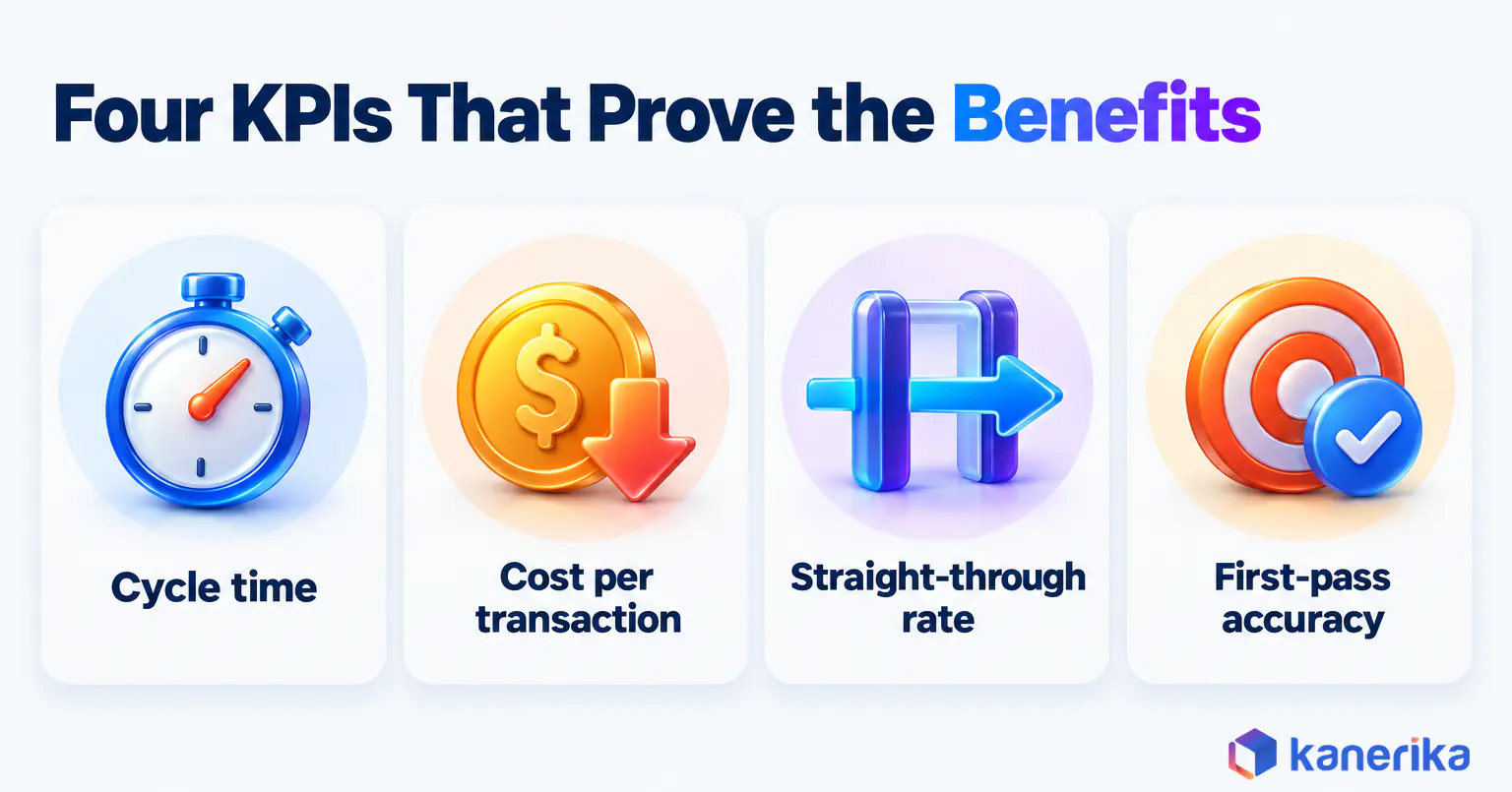
Benefits of Automation in Insurance and the KPIs That Prove Them
The benefits of automation are easy to claim but harder to prove. Each one should therefore map to a number you can measure before and after go-live.
Faster cycle times usually come first, because intake and re-keying are the slowest part of many claims and new policies. Lower cost per transaction follows as staff hours move from data entry to cases that need judgment. Accuracy also improves, since a validated extraction is not mistyped at 5 p.m. on a Friday.
Some gains are softer but still real. Customers wait less and hear about their claim sooner, while underwriters and adjusters get more time for the work they trained for. Cleaner intake data also feeds insurance business intelligence, so loss trends and bottlenecks show up earlier.
Kanerika Service
RPA and Intelligent Automation Services
Kanerika designs and runs bots, document processing and workflow automation for insurers, with exception queues and audit trails built in from the first pilot.
Explore RPA Services
| KPI | Baseline to capture | What improvement looks like |
|---|
| Cycle time | Hours or days from intake to decision, per process | A shorter median and fewer long-tail cases |
| Cost per claim or policy | Loaded staff hours plus run cost per transaction | Lower cost, even when volume rises |
| Straight-through rate | Share of cases with no human touch | A rising share of clean cases flowing through |
| First-pass accuracy | Share of records correct before any rework | Fewer corrections and returned cases |
| Rework and leakage | Payments, reserves or premiums corrected later | Fewer overpayments and missed premiums |
| Customer wait time | Time to first contact and to each status update | Faster first contact, so fewer status calls |
| Staff hours redeployed | Hours spent keying data and chasing documents | Hours moved to complex cases and service instead |
Capture each baseline for several weeks before go-live, so seasonal swings and catastrophe spikes do not distort the comparison. Then report the same numbers on the same definitions after launch.
How to Calculate Automation ROI
ROI for one process comes down to four inputs. They are volume, minutes saved per case, the loaded cost of a staff hour and the monthly cost of running the automation. Add the one-time build cost, and you can then estimate payback.
Monthly net benefit equals volume times minutes saved, divided by 60, times the loaded hourly cost, minus the monthly run cost. Payback in months then equals the one-time build cost divided by that monthly net benefit.
The example below uses illustrative inputs for an FNOL intake process. They are not benchmarks, so replace each one with your own baseline.
| Input or result | Illustrative value |
|---|
| Claims per month | 4,000 |
| Minutes saved per claim | 12 |
| Loaded hourly staff cost | $45 |
| Monthly run cost (licences, hosting, support) | $8,000 |
| One-time build cost | $120,000 |
| Hours saved per month | 800, since 4,000 × 12 ÷ 60 = 800 |
| Gross monthly saving | $36,000, since 800 × $45 = $36,000 |
| Net monthly benefit | $28,000, once the $8,000 run cost is subtracted |
| Payback | About 4.3 months, because $120,000 ÷ $28,000 ≈ 4.3 |
Saved hours only turn into savings when the time is redeployed or backfill hiring stops, so state which one applies. Accuracy and leakage gains come on top and are often larger, but each needs its own baseline.
What Should an Insurer Automate First? A Decision Framework
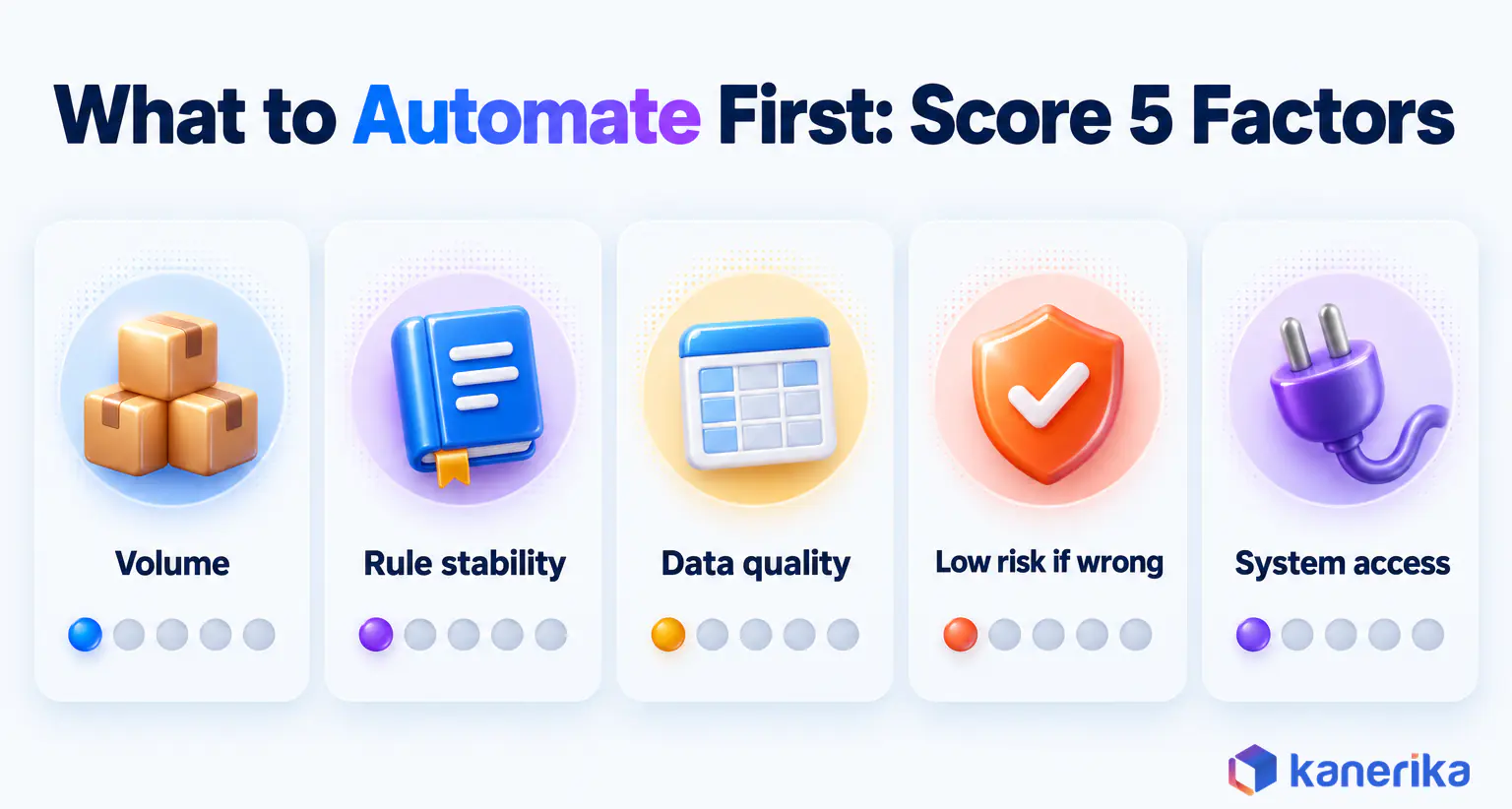
Choosing the first process for automation in insurance works best as a scoring exercise. Score each candidate from 1 to 5 on five factors, then start with the highest total that also has a clear business owner.
| Factor | Score 5 when | Score 1 when |
|---|
| Volume | Thousands of cases arrive each month | Only a few cases arrive each week |
| Rule stability | Rules are written down and rarely change | Rules change often or need judgment |
| Data quality | Inputs are structured or follow a few templates | Inputs are handwritten, messy or incomplete |
| Risk of a wrong decision | An error is cheap and easy to reverse | An error harms a customer or breaks a regulation |
| System access | Core systems expose APIs | Only a green screen or desktop app is available |
System access behaves differently from the other four. A low score does not rule a process out. Instead, it decides whether you start with RPA as a bridge or wait for an API from a legacy system modernization project.
Where Each Type of Insurer Should Start
The scores usually point different carriers to different first picks. The table below shows the common scenarios and the use case each one should start with.
| Scenario | Automate first | Why |
|---|
| Personal auto or property carrier with heavy claim volume | Claims intake and FNOL | Highest volume and written rules, so cycle-time gains come quickly |
| Commercial carrier or MGA buried in broker emails | Underwriting submission intake | Frees underwriter time for pricing and terms |
| Life insurer on an old administration system | Policy service requests and renewals, with RPA as a bridge | Rule-driven work that cannot wait until the core system is replaced |
| Health plan facing CMS decision deadlines | Prior authorization intake and routing | Decision clocks of 72 hours and 7 calendar days |
| Finance team matching bank payments by hand | Premium reconciliation | Easy to measure, while customer risk stays low |
Whichever row fits, the pick should be a process you can baseline within a month. If nobody can say how long it takes today, measure first and build second.
Worked Decision: Claims Intake at a Legacy P&C Carrier
Take a regional P&C carrier handling a few thousand property and auto claims a month on a claims system with no published API. Claims intake scores 5 for volume and 4 for rule stability, since coverage checks follow written rules.
Data quality scores 3, because emails and photos vary while estimates follow a few templates. Risk of a wrong decision scores 4 for clean, low-value claims, since a mistake is caught before payment. System access scores 2, because the claims screen has no API.
A total of 18 out of 25 makes claims intake the clear first pick. The low access score then shapes the build, with IDP and workflow handling intake and an RPA bot keying clean claims into the legacy screen. When the core system gets an API, the bot is retired while the rest of the process stays as it is.
Risks, Governance and Common Mistakes
Automation moves mistakes as fast as it moves work. A bad rule or a drifting model can deny, misprice or misroute thousands of cases before anyone notices. Governance therefore has to be designed in from the first pilot.
The US rules are still forming, and they differ by state and line of business.
US Rules That Shape Automated Insurance Decisions
These are the rules insurers meet most often, and they differ in weight. The NAIC principles, the DFS letter and the NIST framework are guidance, while the Colorado and CMS rules bind specific insurers and payers.
| Rule | Applies to | What it asks | Date |
|---|
| NAIC Principles on Artificial Intelligence | The insurance industry, as guidance rather than law | High-level principles for responsible AI use | Adopted 2020 |
| NAIC Model Bulletin on the Use of AI Systems by Insurers | Insurers in states that adopt it | Governance and risk controls for AI systems used in insurance decisions | Adopted by NAIC in December 2023 |
| NY DFS Insurance Circular Letter No. 7 | Insurers licensed in New York | Guidance on AI systems and external consumer data in underwriting and pricing | Issued July 2024 |
| Colorado Amended Regulation 10-1-1 (SB21-169) | Life, private passenger auto and health benefit plan insurers using external consumer data, algorithms and predictive models | A governance and risk-management framework | Effective October 15, 2025 |
| CMS Interoperability and Prior Authorization Final Rule (CMS-0057-F) | Impacted health payers (decision clocks exclude federal exchange QHPs) | Prior authorization decisions within 72 hours (expedited) and 7 calendar days (standard), plus API rules | Operational provisions generally from January 1, 2026, then APIs generally from January 1, 2027 |
| NIST AI Risk Management Framework 1.0 | Any organization, since it is voluntary | A framework for identifying and managing AI risk | Released January 26, 2023 |
The sources are the NAIC artificial intelligence page, the DFS circular letter, the Colorado Division of Insurance, the CMS fact sheet and NIST. NAIC model bulletins bind insurers only where a state adopts them, so check each state where you write business.
Insurers with EU business face one more layer. Annex III of the EU AI Act lists AI used for risk assessment and pricing of individuals in life and health insurance as high-risk.
Checklist
AI Governance Checklist
A downloadable checklist to set up ownership, testing, documentation and oversight for the AI models behind automated insurance decisions.
Get the Checklist →
What Human Oversight to Keep
Keep a person accountable wherever an automated step could harm a customer or break a rule. An AI governance framework writes those duties down, and in practice they come to four checkpoints.
- Adverse decisions. A person reviews claim denials, rescissions and declined applications before they go out.
- Fraud referrals. Investigators decide what a referral means, so a score alone never denies a claim.
- Pricing and underwriting models. Changes are tested for unfair discrimination before release.
- Rule and model changes. Every change is versioned, tested and signed off, with a rollback plan ready.
Seven Common Insurance Automation Mistakes
The same seven mistakes show up again and again in stalled programs. Each one is cheap to fix when it is caught before the pilot.
- Automating a broken process. Fix the process first, because a bot repeats the same mistakes faster.
- Building bots on unstable screens. When a screen changes often, push for an API or a different tool.
- No exception queue. Every automation needs an owned place for the cases it cannot handle.
- No baseline. Without the before numbers, nobody can prove the gain or defend the budget.
- Skipping audit logs. Regulators and auditors will ask how each decision was made, so log everything.
- Ignoring change management. Staff left out of the design will route work around the process.
- Pilots with no scale path. A pilot rarely goes live unless security review and production support are planned early.
Most of these surface in a short readiness check before the build starts. It should cover the process, the data, the systems and who owns each exception.
How Kanerika Delivers Insurance Automation
Kanerika runs its AI and automation work for insurers as a sequence of measured stages, so each step earns the next one. The work starts with numbers rather than tools.
We begin by assessing the target process and recording the baseline: volumes, cycle times, error rates and cost per case. Data and integration prep comes next, when we map the documents, systems and APIs the process touches. Bots are planned only where no API exists.
A controlled pilot then runs on one process, line of business or region, with an exception queue and audit logging from day one. We validate accuracy, risk and value against the baseline with the business owner before we deploy and expand to the next process. On FLIP claims deployments, the pilot includes a parallel run against the existing claims process before full cutover. Our RPA and intelligent automation services cover each of these stages.
Fortegra, a provider of health, life and general insurance, shows what that looks like in practice. Bank statements arrived by email as CSV and Excel files, so staff downloaded them by hand. They then parsed policy numbers from free-text comments, matched each payment against insurance records and keyed status updates into a web application.
Kanerika built UiPath bots that pull the emails and attachments every day, while Python regular expressions extract policy numbers, amounts and account details. UiPath activities then reconcile the records and update statuses in the web application. Excel reports also serve as audit-ready logs.
The results were 99% data-extraction accuracy and an 85% cut in reconciliation time, from five days a month to a few hours. Manual web updates were eliminated entirely. The premium reconciliation case study covers the build.
Talk to Kanerika
Plan Your First Insurance Automation
Talk to Kanerika about baselining, piloting and scaling claims, underwriting and finance automation with audit trails built in.
Schedule a Demo →
Where Should Insurers Start With Automation in 2026?
Start with the scoring step above: rate each candidate process on the five factors and pick the highest total that has a clear owner.
Then measure before you build. Record cycle time, cost per transaction and first-pass accuracy for the chosen process, run a controlled pilot and expand only when the numbers move.
Keep people on denials, fraud referrals and pricing, and log every automated step because regulators will ask. Once the first process proves its numbers, move to its neighbor in the same workflow, such as fraud triage after claims intake. That is how automation in insurance grows from one use case into benefits the whole business can measure.
Frequently Asked Questions
What is automation in insurance?
Automation in insurance is the use of software to complete repeatable steps in claims, underwriting, policy service and finance without manual keying. It includes workflow rules, robotic process automation, intelligent document processing, API integration and AI models. Insurers use it to cut cycle times, lower cost per transaction and reduce errors, while people keep the judgment calls.
How does the insurance automation process work?
An automated insurance process captures a request from email, a portal or an API, extracts data from the attached documents and validates it against the policy record. Clean cases move straight through to the core system, while flagged or complex cases go to a person. Every step is logged so auditors and compliance teams can replay the decision.
What are the disadvantages of automation in insurance?
Automation can spread errors quickly when a rule is wrong or a model drifts. Bots break when legacy screens change, and poor data produces poor decisions at scale. Projects also stall without exception queues, baselines or staff buy-in. Automated pricing and claim decisions carry regulatory risk, so insurers need audit trails and human oversight.
Which insurance processes should be automated first?
Start with processes that score high on volume, rule stability and data quality and low on the risk of a wrong decision. First notice of loss intake, underwriting submission intake, policy renewals and premium reconciliation usually qualify. Pick one with a clear owner and a measurable baseline so the gains can be proven before expanding.
What is straight-through processing in insurance?
Straight-through processing is when a claim, policy change or payment moves from intake to completion with no manual touch. The system captures, validates, decides and updates the core record by itself. Insurers track the straight-through rate as a performance measure and send any case that fails a check or carries a low confidence score to a person.
How do insurers estimate the cost and ROI of automation?
Insurers multiply monthly volume by minutes saved per case, convert that to hours and value it at the loaded hourly staff cost. Subtracting the monthly run cost gives the net monthly benefit. Dividing the one-time build cost by that benefit gives payback in months. Accuracy and leakage gains are added separately with their own baselines.
Will automation replace underwriters and claims adjusters?
Automation mainly removes data entry, document chasing and routine checks from underwriting and claims work. Underwriters and adjusters still decide complex risks, coverage disputes, large losses and fraud cases, and regulators expect human oversight of adverse decisions. In practice, the roles shift toward judgment, negotiation and customer contact as routine volume moves to automated flows.
How can insurers automate legacy core systems?
Insurers can automate around legacy policy, claims and billing systems before replacing them. RPA bots operate green screens and desktop applications that lack APIs, while document processing and workflow tools handle intake outside the core. As core systems add APIs, bots are retired, so the automation design should keep that later switch simple and planned.
What regulations apply to AI and automation in US insurance?
The NAIC adopted its Model Bulletin on the Use of AI Systems by Insurers in December 2023, and it applies where states adopt it. New York issued Insurance Circular Letter No. 7 in July 2024 on AI and external consumer data. Colorado Amended Regulation 10-1-1 requires a governance framework for certain insurers from October 15, 2025.
What is claims automation?
Claims automation uses software to handle routine claim steps such as first notice of loss intake, policy lookup, coverage checks, document extraction, reserve setting and status updates. Simple claims like auto glass or minor water damage can move with little manual work. Adjusters still decide coverage questions, complex settlements and any claim flagged for possible fraud.
Can insurance claims be fully automated?
Some simple, low-value claims can be settled with no human touch when coverage is clear and the documents are clean. Most claim types still need a person for coverage disputes, injuries, large losses and fraud referrals. A realistic goal is a rising straight-through rate for simple claims, with adjusters handling a smaller and better-prepared queue.
What is automated underwriting in insurance?
Automated underwriting uses rules, data feeds and models to assess risk and price simple applications with little manual work. It extracts data from applications and supporting documents, checks appetite and eligibility, and pulls third-party data. Clean, low-risk cases can be approved quickly, while unusual or high-value risks are routed to an underwriter for review.
How is RPA used in insurance?
Insurers use robotic process automation where software must work through existing screens that have no API. Bots key first notice of loss data into legacy claims systems, update policy records, download bank statements and post premium payments. RPA works best on stable screens and rule-based steps, and it is often a bridge until proper APIs exist.
What is the difference between RPA and IDP in insurance?
RPA repeats a person’s clicks and keystrokes inside existing applications, so it moves data between screens. Intelligent document processing reads documents such as ACORD forms, loss runs and medical records, then extracts fields with confidence scores. Insurers often combine the two, with IDP reading the documents and RPA entering the results into older core systems.
What types of automation do insurers use?
Insurers use five main types of automation. Rules and workflow route work and track approvals, while RPA operates legacy screens. Intelligent document processing reads forms and PDFs, and API integration moves data between systems. Machine learning and AI models score, predict and recommend, and AI agents can also plan and complete multi-step tasks under supervision.
How will AI affect the insurance industry?
AI will speed up intake, triage, fraud screening, document review and customer service across insurance. AI agents are starting to handle multi-step claims and service tasks under human supervision. Regulators are responding with governance expectations, such as the NAIC model bulletin and Colorado rules, so insurers need testing, documentation and human review for consequential decisions.
How do insurance algorithms work?
Insurance algorithms fall into two groups. Rules-based algorithms apply written conditions, such as routing every glass claim under a set amount to fast track. Predictive models learn patterns from past data to score fraud risk, price policies or estimate claim severity. Both need testing for accuracy and fairness, plus human review of adverse decisions.




